Workflow Automation
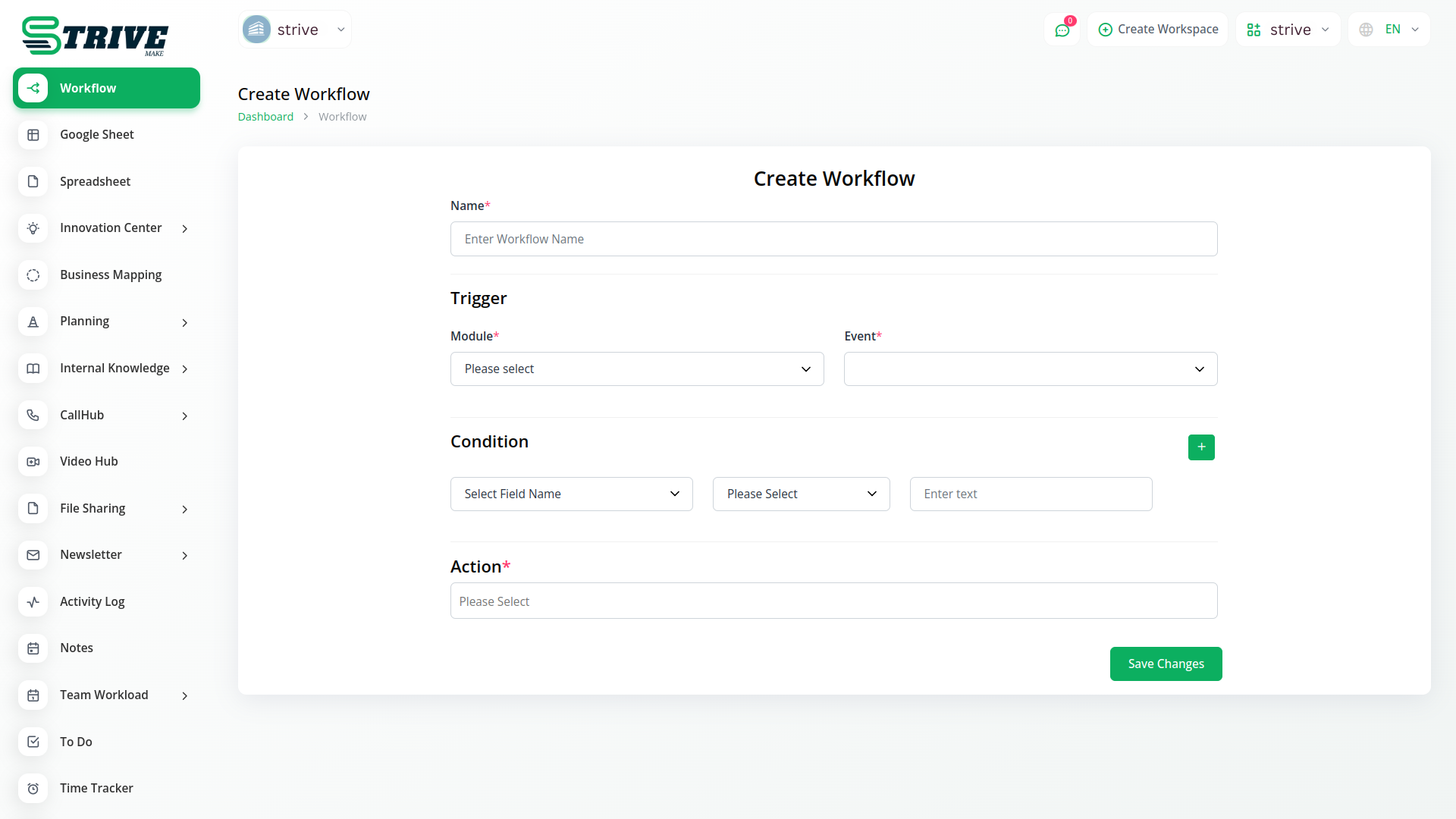
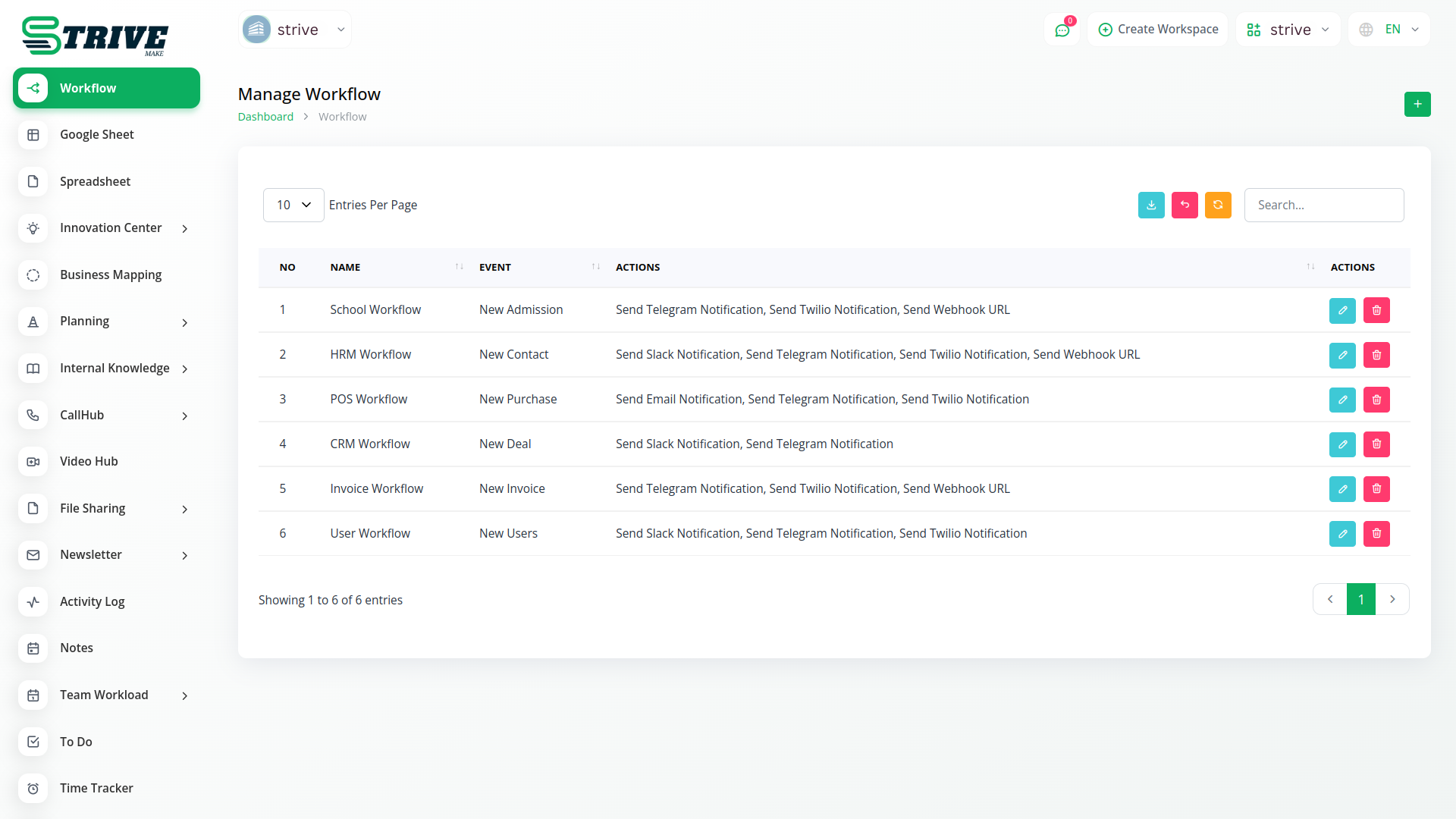
Effortlessly streamline tasks using Custom Workflow automation, minimizing manual work and stress. Customize actions based on events, like auto-emails for bill settlement and seamless integration for efficient operations.
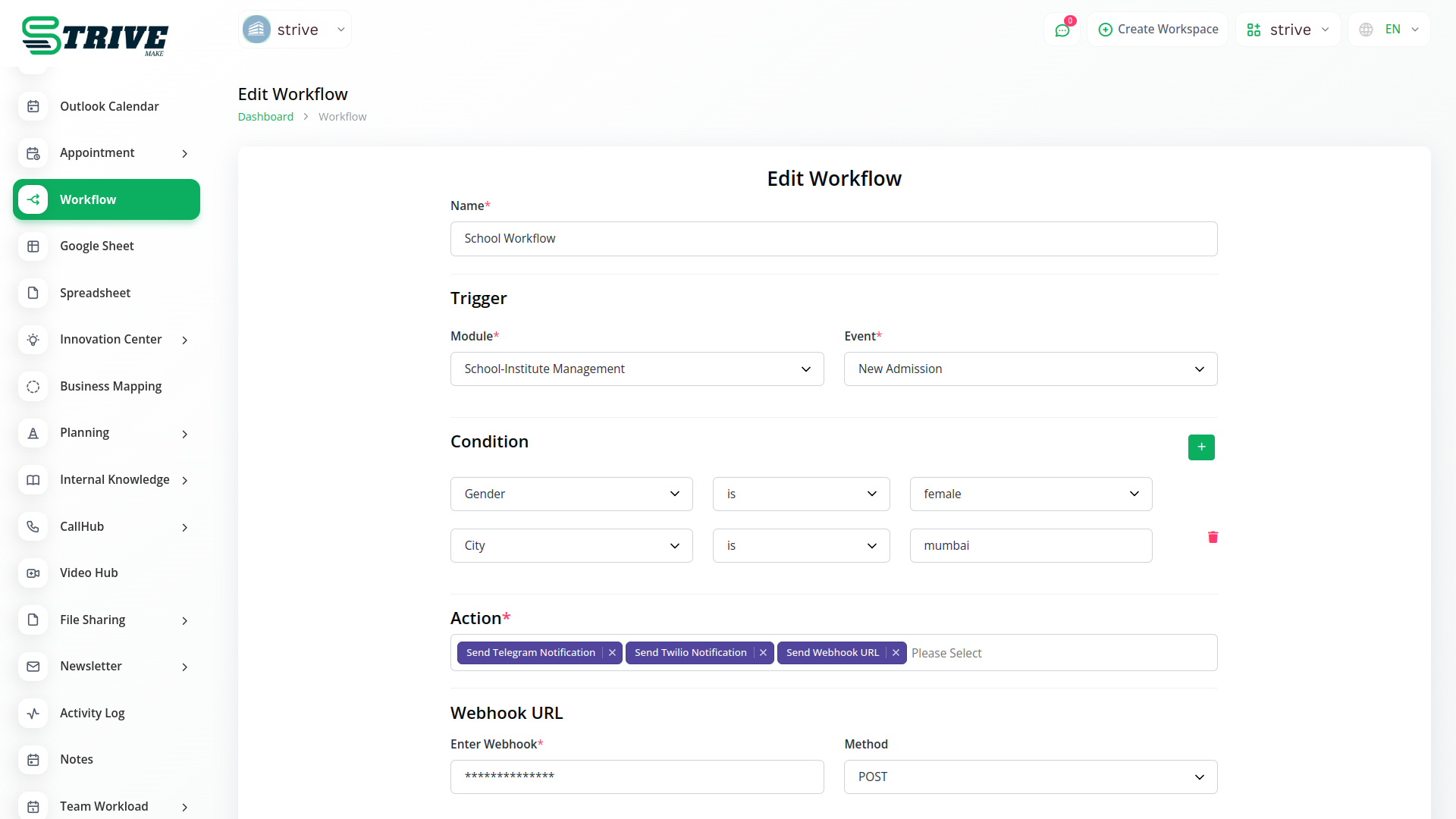
More Effective With Workflow
A workflow is a series of interconnected activities that are executed in a specific order to achieve a desired result.
Set up your workflow
Workflow automation triggers notifications (email, Slack, Telegram, Twitter) for new invoices, user leads, projects. It monitors status and sends personalized s. Streamlines communication and updates for efficient processes.
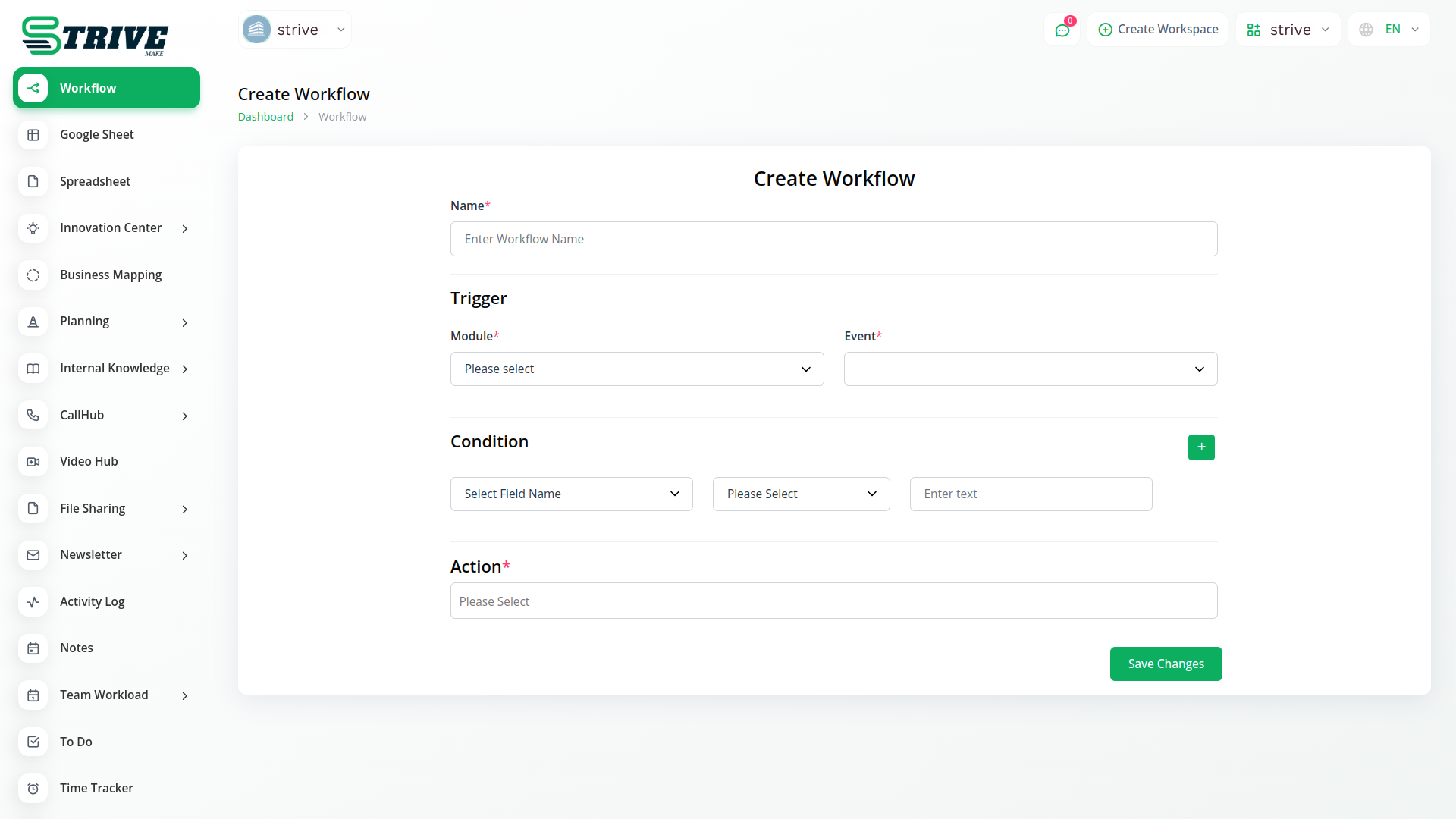
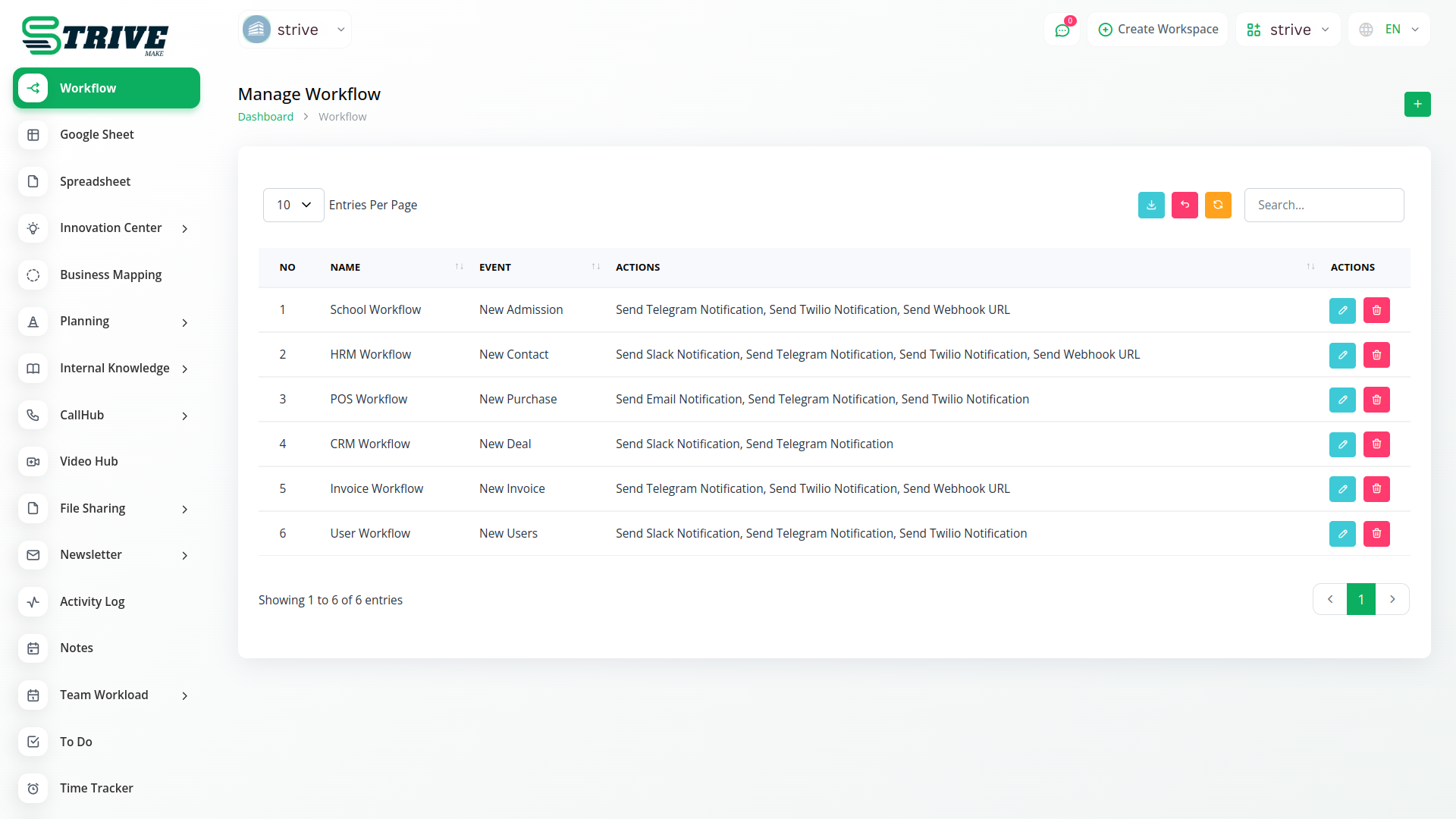
What Is Use Of Workflow??
Workflow involves organizing tasks into a logical sequence to enhance productivity. Define tasks, establish their order, set milestones, allocate time, and monitor progress. Efficient workflow boosts efficiency and task management.
Why choose dedicated modules for your business?
With StriveMake, you can conveniently manage all your business functions from a single location.
Empower Your Workforce with StriveMake
Access over Premium Add-ons for Accounting, HR, Payments, Leads, Communication, Management, and more, all in one place!
- Pay-as-you-go
- Unlimited installation
- Secure cloud storage
- Instant activation
- Cancel anytime
- All updates included
- 24/7 priority support
- Instant activation
- Cancel anytime
- All updates included
- 24/7 priority support
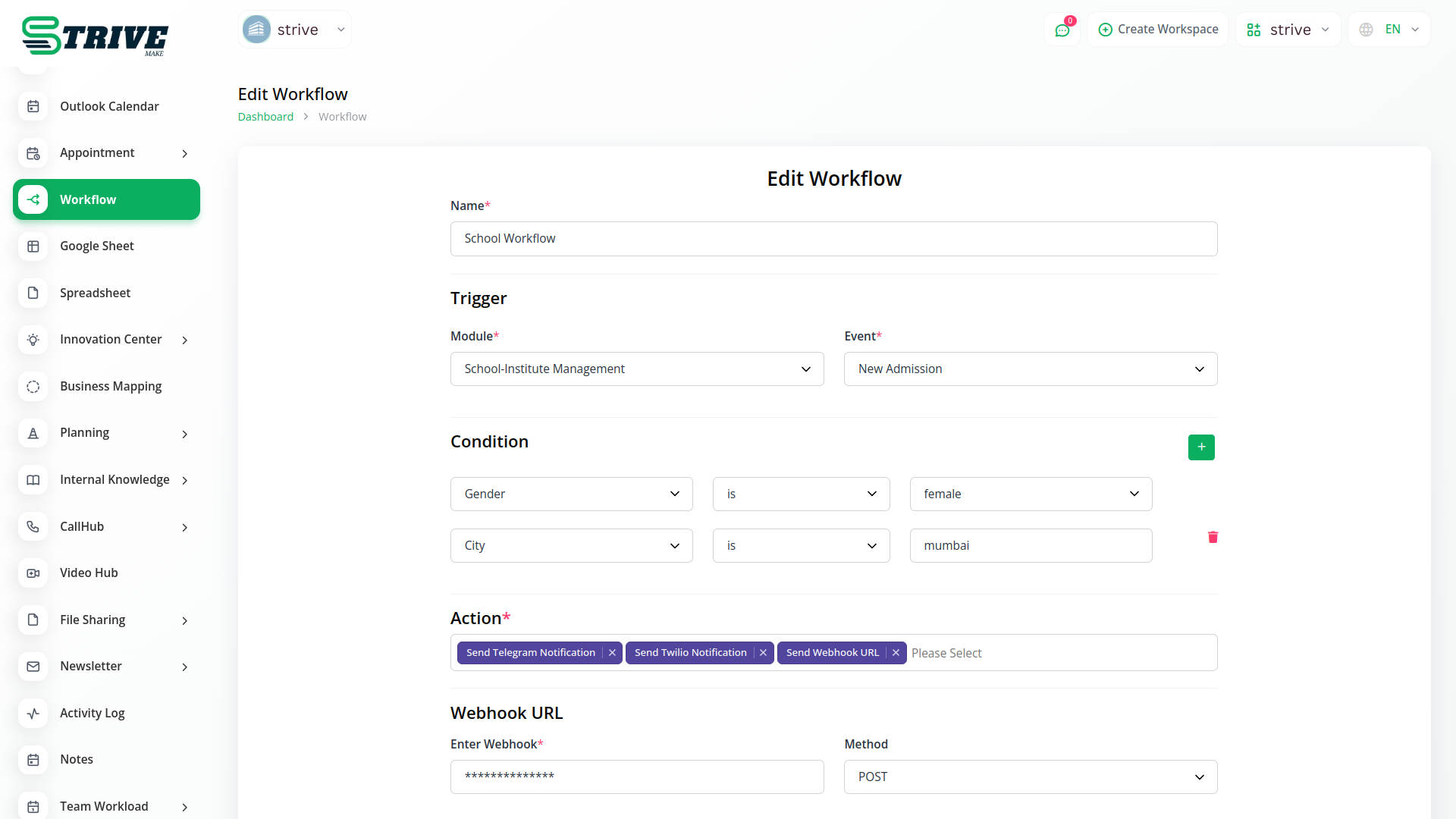
About the Workflow Automation add-on
Workflow Automation lets you set rules that trigger actions across StriveMake, so routine steps happen on their own. When a deal closes, a project opens; when a request is approved, the right person is notified. Because it runs inside your workspace, automations span CRM, HR, projects and accounting through one login, removing manual handoffs and keeping data moving between modules without someone copying it from one screen to the next.
What you can do with Workflow Automation
- Define trigger-and-action rules across modules
- Automate notifications, status changes and record updates
- Chain steps so one event drives the next
- Reduce manual handoffs between CRM, HR and projects
Who Workflow Automation is for
Teams that want to automate repetitive steps and handoffs across their business processes.
Workflow Automation — frequently asked questions
What does the Workflow Automation add-on do?
It lets you build rules that trigger actions automatically inside StriveMake. When a defined event happens, such as a deal closing or a request being approved, the add-on carries out the next steps like updating records or sending notifications, so routine processes run without manual effort across your workspace.
How much does the Workflow Automation add-on cost?
The Workflow Automation add-on is $9,00/month or $86,00/year on top of your StriveMake plan, and you can turn it off whenever you like.
What kinds of processes can I automate?
You can automate many cross-module steps, from notifying a team when a status changes to creating a project when a deal closes or updating a record when a request is approved. Triggers and actions chain together, so a single event can drive a sequence of follow-on steps that used to be done by hand.
Does Workflow Automation work with the rest of StriveMake?
Yes. Automations run inside your StriveMake workspace and reach across CRM, HR, projects and accounting through one login. Because every module shares the same data, an event in one part of the platform can trigger action in another, keeping information flowing without manual copying between screens.
Related modules you might like
With StriveMake, you can conveniently manage all your business functions from a single location.


