Google Analytics
The Google Analytics Add-On seamlessly integrates powerful insights into your dashboard, giving you real-time visibility into website traffic, visitor geography, and device usage—all without leaving the platform. With easy setup and live syncing from Google Analytics, you can monitor performance, track user behavior, and optimize strategies in one centralized space.
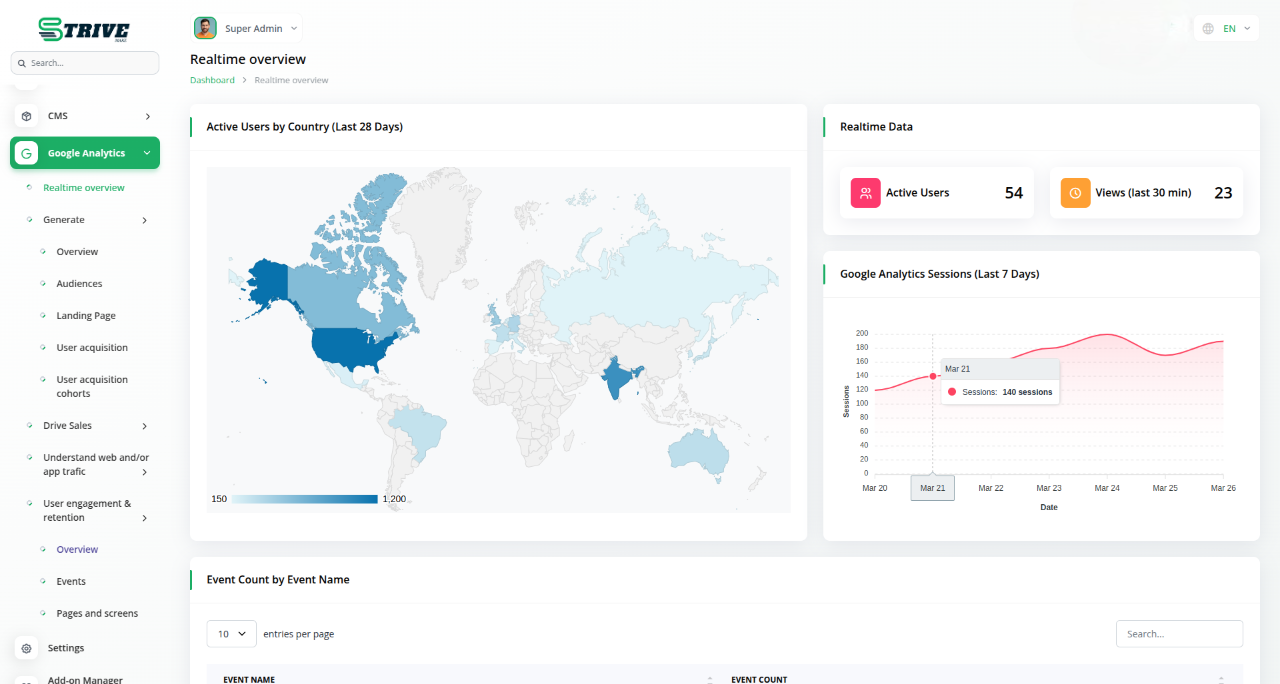
Instant Insights with Google Analytics Add-On
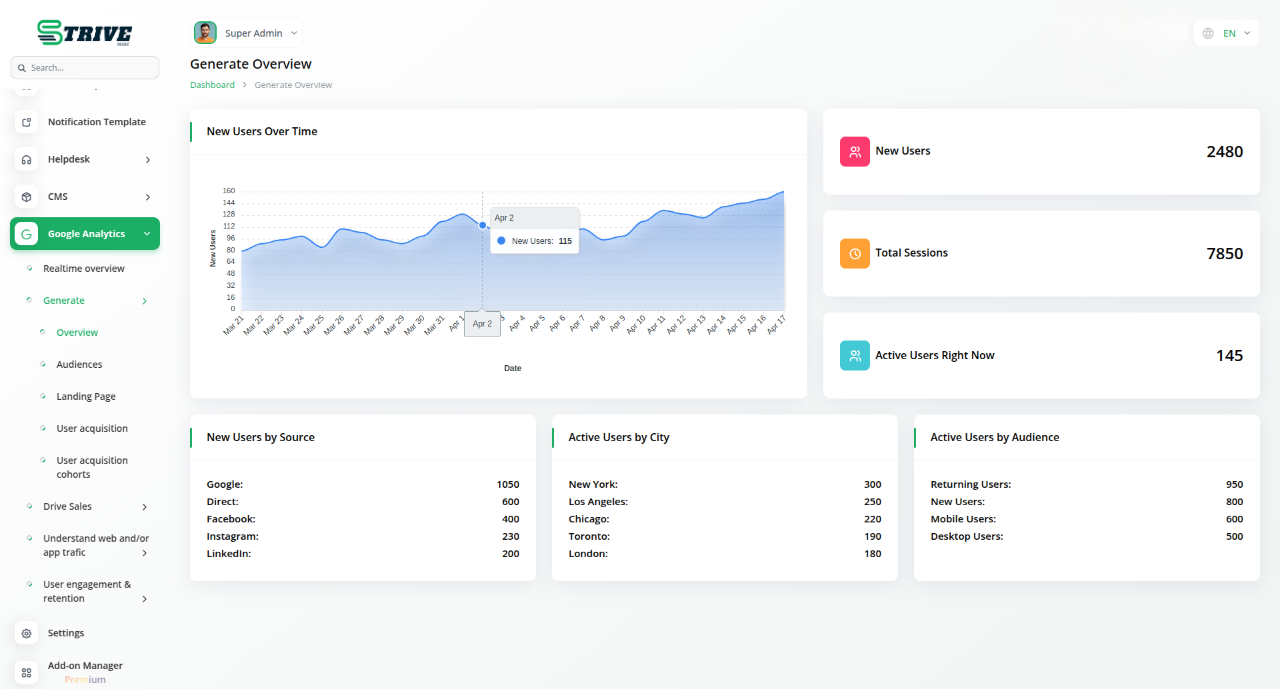
The Google Analytics Add-On lets you turn raw visitor data into powerful insights to improve your online presence. Simply upload your JSON file and Pixel ID to activate real-time tracking. All analytics appear directly within your dashboard—no need to switch tools. Monitor performance, measure growth, and refine strategies from one centralized place. Setup is quick, and the insights are instant.
Know Where Your Visitors Come From
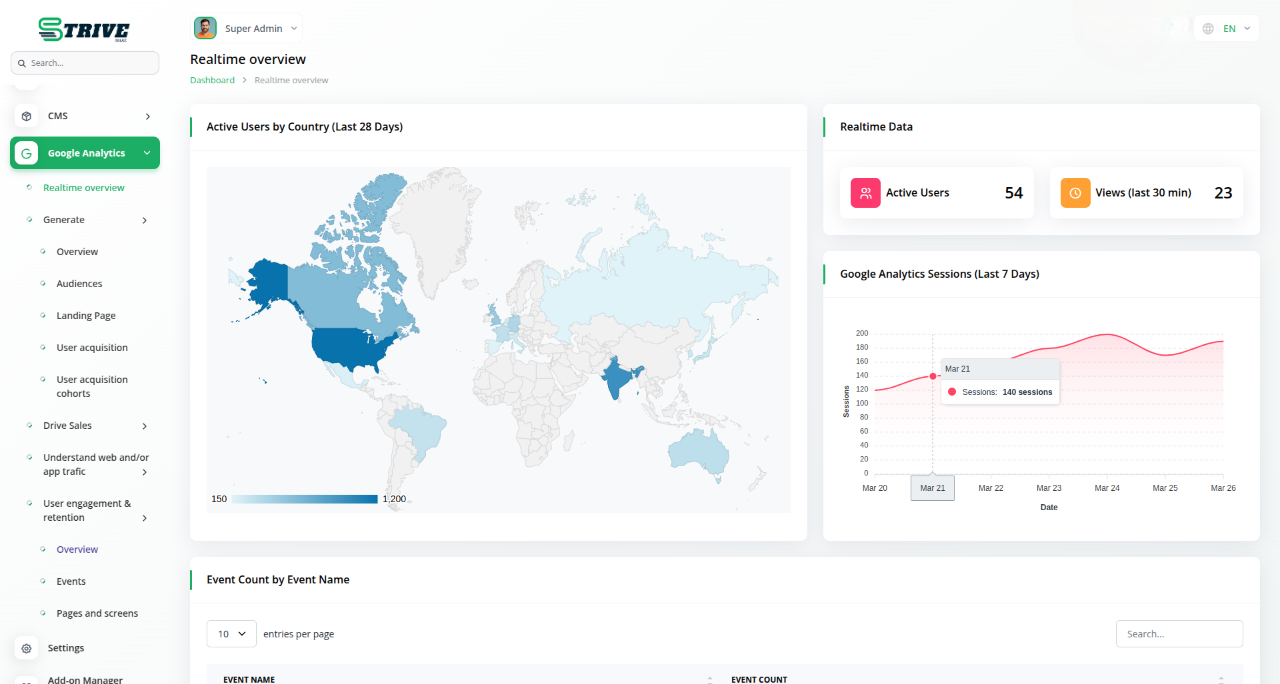
Understanding where your visitors come from is crucial for business growth. With detailed geographic insights, you can tailor marketing strategies to specific regions and create localized campaigns. All this data is easily accessible within your dashboard, so there`s no need to switch between tools. As Google Analytics updates, your platform reflects the latest information, helping you focus your resources and improve user experience.
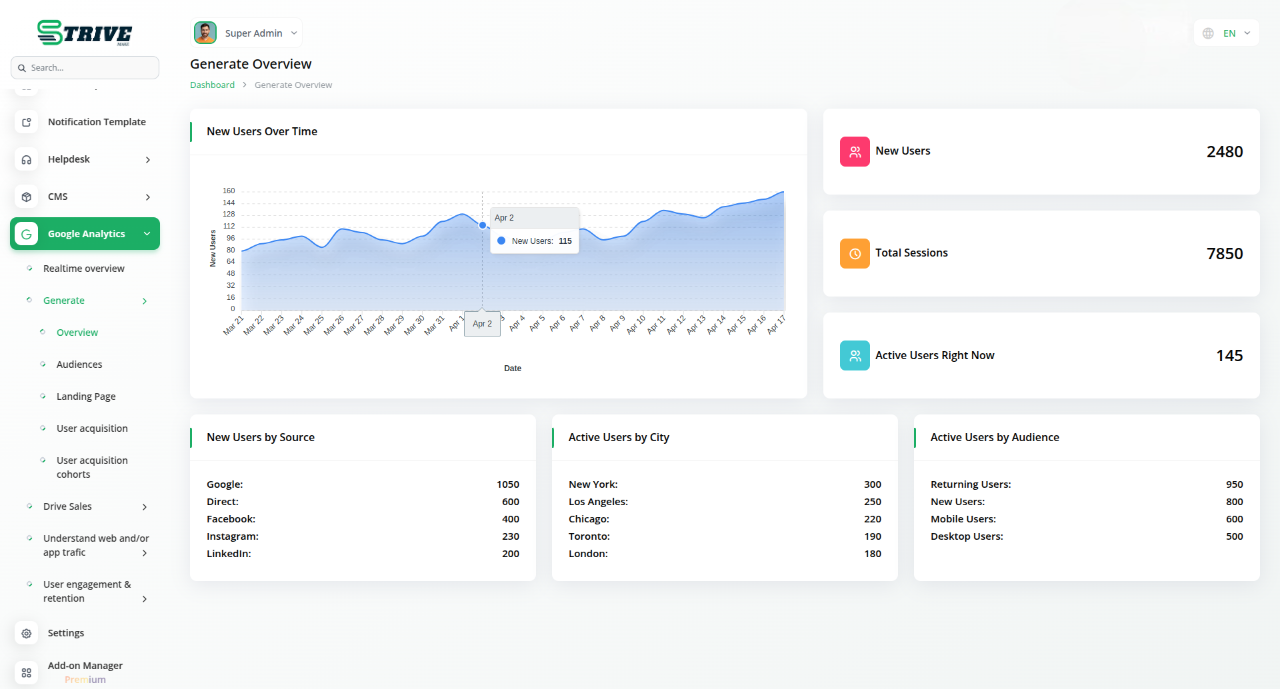
Track Traffic Like a Pro
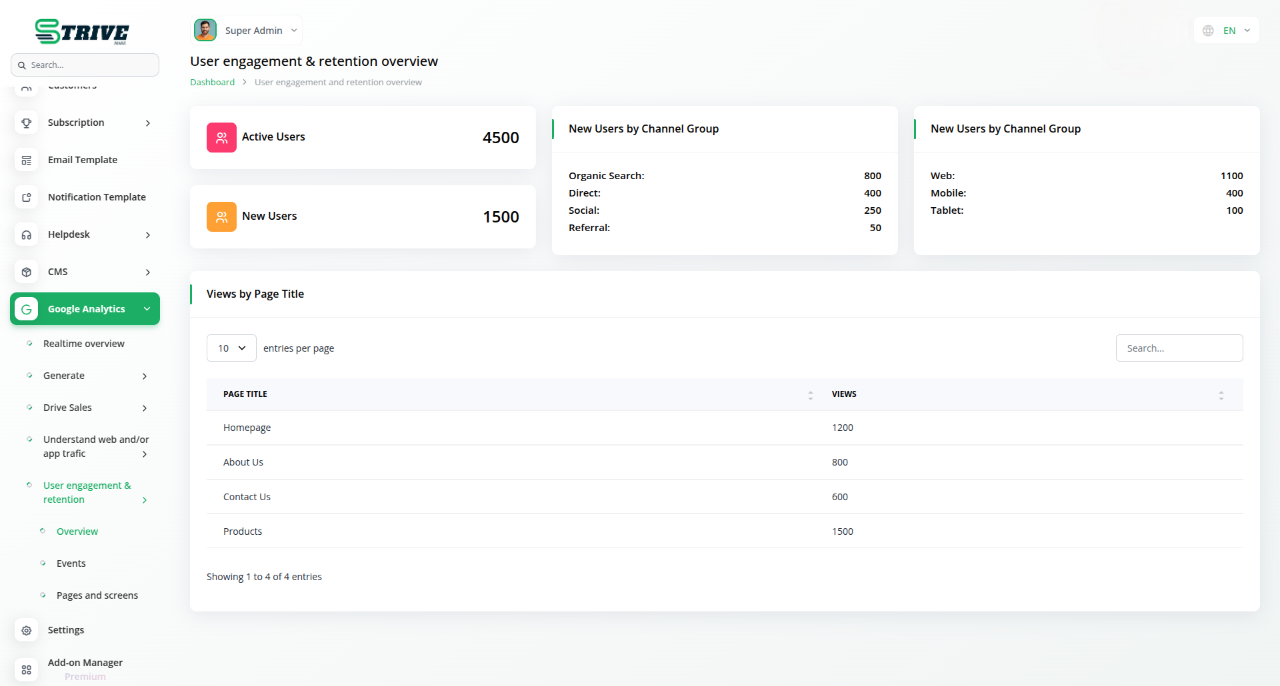
With real-time traffic tracking, you can instantly see what is working and what needs attention. Whether it is a campaign or day-to-day engagement, you get up-to-date user activity right within your platform. No need to leave your dashboard for reports—every trend and spike is visible in one place. This centralized view allows you to respond quickly and refine your strategies based on real-time insights. Stay agile and informed without switching tools.
Understand How Your Site is Being Accessed
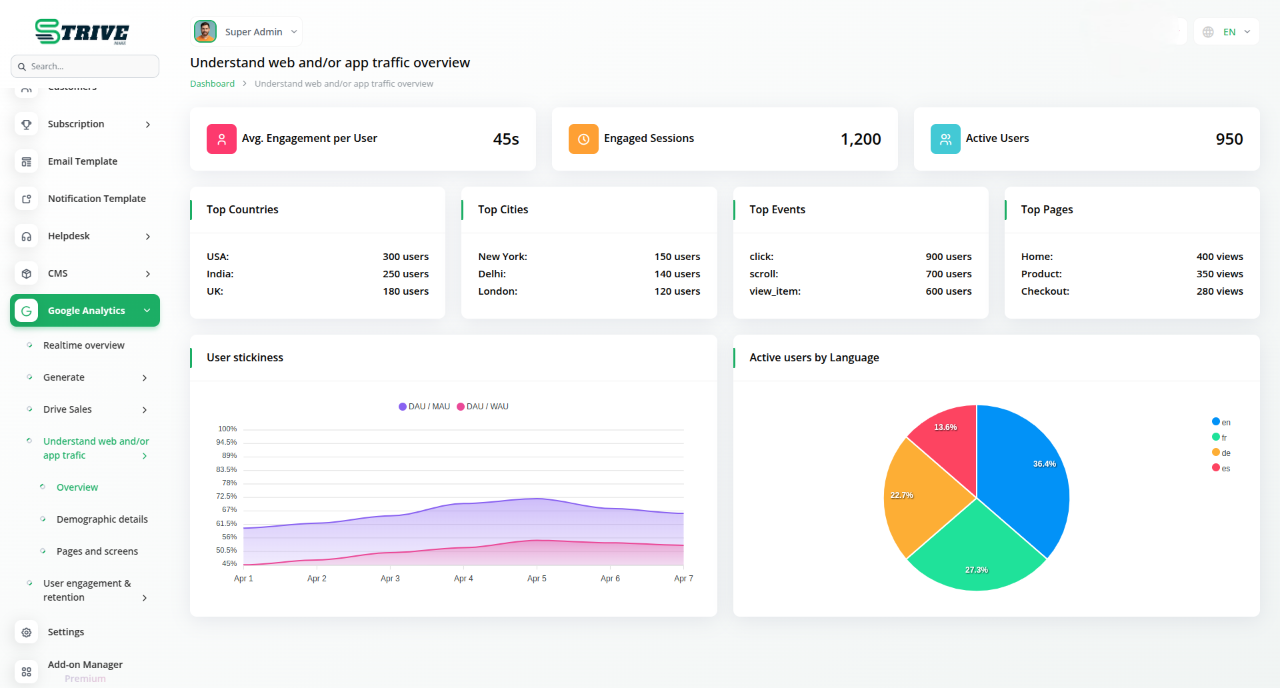
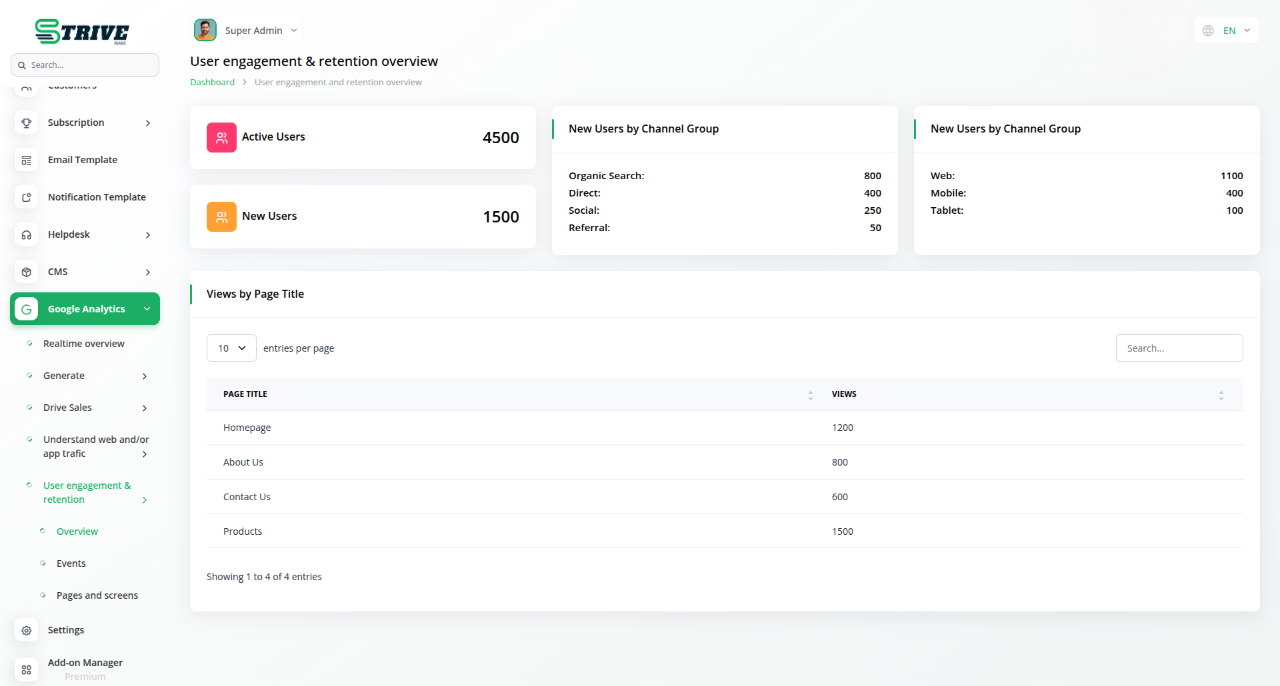
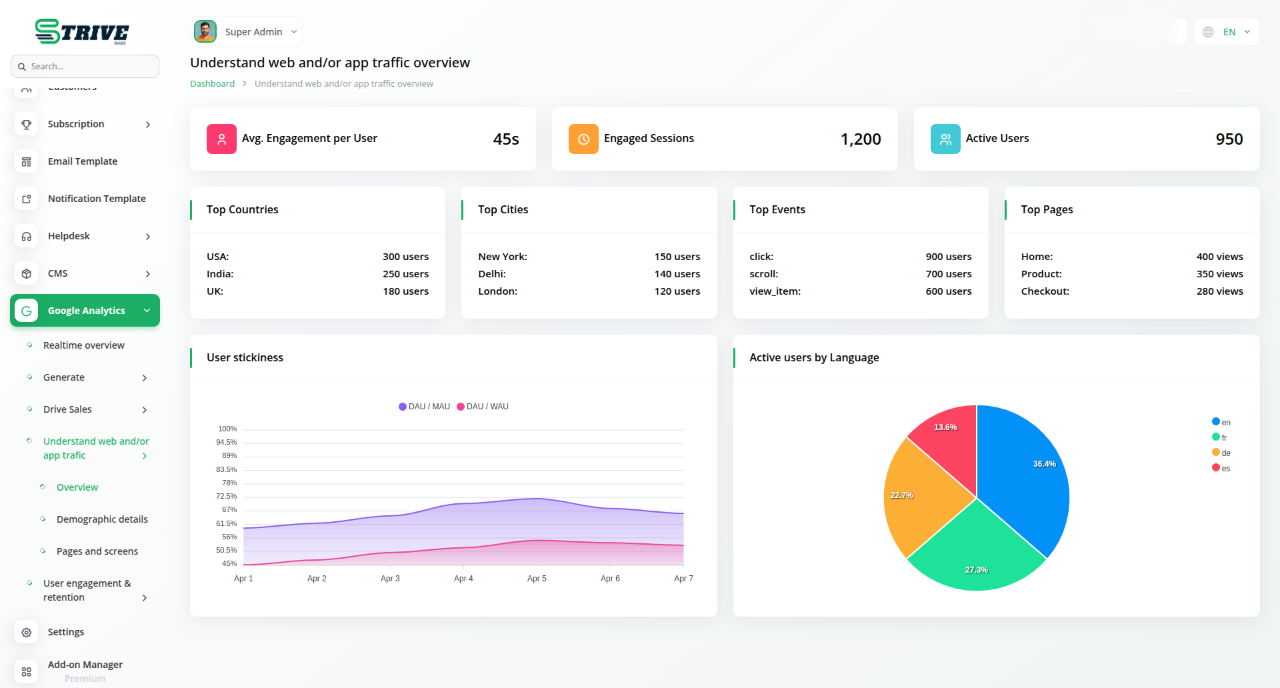
In today`s multi-device world, it is crucial to know how visitors access your site. The Google Analytics Add-On provides detailed insights into the devices used, from smartphones to desktops, directly within your platform. This allows you to track mobile traffic, spot device-specific issues, and optimize your site accordingly. With real-time updates, you can align design and marketing strategies with user behavior, ensuring the best experience across all devices.
Why choose dedicated modules for your business?
With Strivemake, you can conveniently manage all your business functions from a single location.
Empower Your Workforce with Strivemake
Access over Premium Add-ons for Accounting, HR, Payments, Leads, Communication, Management, and more, all in one place!
- Pay-as-you-go
- Unlimited installation
- Secure cloud storage
- Instant activation
- Cancel anytime
- All updates included
- 24/7 priority support
- Instant activation
- Cancel anytime
- All updates included
- 24/7 priority support
About the Google Analytics add-on
Google Analytics tracks how visitors find and use your website, measuring traffic sources, page views and user behaviour. This add-on brings those insights into StriveMake, so your web performance data sits beside the customers and campaigns it relates to. Instead of logging into a separate dashboard, you see how site activity connects to leads and sales in your workspace. With one login, marketing measurement joins your operational data, helping you understand which traffic actually turns into business across your connected modules.
What you can do with Google Analytics
- View Google Analytics traffic data in StriveMake
- Track page views, sources and visitor behaviour
- See web performance beside your CRM data
- Connect site activity to leads and sales
Who Google Analytics is for
Marketing teams that want website analytics visible alongside their CRM and sales data.
Google Analytics — frequently asked questions
What does the Google Analytics add-on do?
It connects your Google Analytics account to StriveMake so website traffic data appears within your workspace. You can see metrics like visitor counts, traffic sources and page activity without switching to a separate dashboard, keeping your web performance insights close to the customers and campaigns they relate to.
How much does the Google Analytics add-on cost?
The Google Analytics add-on is included free with your StriveMake plan — there is no extra charge to switch it on.
What website metrics can I see?
You can view core analytics such as how many people visit, where they come from and which pages they view. Having these figures inside StriveMake helps you connect site behaviour to the leads and sales recorded in your CRM, so you understand which traffic genuinely drives business.
Does Google Analytics work with the rest of StriveMake?
It does. Bringing analytics into the same workspace as your CRM, marketing and reports lets you relate website activity to actual customer outcomes. With one login, your team sees web performance and operational data together rather than reconciling separate tools.
Related modules you might like
With Strivemake, you can conveniently manage all your business functions from a single location.


