Custom Field
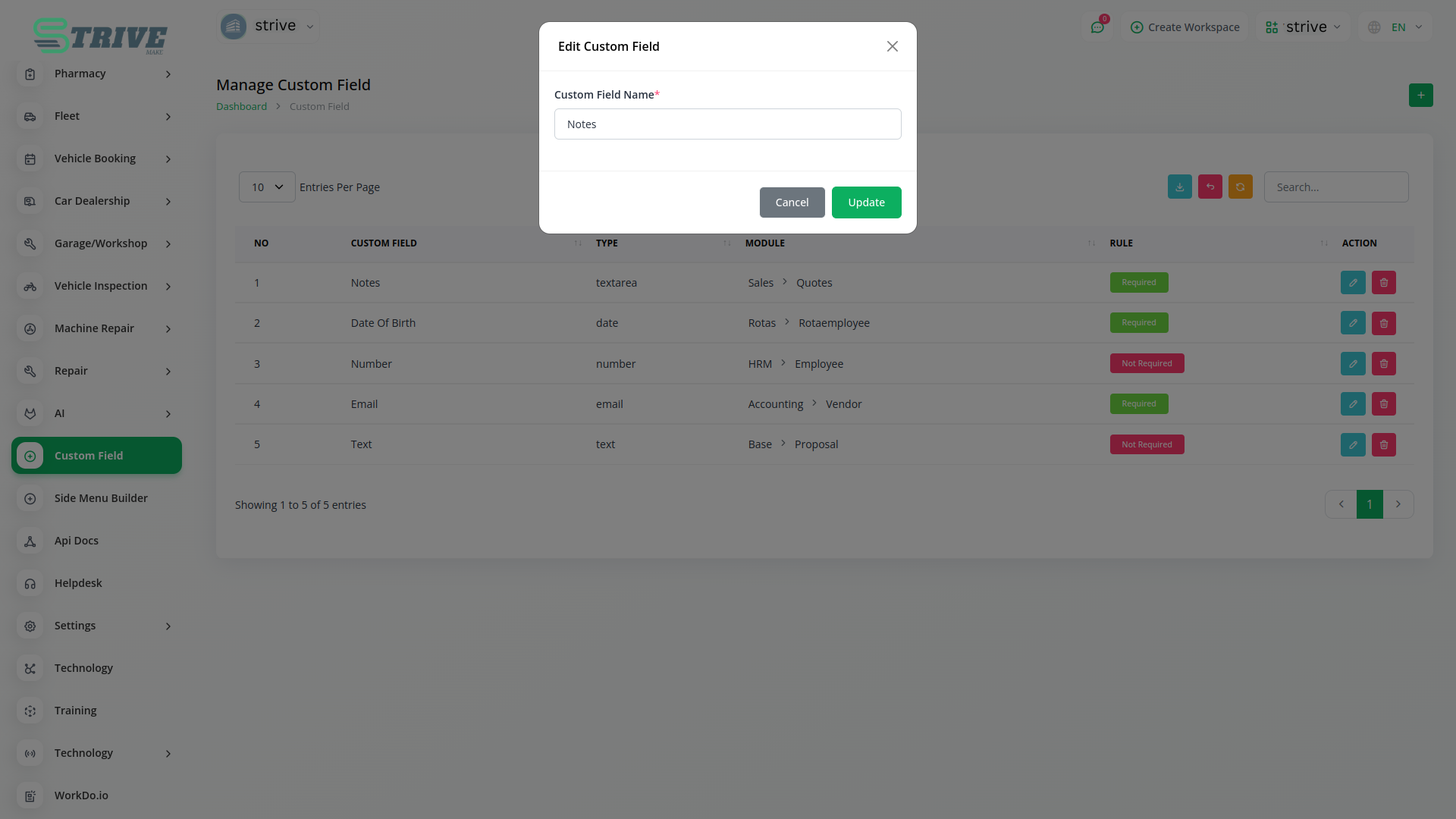
Would you like to collect additional information about modules then you can use custome filed.This feature allows you to gather more specific information.
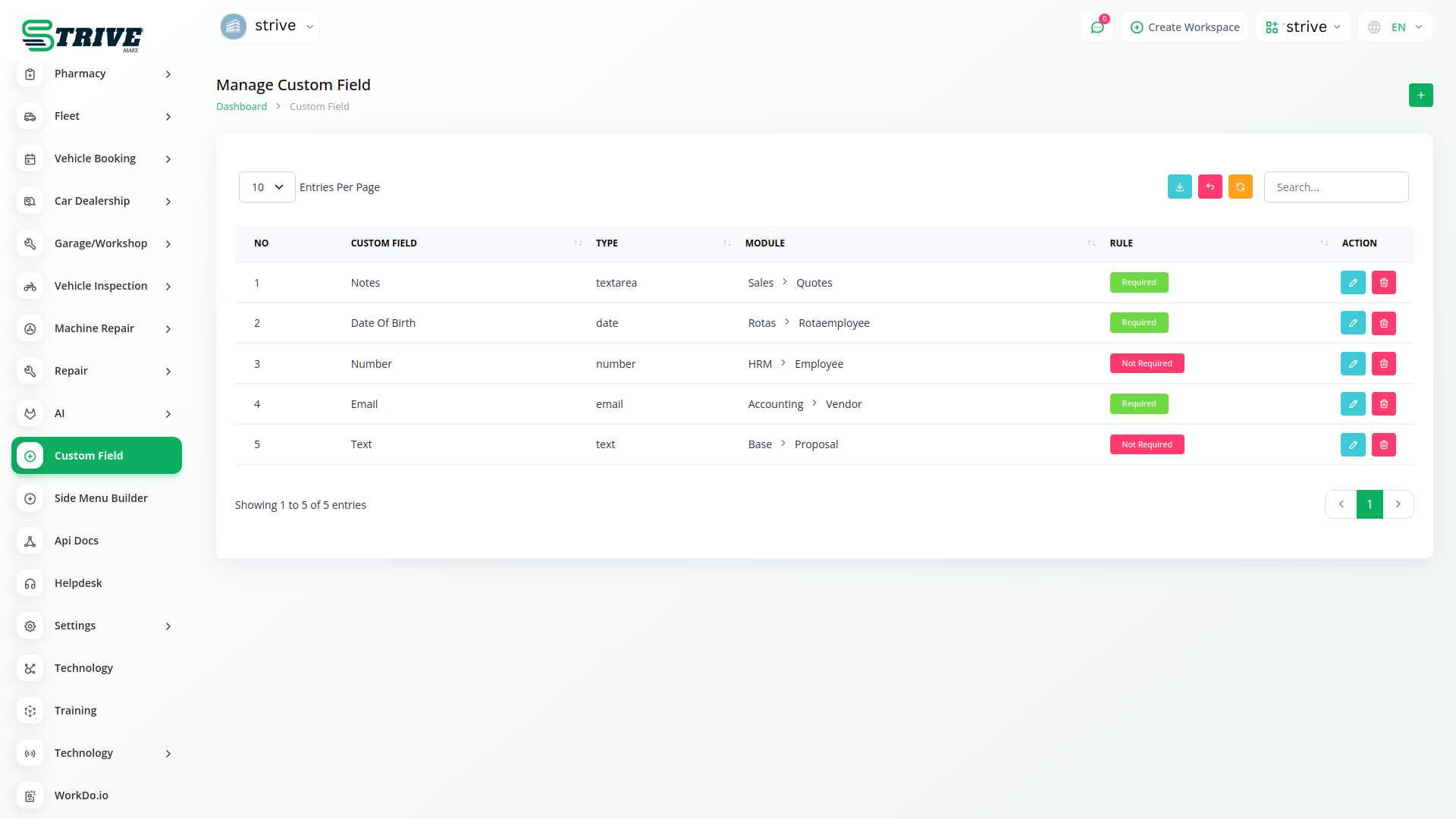
Get Additional Information
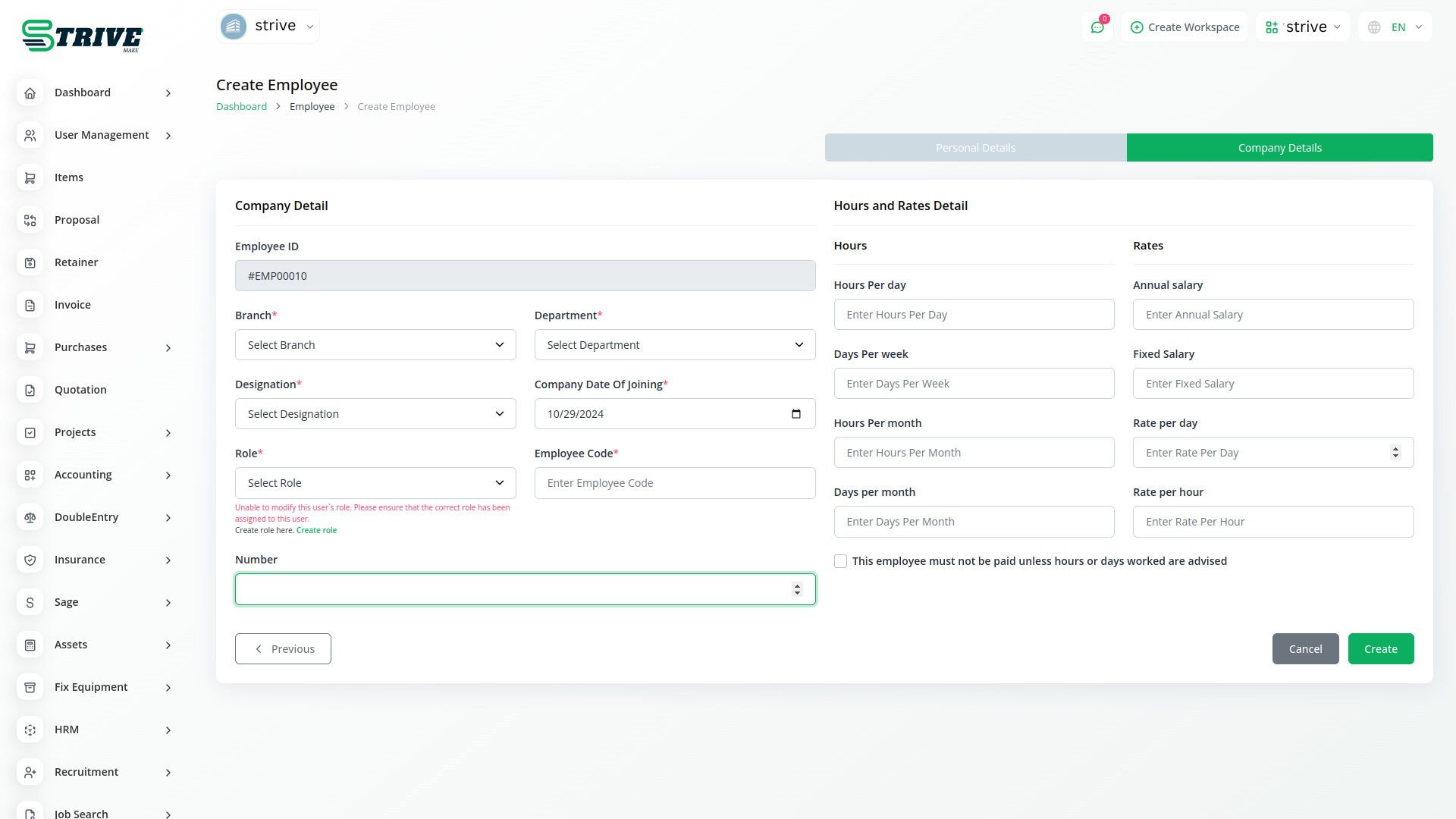
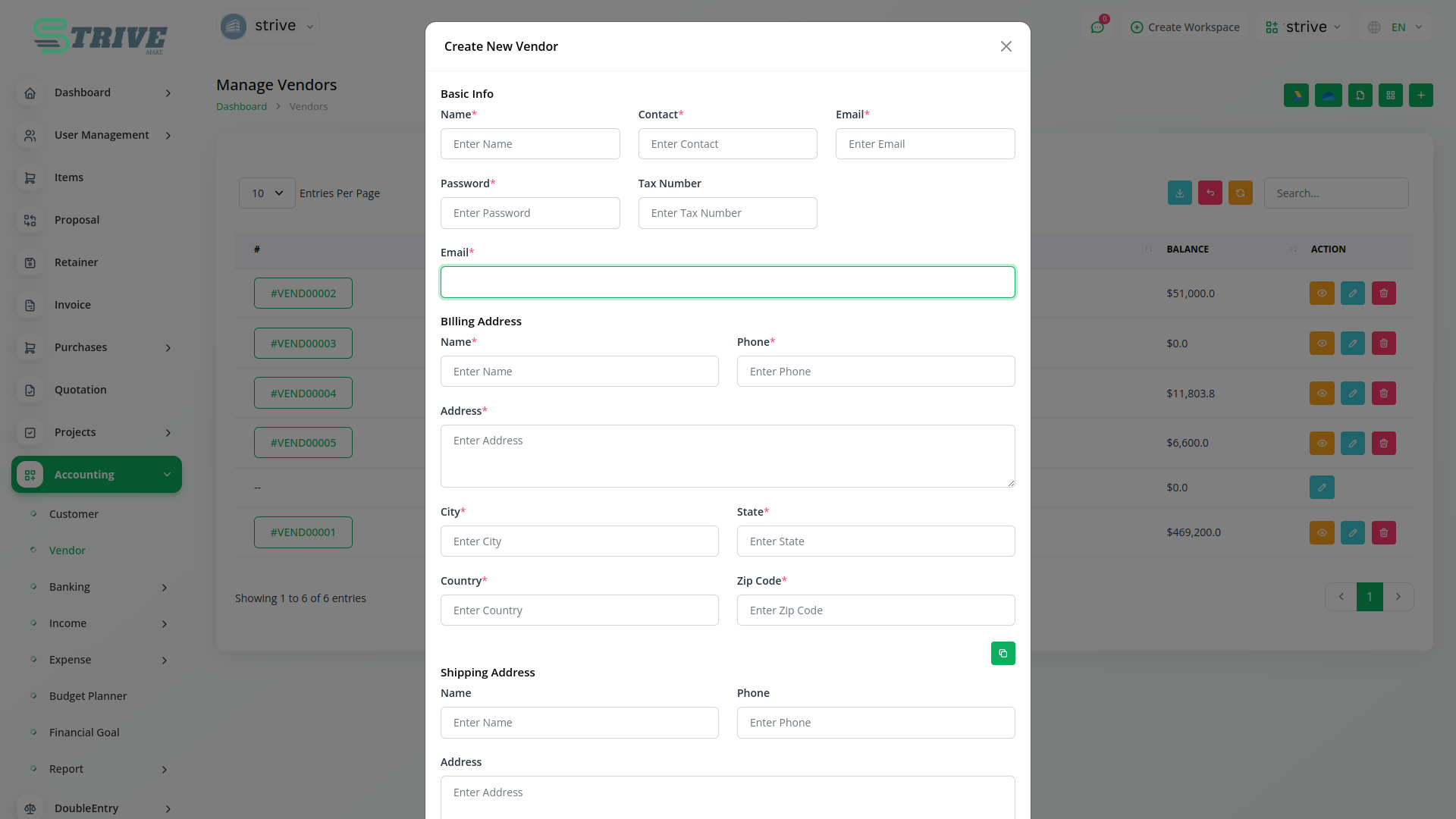
Bind fields to specific module.
Custom Filed
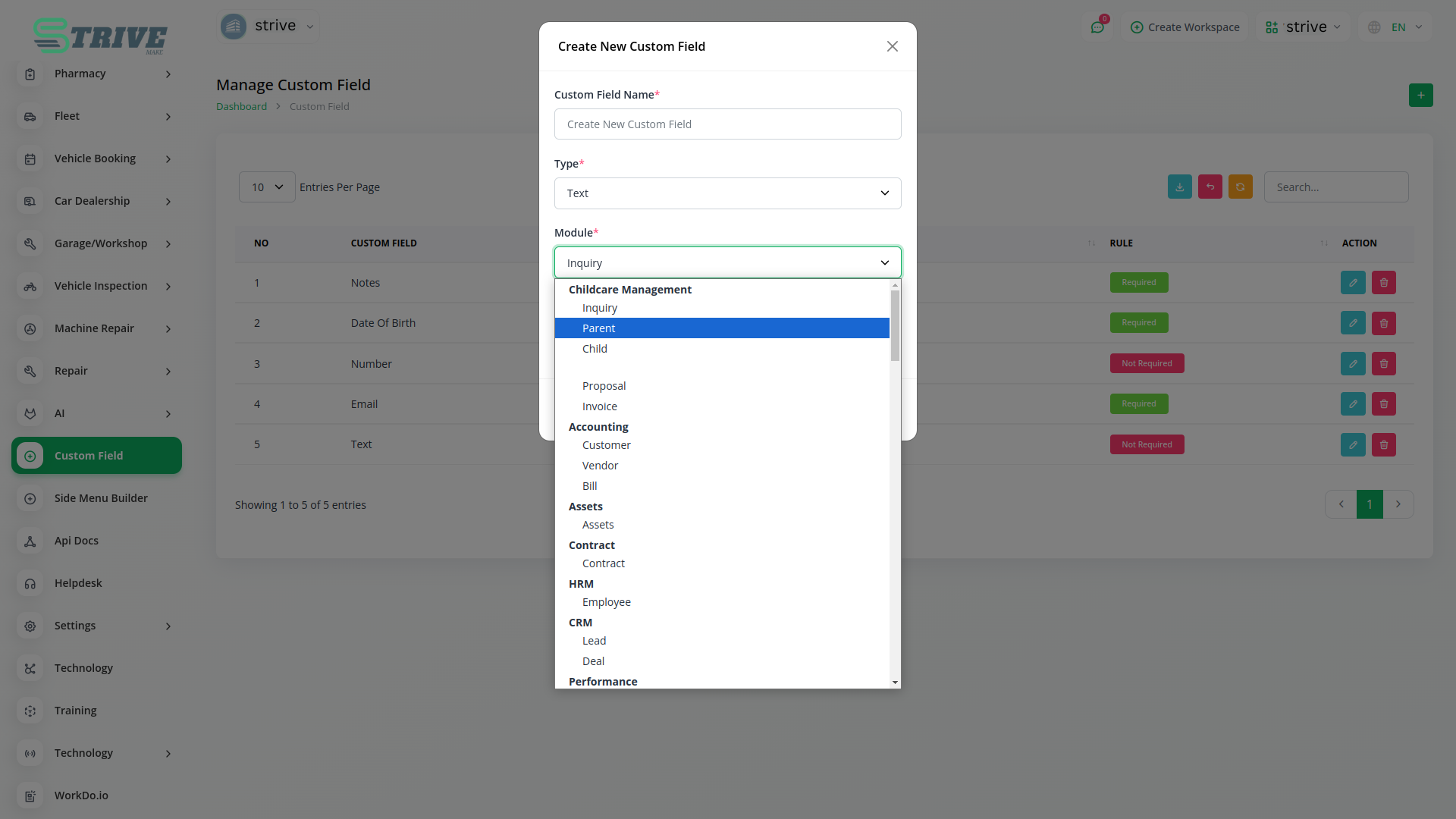
All you need to do is select a field from the list and the appropriate type. There are available five field types: Text, Date, Email, Number, and Textarea you will be able to show the custom fields without any additional effort.
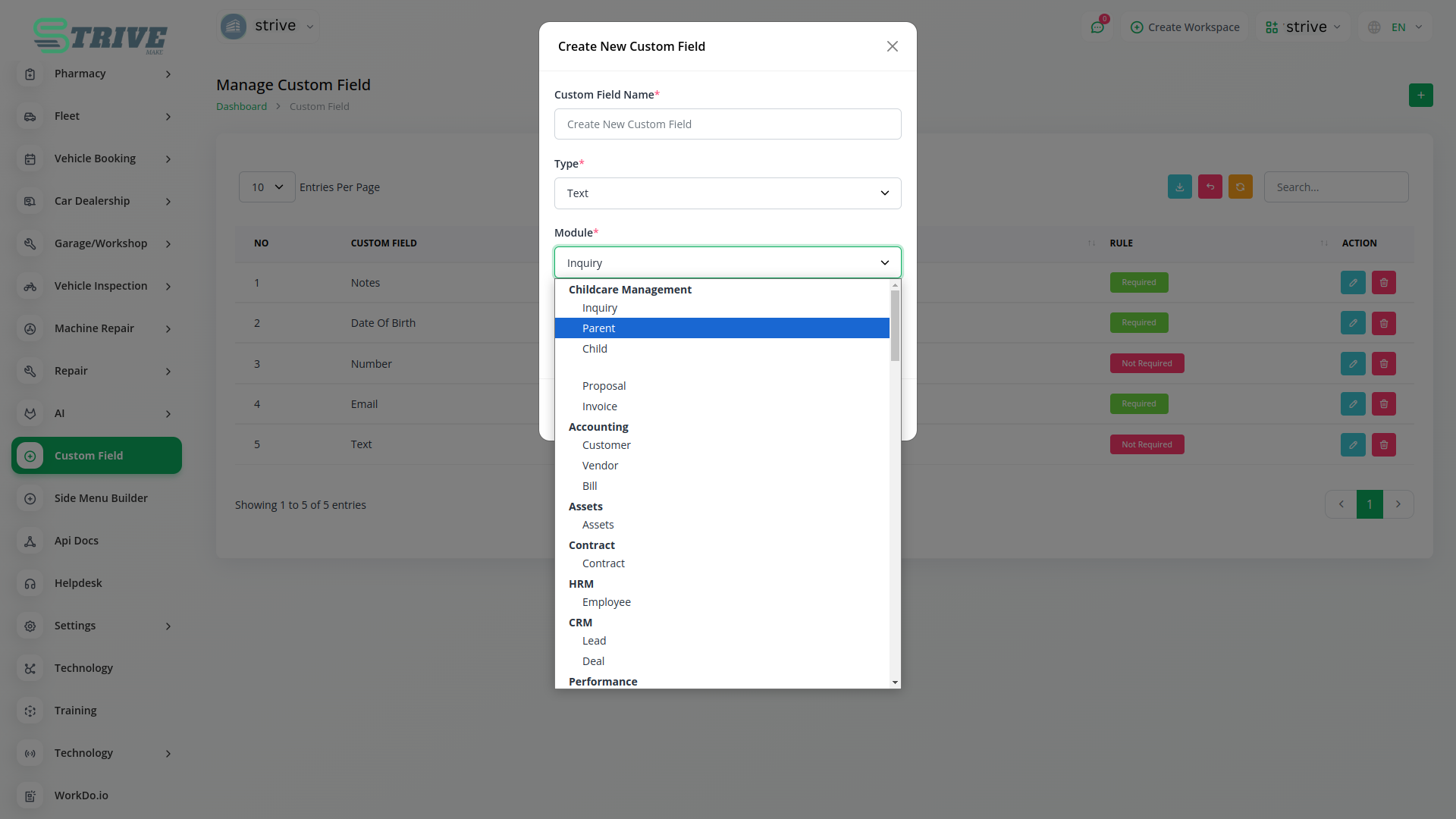
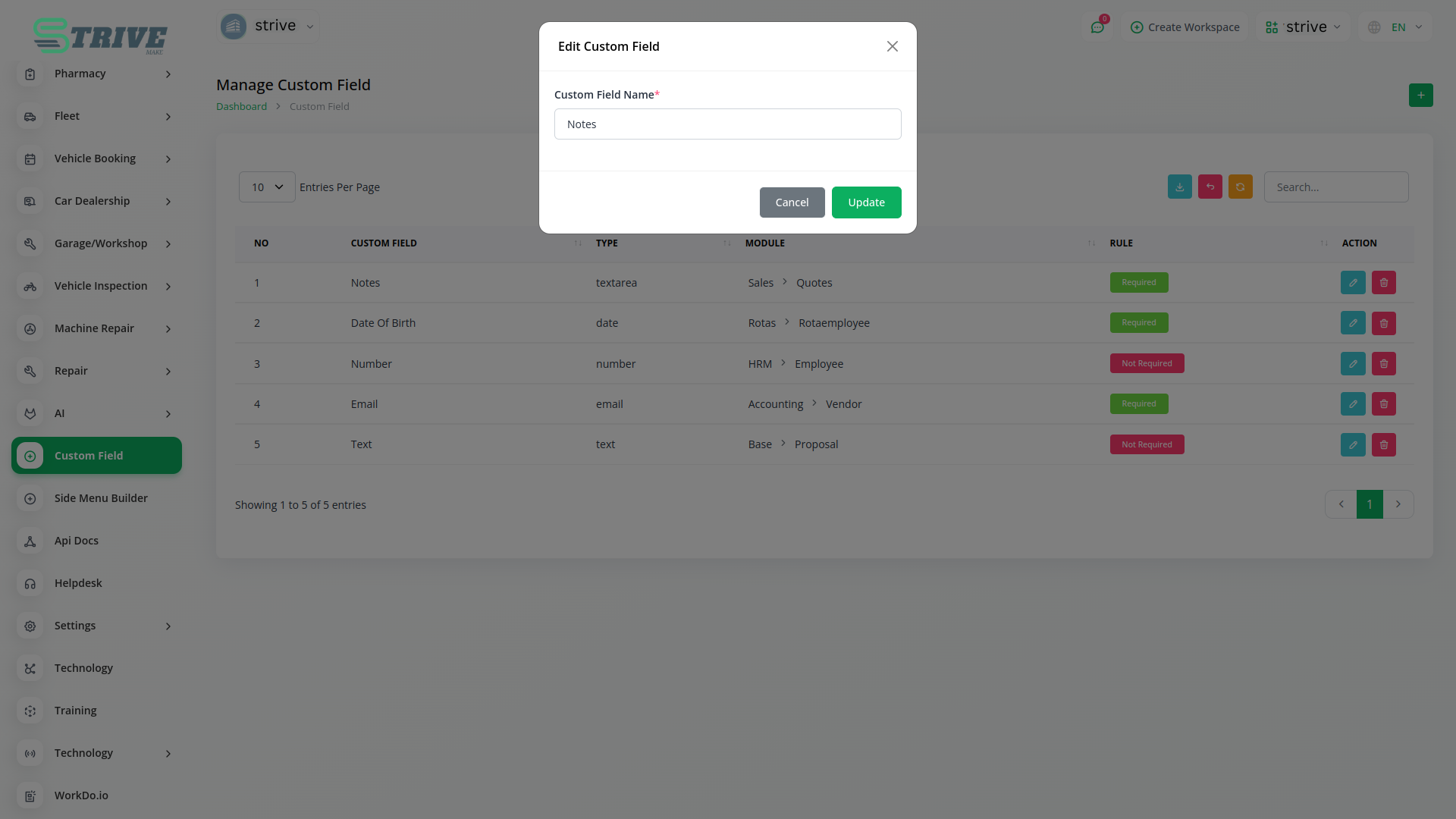
Use All Modules
Custom Filed use in HRM, Account, Lead, Assests, Contract, Performance, Pos, Retainer, Sales, Taskly all modules.You can using custom filed collect additional information about all modules as you like.
Why choose dedicated modules for your business?
With StriveMake, you can conveniently manage all your business functions from a single location.
Empower Your Workforce with StriveMake
Access over Premium Add-ons for Accounting, HR, Payments, Leads, Communication, Management, and more, all in one place!
- Pay-as-you-go
- Unlimited installation
- Secure cloud storage
- Instant activation
- Cancel anytime
- All updates included
- 24/7 priority support
- Instant activation
- Cancel anytime
- All updates included
- 24/7 priority support
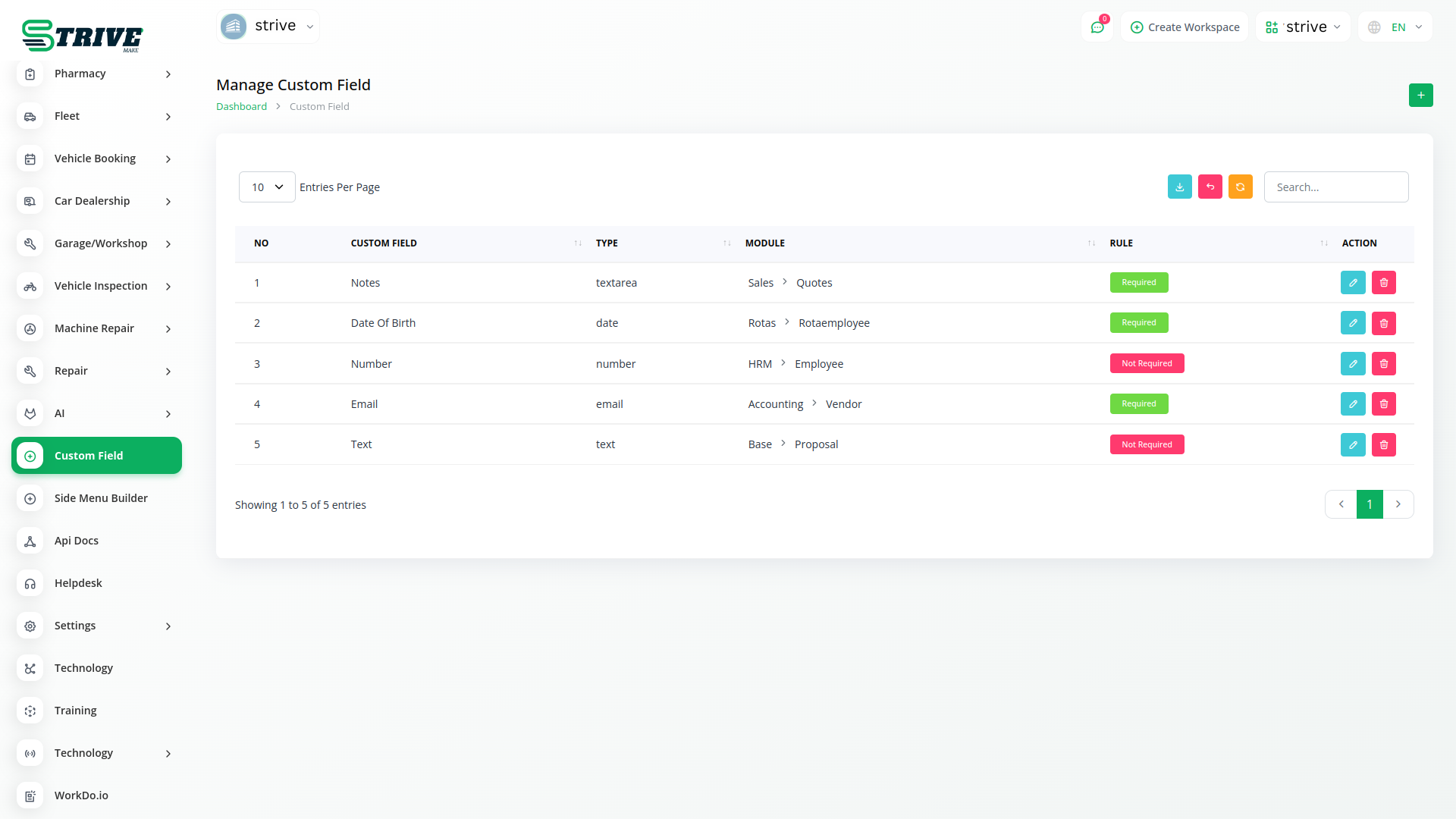
About the Custom Field add-on
Custom Field lets you extend StriveMake records with the exact data points your business tracks, adding fields to contacts, projects, products and more. Because the add-on works across the platform, the information you capture flows into the CRM, HR, project and reporting modules you already use. One login means your custom data is not trapped in one screen; it travels with the records and shows up in the reports where it matters.
What you can do with Custom Field
- Add custom fields to contacts, projects, products and other records
- Choose field types like text, number, date or dropdown
- Capture business-specific data the default forms do not cover
- Surface custom data across modules and reports
Who Custom Field is for
Businesses with unique data needs that want to tailor StriveMake records beyond the standard fields.
Custom Field — frequently asked questions
What does the Custom Field add-on do?
It lets you add your own fields to StriveMake records such as contacts, projects and products, capturing the specific data your business tracks. You pick field types like text, number, date or dropdown, so the platform records exactly what you need rather than forcing you to fit your information into default forms.
How much does the Custom Field add-on cost?
The Custom Field add-on is $3,00/month or $29,00/year on top of your StriveMake plan, and you can turn it off whenever you like.
What kinds of fields can I create?
Custom Field supports common types including text, numbers, dates and dropdown selections, so you can model many kinds of business data. Whether you need a reference code on a contact or a category on a product, you define the field once and it becomes part of that record going forward.
Does Custom Field work with the rest of StriveMake?
Yes. Custom fields are built into the platform, so the data you capture appears across the CRM, HR, project and reporting modules that use those records. With one login your tailored fields travel with the record and show up in the reports where the information is useful.
Related modules you might like
With StriveMake, you can conveniently manage all your business functions from a single location.