Trello
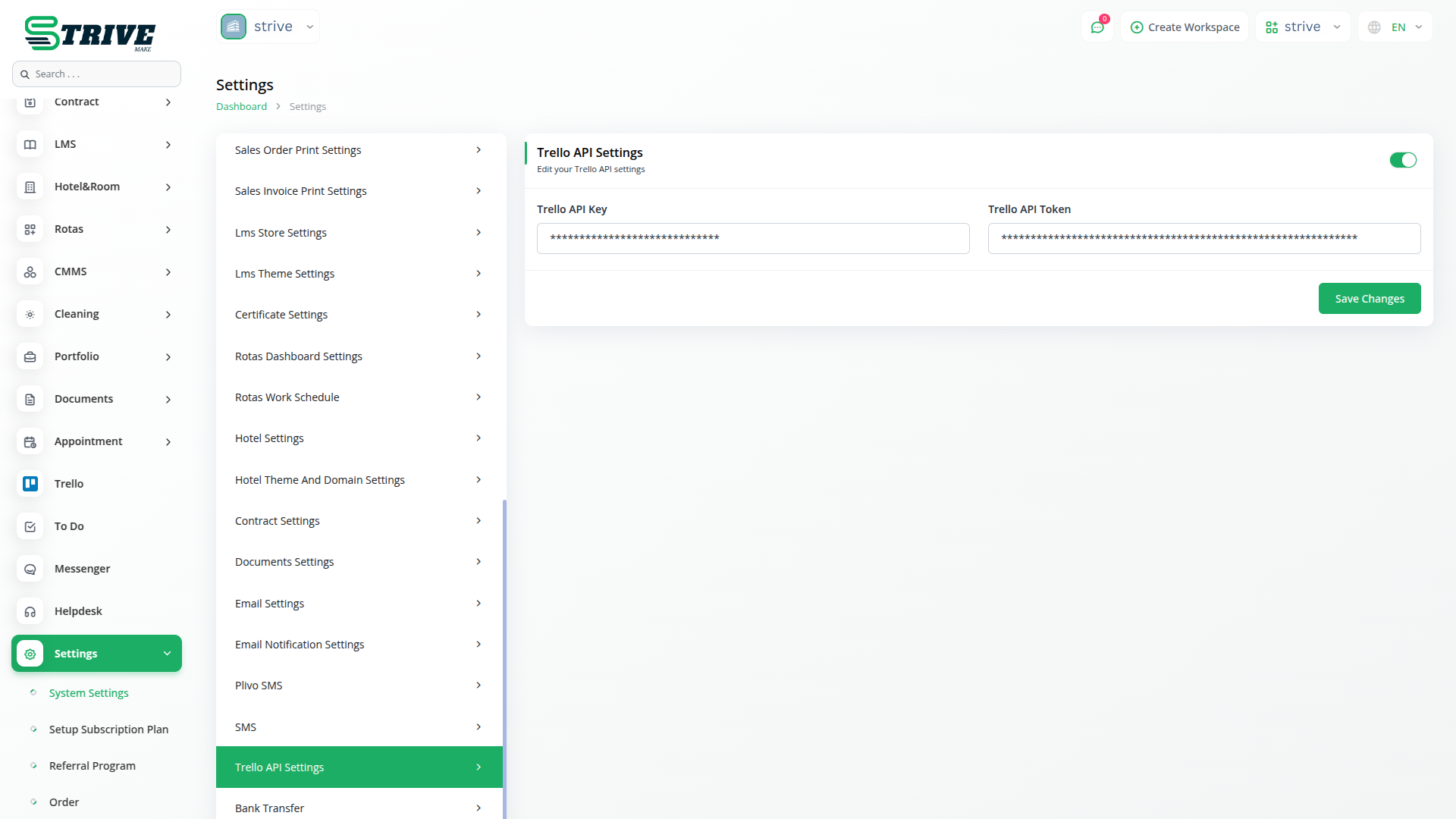
To integrate Trello with StriveMake, start by adding your Trello API credentials. Navigate to the integration settings in StriveMake and locate the Trello configuration section. Here, you will need to enter your Trello API key and authentication token, which can be obtained from your Trello developer account. Once you’ve entered these details, save the settings to establish a connection between Trello and StriveMake, allowing seamless data synchronization.
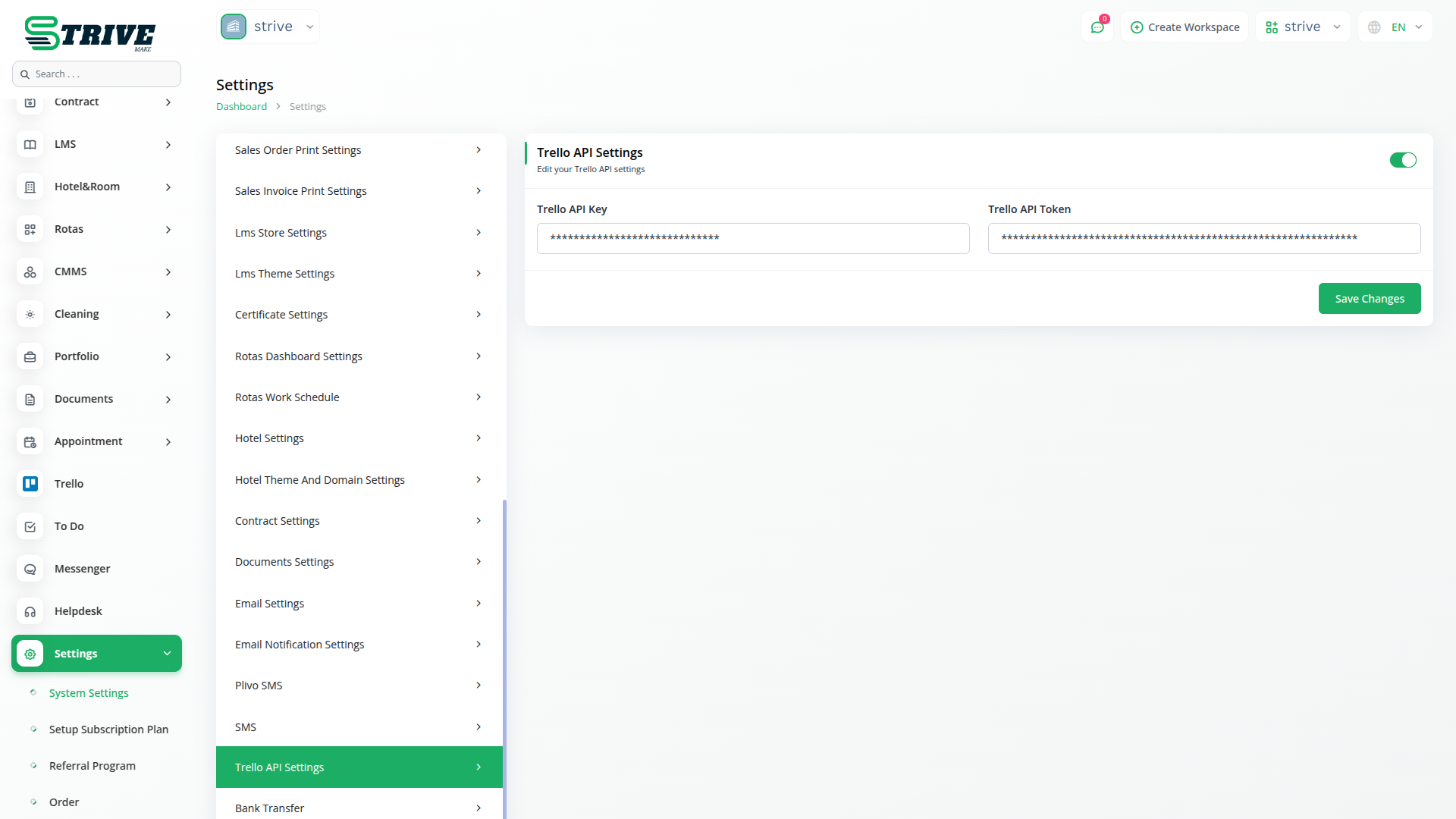
Trello Integration in StriveMake
Effortlessly manage Trello boards, lists, labels and cards within StriveMake for a unified project management experience.
Managing Boards, Lists, and Labels
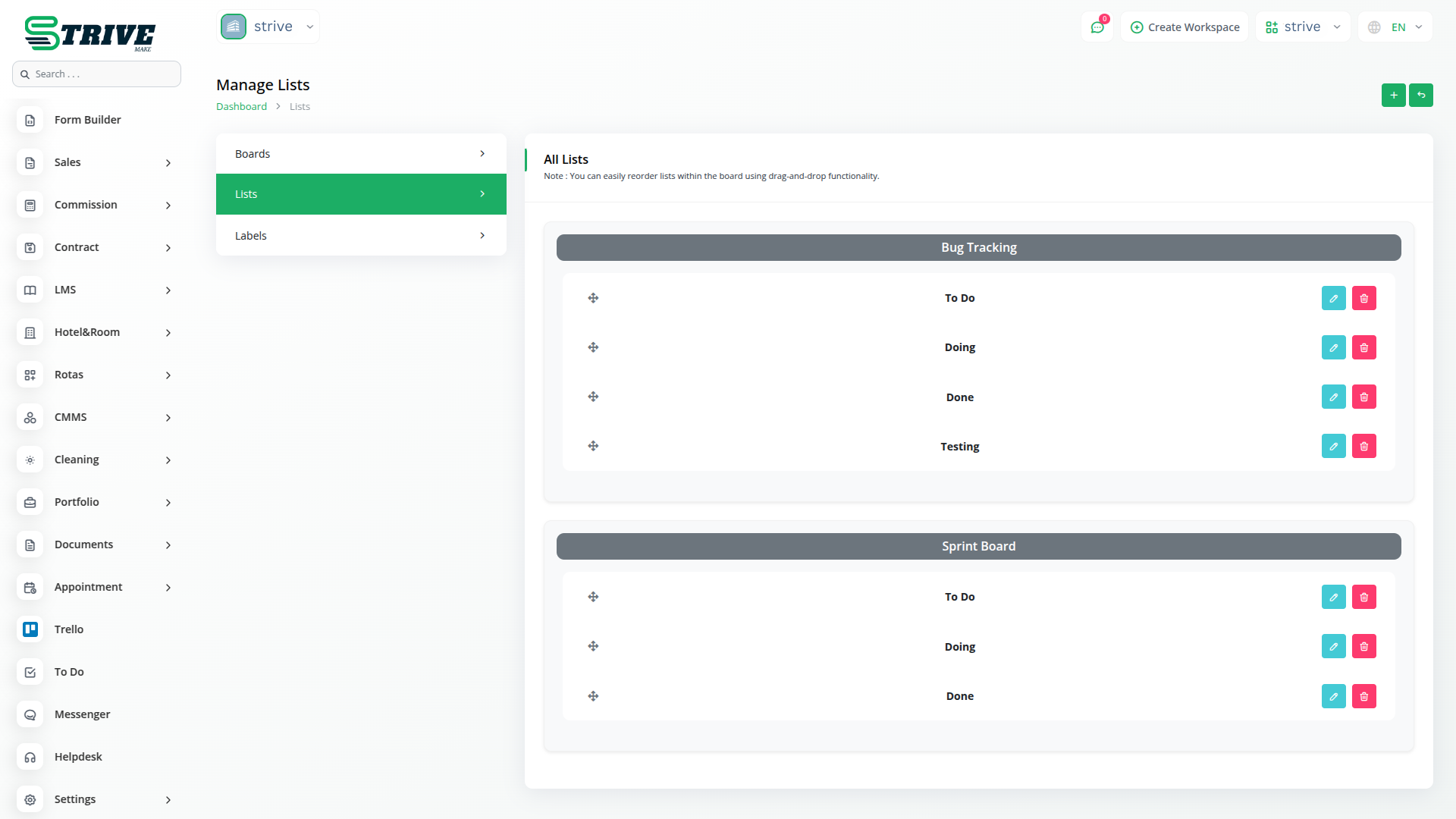
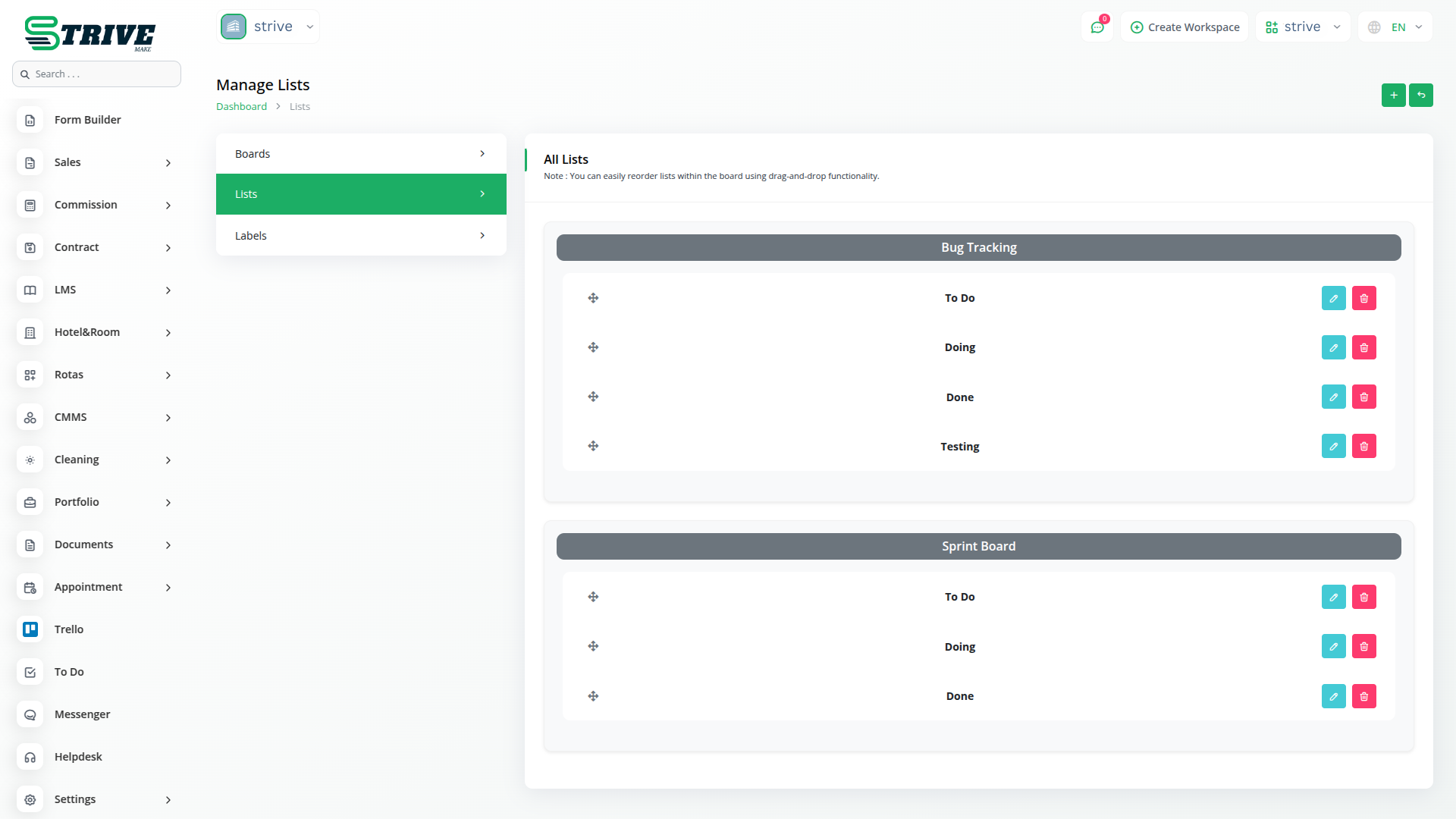
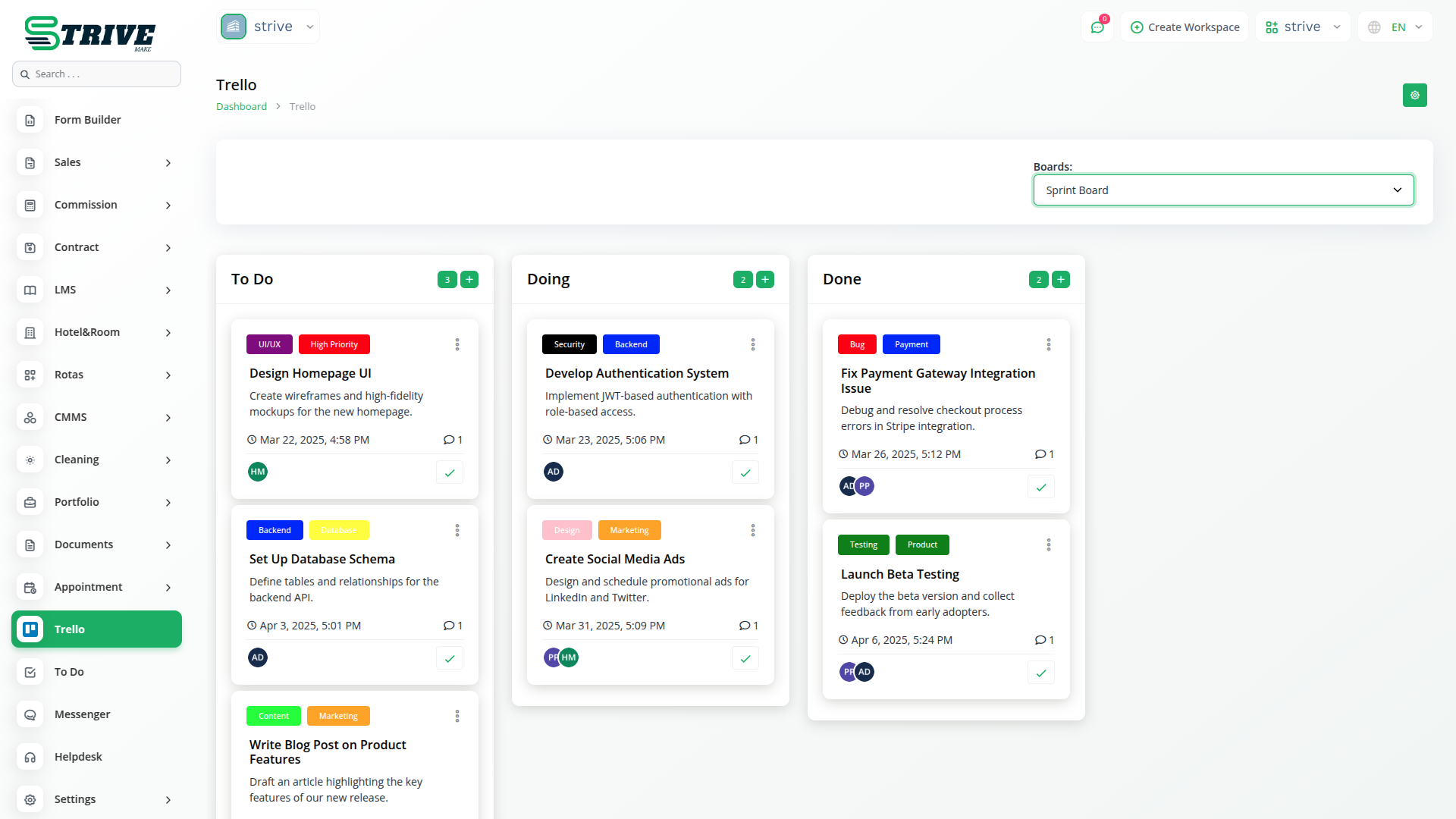
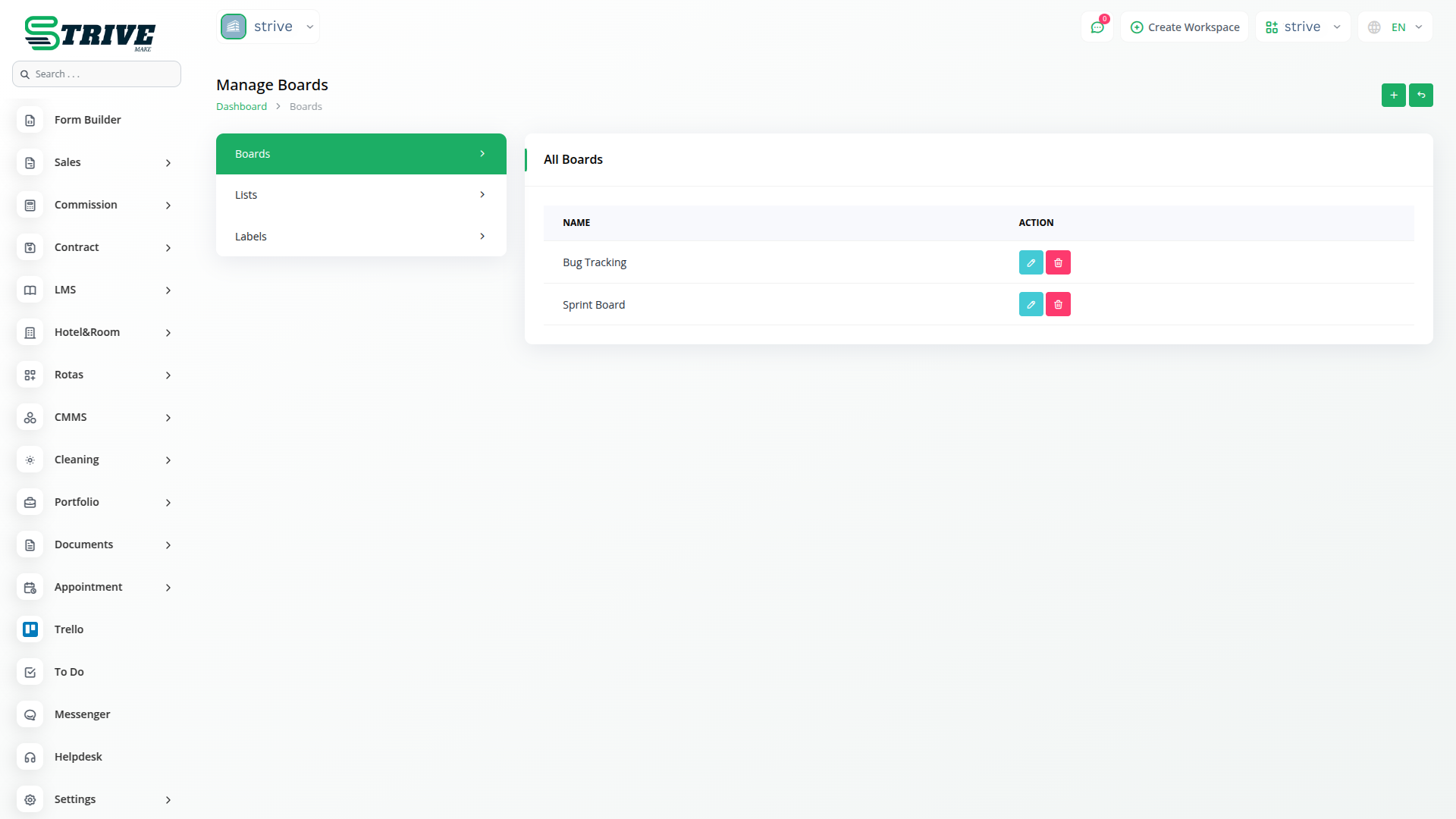
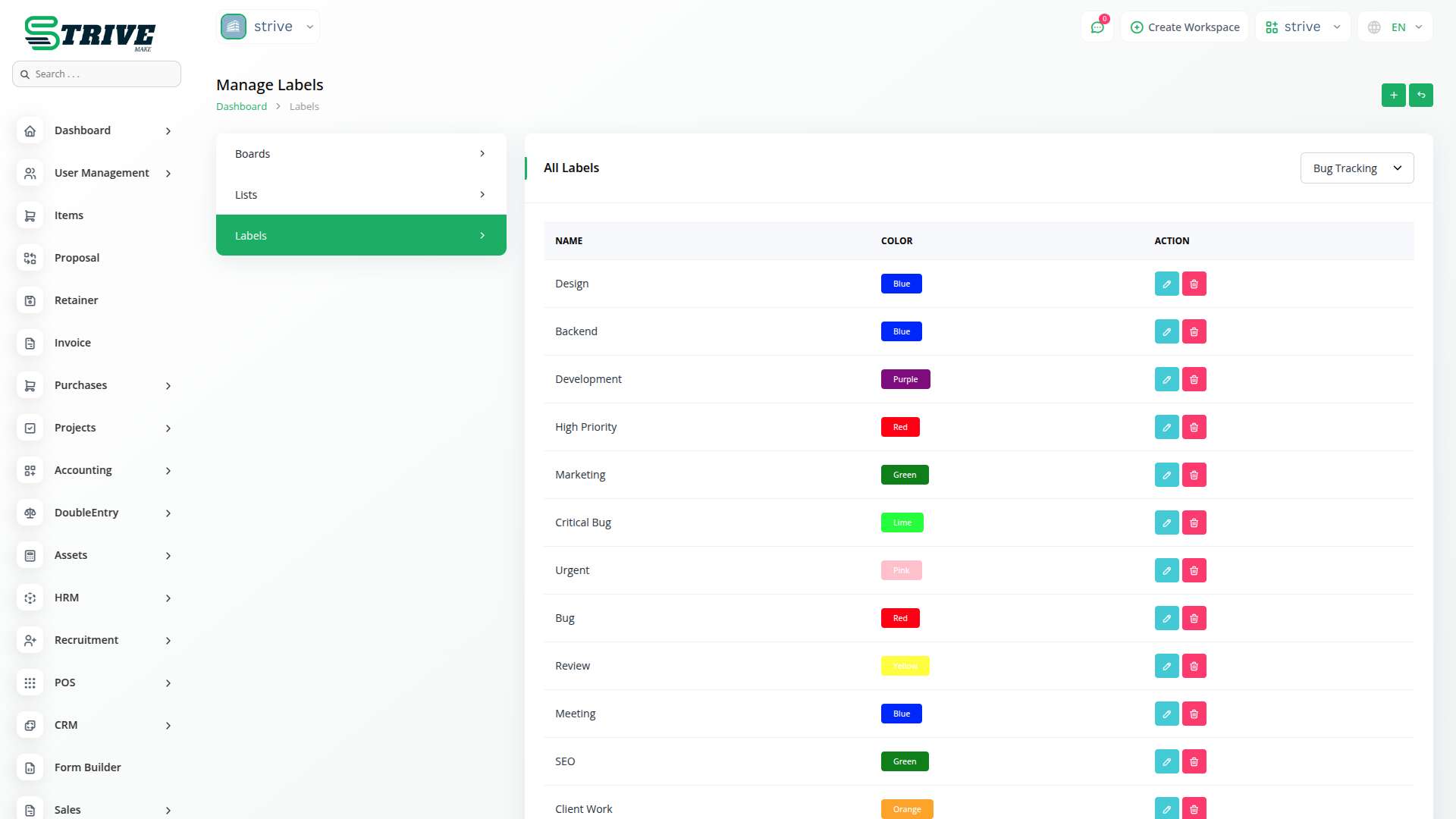
Once the integration is set up, you can manage Trello boards, lists, and labels directly within StriveMake. Create new boards to organize your projects, add lists to categorize tasks, and assign labels to prioritize work. Any updates made within StriveMake will be reflected in Trello in real time, ensuring consistency across both platforms. This feature helps teams stay organized and track progress effortlessly.
Viewing Cards in Kanban Format
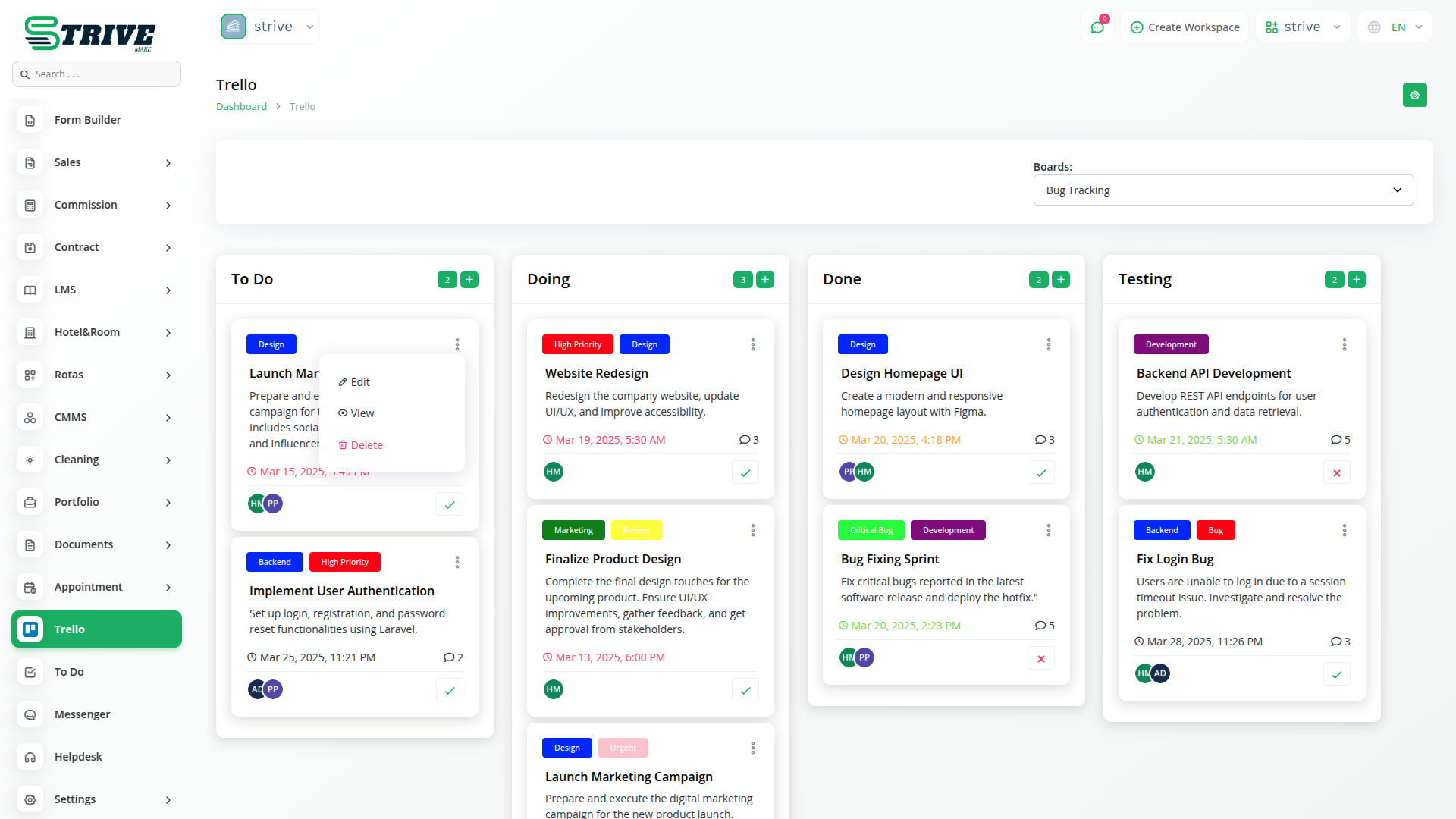
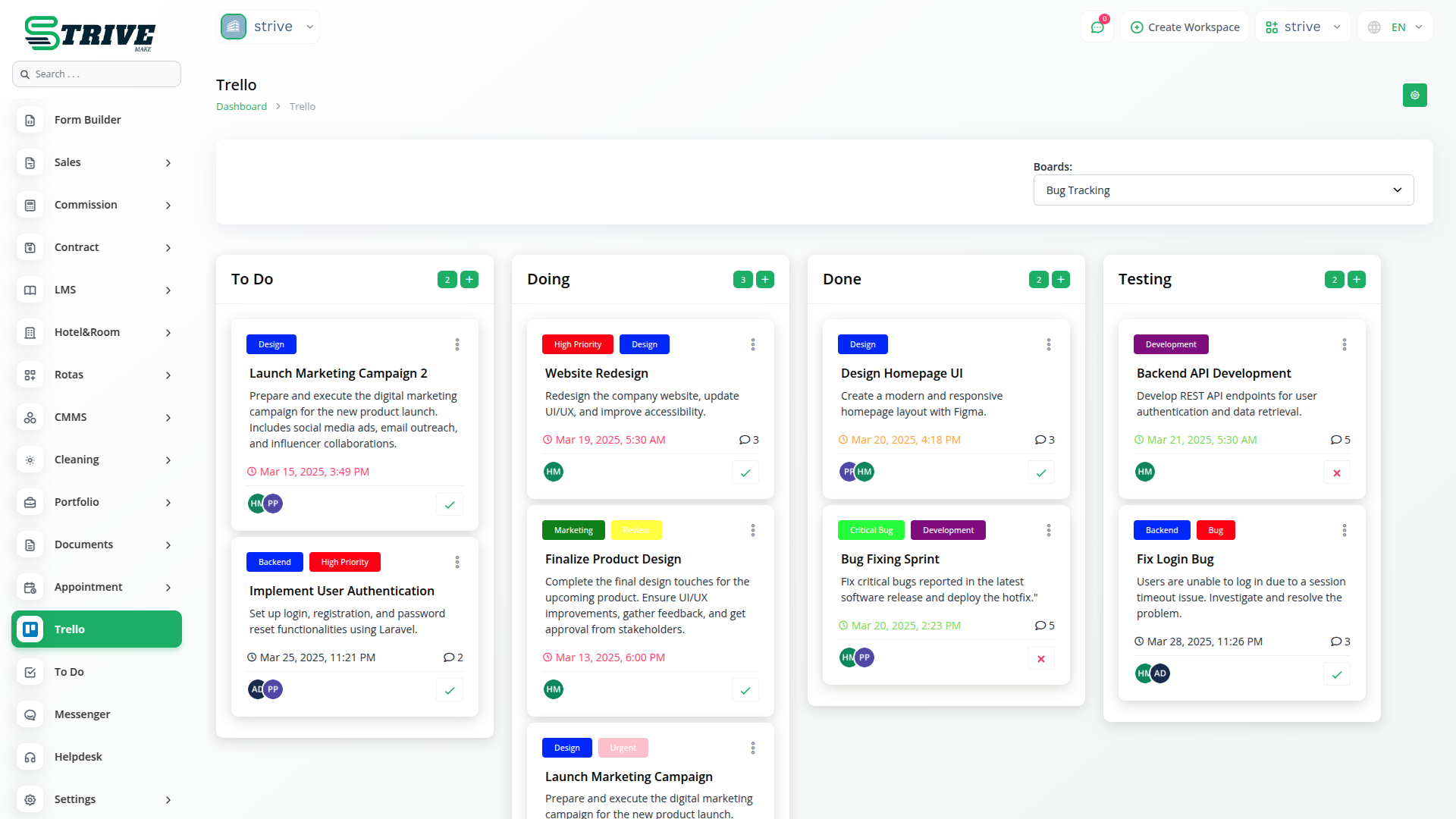
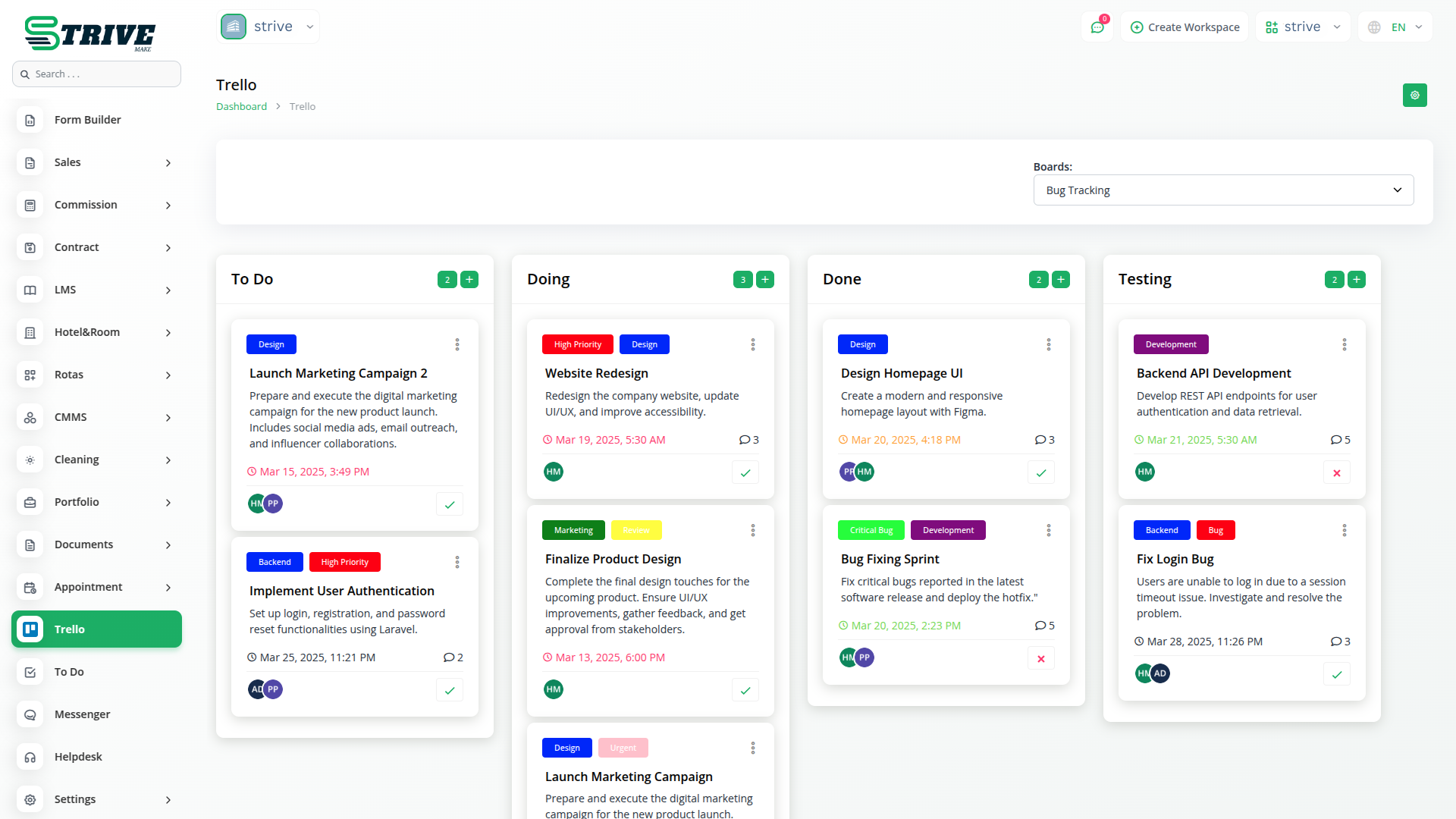
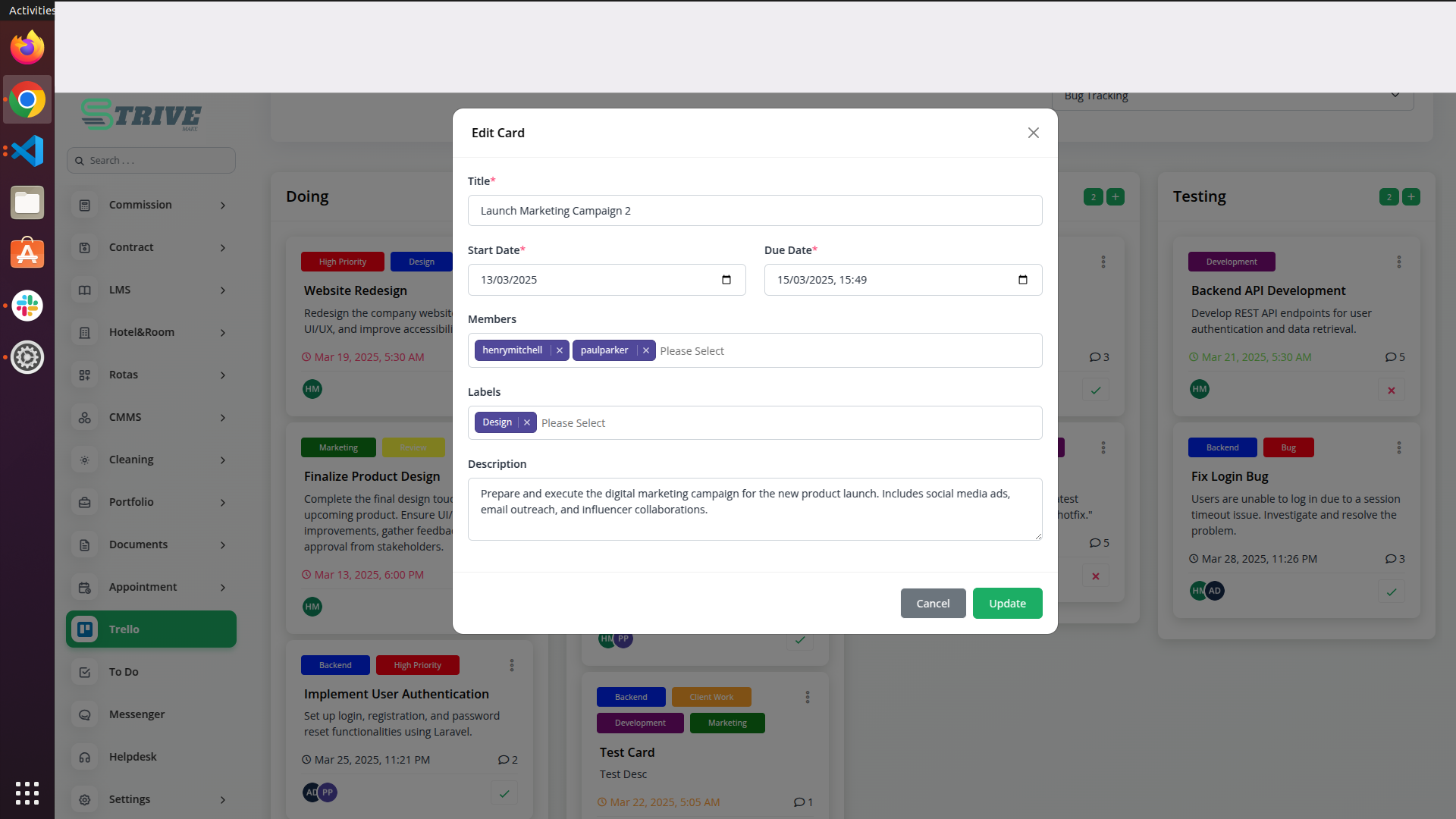
With Trello integration, you can access all your cards in a structured kanban view within StriveMake. This layout offers a clear visual representation of tasks, making it easier to track workflows and manage assignments efficiently. The intuitive board display allows users to monitor project status at a glance, improving task visibility and overall productivity.
Editing, Deleting, and Viewing Cards
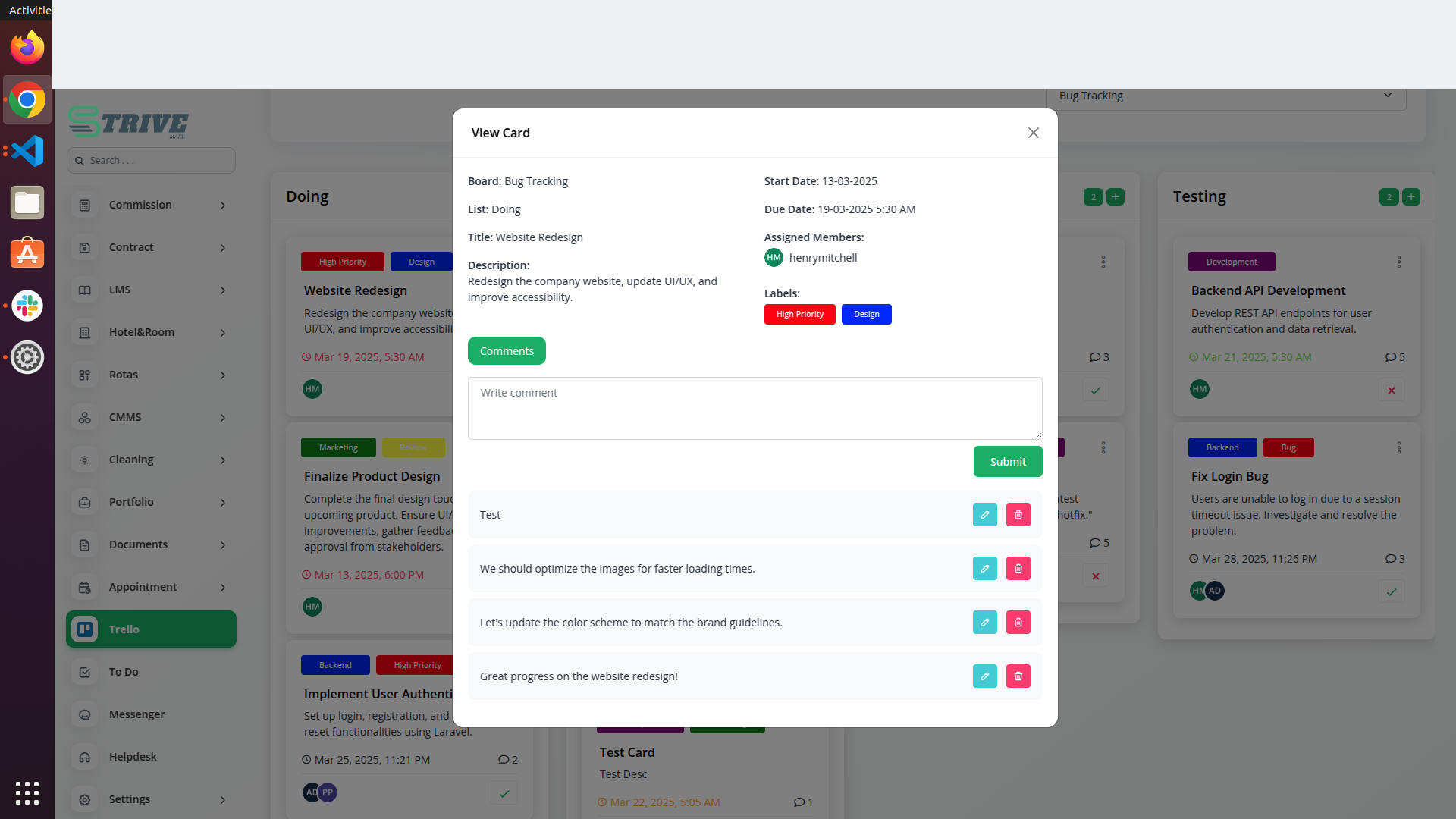
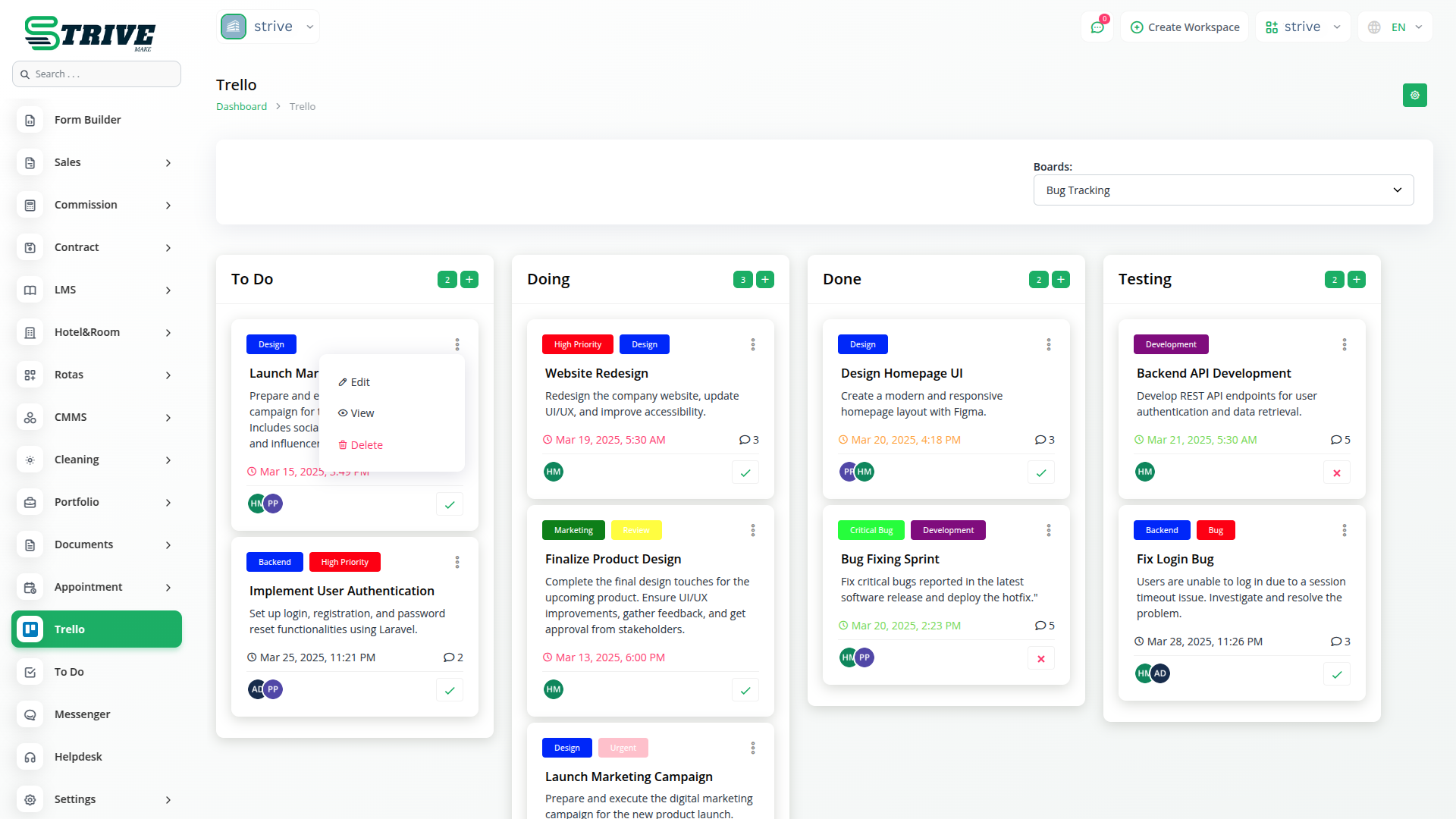
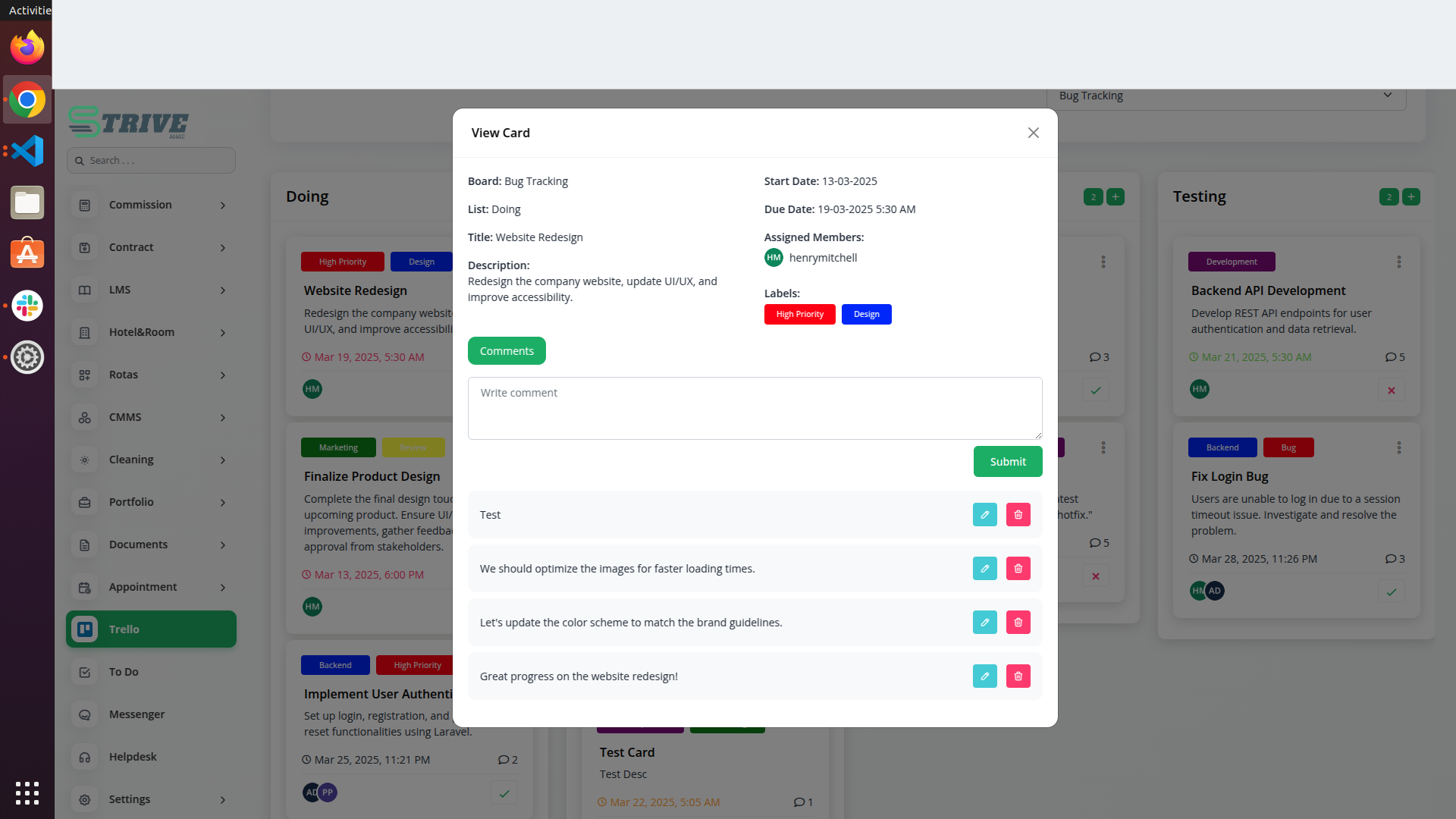
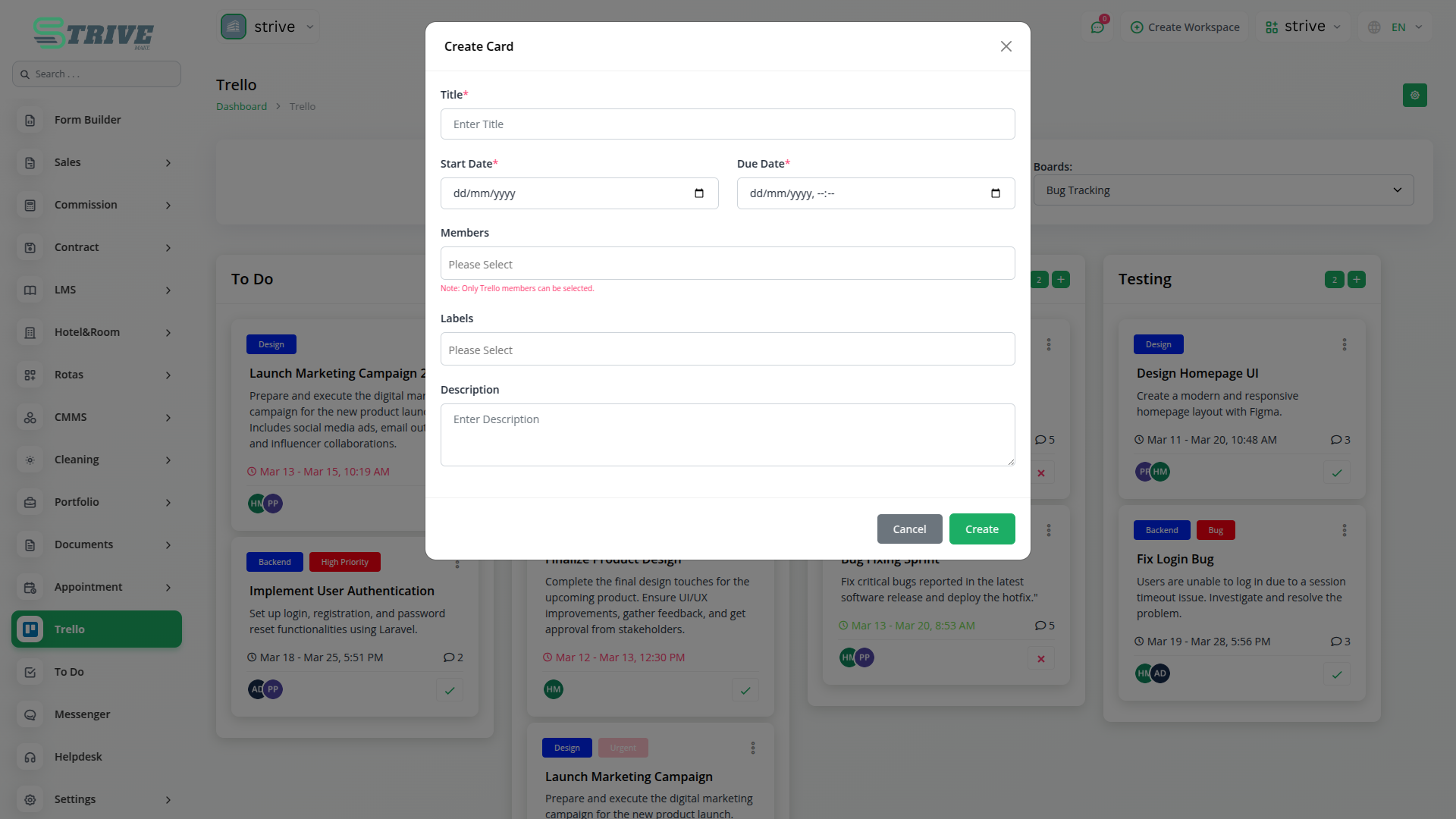
StriveMake provides full control over your Trello cards, allowing you to edit, delete, and view them whenever needed. Update task details, modify due dates, or reassign responsibilities directly from StriveMake without switching between platforms. Deleting outdated or completed cards is just as easy, keeping your workspace clutter-free and organized.
Enhancing Workflow Efficiency
By integrating Trello with StriveMake, you can streamline project management and enhance team coordination. The ability to access and modify Trello data within StriveMake eliminates the need for manual updates, reducing errors and saving time. Whether youre tracking daily tasks or managing large-scale projects, this integration ensures a smooth and structured workflow.
Why choose dedicated modules for your business?
With StriveMake, you can conveniently manage all your business functions from a single location.
Empower Your Workforce with StriveMake
Access over Premium Add-ons for Accounting, HR, Payments, Leads, Communication, Management, and more, all in one place!
- Pay-as-you-go
- Unlimited installation
- Secure cloud storage
- Instant activation
- Cancel anytime
- All updates included
- 24/7 priority support
- Instant activation
- Cancel anytime
- All updates included
- 24/7 priority support
About the Trello add-on
Trello is a visual collaboration tool that organizes work into boards, lists, and cards so teams can track progress at a glance. Connecting Trello to StriveMake links your task boards with the projects, CRM deals, and people already living in your workspace, so card updates and project status stay aligned under one login. Instead of copying details between systems, your team sees Trello activity alongside accounting, HR, and reporting data, keeping plans and outcomes connected across the whole business.
What you can do with Trello
- Sync Trello boards, lists, and cards with StriveMake projects
- Create or update cards automatically from workspace activity
- Map card status to project stages and milestones
- Keep assignees aligned with StriveMake team members
Who Trello is for
Teams that plan work visually on Trello boards and want that progress reflected inside their wider business operations.
Trello — frequently asked questions
What does the Trello add-on do?
The Trello add-on connects your Trello boards to StriveMake so cards, lists, and progress flow into your workspace. It keeps task tracking aligned with the projects and people you already manage, removing the need to update two tools and giving everyone a single, current view of where work stands.
How much does the Trello add-on cost?
The Trello add-on is $5,00/month or $48,00/year on top of your StriveMake plan, and you can turn it off whenever you like.
Can I keep card status in sync with project stages?
Yes. You can map Trello card movement to StriveMake project stages and milestones, so when a card advances on the board the matching project status updates too. This keeps managers and contributors looking at the same progress without manual re-entry across both systems.
Does Trello work with the rest of StriveMake?
It does. Trello data sits next to your CRM, HR, projects, accounting, and reporting modules under one login. Boards connect to the deals and clients they support, so visual task tracking becomes part of your connected business picture rather than a separate silo.
Related modules you might like
With StriveMake, you can conveniently manage all your business functions from a single location.