Recruitment
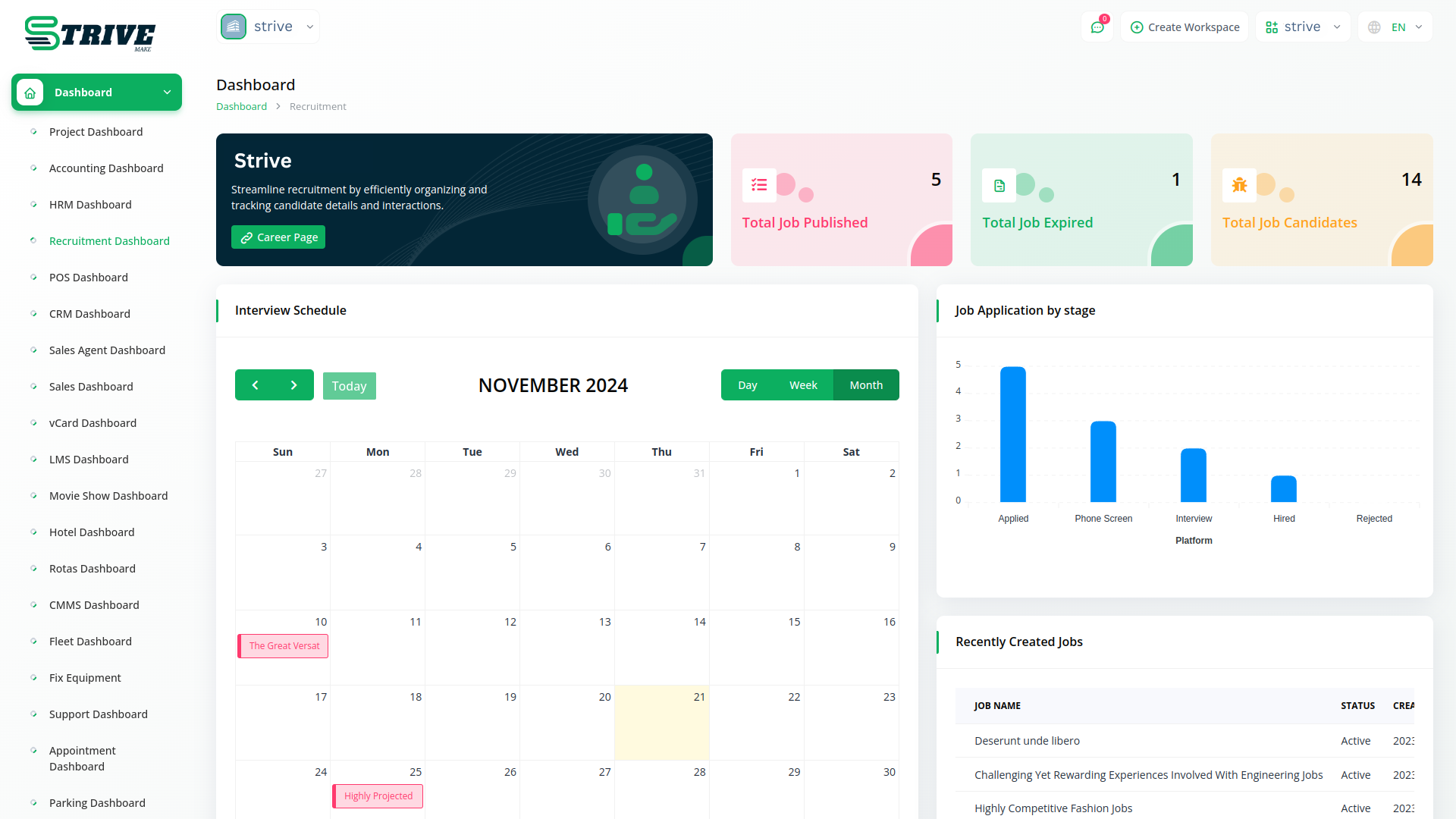
The Dashboard of Recruitment module provides users with an immediate overview of their recruitment activities. It presents key metrics such as the total number of jobs published, expired listings, and the current count of job candidates. Additionally, users can easily view their interview schedule through an interactive calendar and stay updated on recently created job listings and job applications by date. This real-time monitoring tool empowers users to make informed decisions and effortlessly stay on top of their hiring processes.
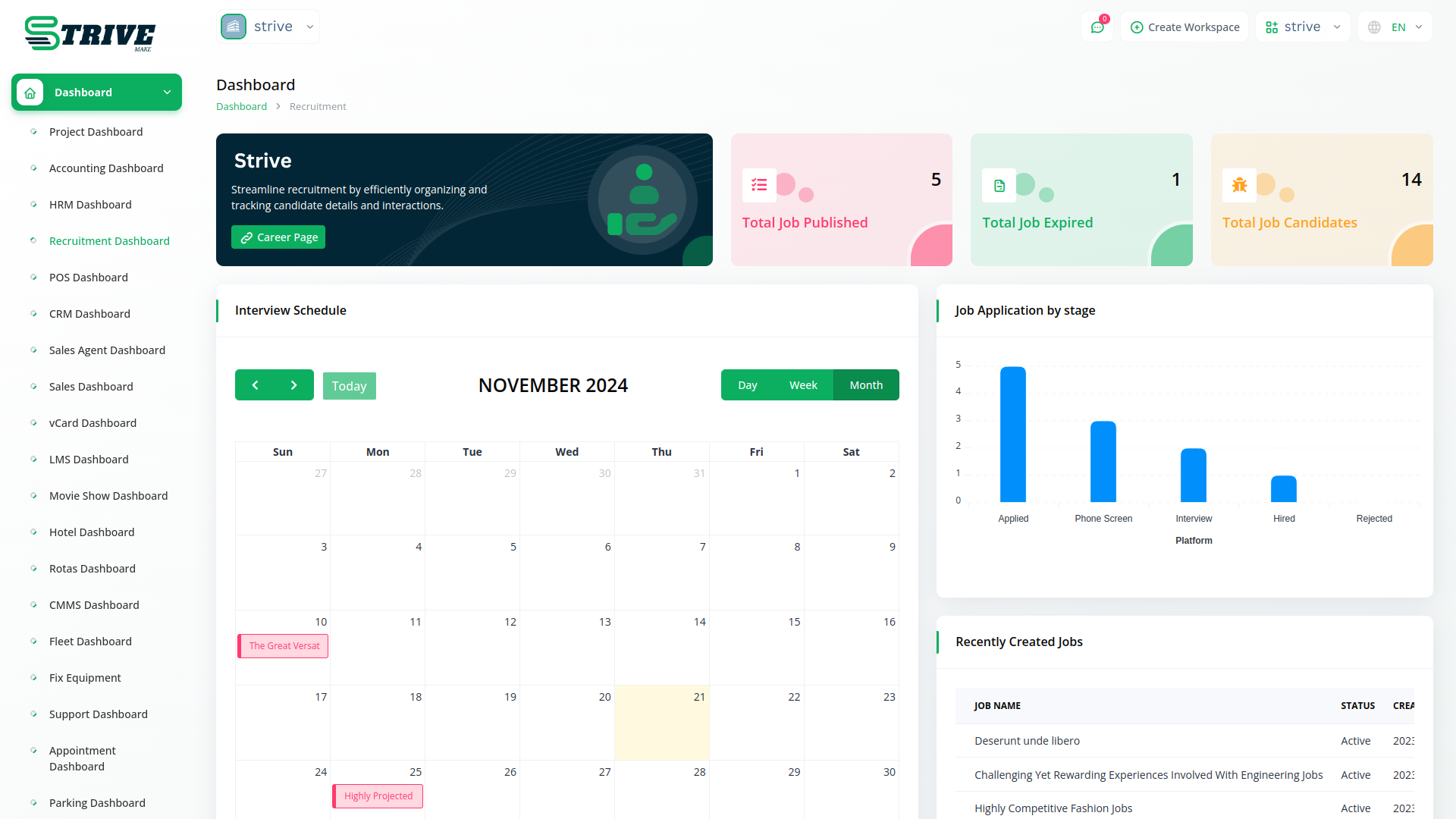
Recruit New Candidates and Grow Your Team
Collect and manage applications from start to finish. Easily compare candidates and pick the best one for the job.
Jobs Creation
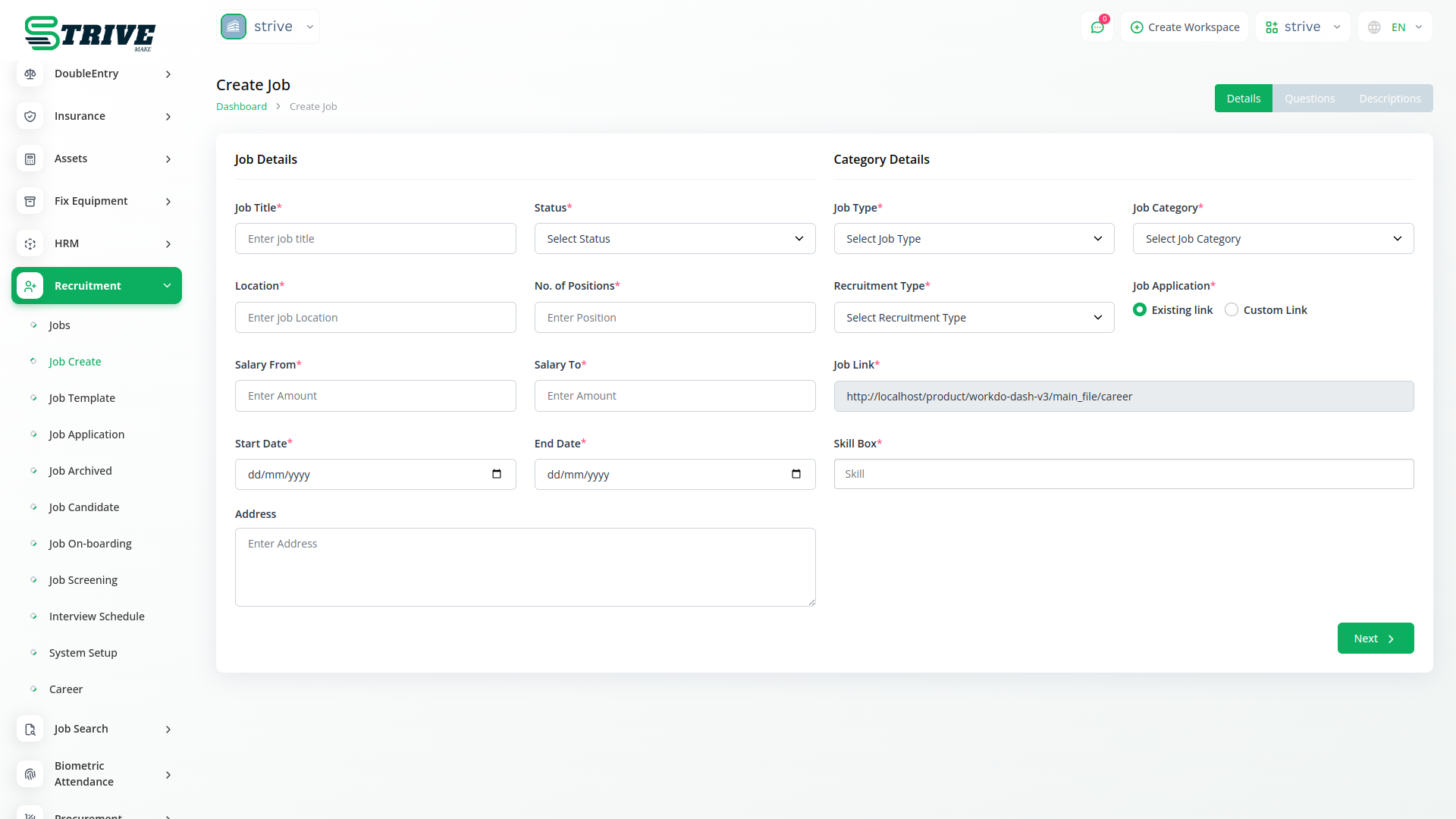
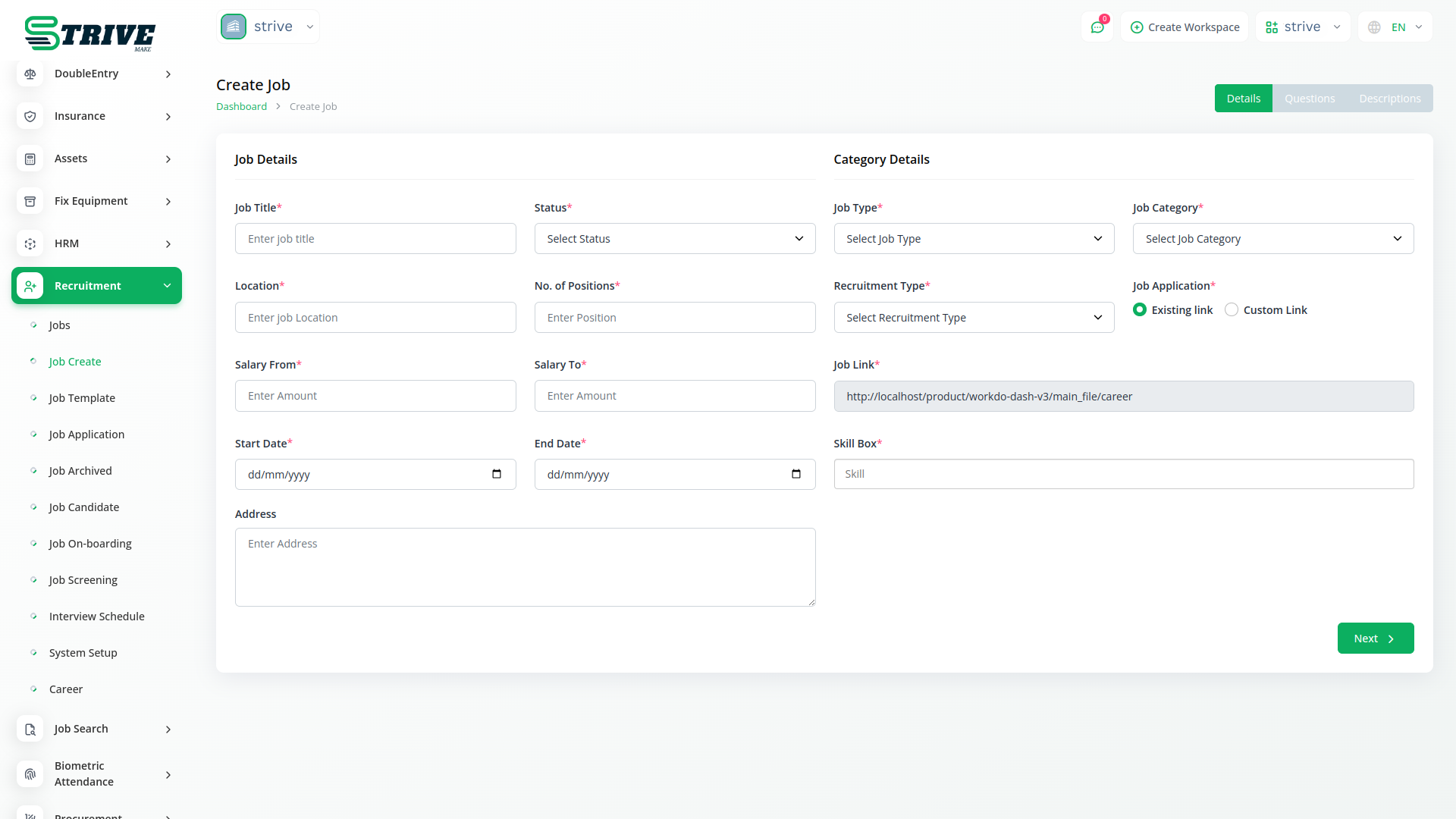
Within the recruitment module, the Jobs Creation page offers a streamlined process for creating new job listings. Users can input essential details including job titles, descriptions, requirements, and any other pertinent information. This intuitive interface allows for the customization of each listing to attract the right candidates. By simplifying the task of posting job openings, users can quickly reach potential candidates while maintaining consistency and professionalism in their job postings.
The Recruitment module allows users to easily add links to job applications, whether using an existing URL or generating a custom link. These links can be shared directly with candidates or embedded on external platforms to drive traffic to specific job postings. This streamlined functionality ensures maximum visibility and accessibility for job applications, helping recruiters connect with a wider pool of qualified applicants.
Candidate Management
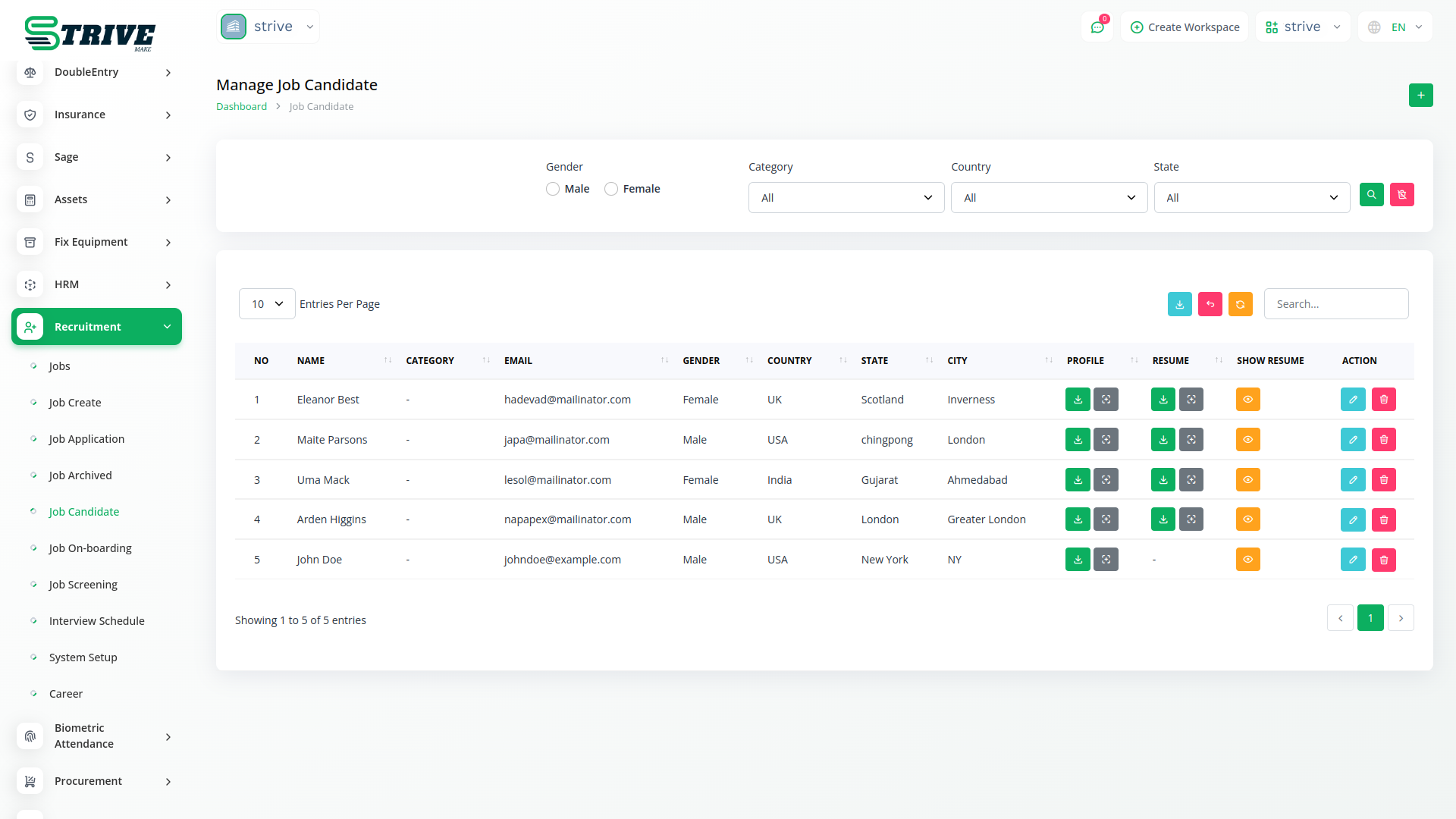
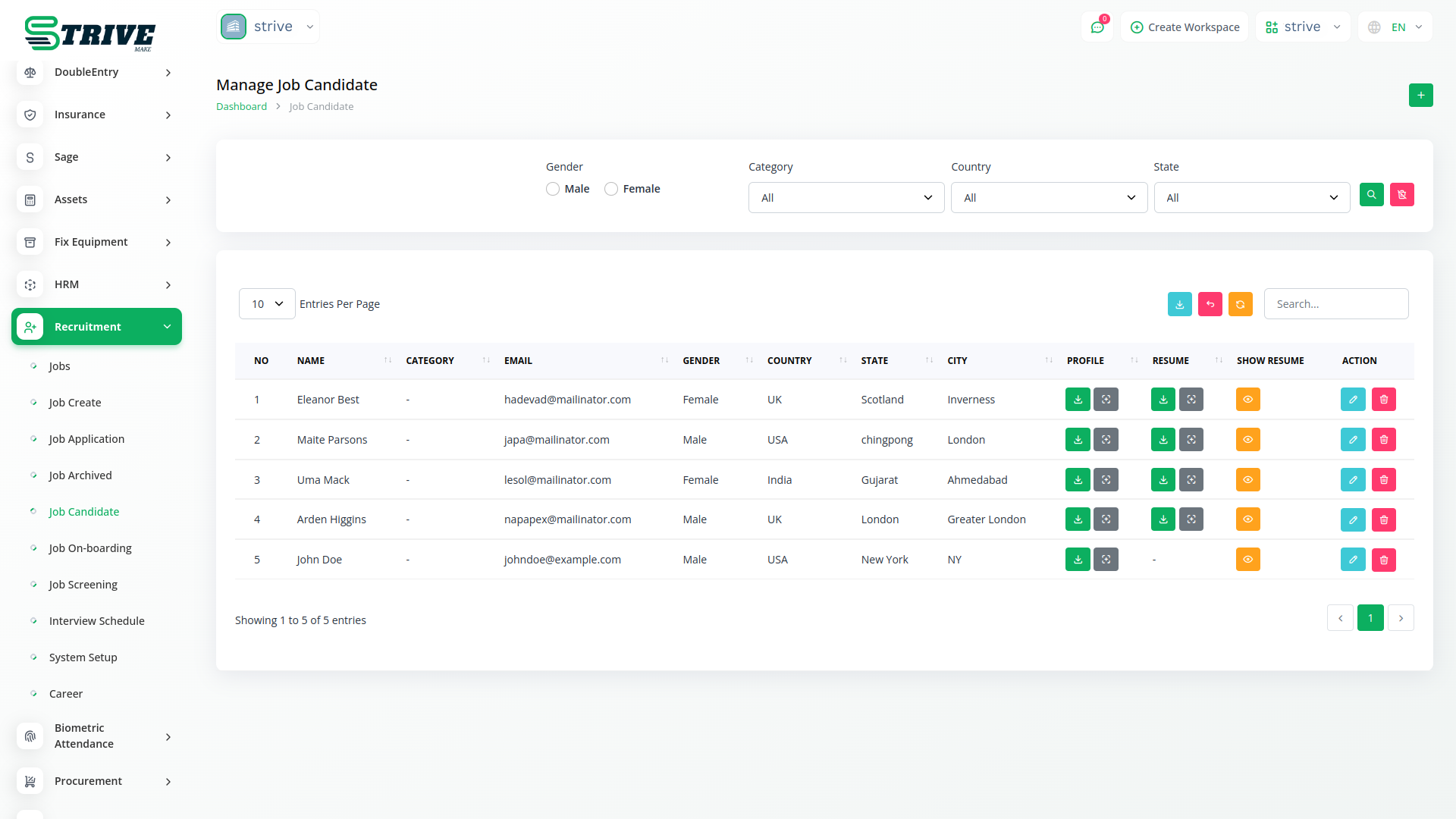
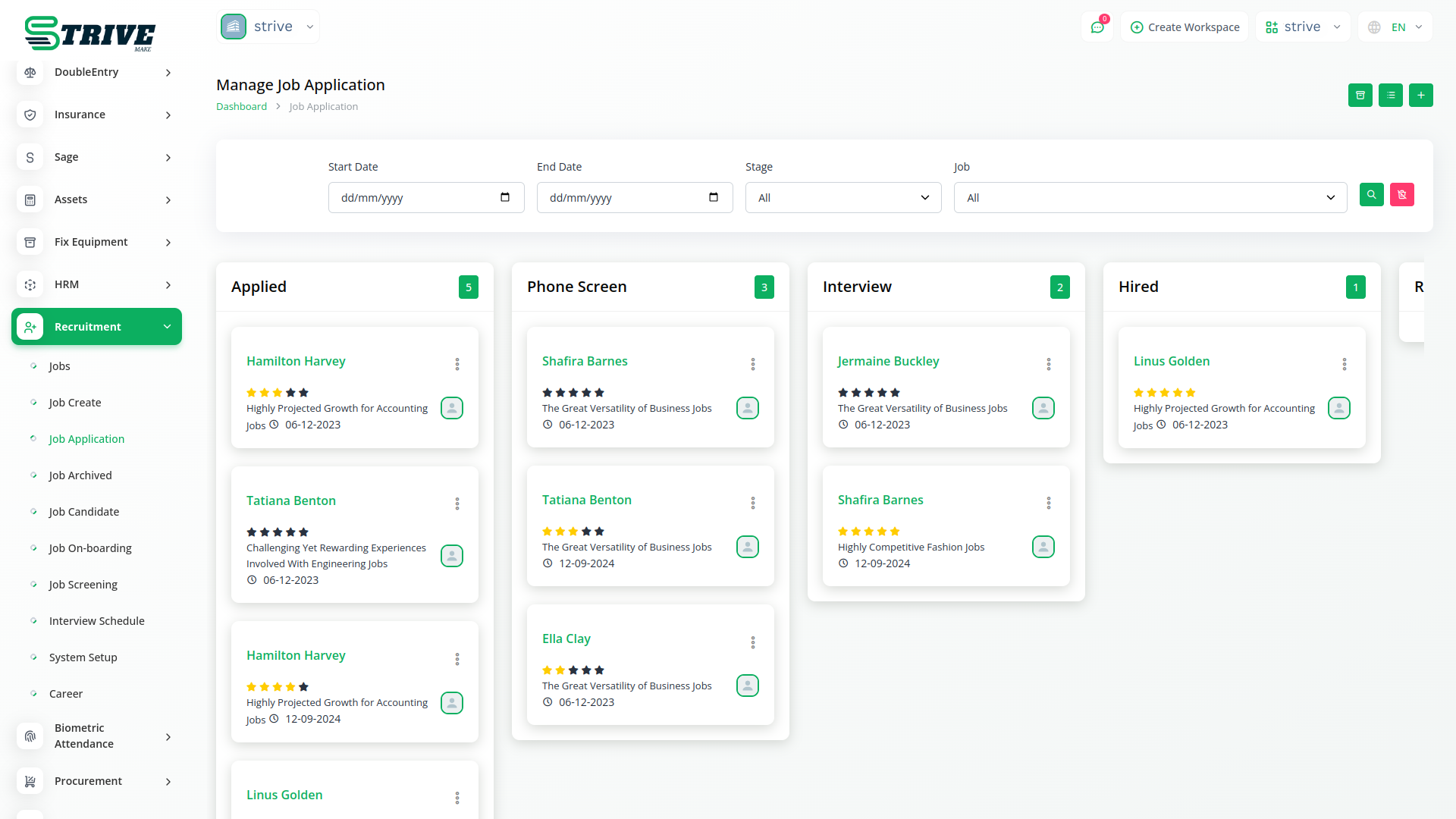
Efficiently managing incoming job applications is facilitated through the Candidate Management page. Here, users can review, filter, and respond to applications seamlessly. This centralized hub provides a clear overview of each candidates journey, from onboarding application. Robust filtering and sorting options allow users to prioritize candidates based on qualifications and suitability for the role.
Interview Scheduling
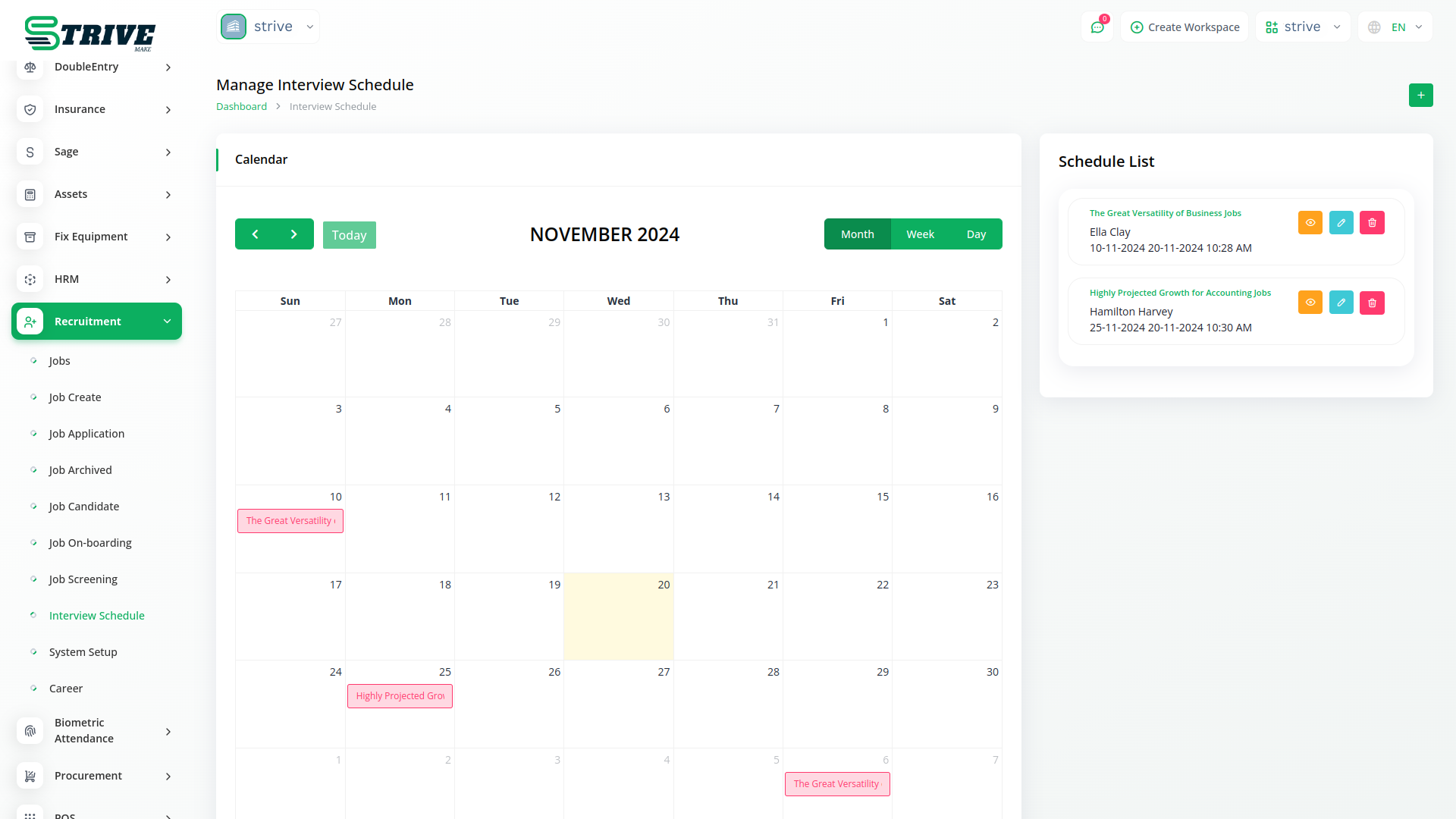
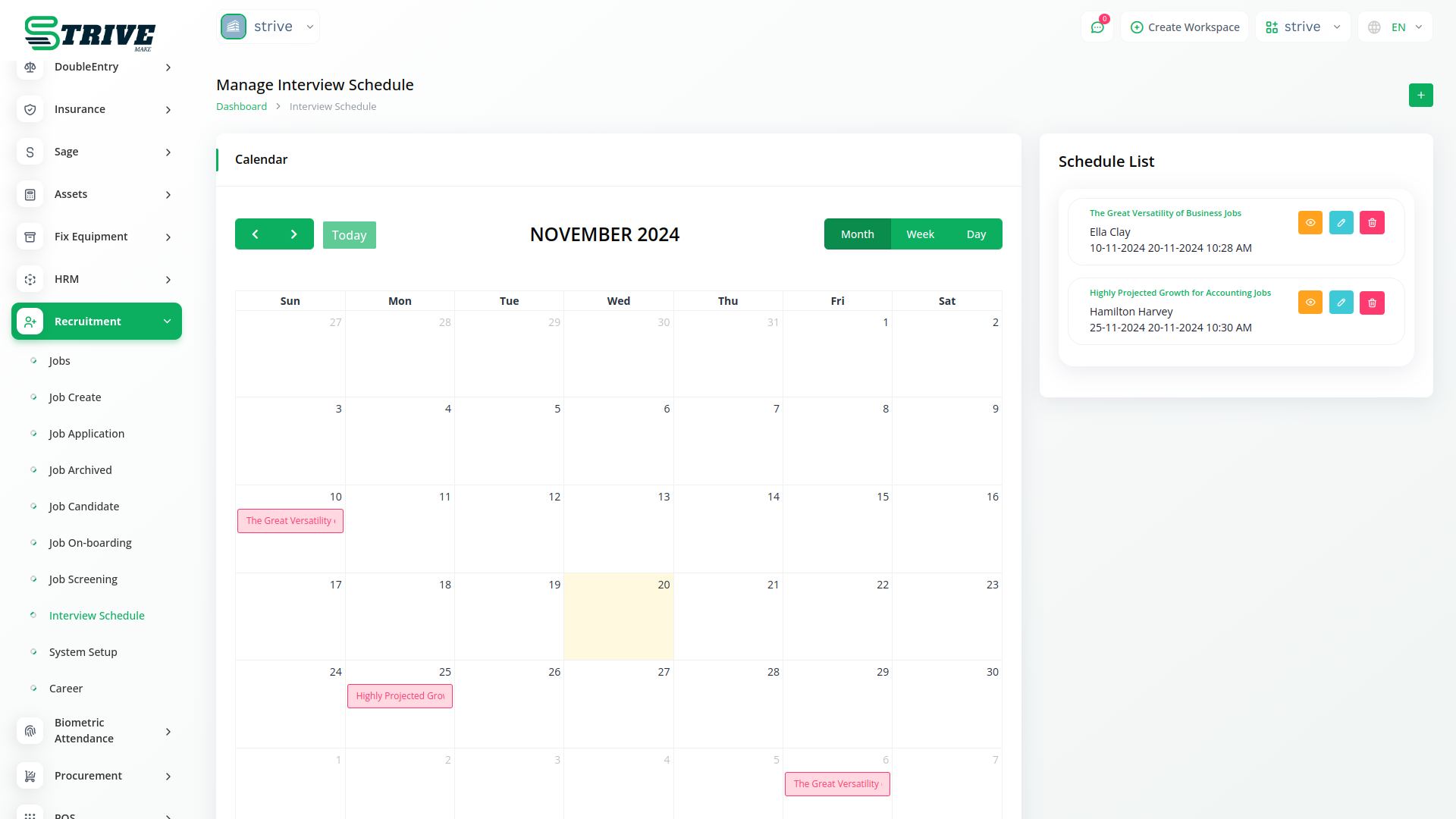
The Interview Scheduling page simplifies the coordination of interview schedules. Integrated calendar functionalities and automated notifications enable users to efficiently manage interview appointments for both hiring managers and candidates. By eliminating the hassle of back-and-forth communication, this feature saves time and enhances the overall candidate experience, ultimately leading to a smoother recruitment process.
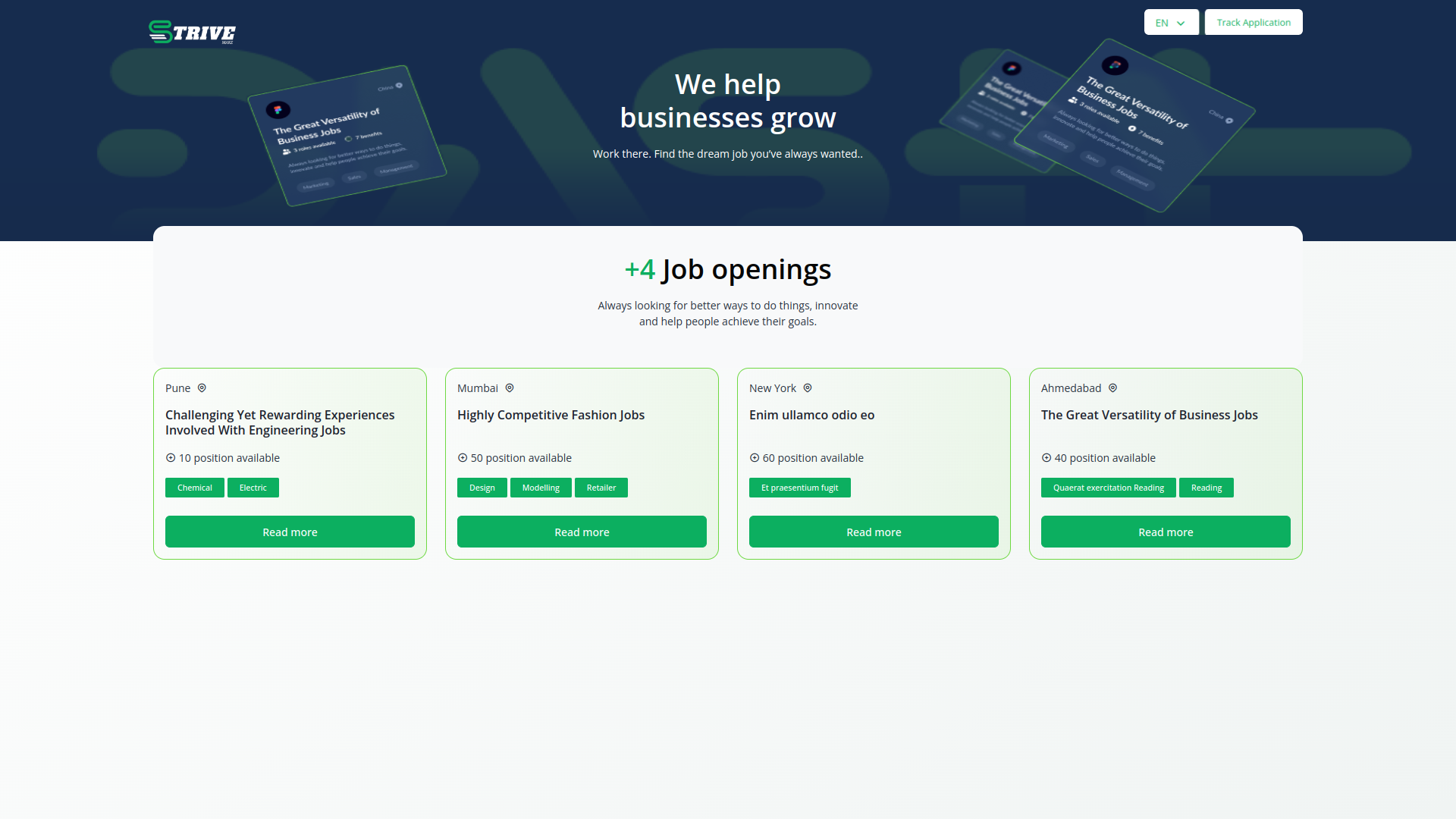
Career Page
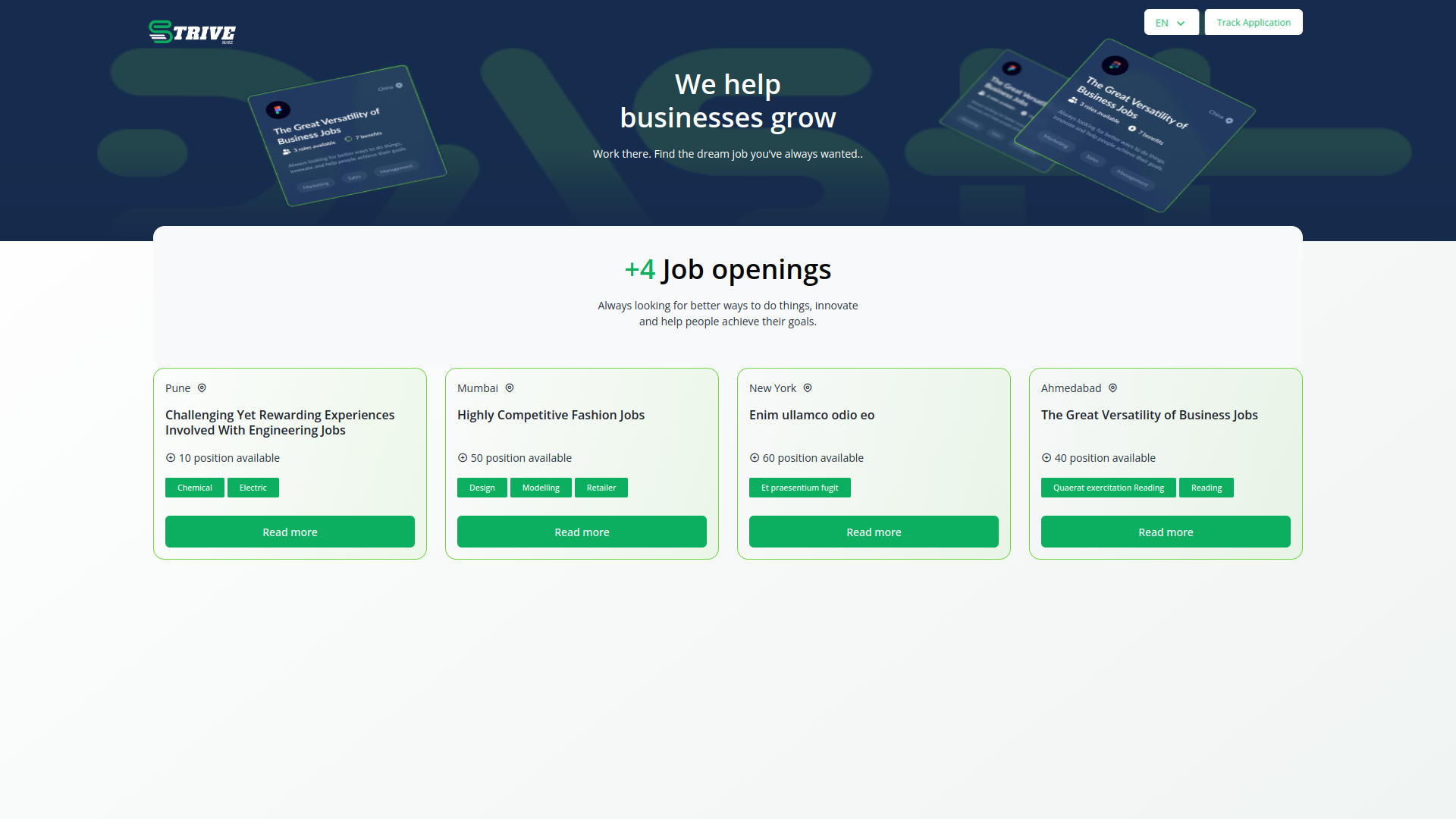
The Career Page is a gateway for potential candidates to learn more about the organization, culture, and available opportunities. Here, users can showcase company values, employee testimonials, career growth prospects, and upcoming events. With engaging multimedia content and informative resources, the Career Page effectively communicates the employer value proposition and stands out in a competitive job market, attracting top talent and fostering a strong employer brand.
Job Details
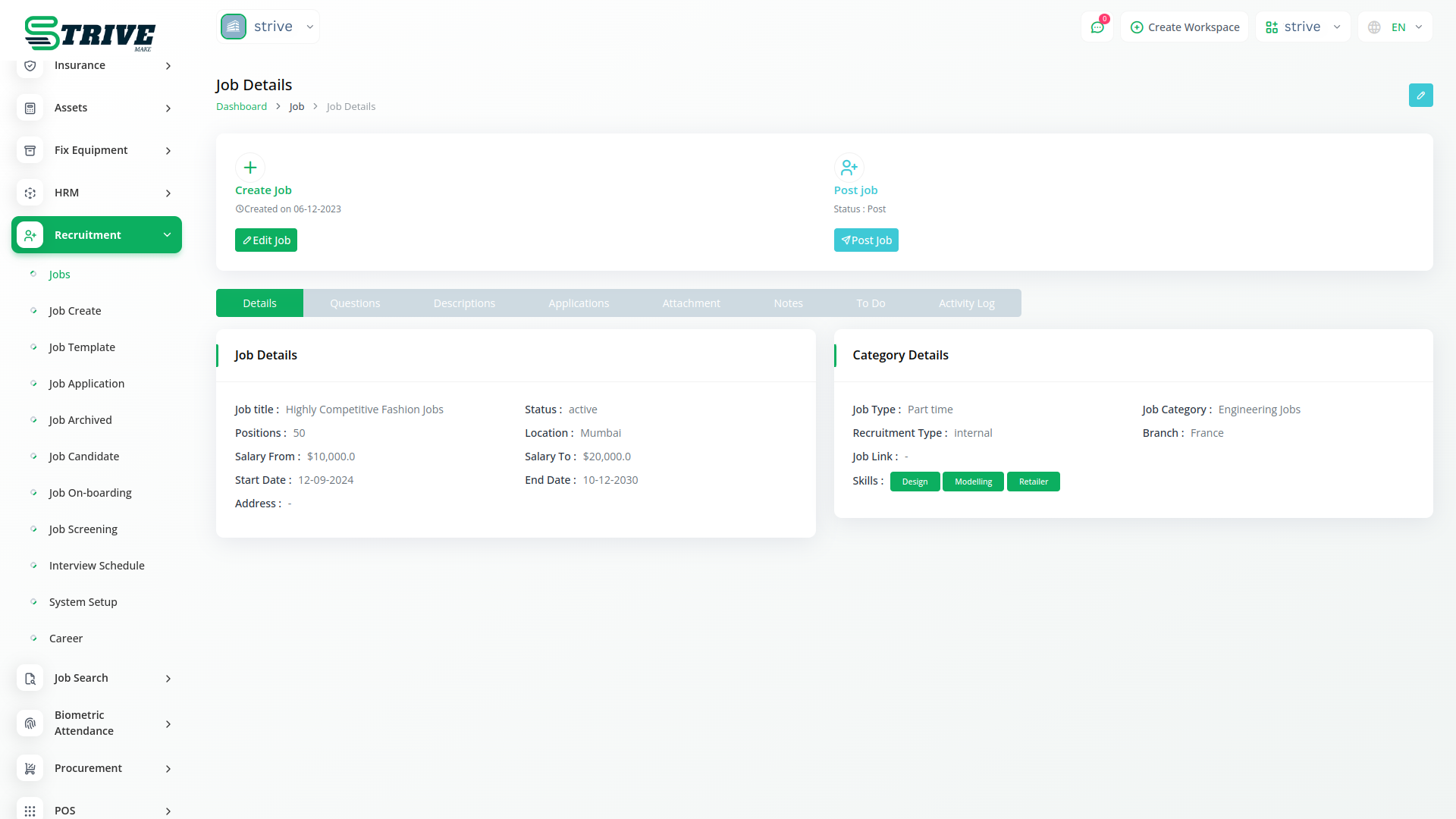
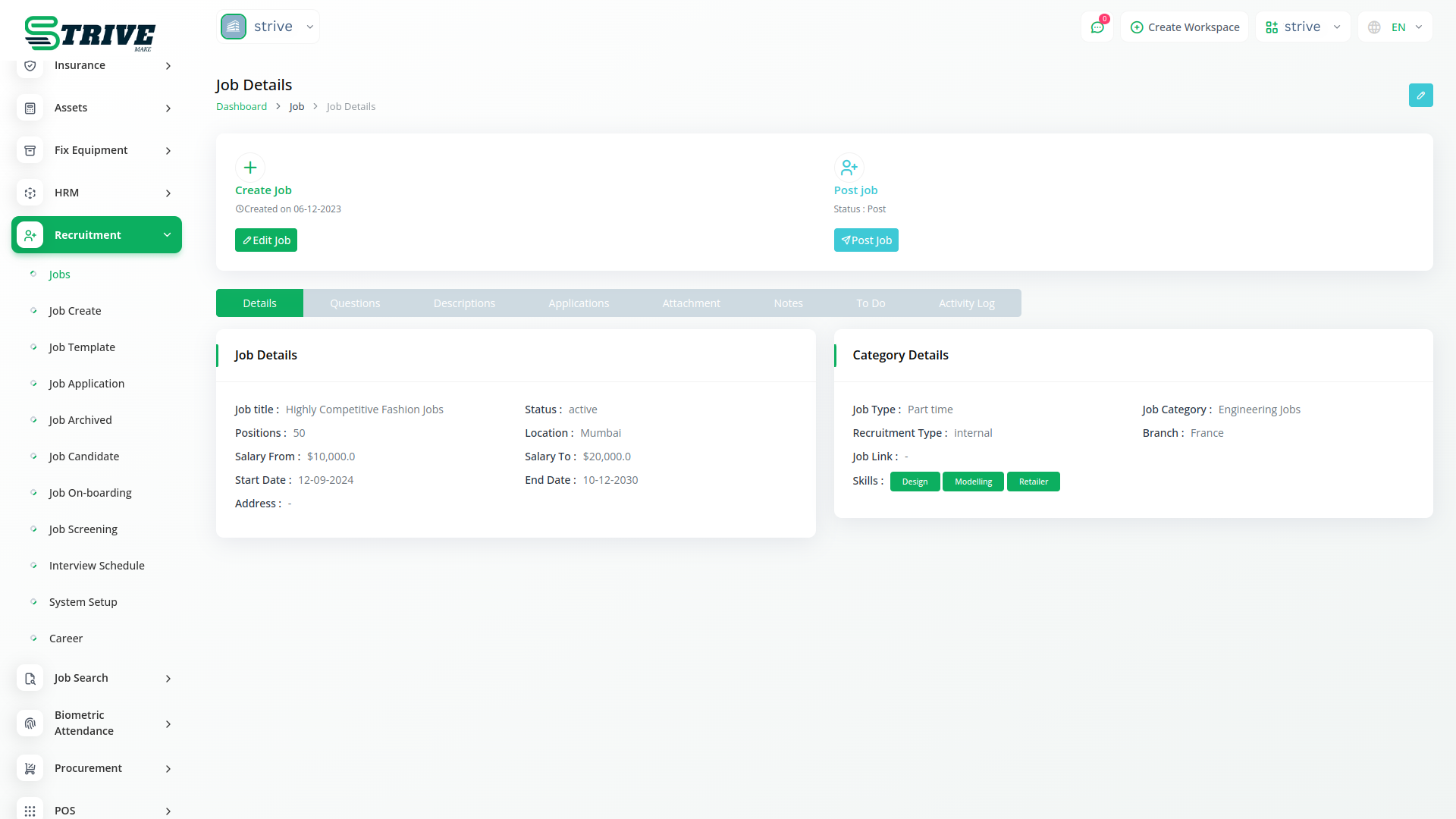
In the Recruitment module, users can view comprehensive job details, including descriptions, questions, applications, attachments, notes, to-do lists, and activity logs. This feature ensures all relevant information is accessible in one place, streamlining the job posting process and allowing for better organization and management of each job listing.
Job Screening
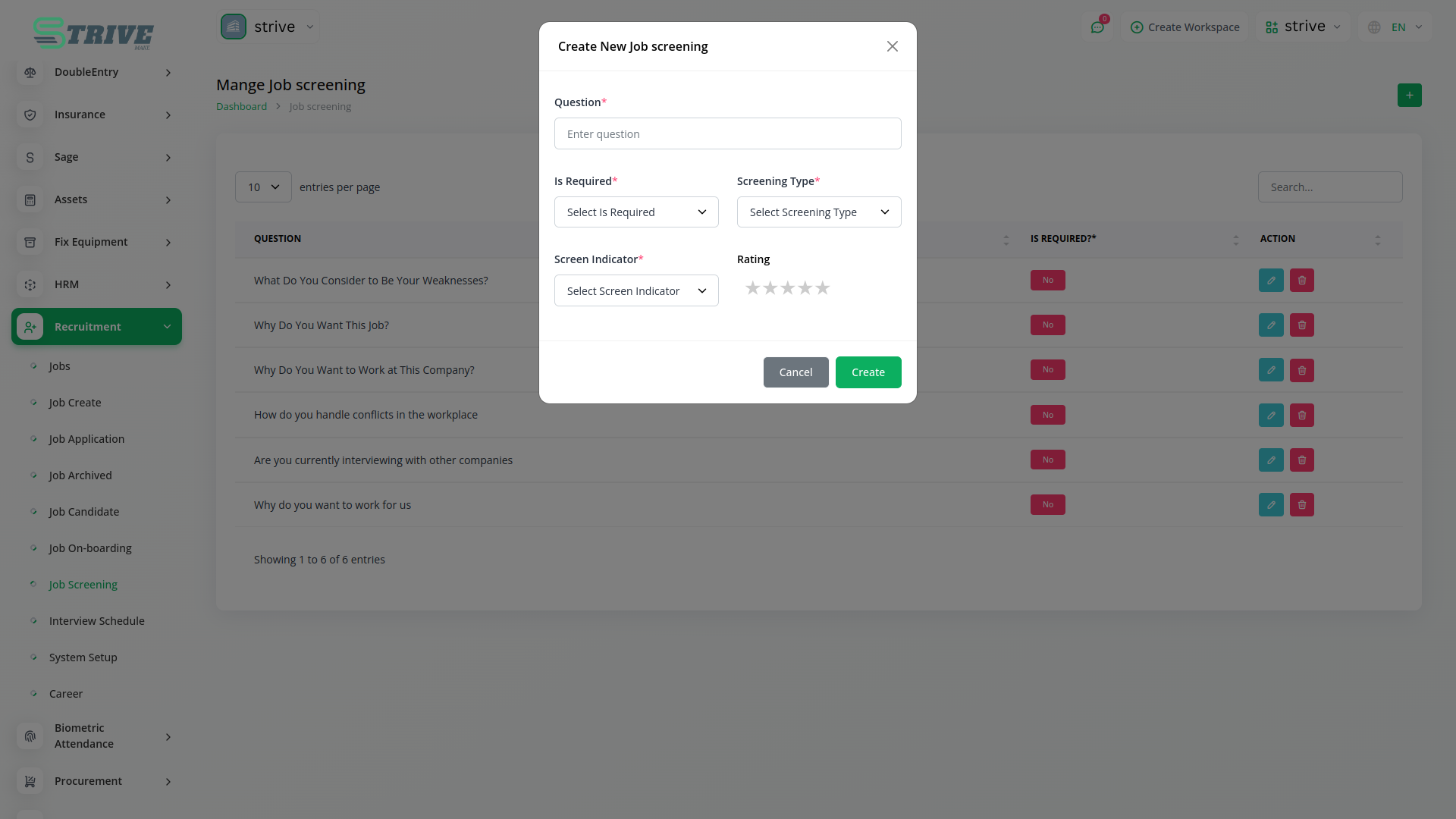
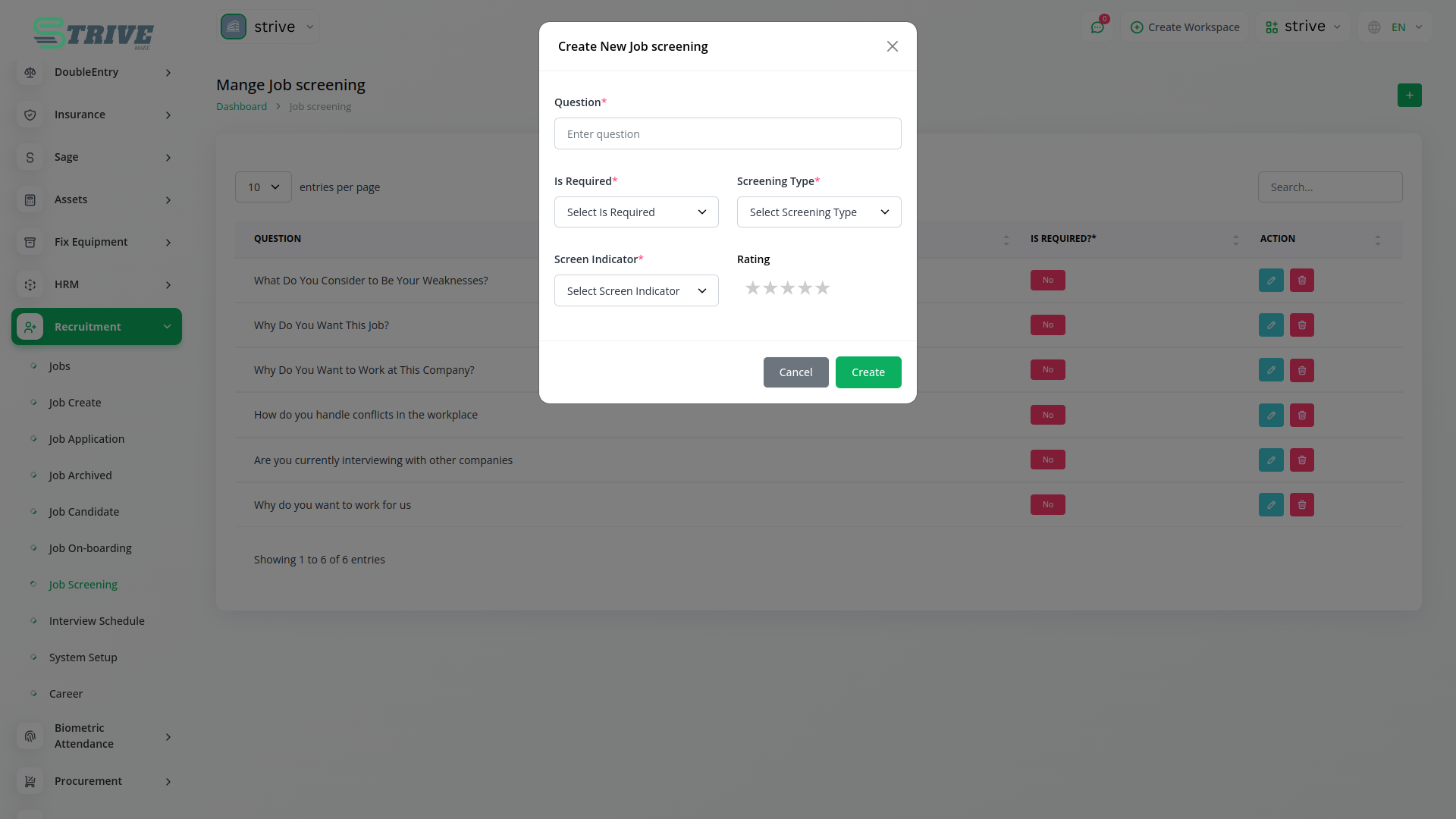
The Job Screening page allows users to configure screening criteria, such as mandatory fields, screening types, indicators, and ratings. By setting specific parameters for candidate evaluation, users can effectively assess the suitability of applicants, ensuring that only the most qualified candidates move forward in the recruitment process. This functionality enhances the overall efficiency and effectiveness of the recruitment efforts.
Job Templates
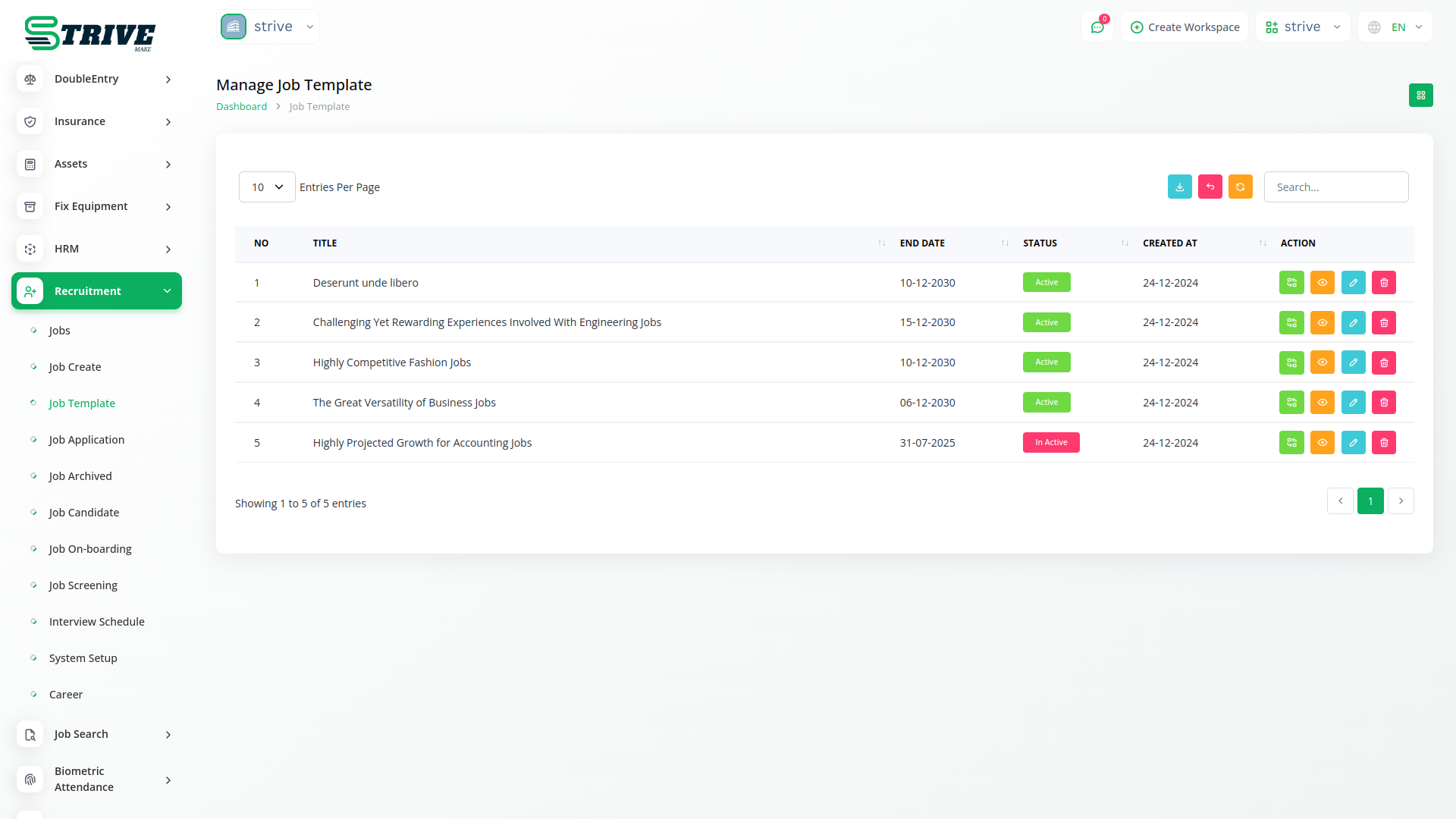
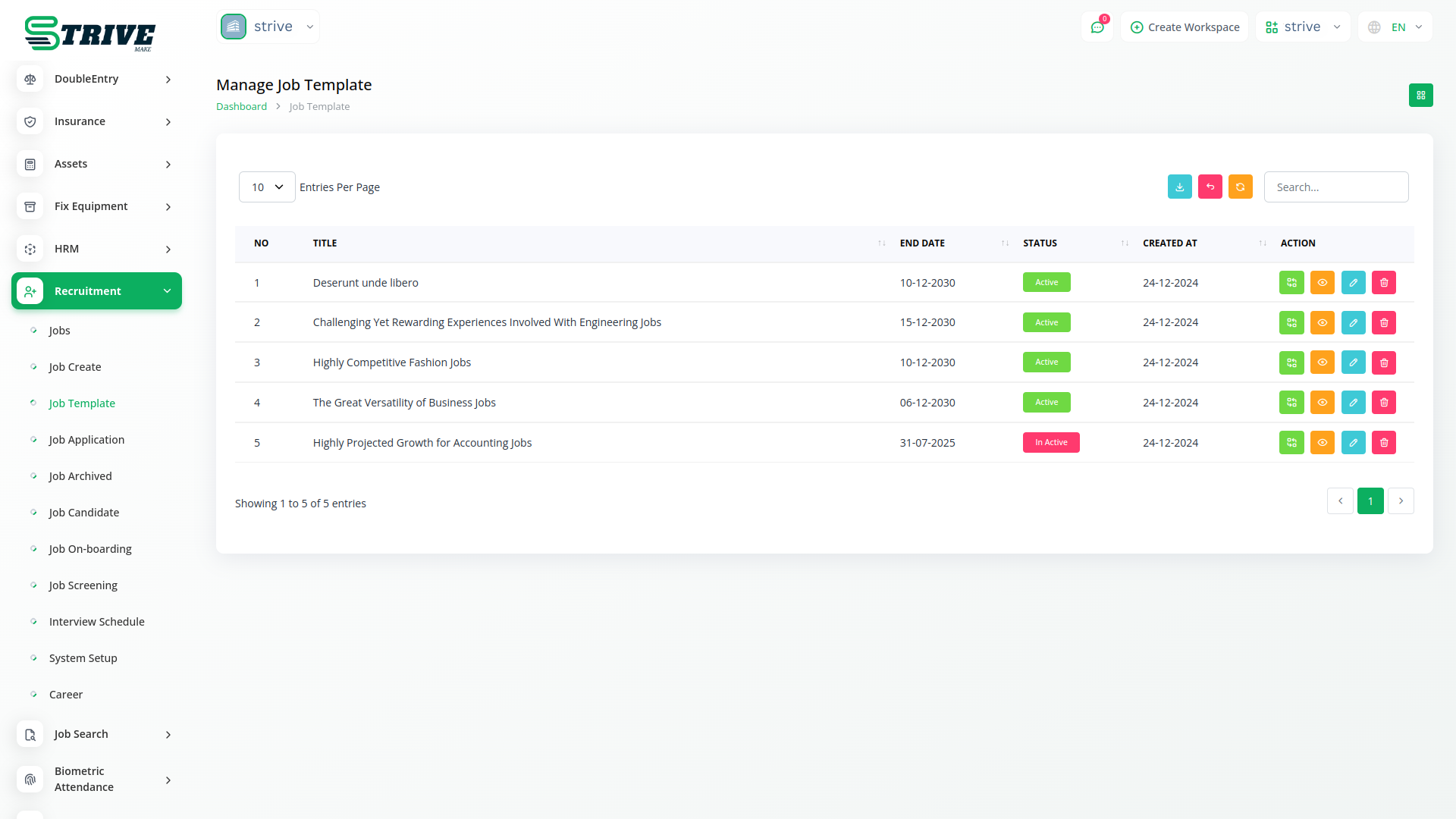
Users can convert jobs into reusable job templates, which are recorded on the Job Templates page. These templates allow for quick creation of similar job postings in the future, maintaining consistency across listings. Additionally, users have the flexibility to revert job templates back into active job postings as needed, making it simple to adapt to evolving recruitment needs.
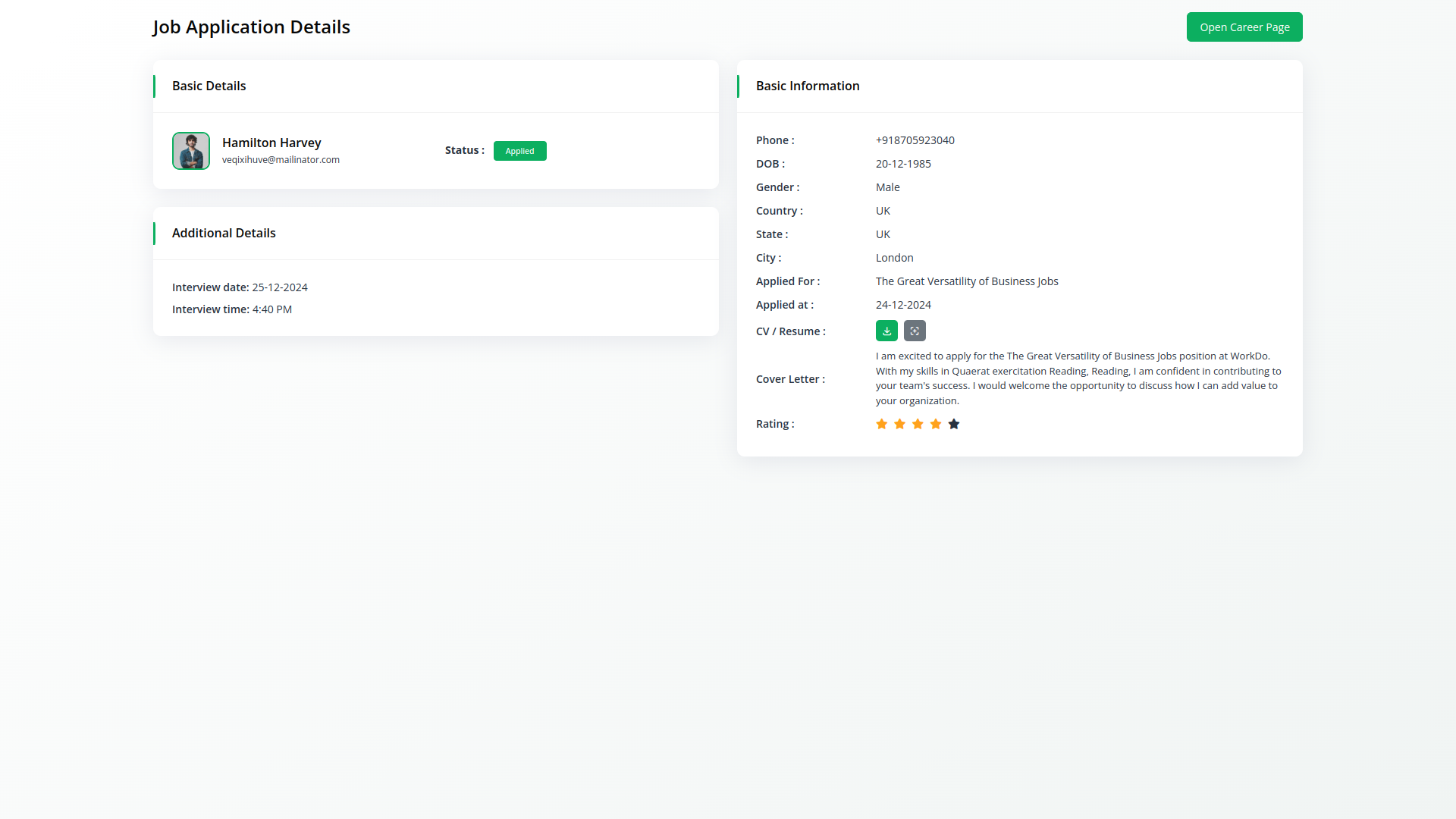
Frontend Customization
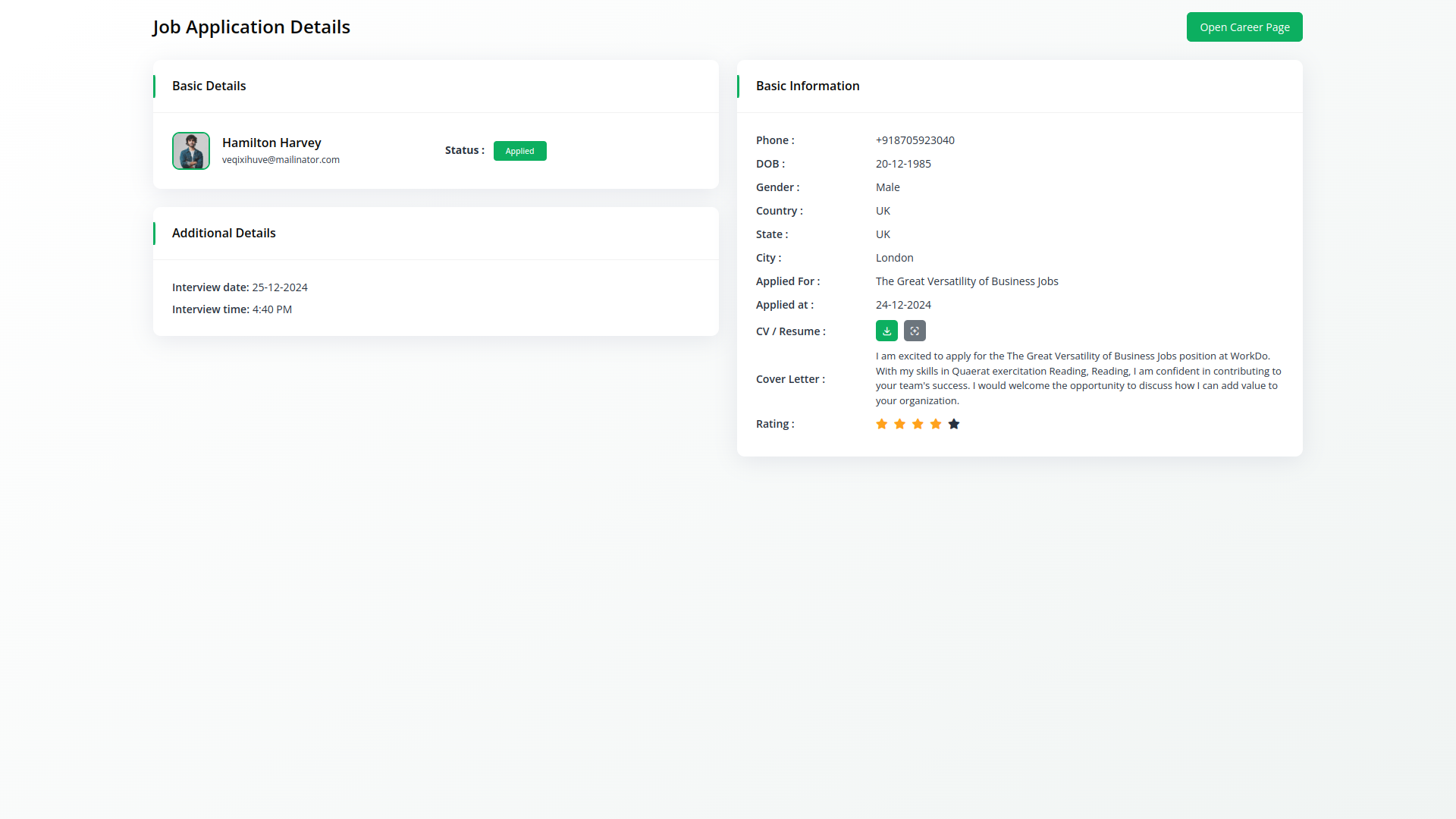
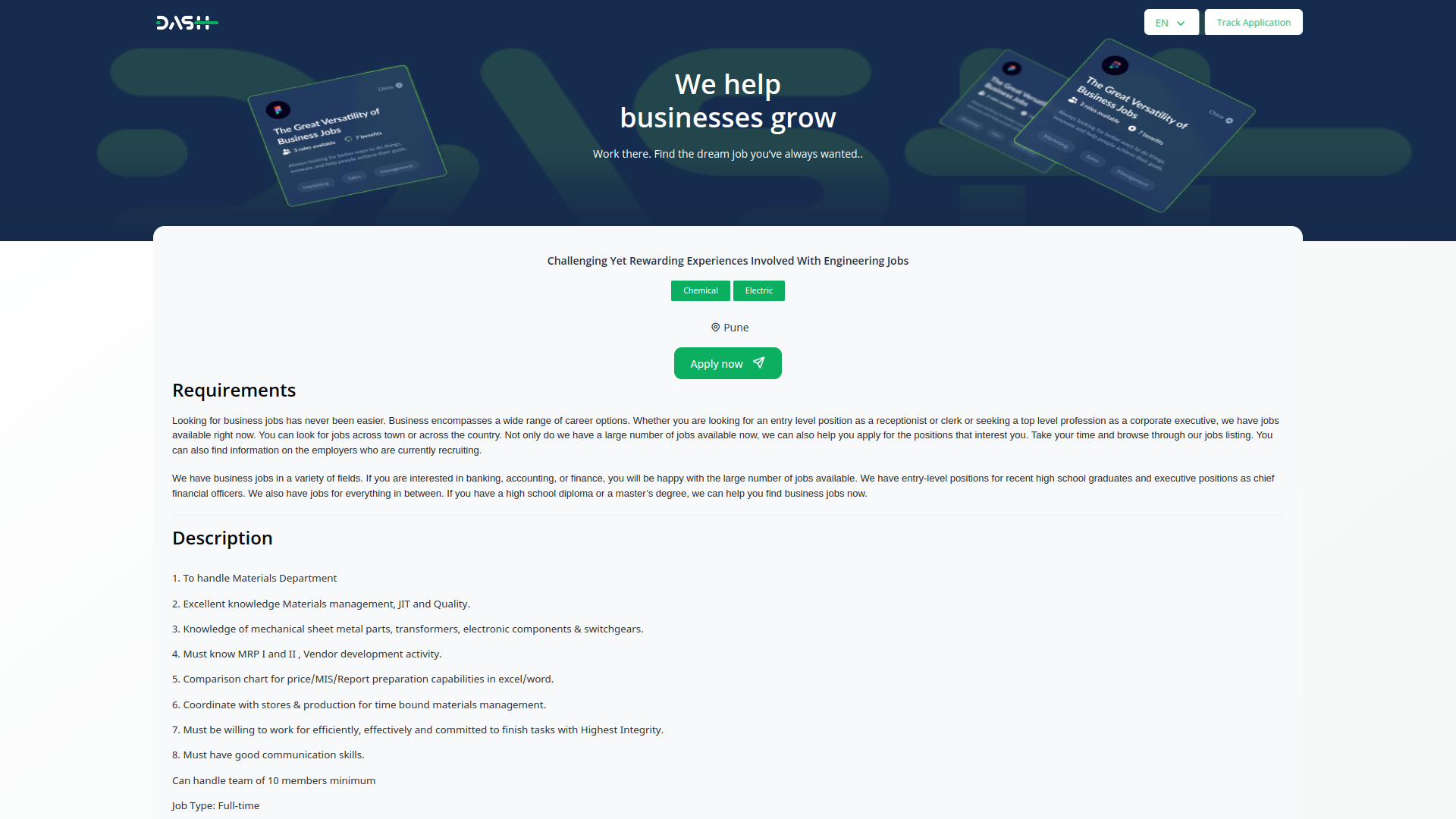
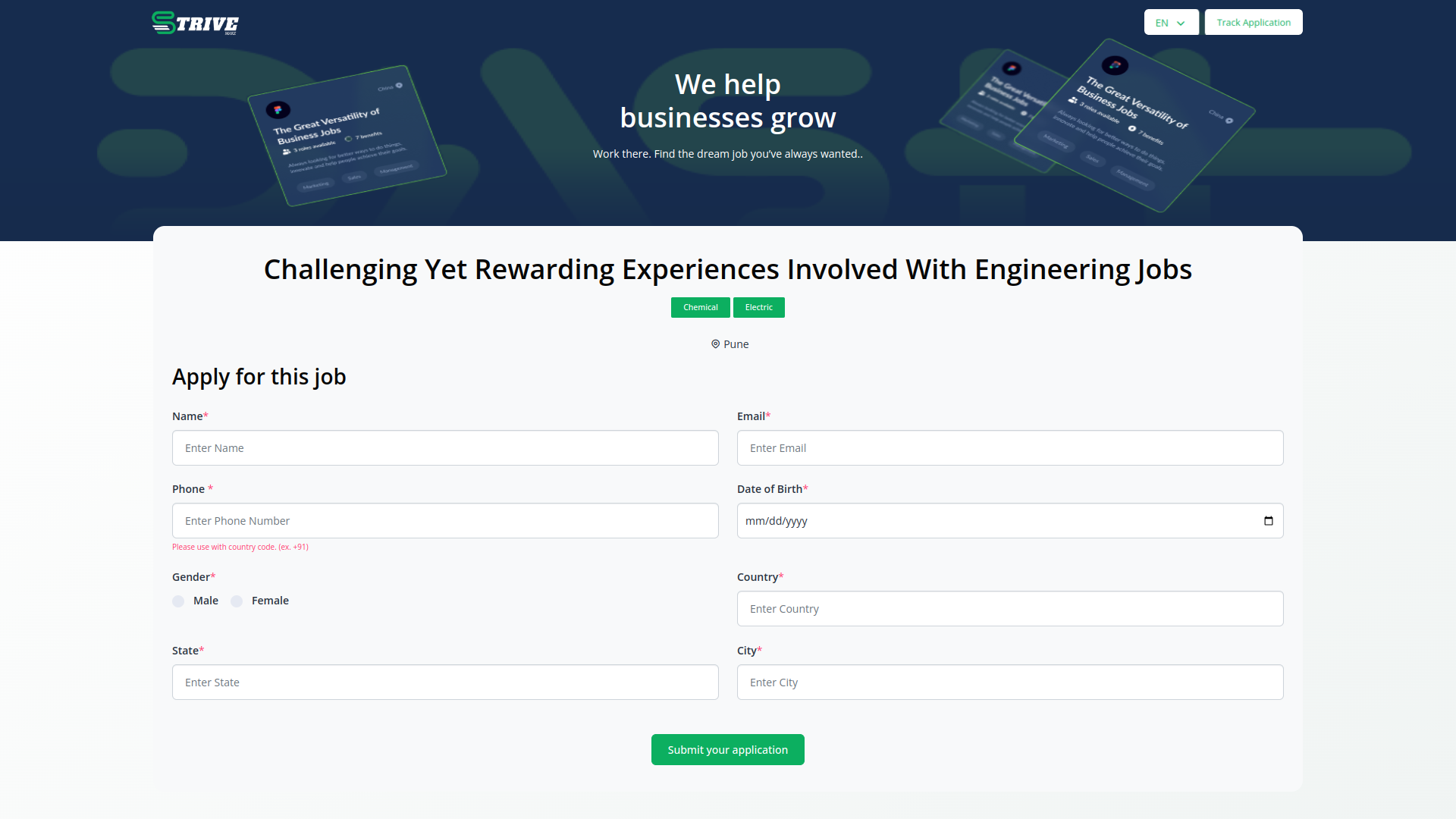
The Recruitment module enables users to showcase job details directly on the frontend, providing potential candidates with a comprehensive view of the role and its requirements. Furthermore, users can customize the job application details, tailoring the process to align with the organization's branding and specific requirements. This flexibility enhances the candidate experience and ensures that job postings stand out in a competitive market.
Why choose dedicated modules for your business?
With StriveMake, you can conveniently manage all your business functions from a single location.
Empower Your Workforce with StriveMake
Access over Premium Add-ons for Accounting, HR, Payments, Leads, Communication, Management, and more, all in one place!
- Pay-as-you-go
- Unlimited installation
- Secure cloud storage
- Instant activation
- Cancel anytime
- All updates included
- 24/7 priority support
- Instant activation
- Cancel anytime
- All updates included
- 24/7 priority support
About the Recruitment add-on
Recruitment helps you manage hiring from open role to offer, organizing job postings, applications, candidates, and interview stages in one pipeline. Tracking applicants in a structured flow keeps hiring moving and avoids losing strong people in the noise. Inside StriveMake, recruitment connects to HR, so a hired candidate becomes an employee record without re-entry, and to the assessments and onboarding that follow. One login keeps the path from candidate to colleague in a single workspace.
What you can do with Recruitment
- Post jobs and collect applications
- Track candidates through interview stages
- Manage applicant details and hiring decisions
- Convert hires into HR employee records
Who Recruitment is for
HR teams and hiring managers running recruitment from job posting to offer.
Recruitment — frequently asked questions
What does the Recruitment add-on do?
It manages the hiring process, organizing job postings, applications, candidates, and interview stages in a single pipeline. By keeping applicants and their progress in one place, it helps hiring teams move candidates through stages efficiently and make decisions without losing track of strong people across spreadsheets and email threads.
How much does the Recruitment add-on cost?
The Recruitment add-on is $9,00/month or $86,00/year on top of your StriveMake plan, and you can turn it off whenever you like.
What happens to a candidate once they are hired?
Because recruitment connects to HR, a hired candidate can become an employee record without re-entering their details. This smooths the transition from applicant to staff member, carrying information forward into onboarding, assessment, and the rest of the employee lifecycle managed in your workspace.
Does Recruitment work with the rest of StriveMake?
Yes. Recruitment links to HR, exams, and onboarding, so the path from candidate to colleague stays connected. With one login, hiring data flows into the systems that manage people after they join, keeping the whole employee lifecycle from first application to active staff in a single workspace.
Related modules you might like
With StriveMake, you can conveniently manage all your business functions from a single location.