Video Hub
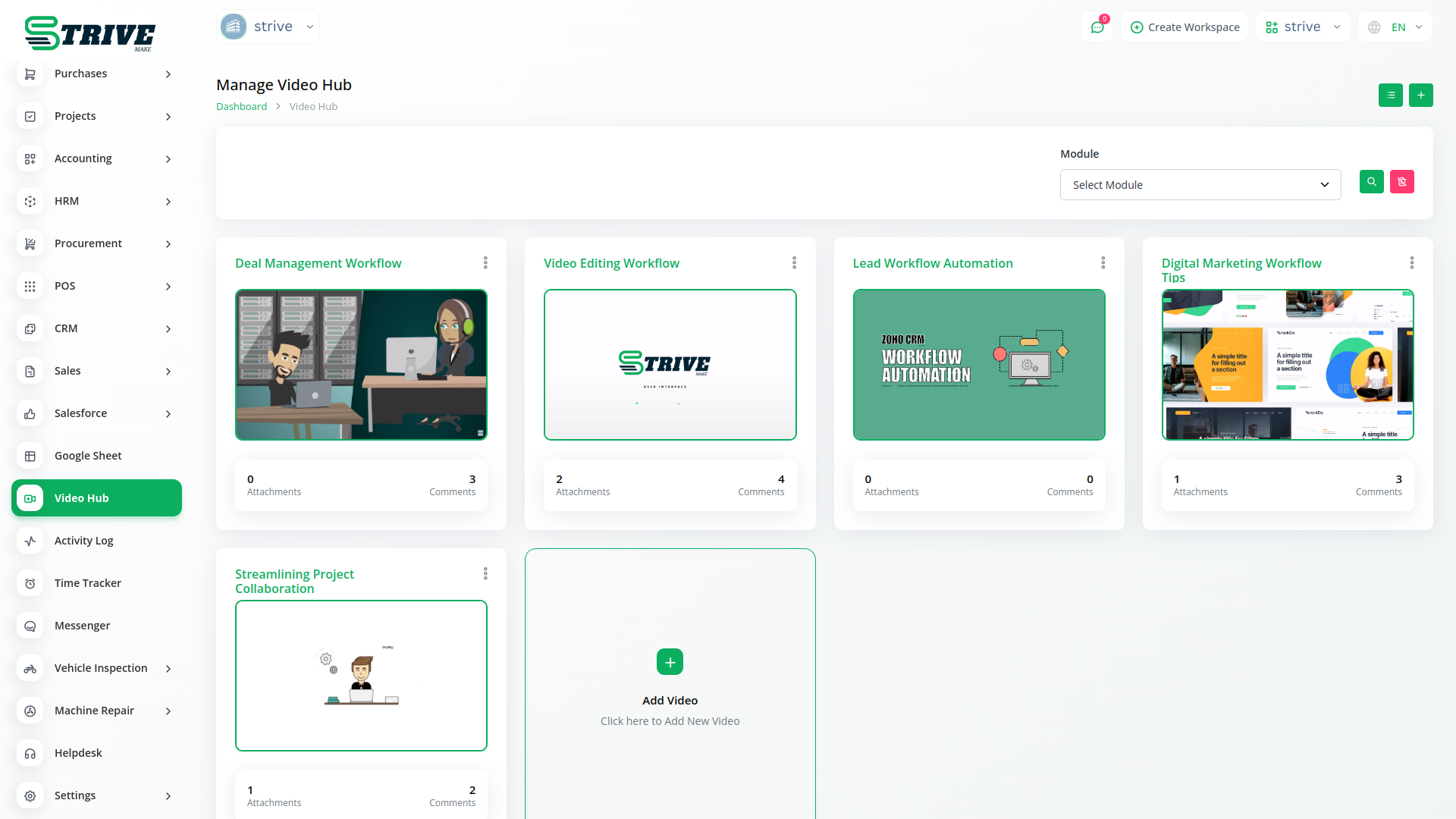
Video Hub makes work quick and easy. If you use video hub you can complete your work on time and save your time. Video Hub saves your videos so you can watch them whenever you need.
Video Hub Is Useful
Video Hub helps you explain the workflow to anyone like clients, users, employees etc.
Why Use Video Hub?
You can easily explain to the client how your product works, how admin can work, how user can work, how employee can work. When the client is new and it is difficult to explain the complete product flow to him, you can easily and quickly explain the complete product flow to him through Video Hub.
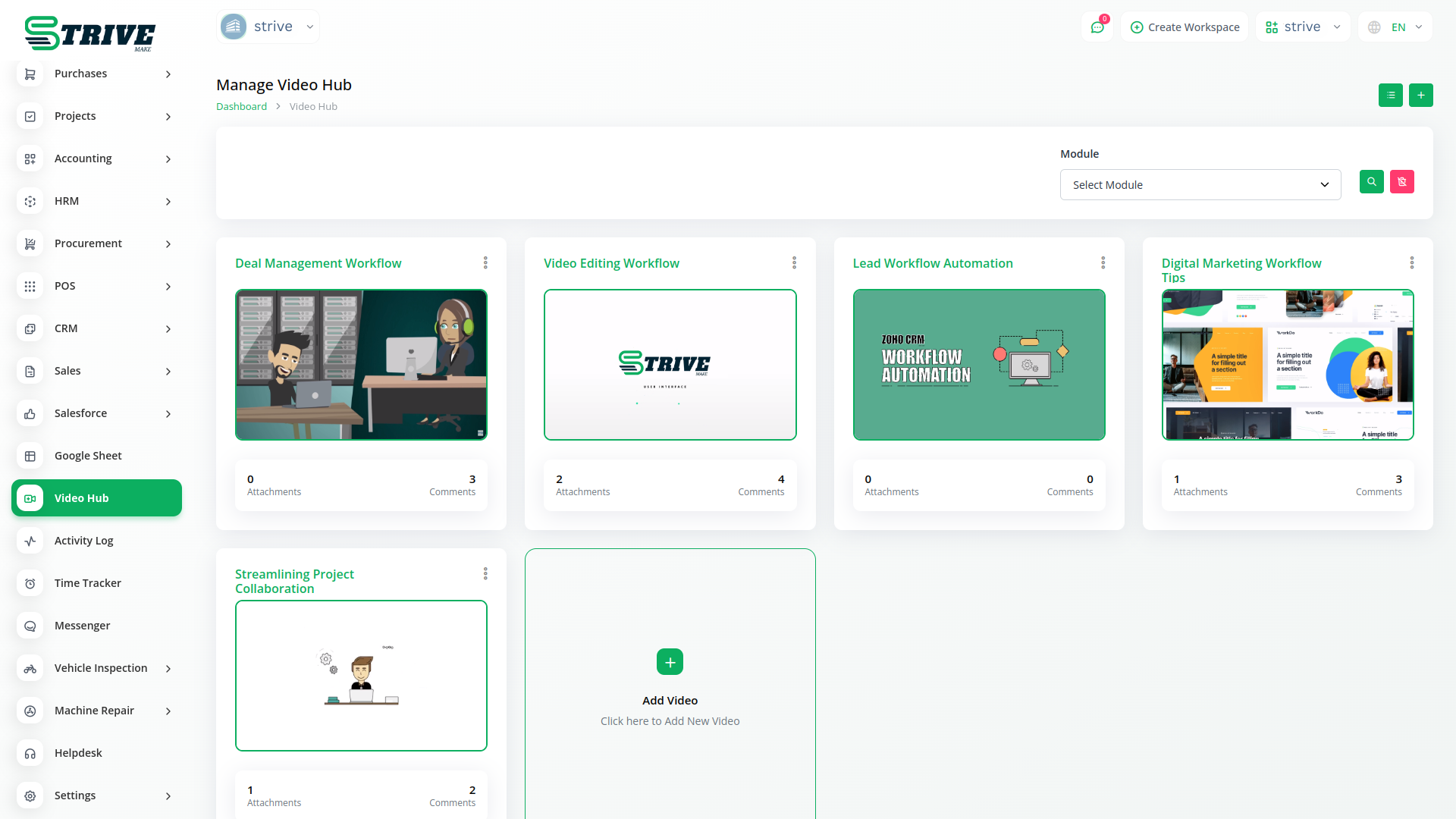
How To View Video Details And Add Comments?
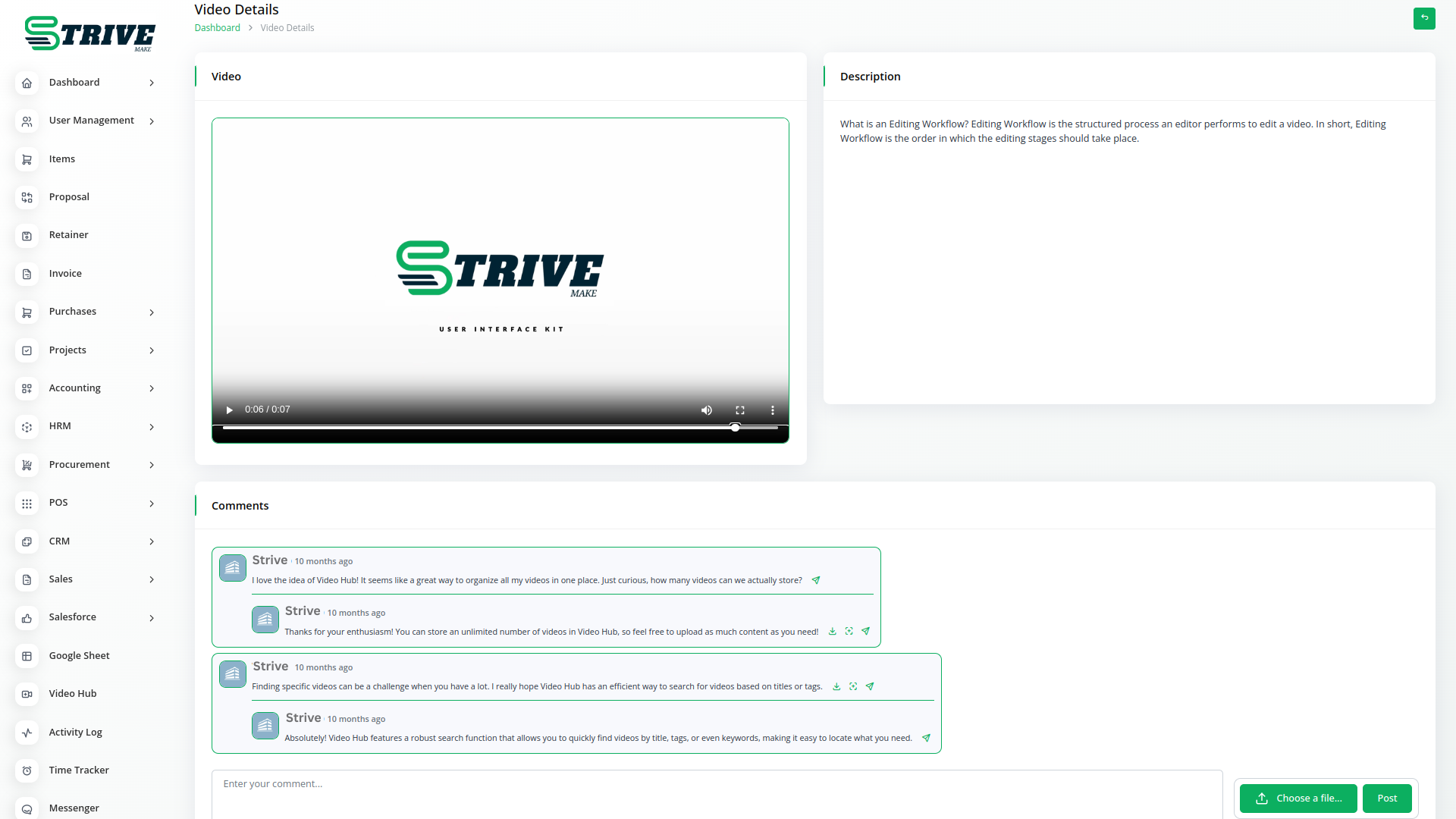
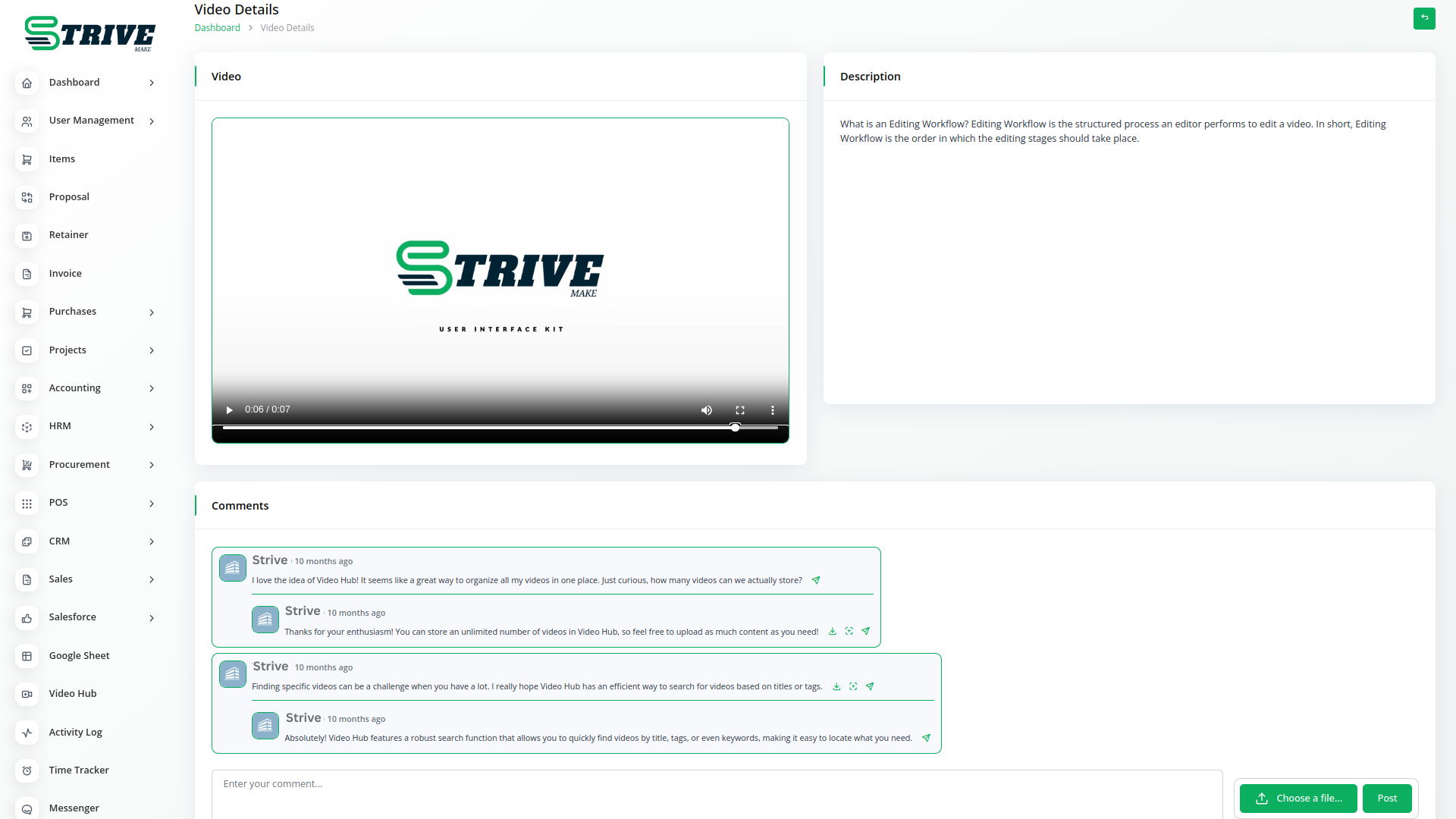
Click on the thumbnail or video title. Then you can see a page similar to the given photo. And you can view video, video description, comment box and easily add comments and files in comment box.
You can watch all types of videos on this page.
Why choose dedicated modules for your business?
With StriveMake, you can conveniently manage all your business functions from a single location.
Empower Your Workforce with StriveMake
Access over Premium Add-ons for Accounting, HR, Payments, Leads, Communication, Management, and more, all in one place!
- Pay-as-you-go
- Unlimited installation
- Secure cloud storage
- Instant activation
- Cancel anytime
- All updates included
- 24/7 priority support
- Instant activation
- Cancel anytime
- All updates included
- 24/7 priority support
About the Video Hub add-on
Video Hub is a central place to store, organize and share video content across your organization, from training clips and product demos to recorded meetings. Inside StriveMake it connects videos to the teams, projects and onboarding flows that use them, so a new hire watches the right training where their HR record lives and a sales clip sits beside the deal it supports. One login keeps your video library connected to the work it serves.
What you can do with Video Hub
- Upload and organize videos into a central library
- Categorize content for training, sales or onboarding
- Link videos to HR, projects and customer workflows
- Control viewing access across teams and roles
Who Video Hub is for
Organizations that use video for training, onboarding or demos and want it organized alongside their team data.
Video Hub — frequently asked questions
What does the Video Hub add-on do?
It gives your business a central library to upload, organize and share video content inside StriveMake. Training clips, demos and recordings stay categorized and searchable, and because Video Hub lives in your workspace the videos connect to the HR, project and customer contexts where people actually watch them.
How much does the Video Hub add-on cost?
The Video Hub add-on is $9,00/month or $86,00/year on top of your StriveMake plan, and you can turn it off whenever you like.
Can I restrict who watches certain videos?
Yes. Video Hub includes access controls so you decide which teams or roles can view each video. Internal training stays restricted to staff while customer-facing demos can be shared more widely, keeping sensitive content protected while the right people reach the videos they need.
Does Video Hub work with the rest of StriveMake?
It does. The library runs inside your StriveMake workspace alongside HR, projects and CRM, so a training video links to onboarding and a demo links to a deal through the same login. Your video content stays connected to the workflows it supports rather than sitting in a separate platform.
Related modules you might like
With StriveMake, you can conveniently manage all your business functions from a single location.


