ZoomMeeting
Eliminate the need to use multiple platforms for virtual meetings. Easily schedule Zoom meetings and sync meeting details and attendees with your calendar - For a smooth conferencing experience.
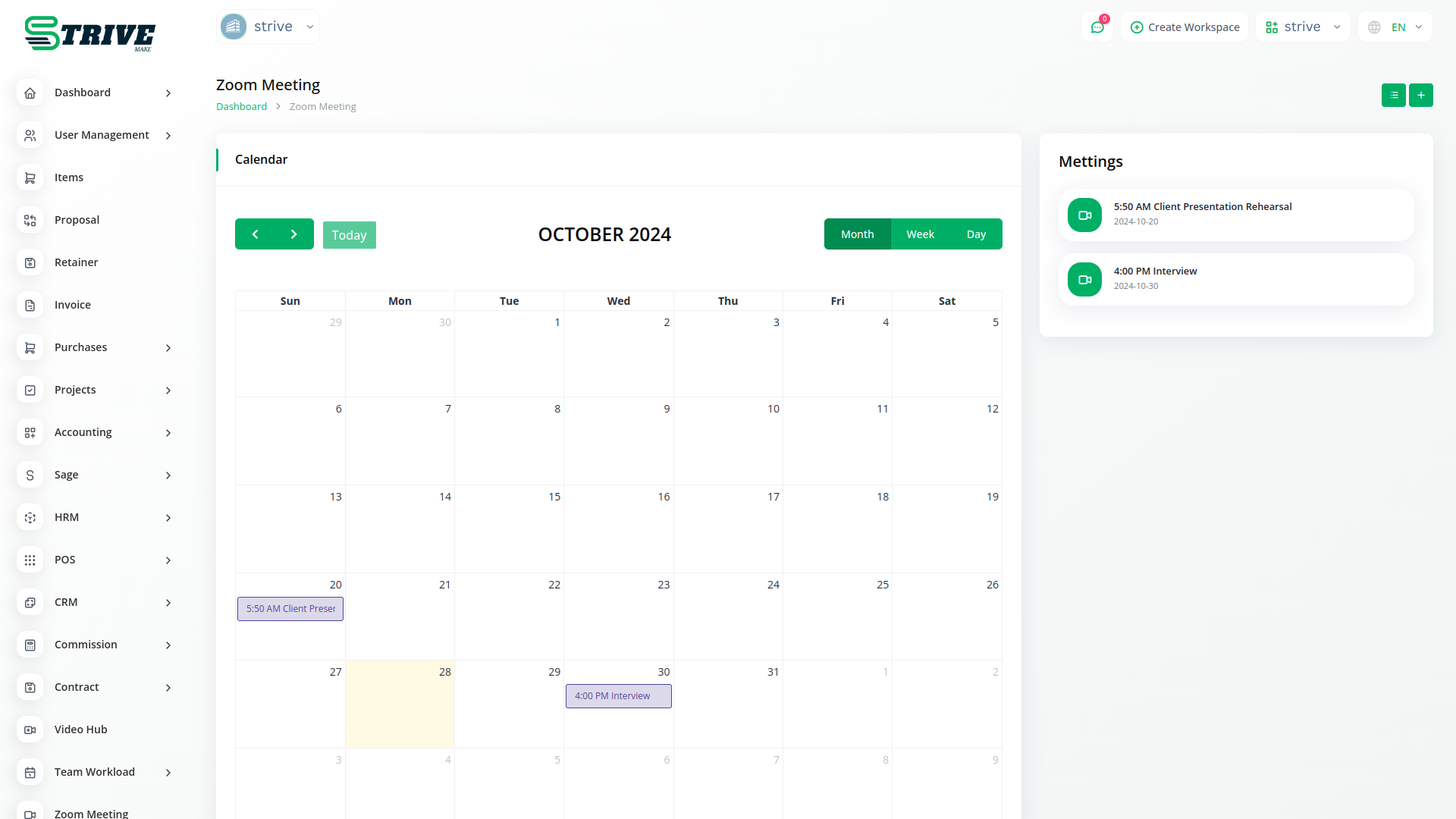
Zoom Integration
Virtual meetings are no new to us. The Zoom Integration provides a platform where you can create a zoom meeting after giving inputs of asked details like; Client, User(s), Meeting Time, and Duration, and it generates a link through which people can join the meeting. You can create, View, Start, and Delete meetings with ease.
How to Use Zoom Management
Zoom is a communications platform that allows users to connect with video, audio, phone, and chat. Using Zoom requires an internet connection and a supported device. Most new users will want to start by creating an account and downloading the Zoom Client for Meetings.
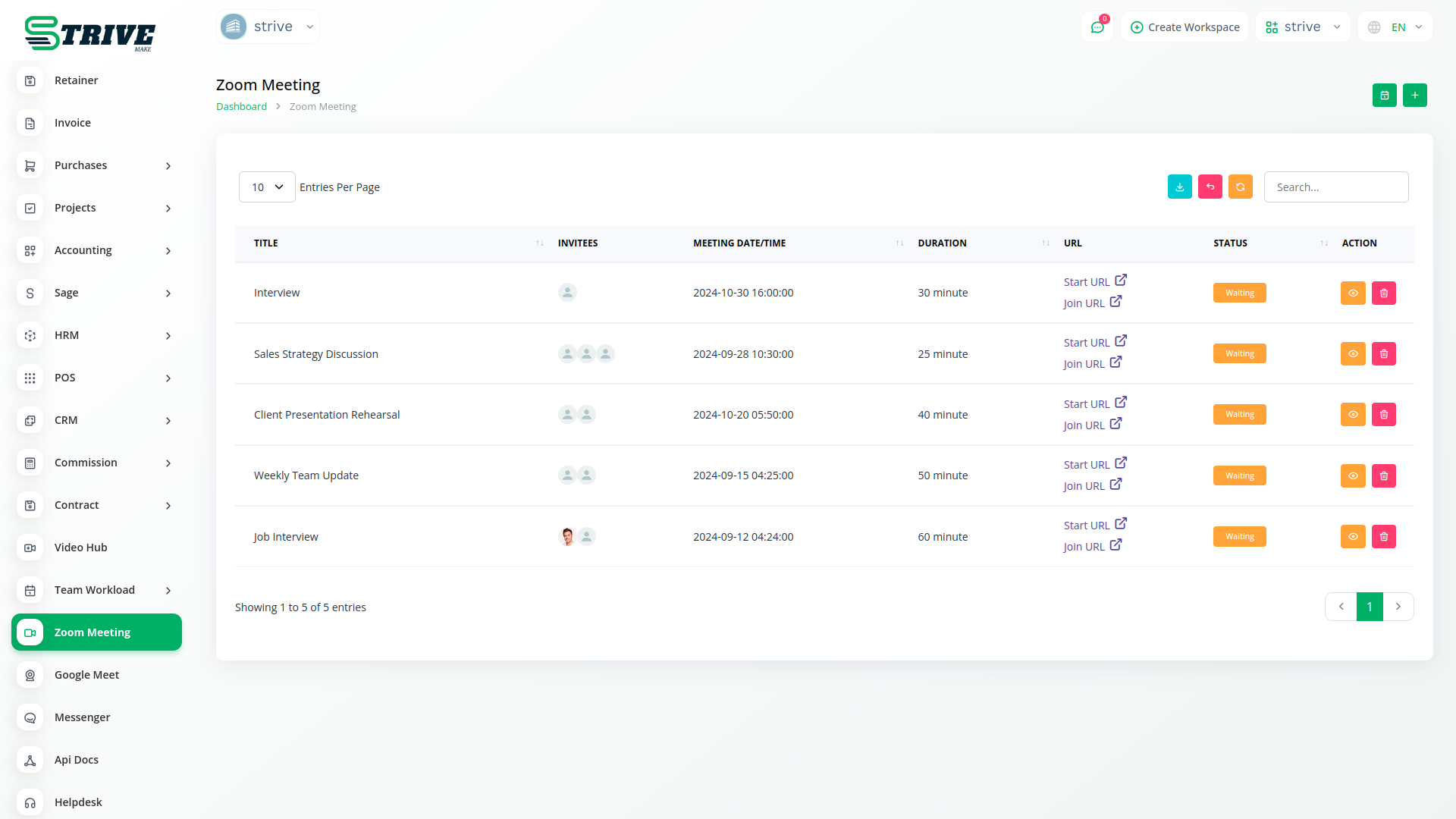
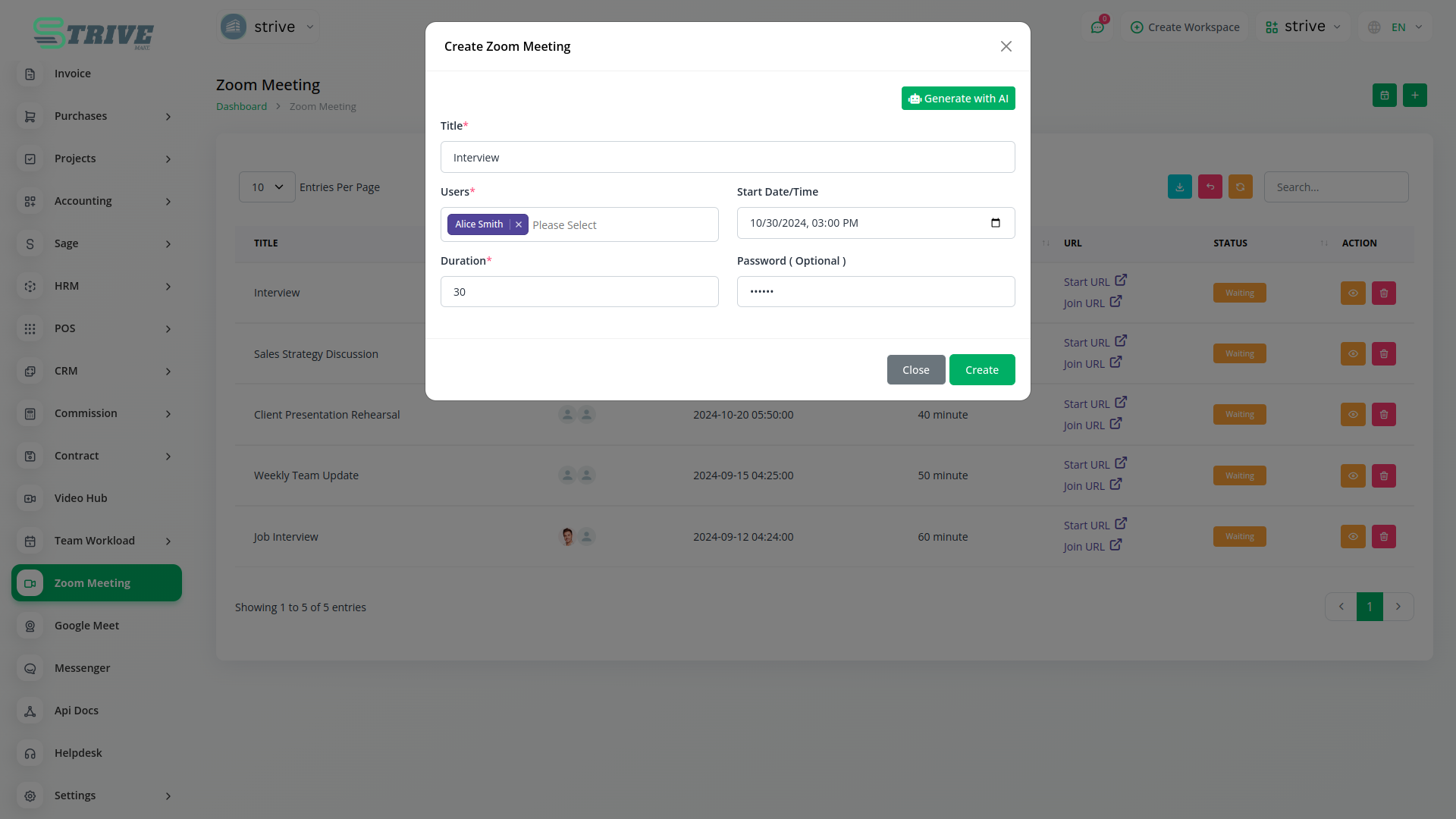
What is the use of zoom meeting?
Zoom is a communications platform that allows users to connect with video, audio, phone, and chat. Using Zoom requires an internet connection and a supported device. Most new users will want to start by creating an account and downloading the Zoom Client for Meetings.
Why choose dedicated modules for your business?
With StriveMake, you can conveniently manage all your business functions from a single location.
Empower Your Workforce with StriveMake
Access over Premium Add-ons for Accounting, HR, Payments, Leads, Communication, Management, and more, all in one place!
- Pay-as-you-go
- Unlimited installation
- Secure cloud storage
- Instant activation
- Cancel anytime
- All updates included
- 24/7 priority support
- Instant activation
- Cancel anytime
- All updates included
- 24/7 priority support
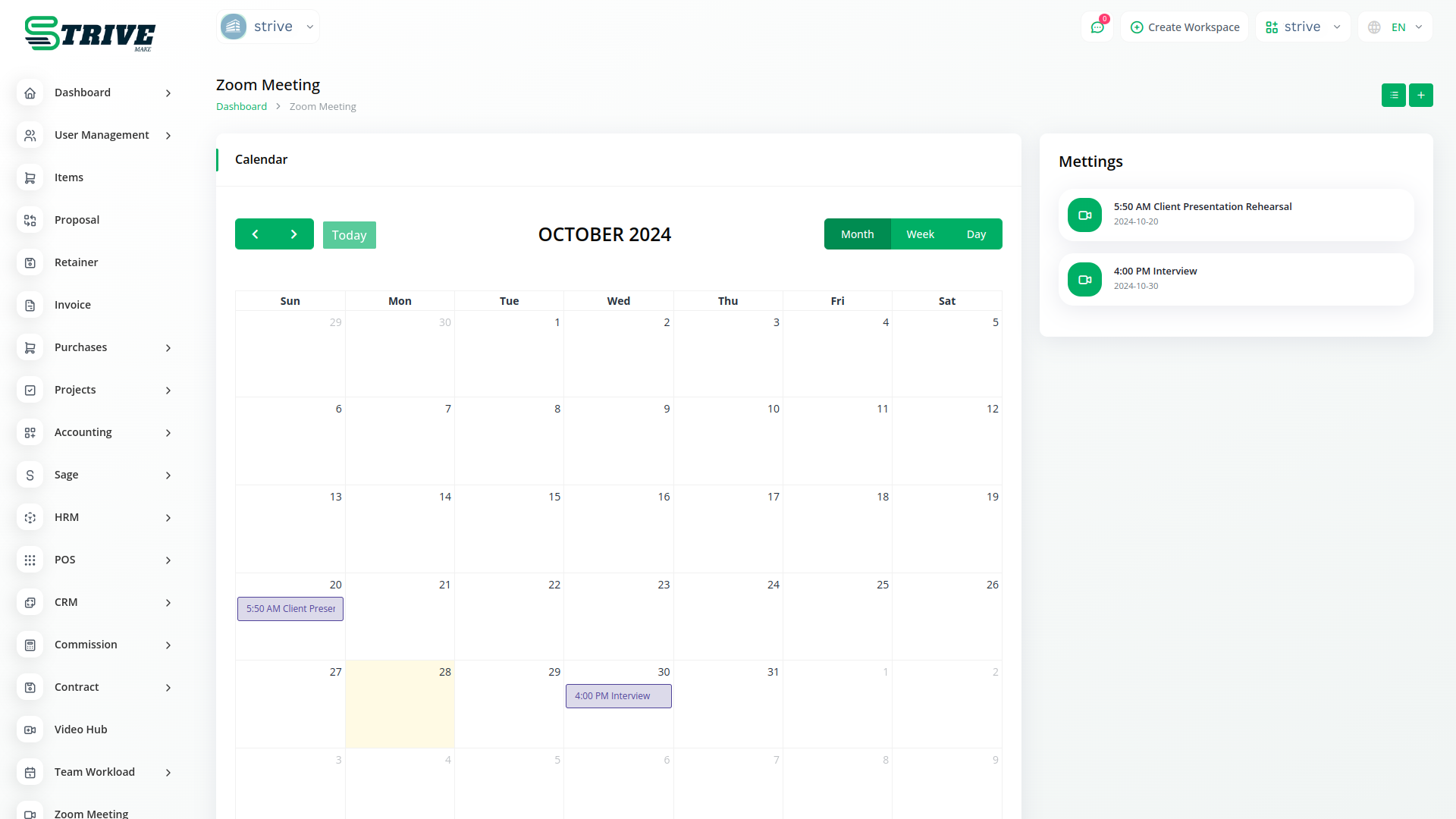
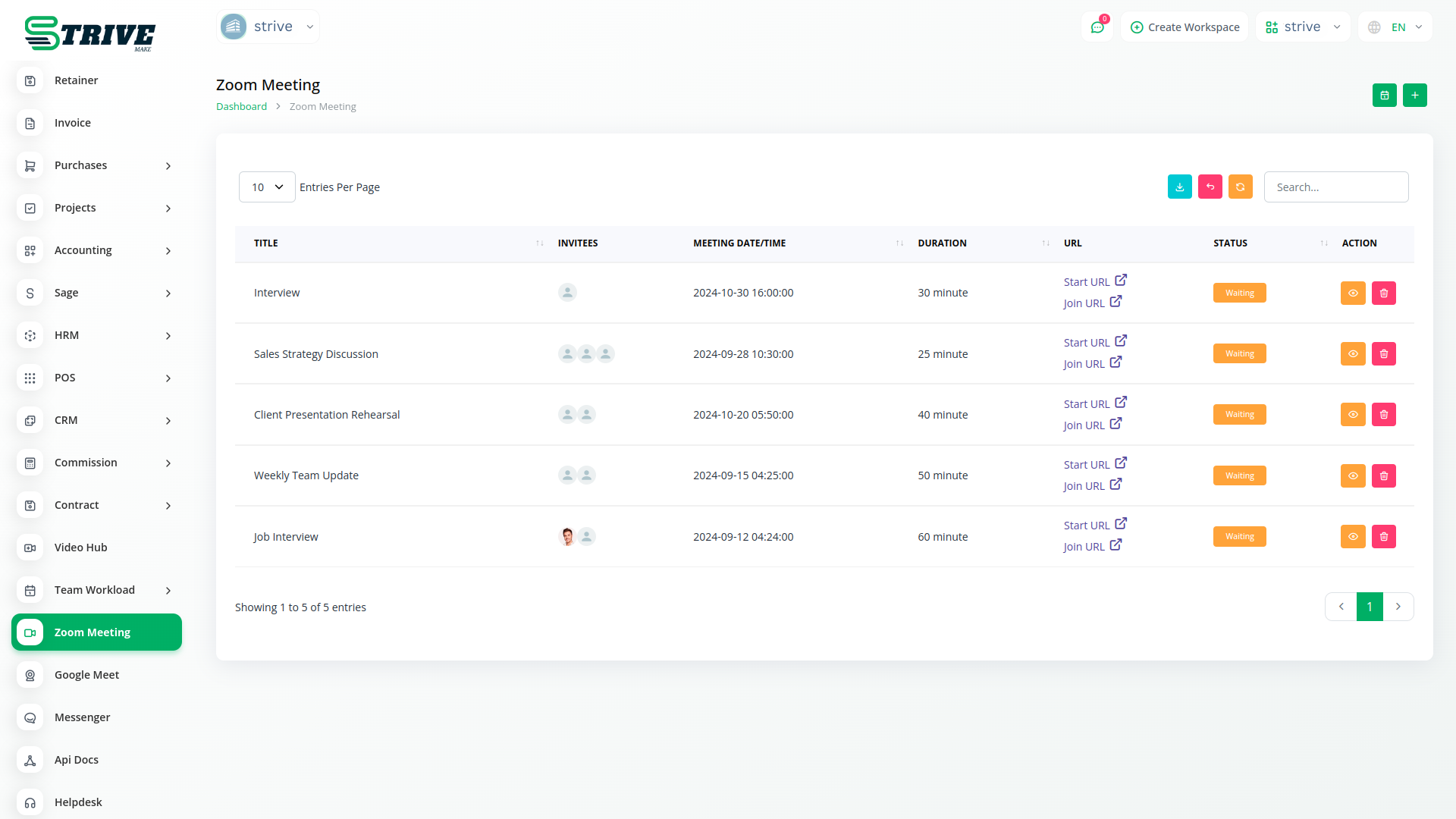
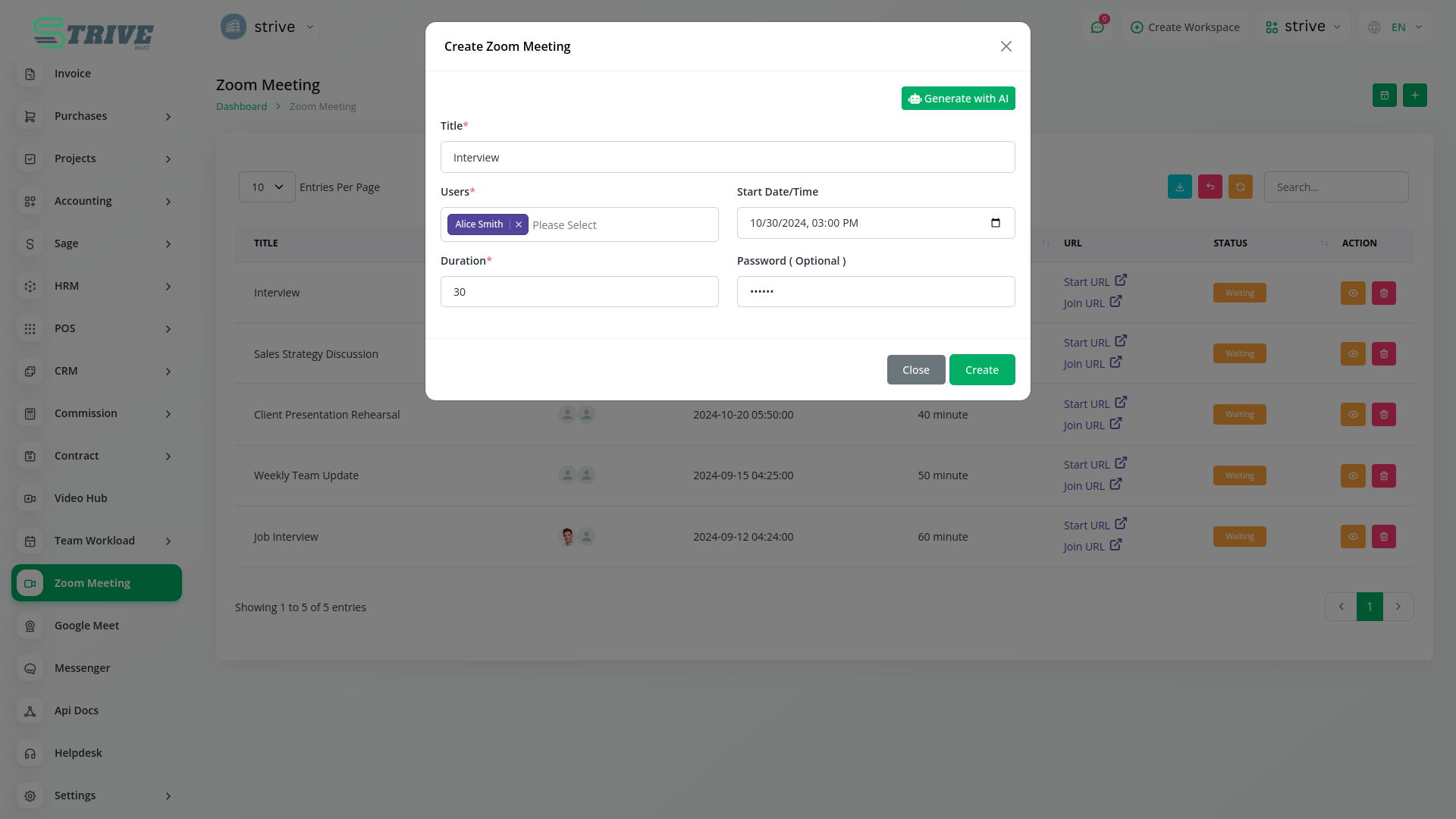
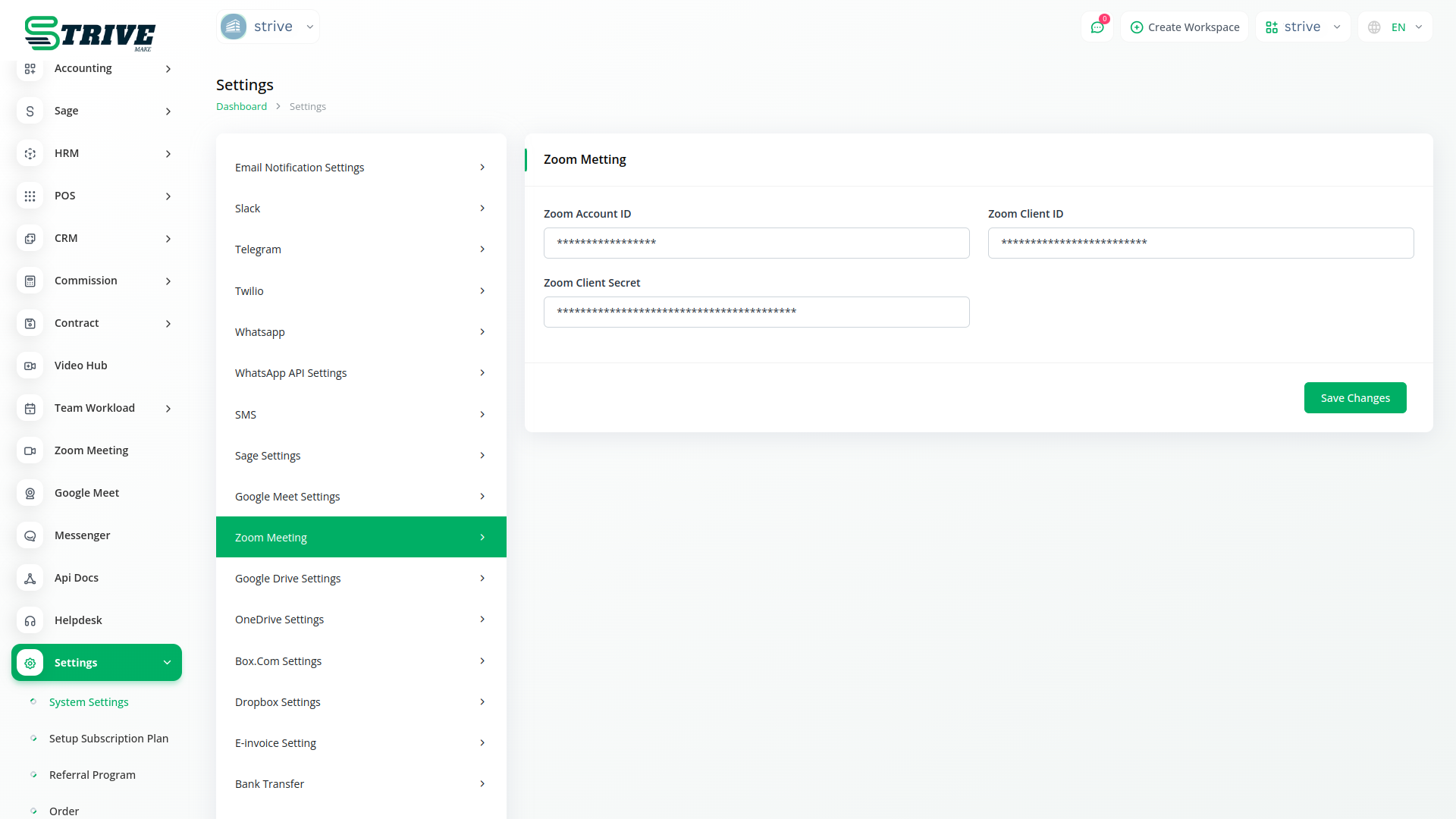
About the ZoomMeeting add-on
ZoomMeeting integration lets you schedule and launch Zoom video calls straight from StriveMake. When you set up a meeting with a client or your team, a Zoom link is created and attached to the relevant record, so joining details sit in context. Because the integration lives in your workspace, meetings connect to the CRM contact, deal or project they relate to. One login covers booking the call and finding it later against the right customer, removing the hassle of pasting Zoom links between separate calendars and tools.
What you can do with ZoomMeeting
- Create Zoom meeting links from inside StriveMake
- Attach Zoom links to contacts, deals and projects
- Schedule client and team calls in context
- Join meetings without copying links between tools
Who ZoomMeeting is for
Teams that run client and internal calls on Zoom and want them organized against the right records.
ZoomMeeting — frequently asked questions
What does the ZoomMeeting add-on do?
The ZoomMeeting add-on connects StriveMake to Zoom so you can create and attach Zoom video links from within your workspace. When you schedule a call, the link is generated and stored against the contact, deal or project it relates to, keeping joining details exactly where your team needs them.
How much does the ZoomMeeting add-on cost?
The ZoomMeeting add-on is $15,00/month or $144,00/year on top of your StriveMake plan, and you can turn it off whenever you like.
Do I need a Zoom account to use this?
Yes, the integration connects to Zoom, so a Zoom account hosts the actual video meetings. Once connected, you generate and attach Zoom links directly from StriveMake, and the call runs on Zoom infrastructure your participants are already comfortable using.
Does ZoomMeeting work with the rest of StriveMake?
It does. Zoom links attach to the CRM contacts, deals and projects they concern, so calls are never separated from the work they support. One login covers scheduling the meeting and finding it later against the right record, instead of juggling Zoom links across disconnected calendar and CRM tools.
Related modules you might like
With StriveMake, you can conveniently manage all your business functions from a single location.


