Rotas
Managing employees, their availability, shifts, leaves, and rates could become quite overwhelming, especially when you have multiple locations to cater to. Well no more.
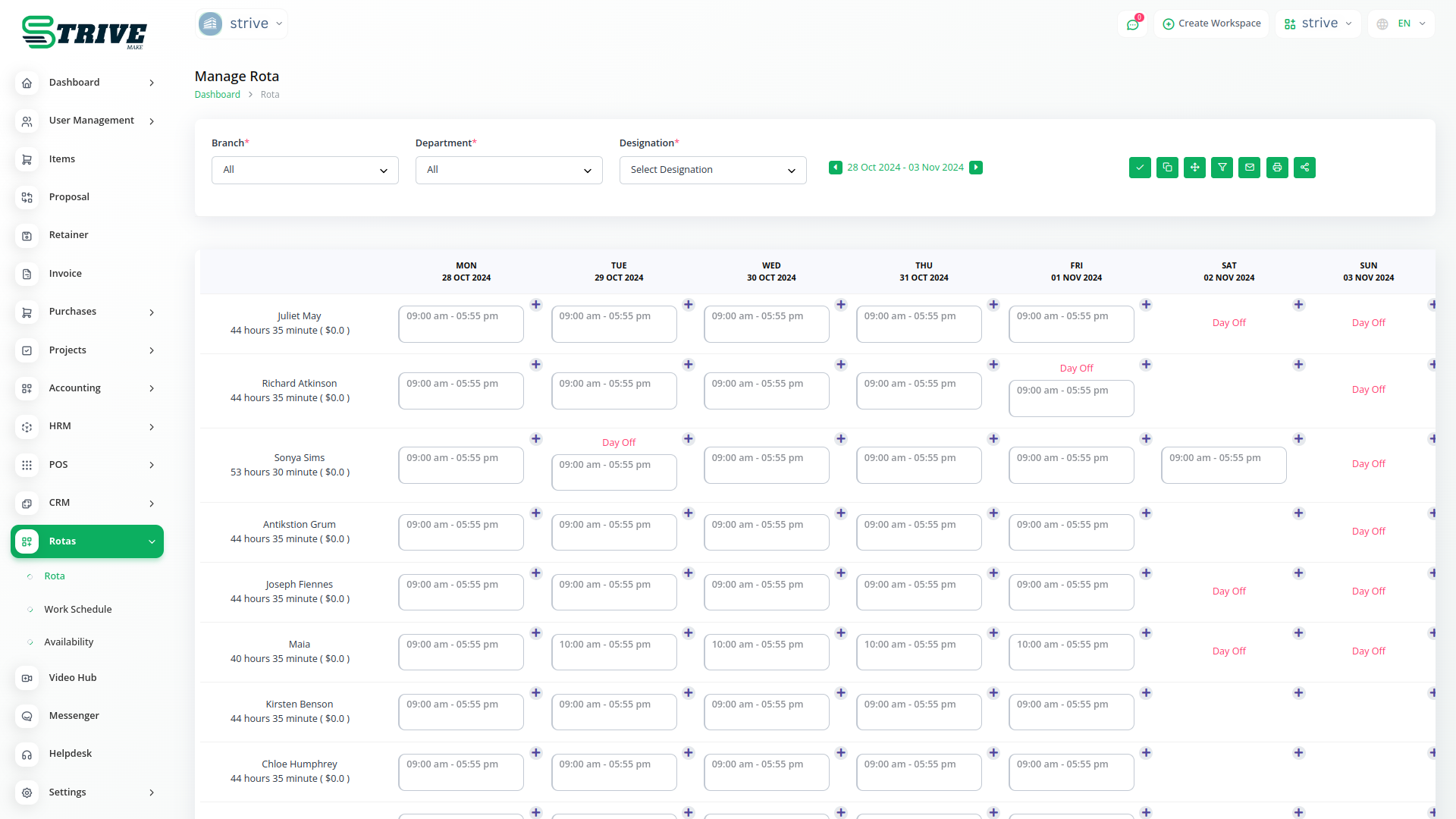
Easily Manage Work Shifts… With ASimple,Efficient, And AffordableTool
Manage your employees and their work shifts, availability, leaves, rates, and more - from anywhere, with one simple tool.
Organize Employees And Maximize Productivity
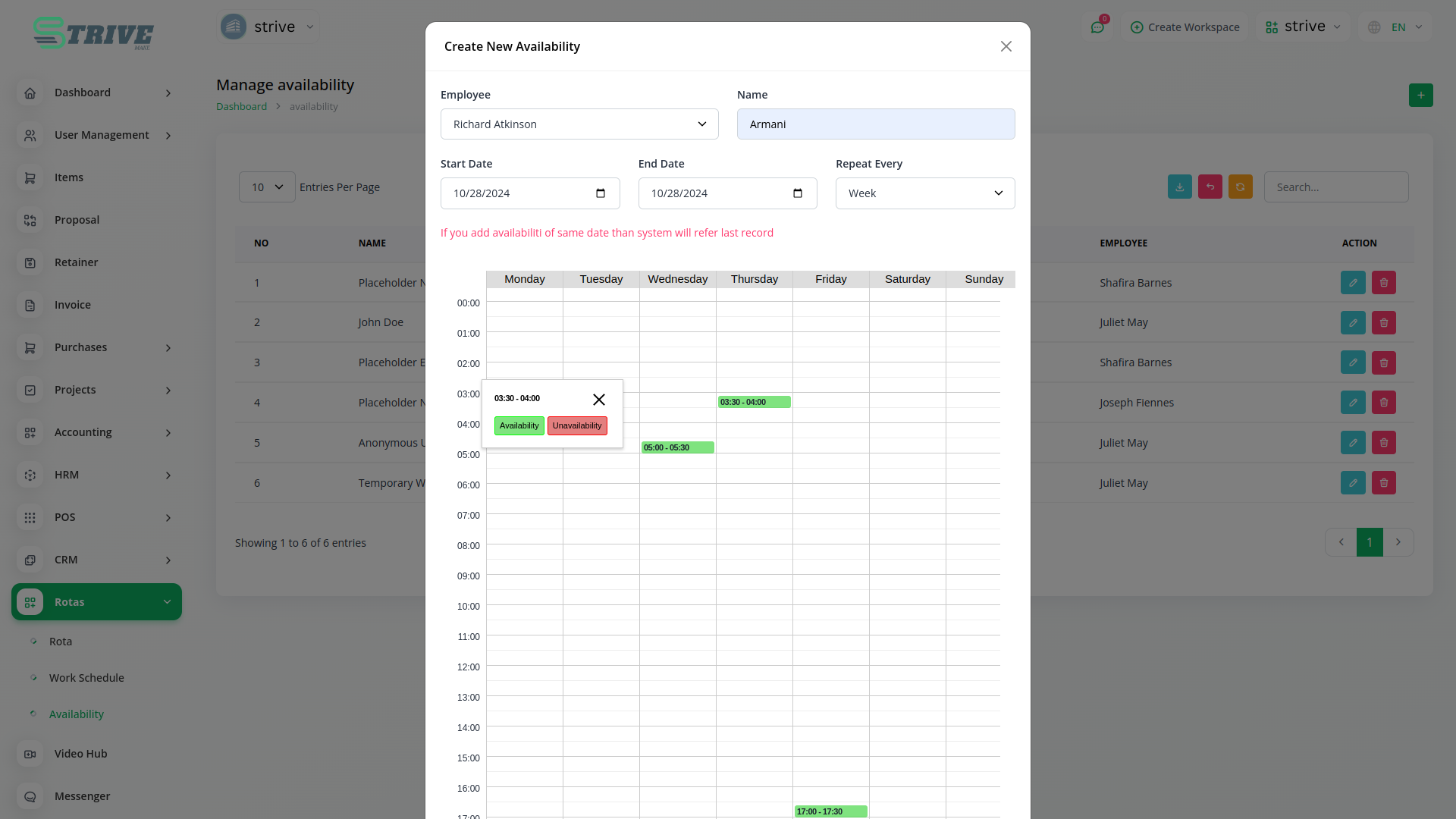
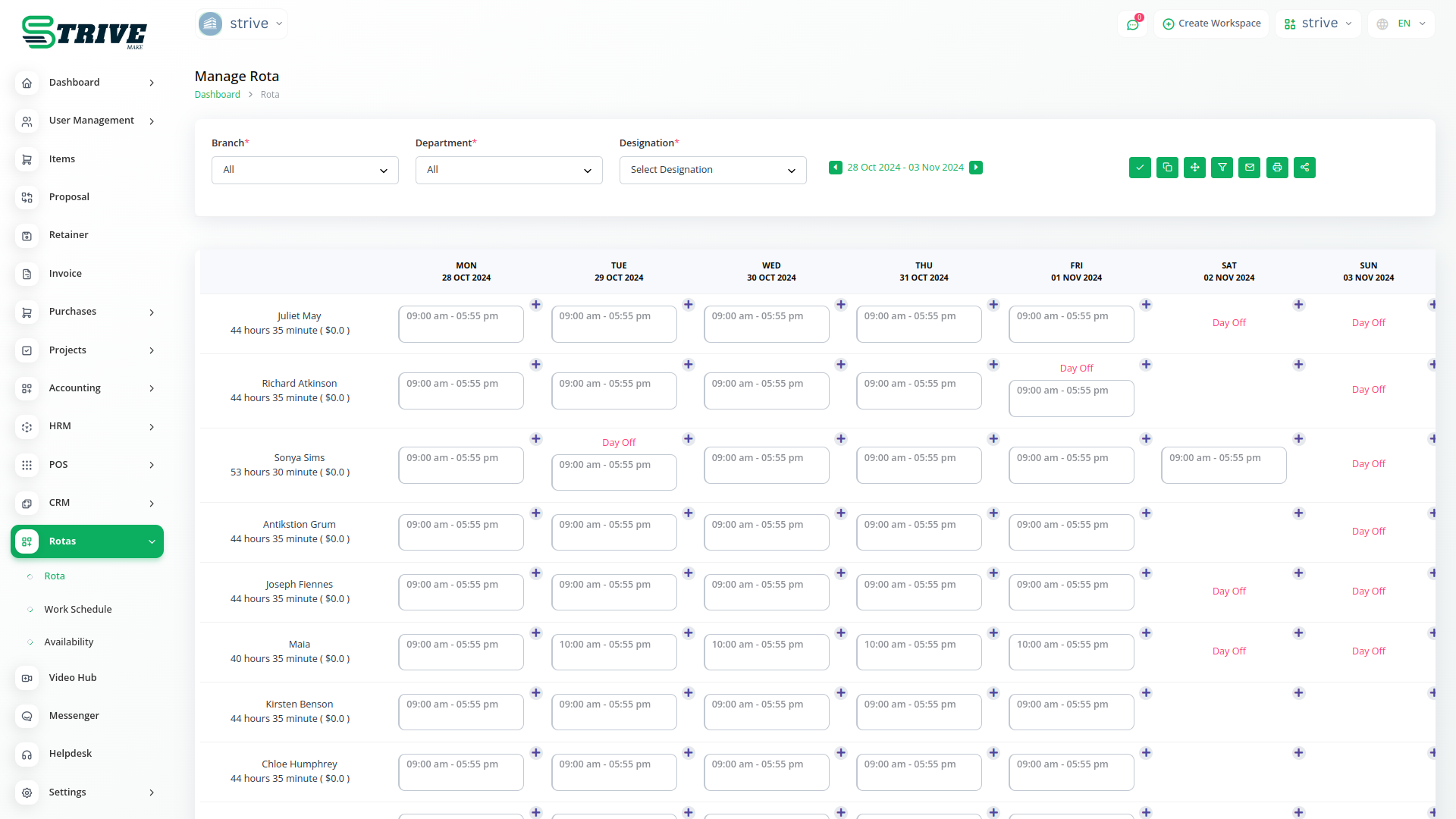
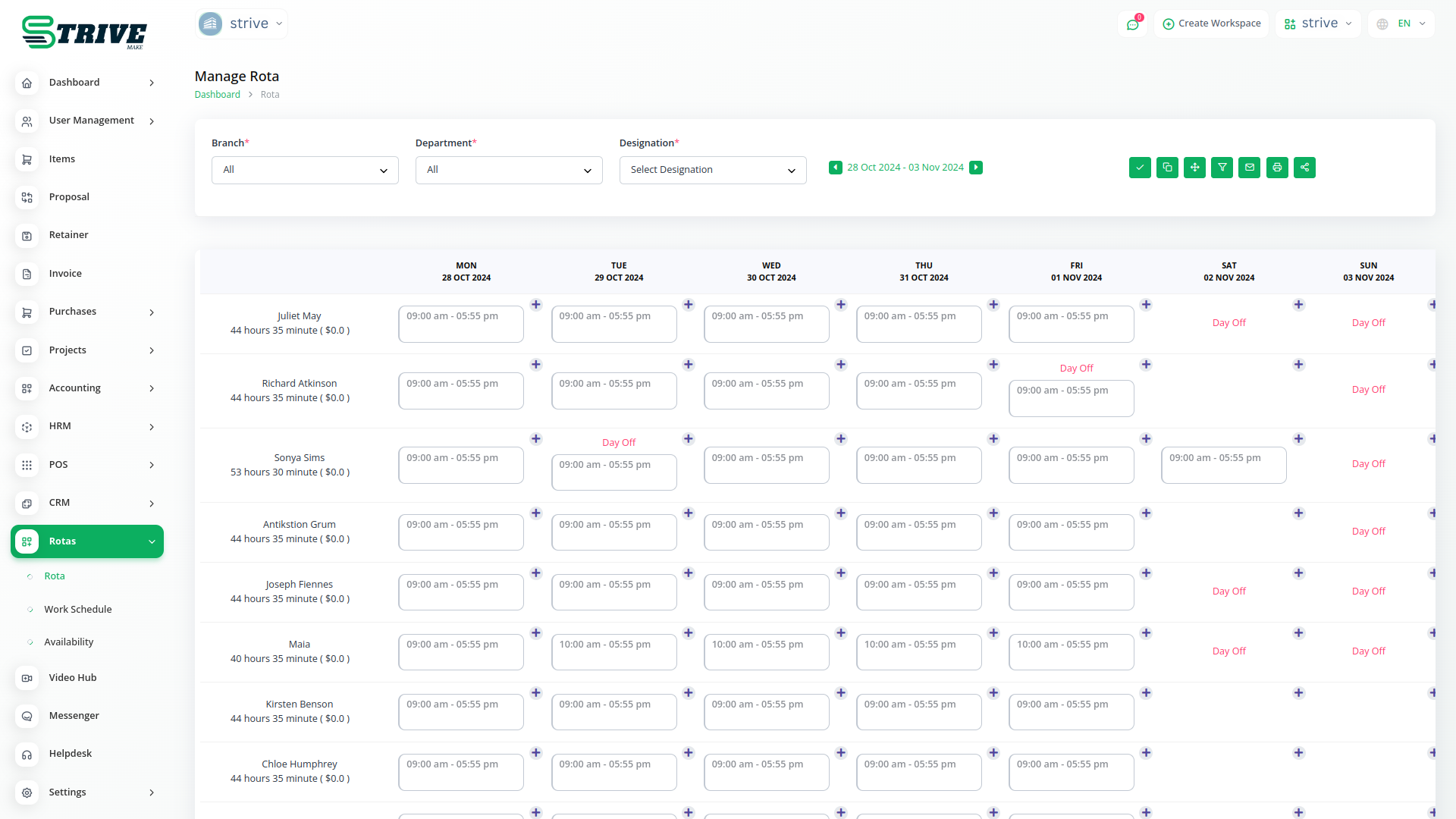
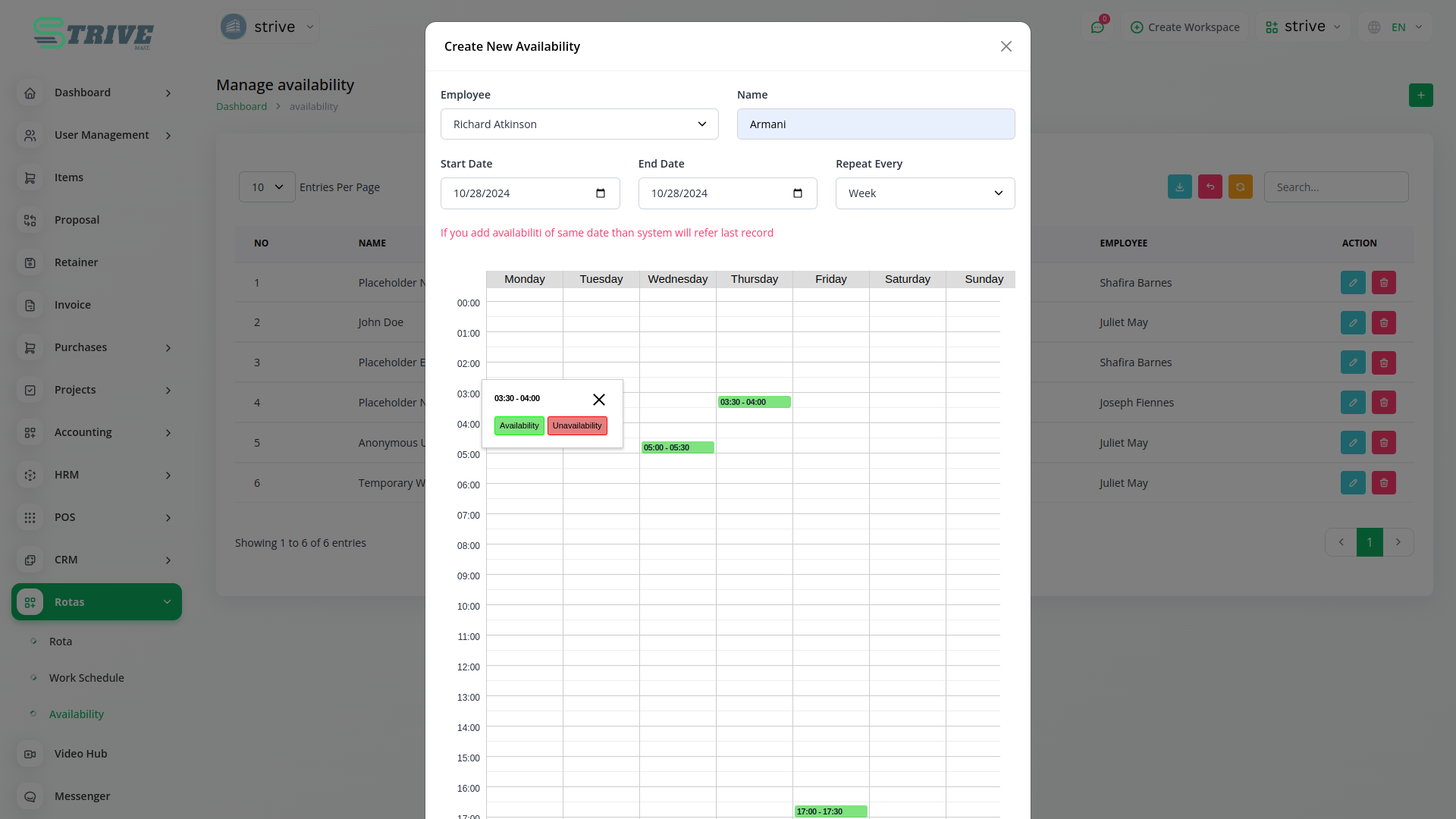
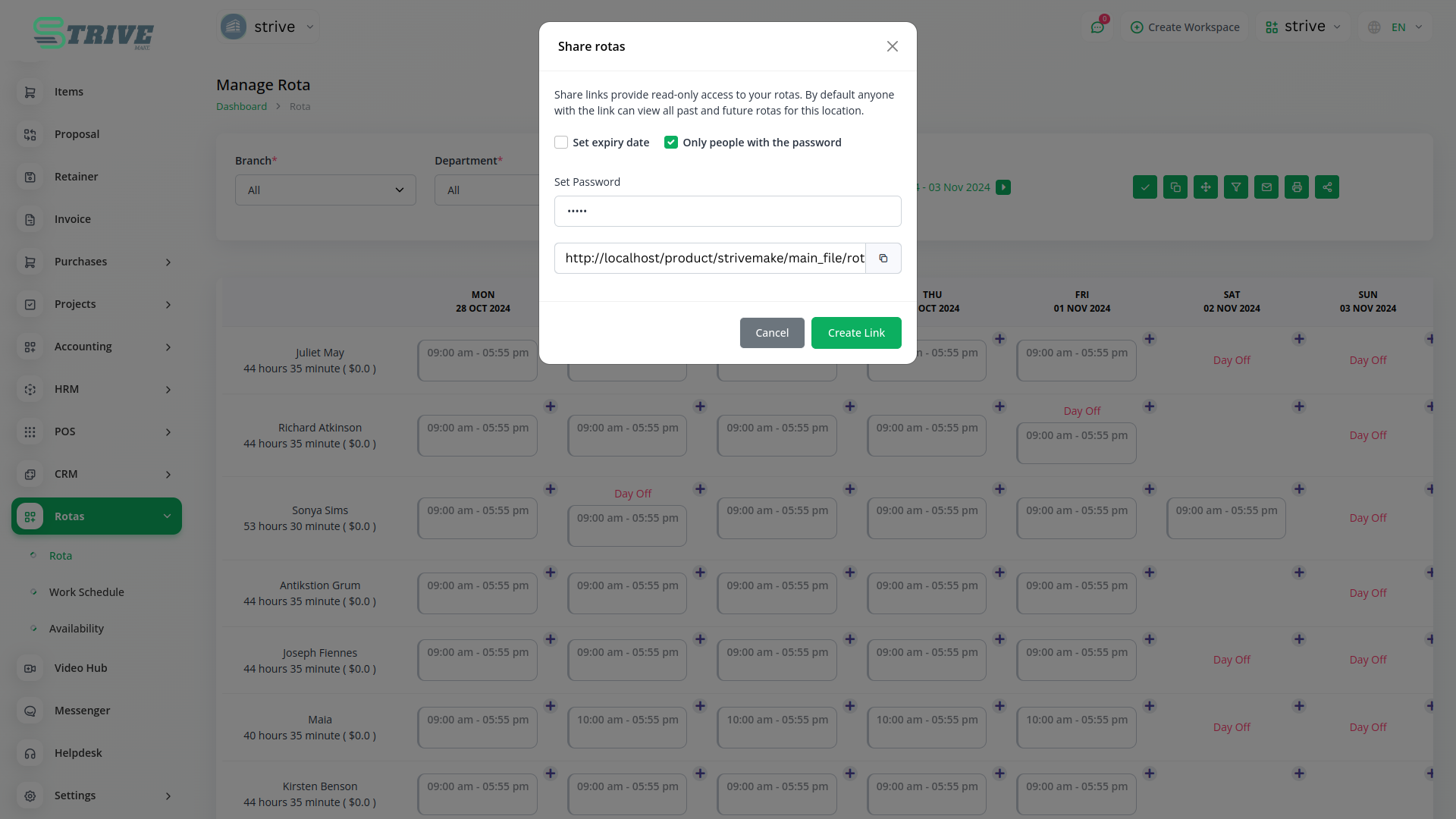
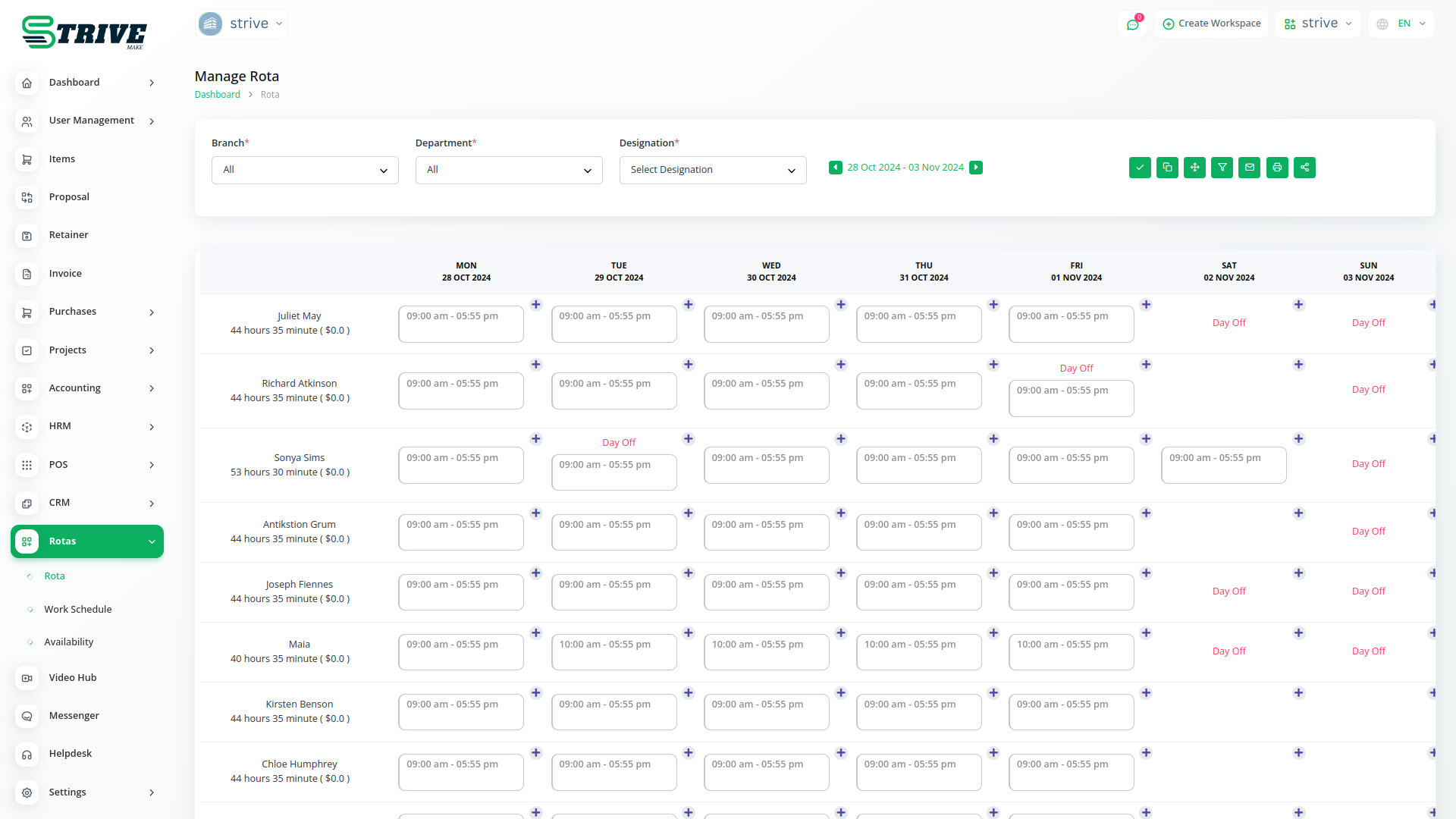
Schedule your employees’ shifts and assign tasks at any time. Easily manage availability preferences, view the details of all your employees, generate reports, and improve productivity - all inside one tool.
Easily edit every aspect of your business. Add or remove employees, days off, leaves, and more from the scheduled shifts. Set up face-to-face meetings at any time and easily reassign tasks to new employees.
Let nothing escape you by receiving notifications of every important activity. Grant or reject employee leave requests, edit availability patterns, and manage every aspect of your business from a single tab.
A Smart And Reliable Way To Schedule Shifts
Safeguard your clients’ payment by using Stripe, PayPal, Flutterwave, and many more. Get paid for work done with a stress-free and secure payment process. Integrate up to 10 unique payment gateways.
Manage every single information about your employees with ease. Get minute details like employment type, allowance, personal details and more in a single secure database. Also assign custom wages and salaries from a single tab.
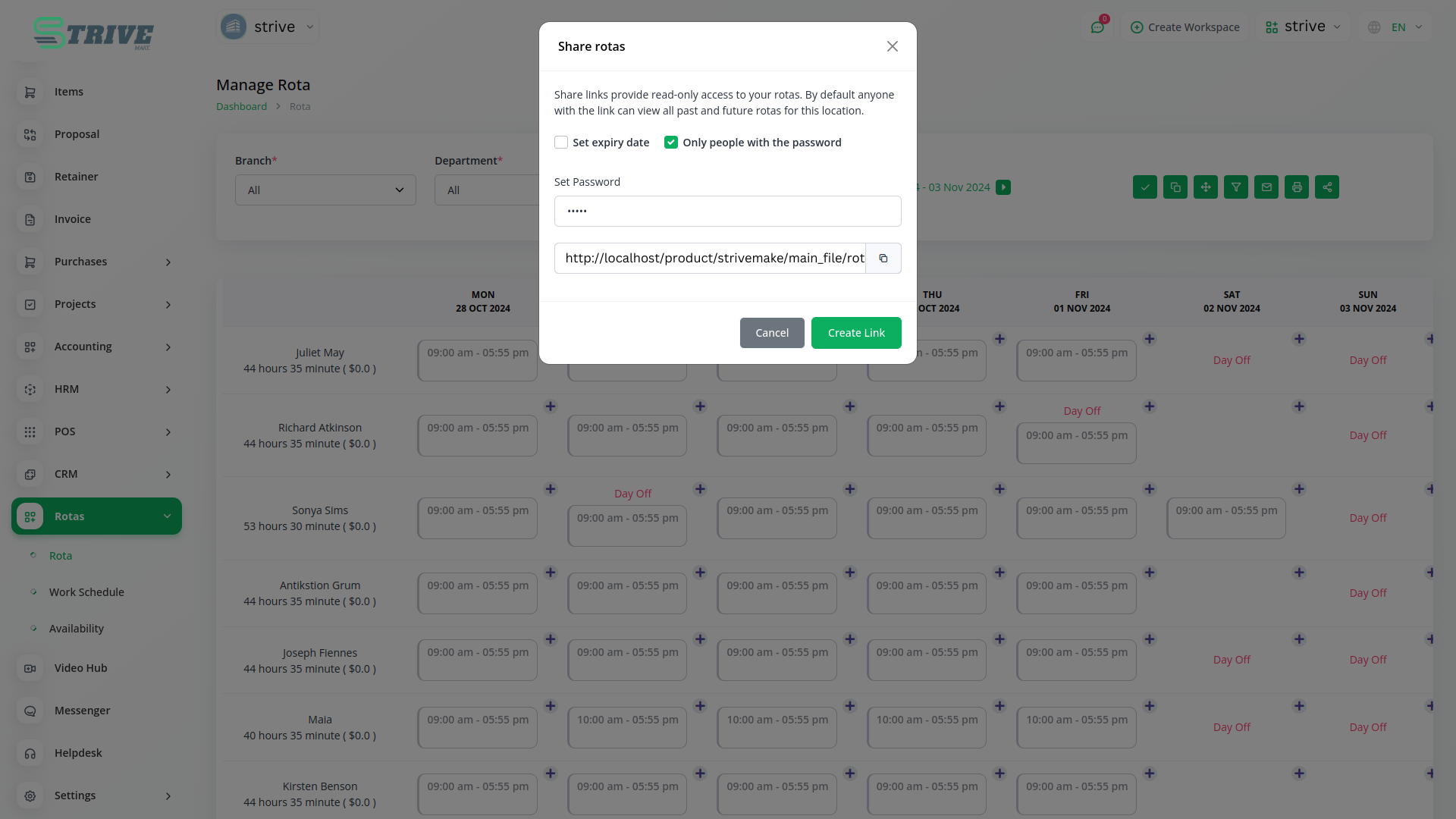
Effectively manage several locations at a time. Assign employees to specific locations and manage their schedules. Easily switch locations and access a wide range of scheduling features - all under one roof.
EMPLOYEE DATABANK
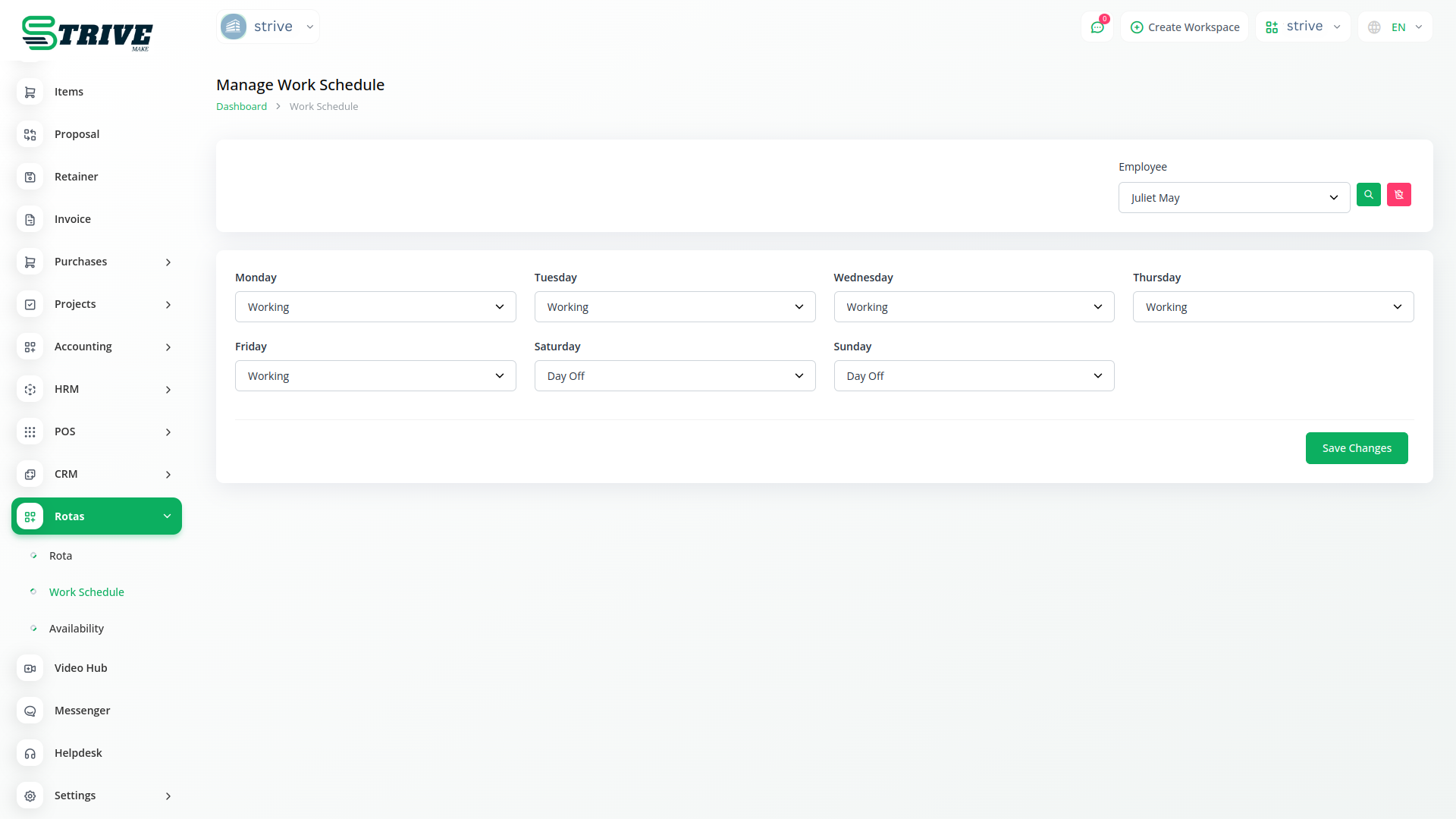
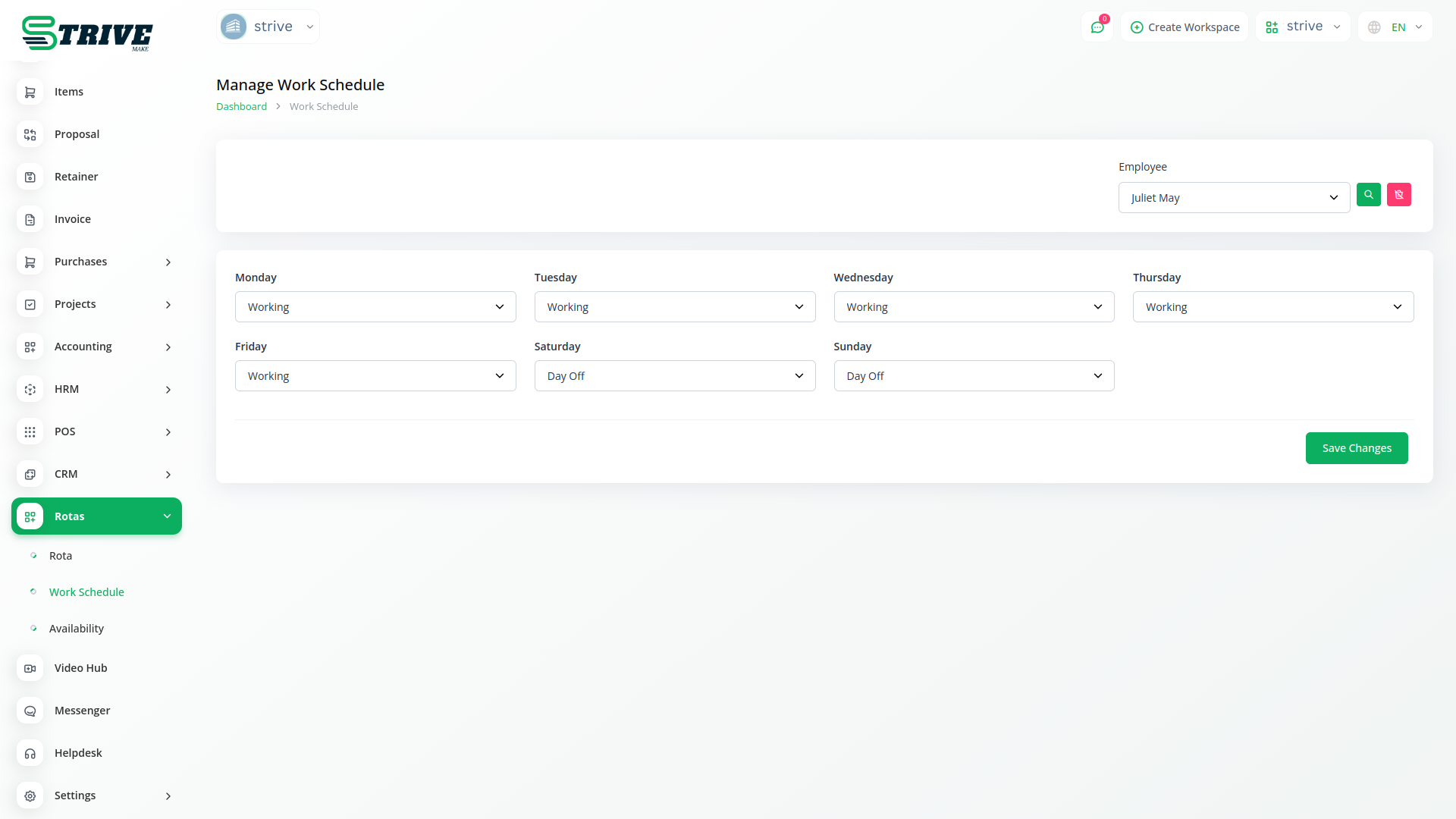
Manage every minute detail of an employee through this tab. From personal details to employee details, manage each aspect of basic information here. Employee details include employment type, holiday allowance based on days and hours, weekly hours, and working duration. Additionally, you can assign the roles and locations of that particular employee from here. Further, assign the wages and salary of any particular employee by setting their default and role-wise custom rates. Lastly, determine their working and off days through this tab.
Comprehensive Dashboard
The dashboard would offer a monthly calendar view with general details about assigned users and costs incurred on any given day at a specific location. You can filter the details by selecting specific roles or all, based on your needs.
Why choose dedicated modules for your business?
With StriveMake, you can conveniently manage all your business functions from a single location.
Empower Your Workforce with StriveMake
Access over Premium Add-ons for Accounting, HR, Payments, Leads, Communication, Management, and more, all in one place!
- Pay-as-you-go
- Unlimited installation
- Secure cloud storage
- Instant activation
- Cancel anytime
- All updates included
- 24/7 priority support
- Instant activation
- Cancel anytime
- All updates included
- 24/7 priority support
About the Rotas add-on
Rotas handles staff scheduling, letting you build and share shift plans so everyone knows when and where they are working. Running Rotas in StriveMake connects schedules to the employees, projects, and reporting already in your workspace, so shifts line up with the people and work they support. This keeps rostering, attendance, and labor planning in the same platform as HR, payroll context, and operations under one login, reducing clashes and giving managers a clear view of coverage without a separate scheduling tool.
What you can do with Rotas
- Build and publish staff shift schedules
- Assign shifts to employees and roles
- Spot gaps and clashes in coverage
- Link rotas to HR records and reporting
Who Rotas is for
Shift-based businesses such as retail, hospitality, and care providers that need to roster staff efficiently.
Rotas — frequently asked questions
What does the Rotas add-on do?
The Rotas add-on lets you plan and publish staff shift schedules inside StriveMake. You assign shifts to employees, see coverage at a glance, and share the rota with your team, so everyone knows their hours and managers can keep the right people in place without a separate scheduling system.
How much does the Rotas add-on cost?
The Rotas add-on is $9,00/month or $86,00/year on top of your StriveMake plan, and you can turn it off whenever you like.
Can it help avoid scheduling clashes?
Yes. Rotas gives you a clear view of who is working when, making it easy to spot gaps and overlaps before they become problems. By planning coverage against your actual staff, you reduce double-bookings and understaffing and keep shifts running smoothly.
Does Rotas work with the rest of StriveMake?
It does. Rotas connects to your HR employee records, projects, and reporting under one login, so schedules align with the people and work they support. Rostering becomes part of your wider operations rather than a standalone spreadsheet detached from the rest of the business.
Related modules you might like
With StriveMake, you can conveniently manage all your business functions from a single location.


