Google Sheet
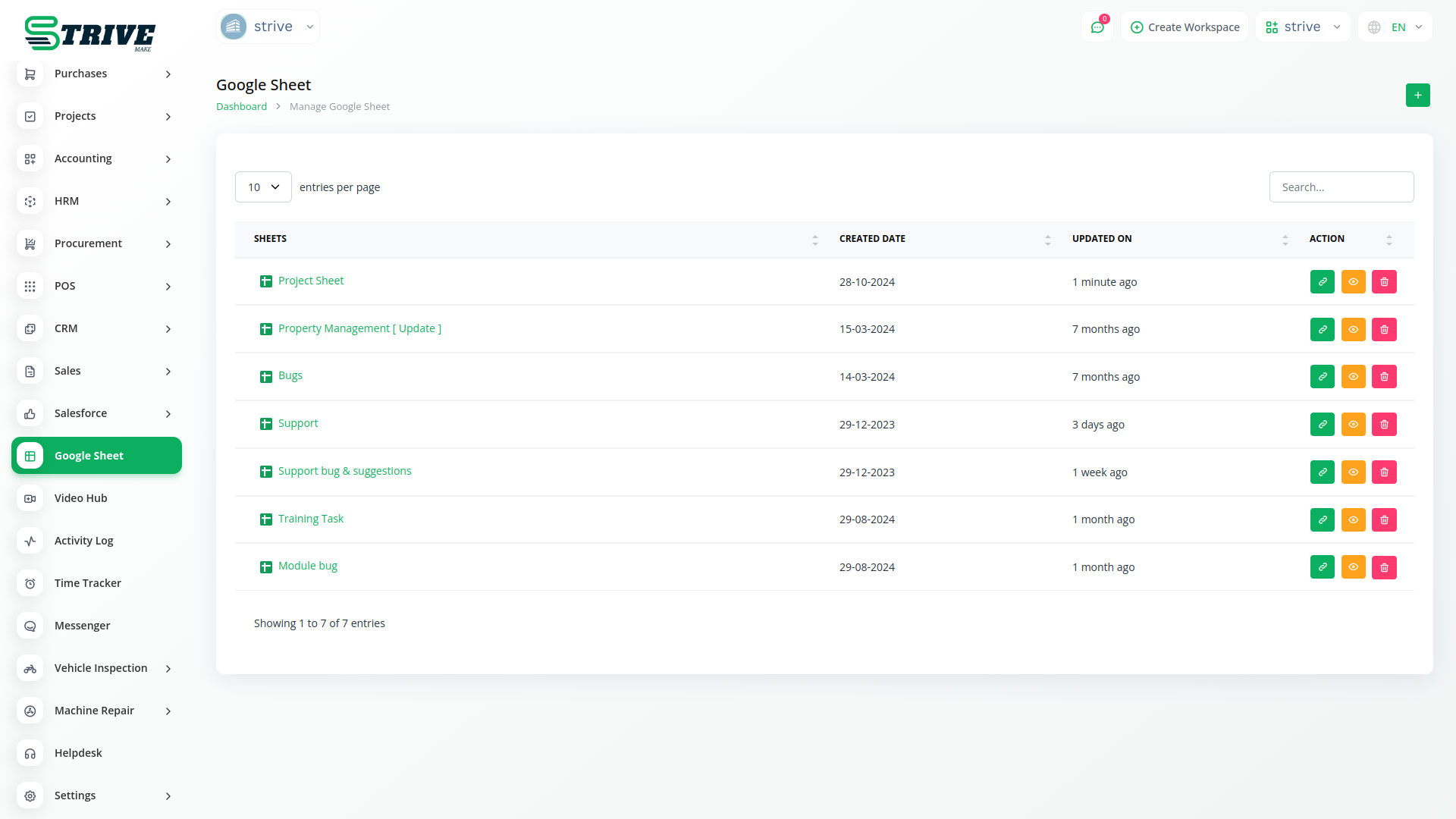
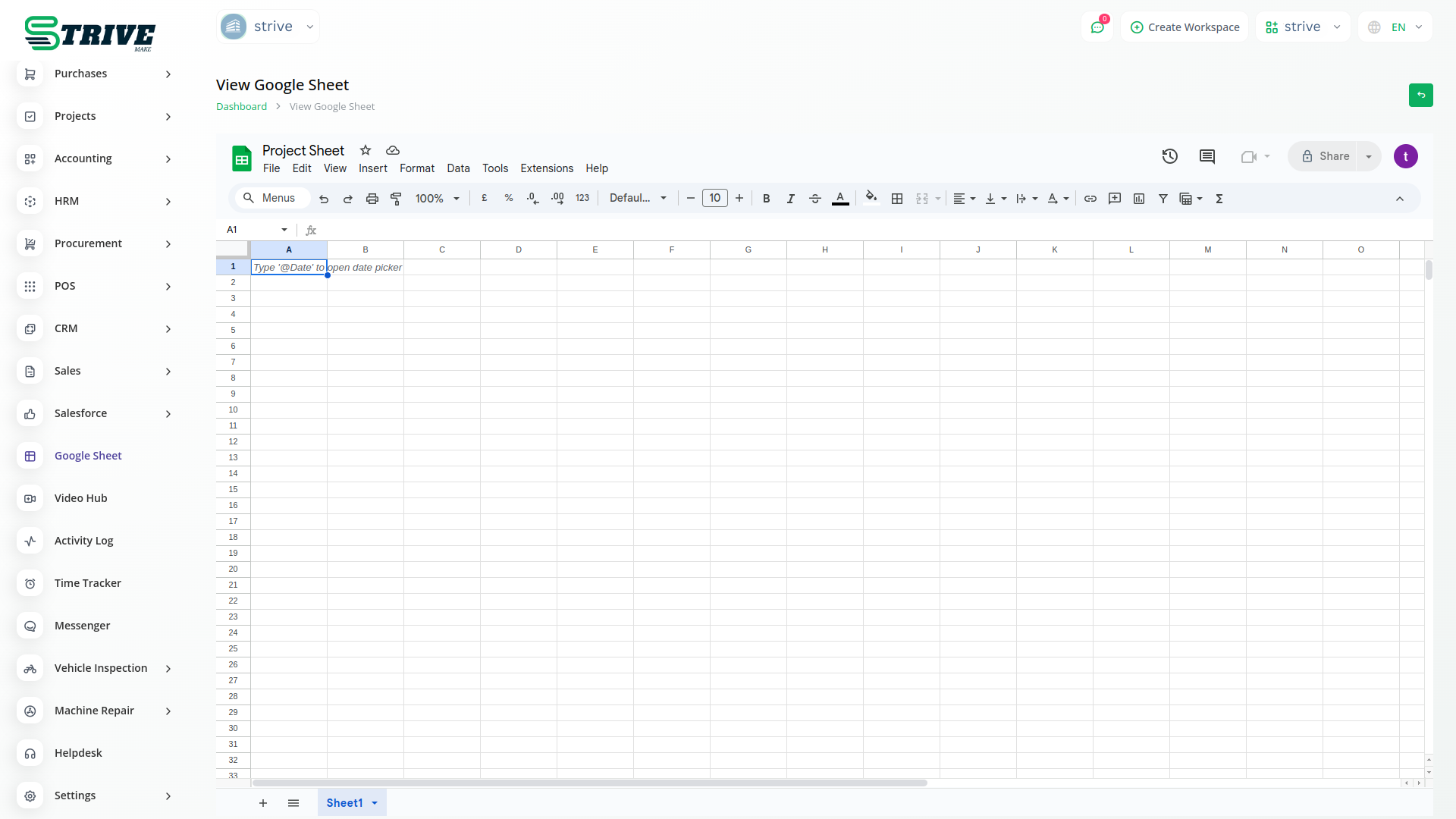
You can easily access, view, edit and delete sheets from google drive with Google Sheet without access google drive in StriveMake. you can Quickly organize and analyze data by sorting and filtering columns.
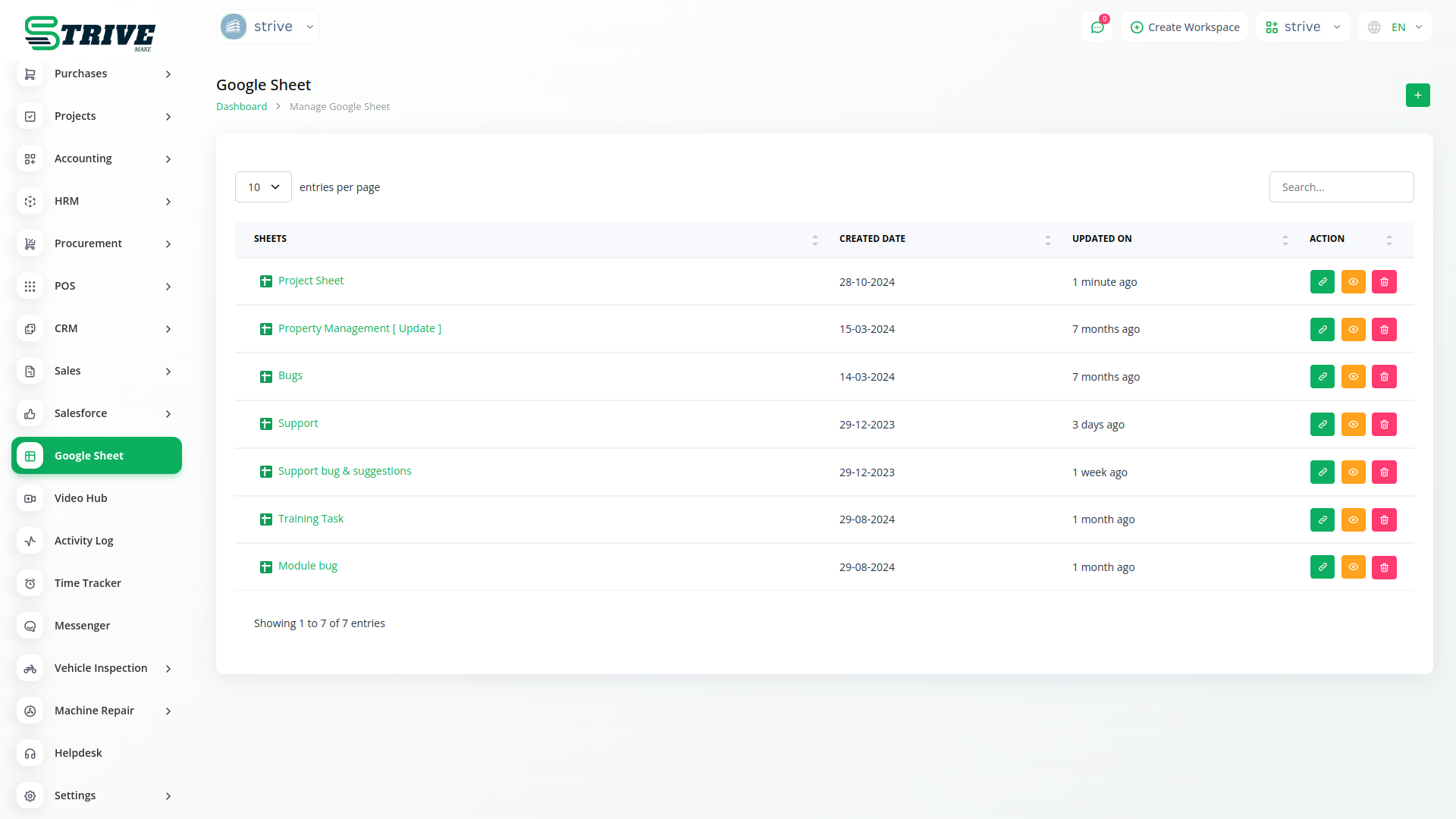
Google Sheet is Useful
Google Sheets provides tools for easily sorting and filtering data. Users can organise information based on criteria and focus on specific subsets of data.
Google Sheet Featurs
Google Sheets is a cloud-based spreadsheet platform that offers powerful features such as real-time collaboration, advanced formulas, and data visualization tools.
Customize the appearance of cells with various formatting options, including font style, size, color, and borders.
Secure your data by applying various levels of protection to sheets or specific ranges, limiting access to authorized users.
Use the Find and Replace feature with advanced options to quickly locate and replace specific data within your spreadsheet.
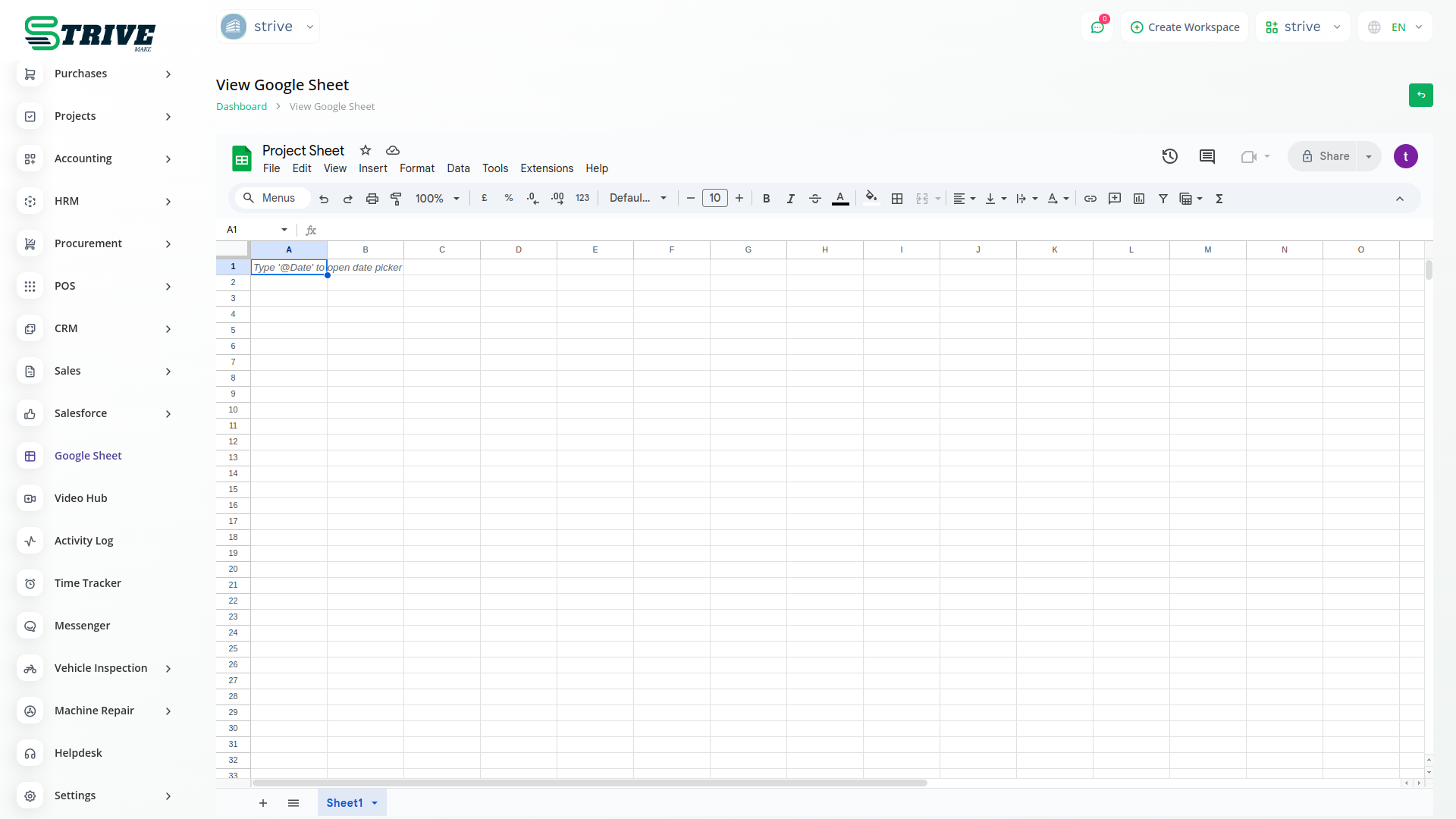
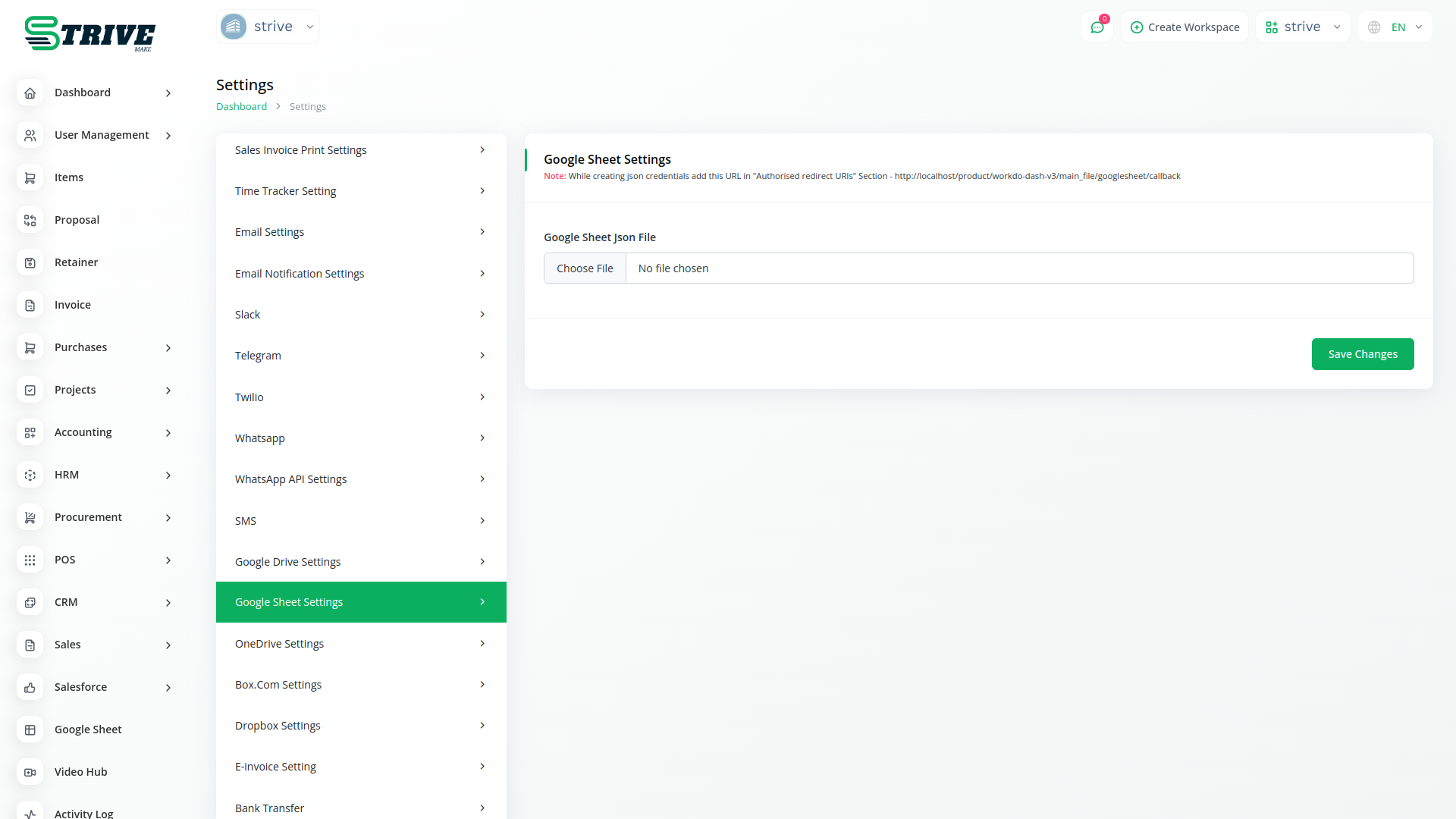
How To Use And Create Google Sheet?
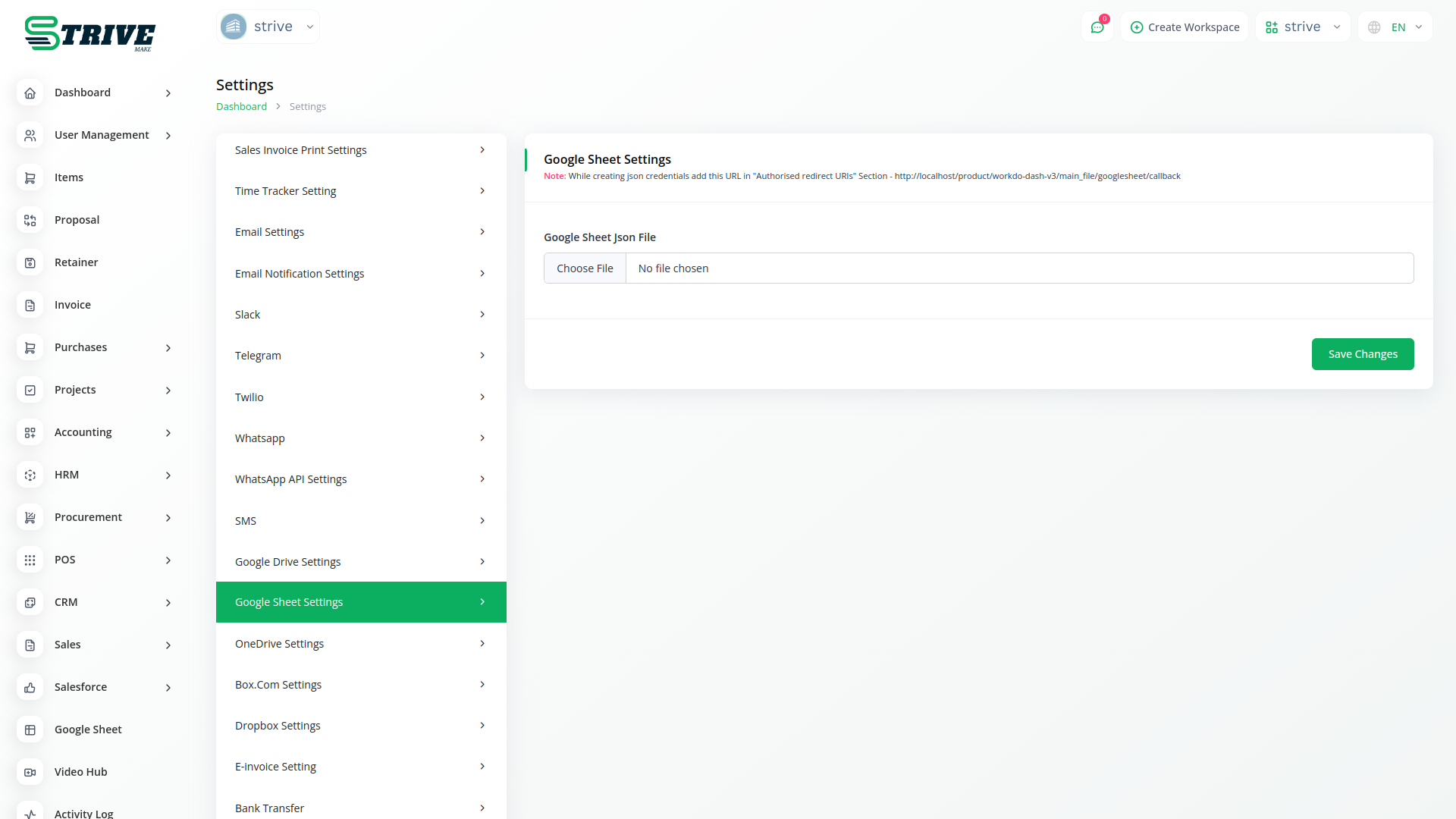
1. Upload your credentials json file in (System Settings->Google Sheet Settings).
2. Authorize your Google Account to browse. After you can access all Google Sheets.
3. Click the Create Sheet button.
4. Select the folder where you want to save your sheet and fill in the title of the sheet.
Why choose dedicated modules for your business?
With StriveMake, you can conveniently manage all your business functions from a single location.
Empower Your Workforce with StriveMake
Access over Premium Add-ons for Accounting, HR, Payments, Leads, Communication, Management, and more, all in one place!
- Pay-as-you-go
- Unlimited installation
- Secure cloud storage
- Instant activation
- Cancel anytime
- All updates included
- 24/7 priority support
- Instant activation
- Cancel anytime
- All updates included
- 24/7 priority support
About the Google Sheet add-on
Google Sheet is the cloud spreadsheet teams rely on for budgets, trackers, data lists and quick analysis. Inside StriveMake it stops being an isolated file and connects to the customers, projects and finances it describes. You can build and edit sheets in one login while keeping them near your CRM, HR and accounting data, so numbers stay close to their source and reporting draws on the same connected workspace your team already uses every day.
What you can do with Google Sheet
- Create and edit Google Sheets within your StriveMake workspace
- Link spreadsheets to projects, finances and customer data
- Collaborate live with formulas, charts and shared editing
- Centralize trackers so teams work from one source
Who Google Sheet is for
Teams that run budgets, trackers and data analysis in spreadsheets and want them tied to their business records.
Google Sheet — frequently asked questions
What does the Google Sheet add-on do?
It connects Google Sheets to StriveMake so you can build, open and edit spreadsheets alongside your CRM, project and accounting data. Budgets, trackers and data lists stay near the records they describe, and the live collaboration, formulas and charts of Google Sheets work as usual inside your workspace.
How much does the Google Sheet add-on cost?
The Google Sheet add-on is $2,00/month or $16,00/year on top of your StriveMake plan, and you can turn it off whenever you like.
Can multiple people edit the same sheet at once?
Yes. Google Sheet keeps its real-time co-editing inside StriveMake, so several team members can update the same spreadsheet together. Changes appear live, version history is preserved, and the sheet stays linked to the projects or finances it supports rather than sitting alone in a separate tab.
Does Google Sheet work with the rest of StriveMake?
It does. The add-on runs inside your StriveMake workspace next to CRM, HR, projects, accounting and reporting. One login ties your spreadsheets to your operational data, so the numbers in a sheet and the records behind them belong to the same connected system.
Related modules you might like
With StriveMake, you can conveniently manage all your business functions from a single location.


