Performance Indicator
The Performance Indicator Add-on transforms your Strivemake platform into a powerful gamification engine. Designed for modern businesses, it brings an interactive way to track, score, and reward performance at both individual and team levels. From XP-based progression to challenge tracking and reward management, this add-on enhances motivation and transparency across departments.
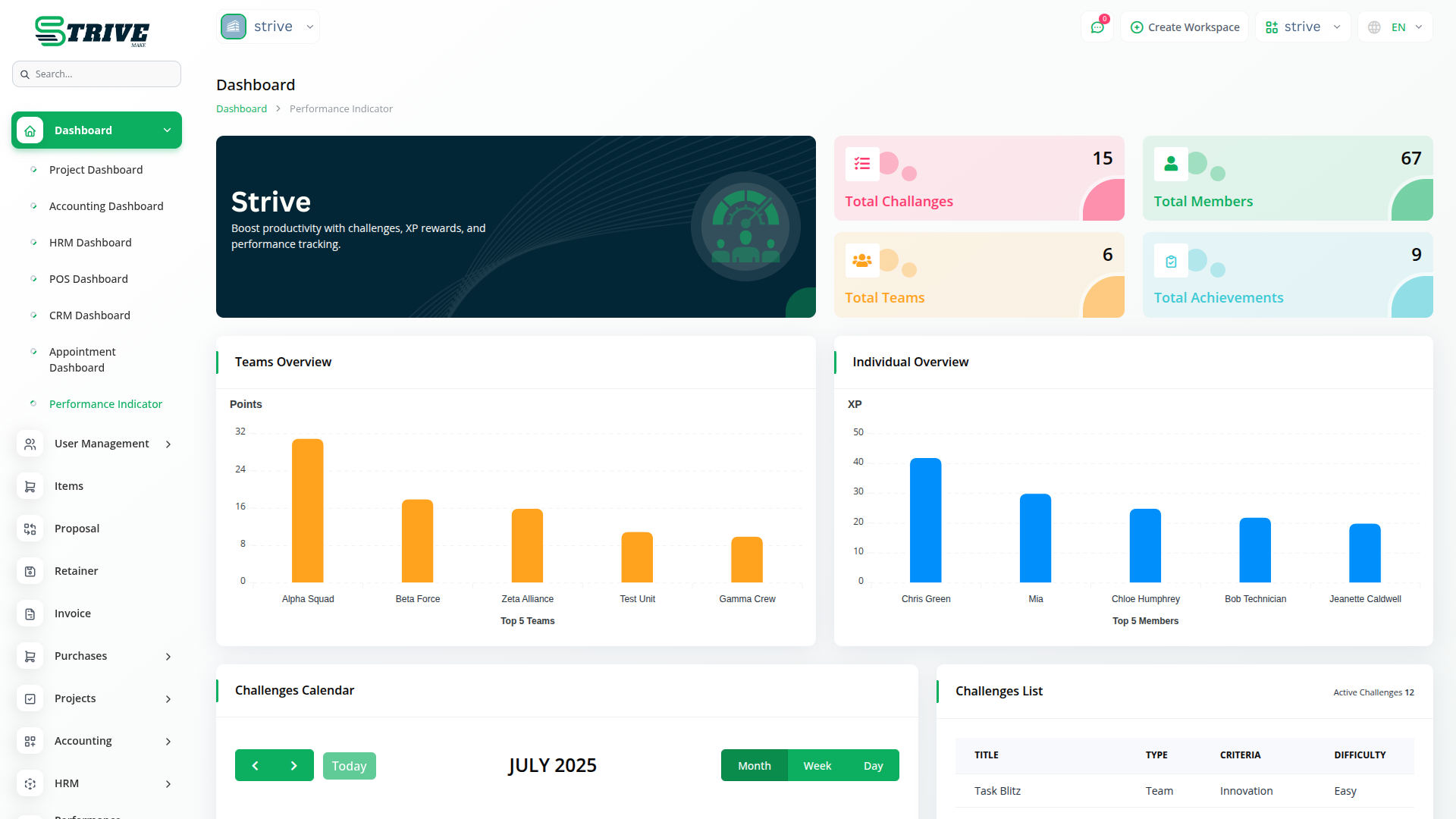
Performance Indicator Management Simplified
The Performance Indicator Add-on transforms Strivemake into a gamification engine, offering XP-based progression, challenge tracking, and reward management to boost team and individual performance, motivation, and transparency.
Challenge-Based Engagement
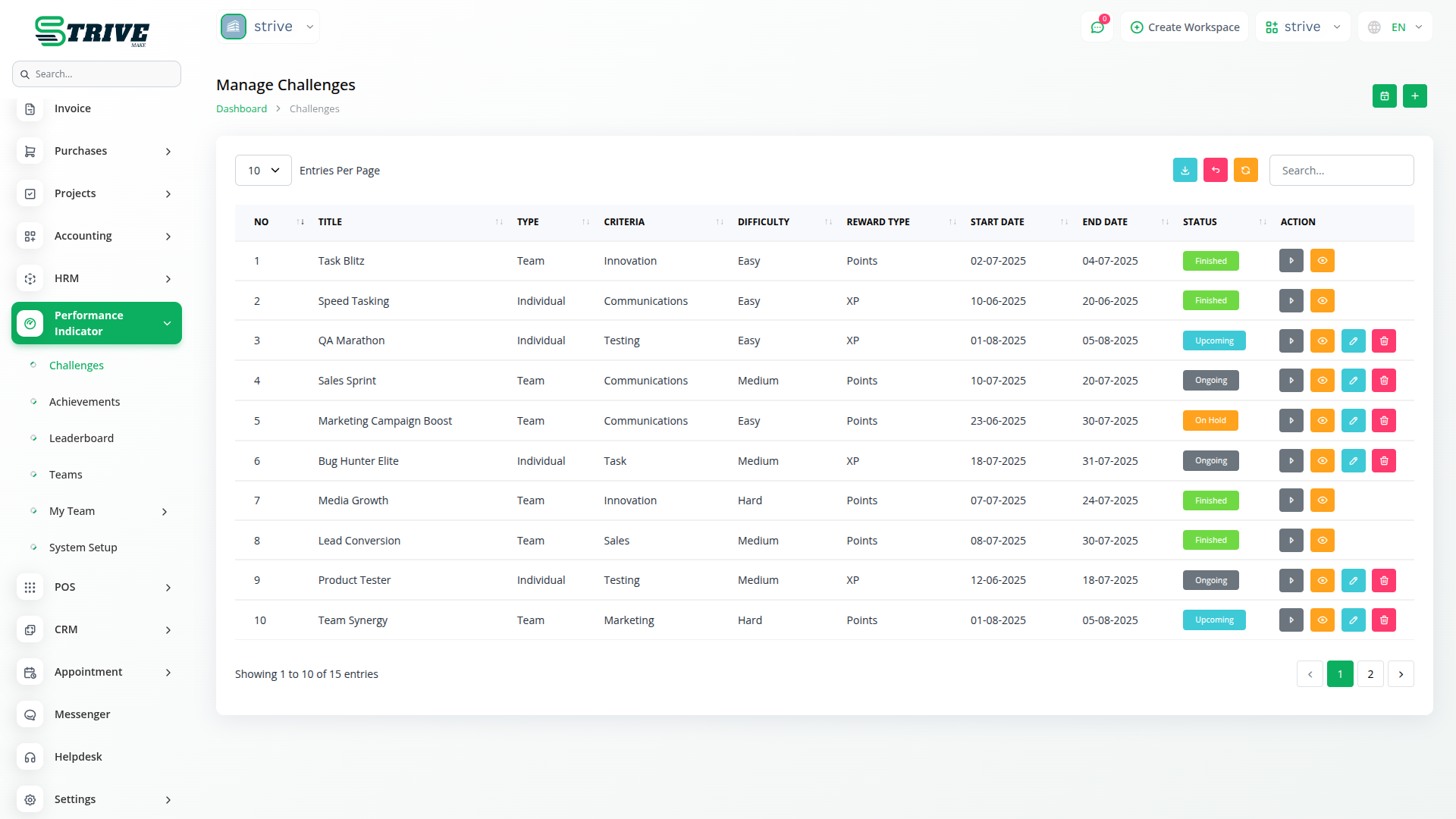
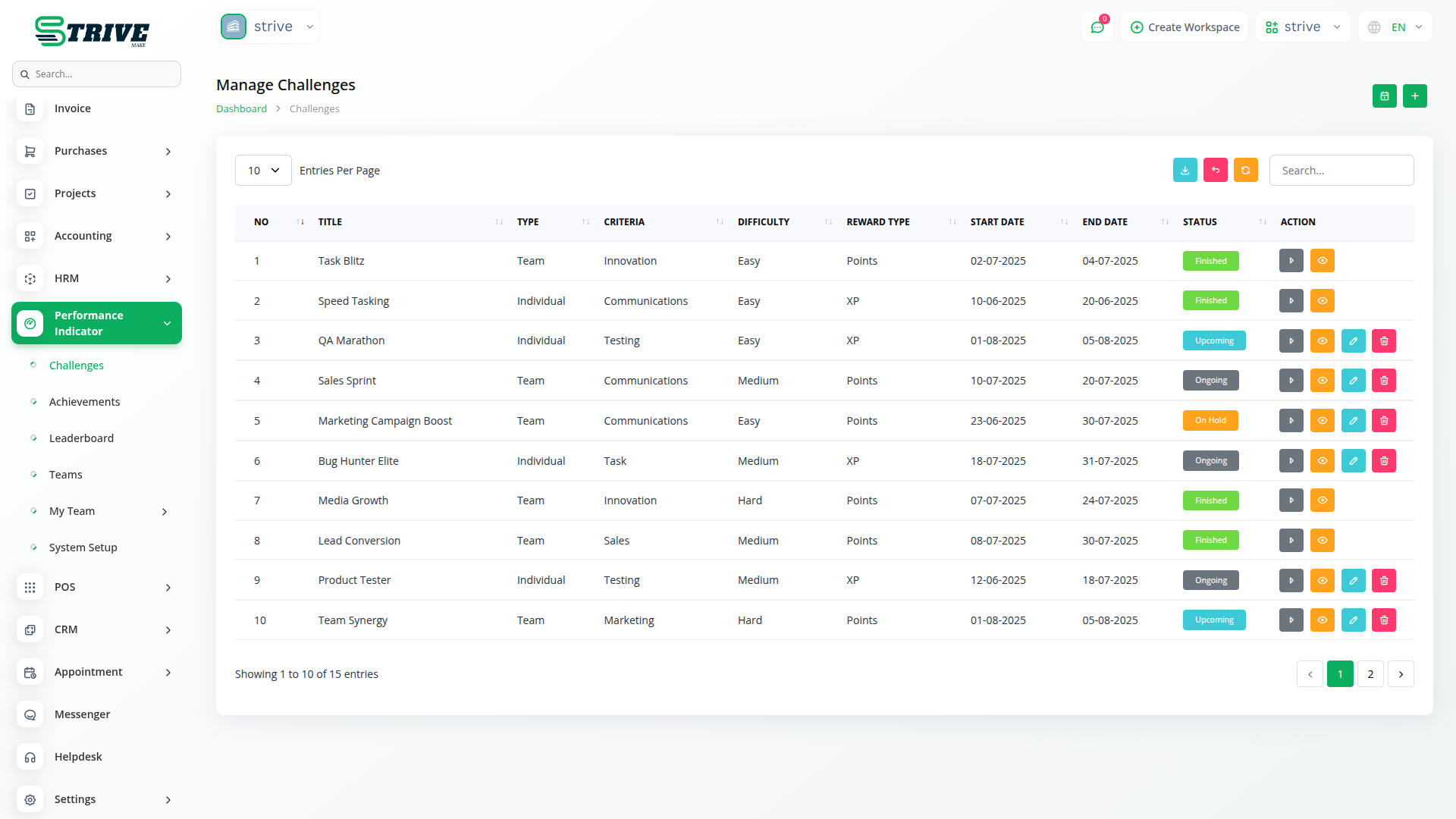
The script allows you to design team or individual challenges with difficulty levels, points, XP, rewards, and time-based durations. You can define criteria and assign tasks to users or teams, promoting healthy competition and goal-driven work environments.
Achievement System
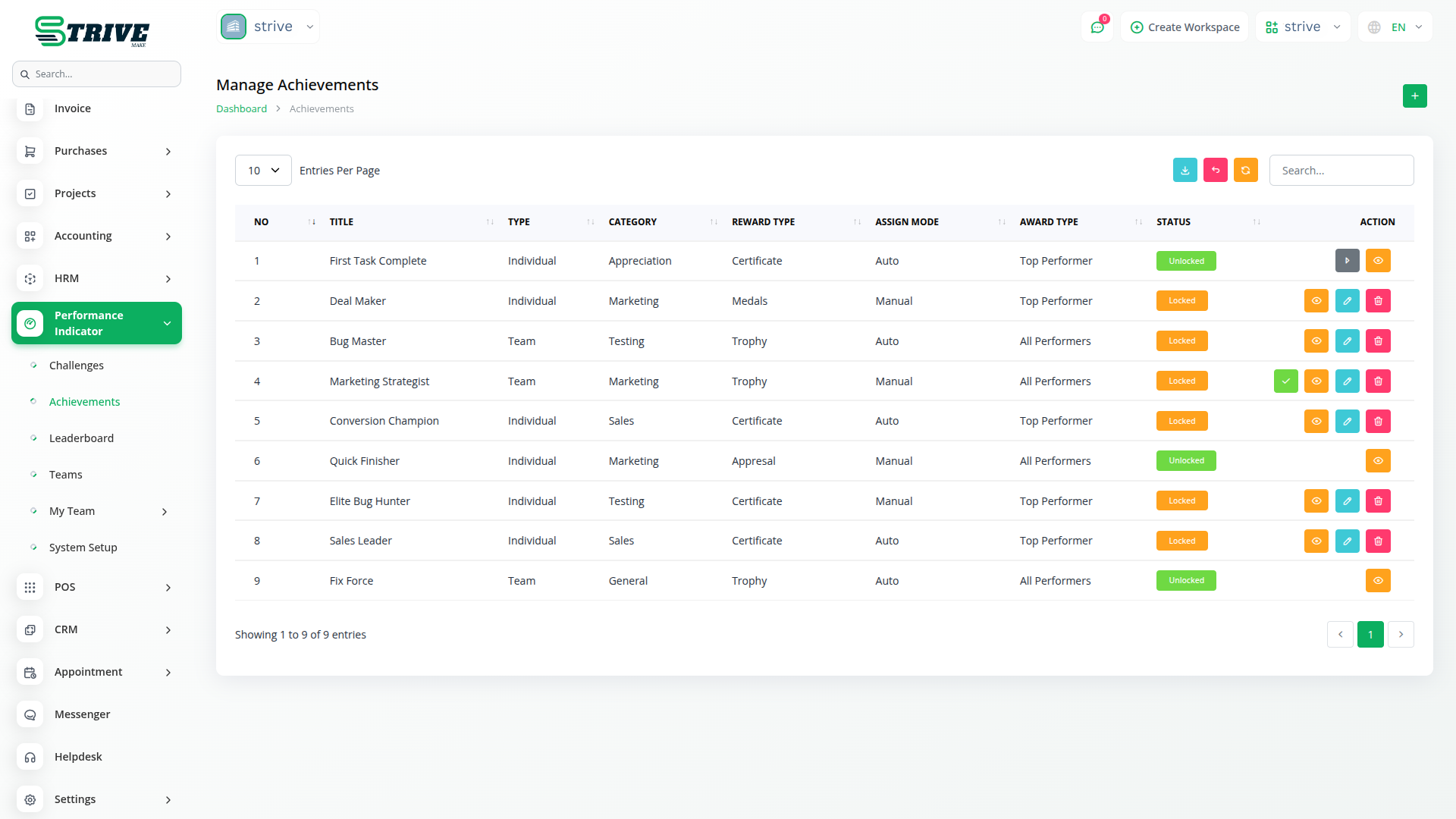
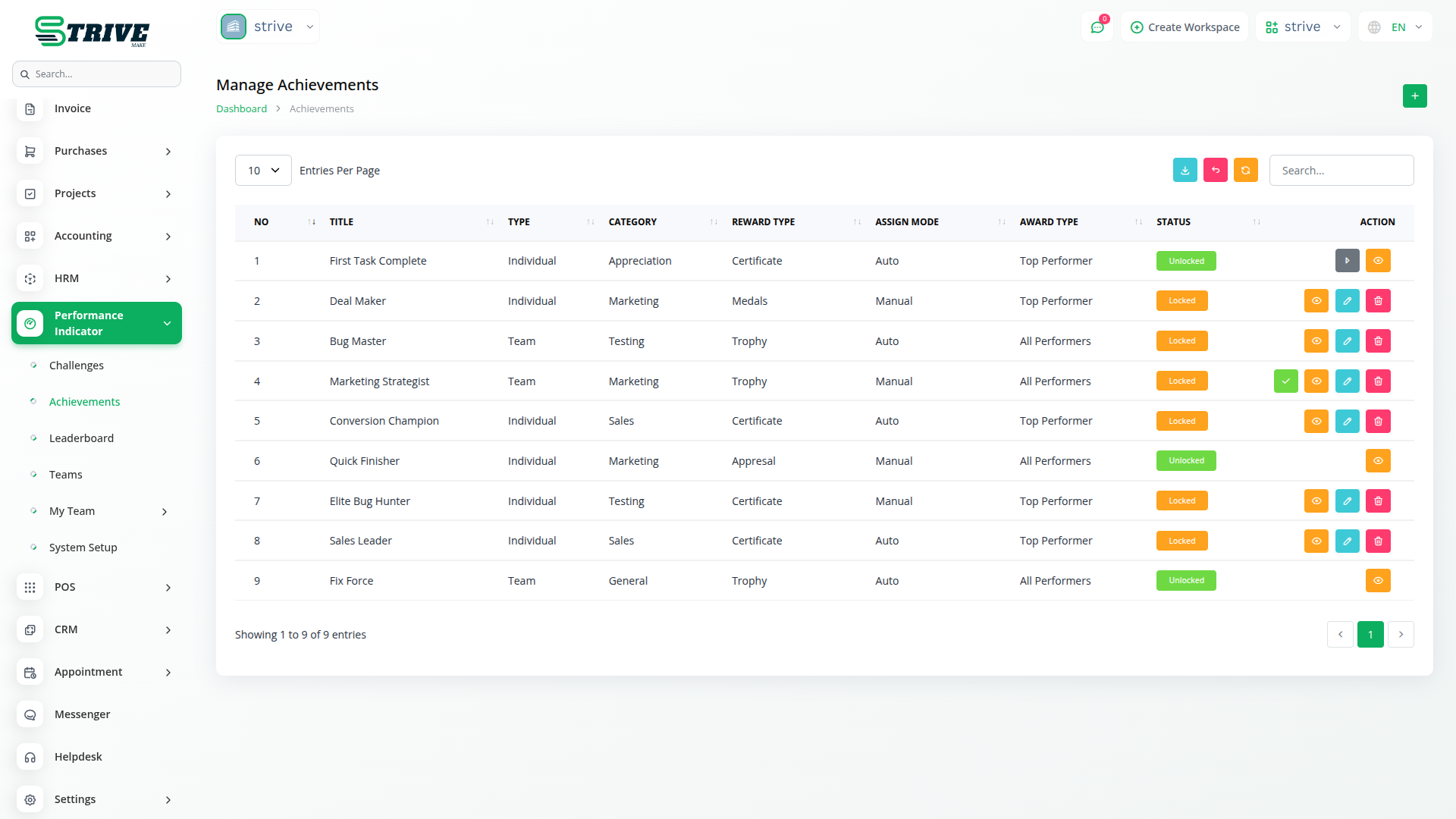
Define achievement goals and assign them based on category, completion status, and visibility. Each achievement can be tailored with custom requirements like XP, level, or points, rewarding users once unlocked.
Real-Time Leaderboards
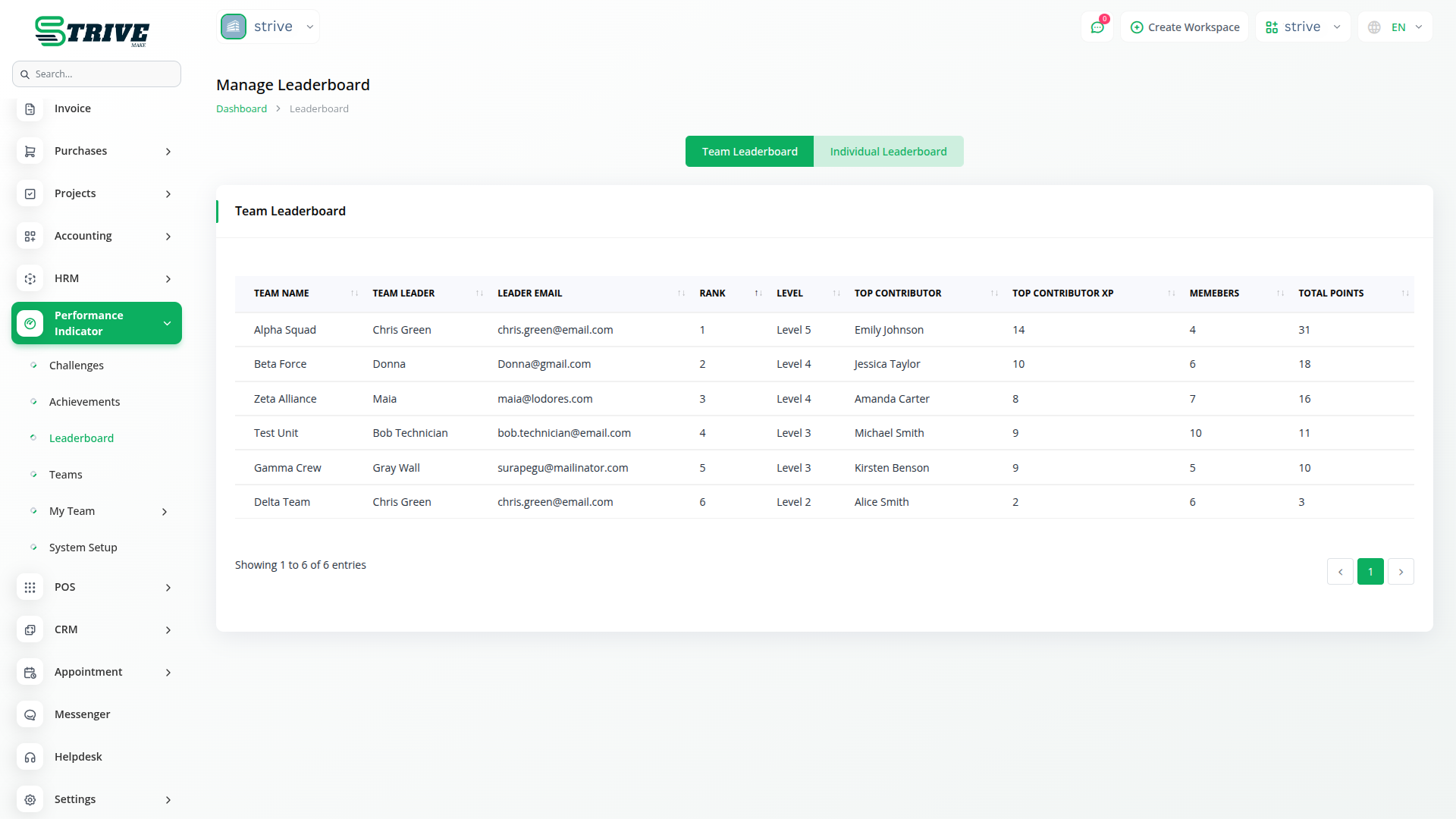
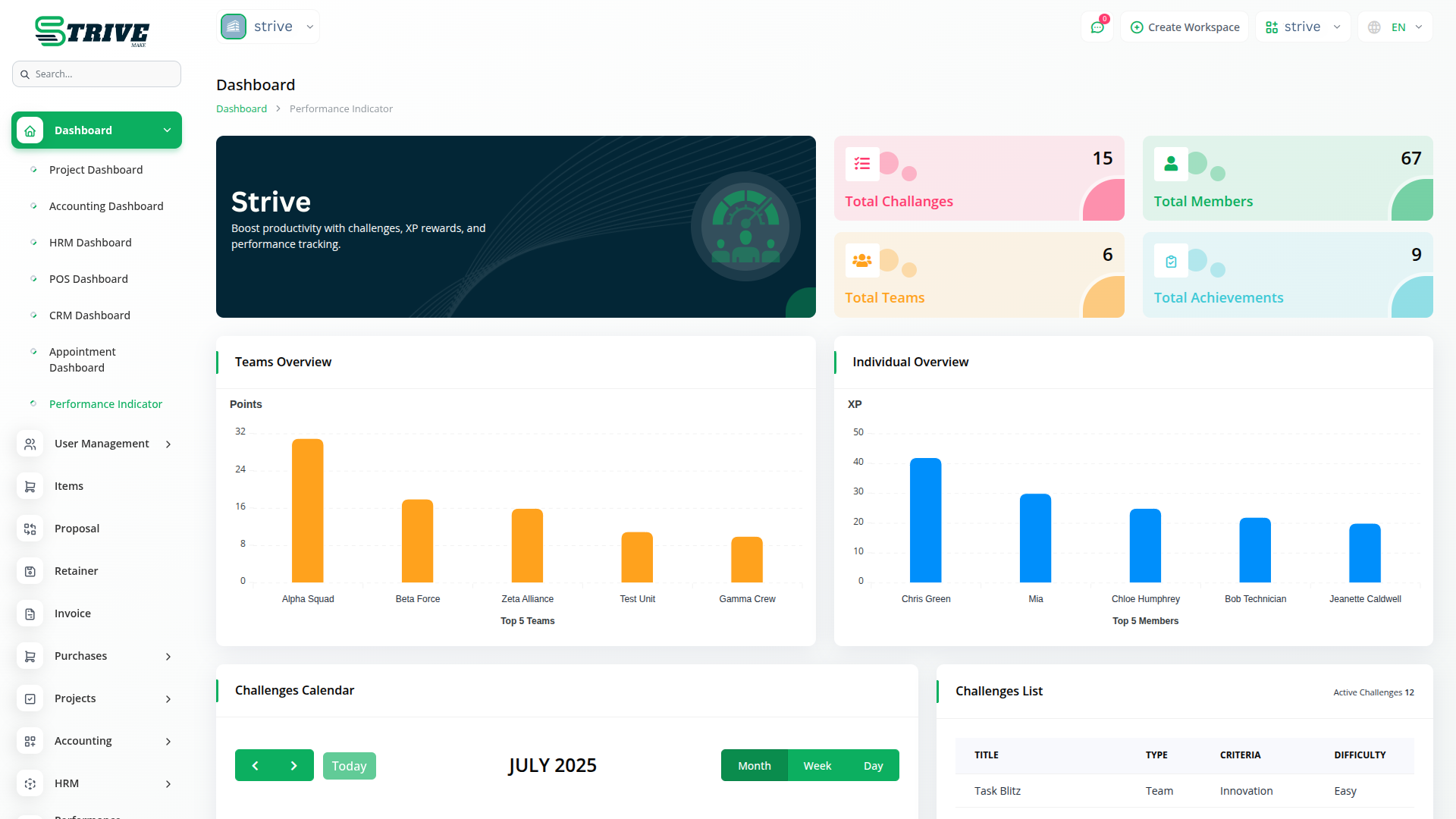
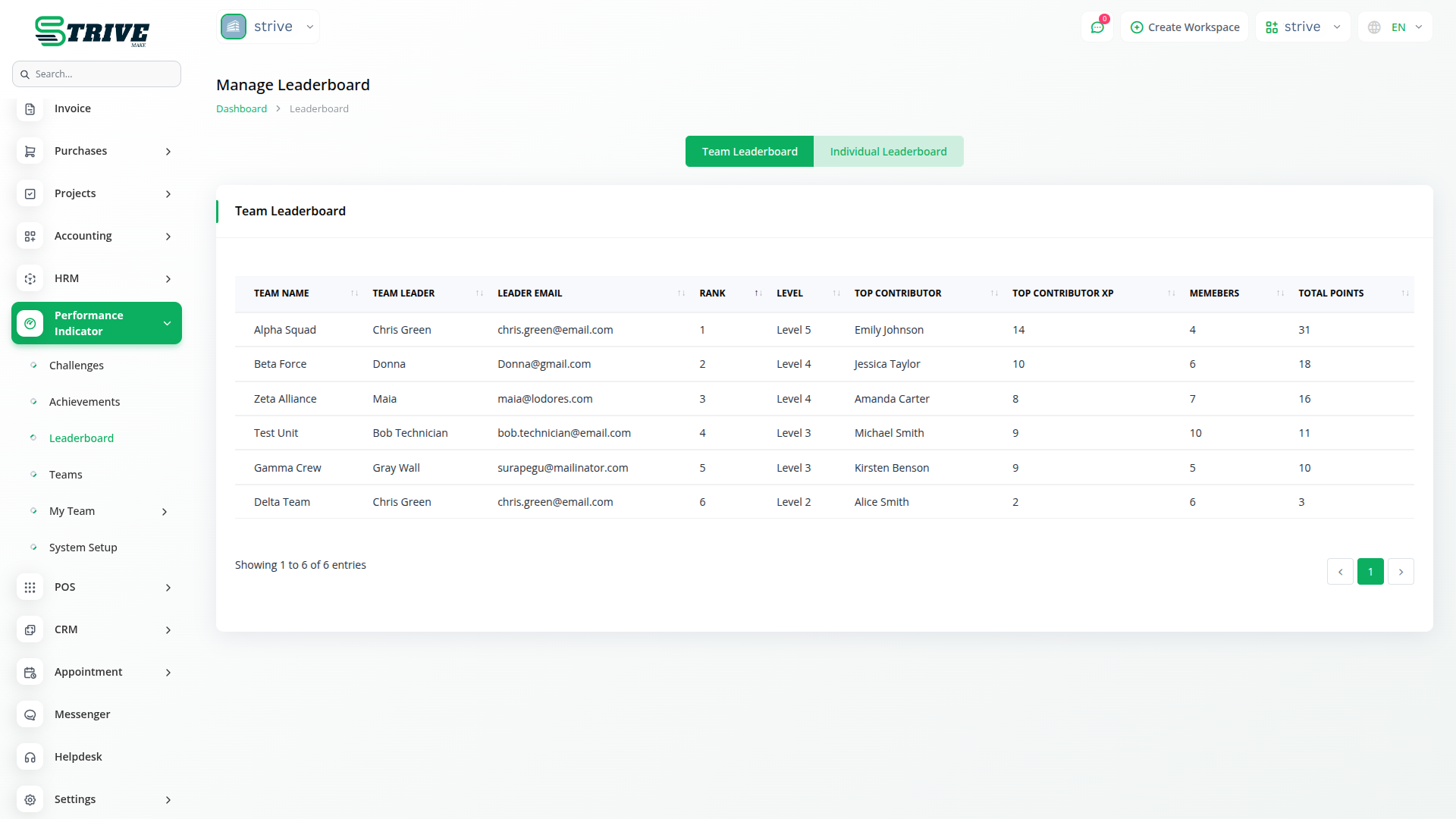
The system features leaderboard functionality that ranks users and teams based on real-time performance metrics like XP, points, and task scores. This fosters healthy competition and encourages consistent participation. Leaderboards can reflect individual or team progress and are automatically updated as users complete challenges.
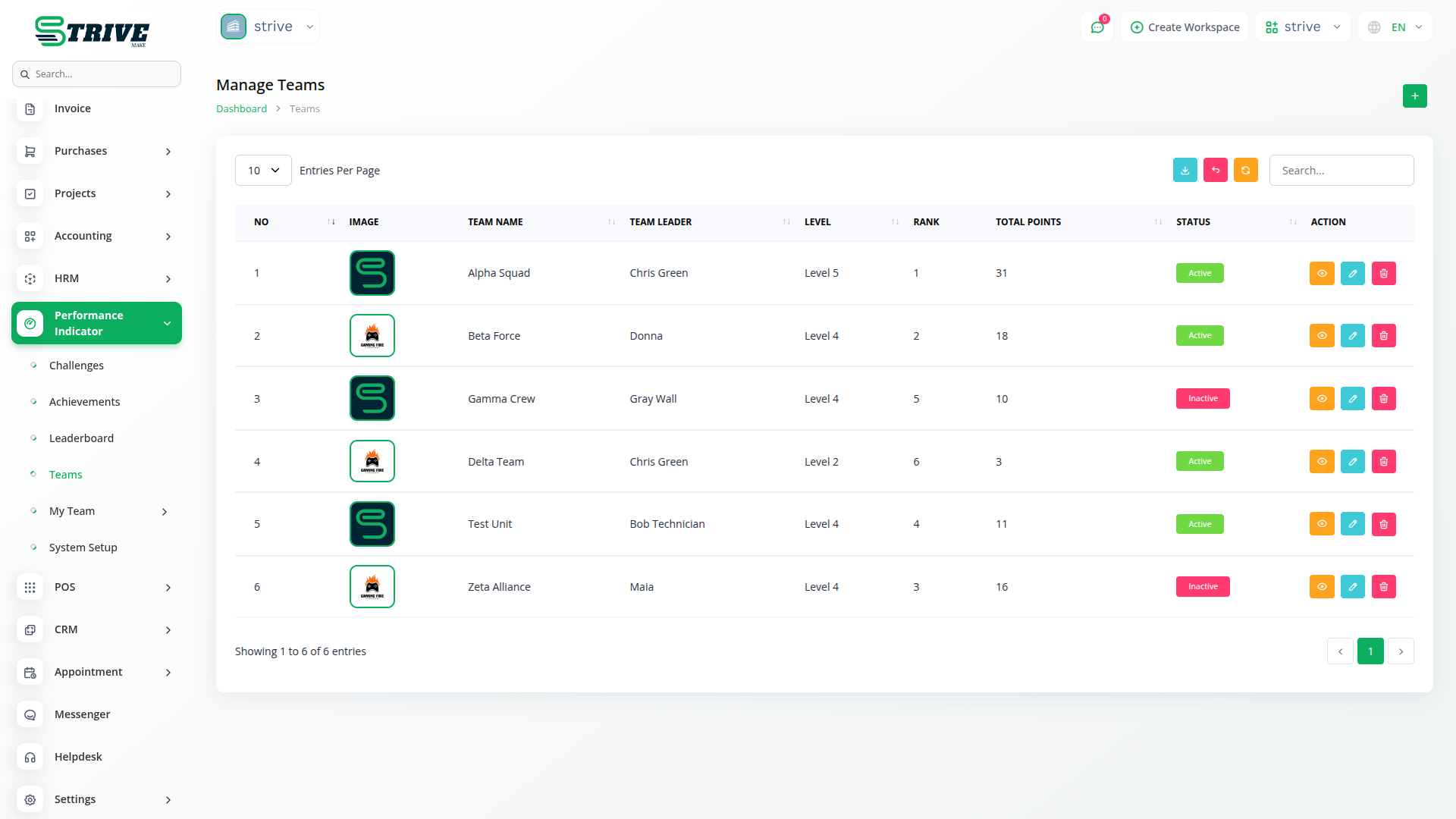
Powerful Team Management
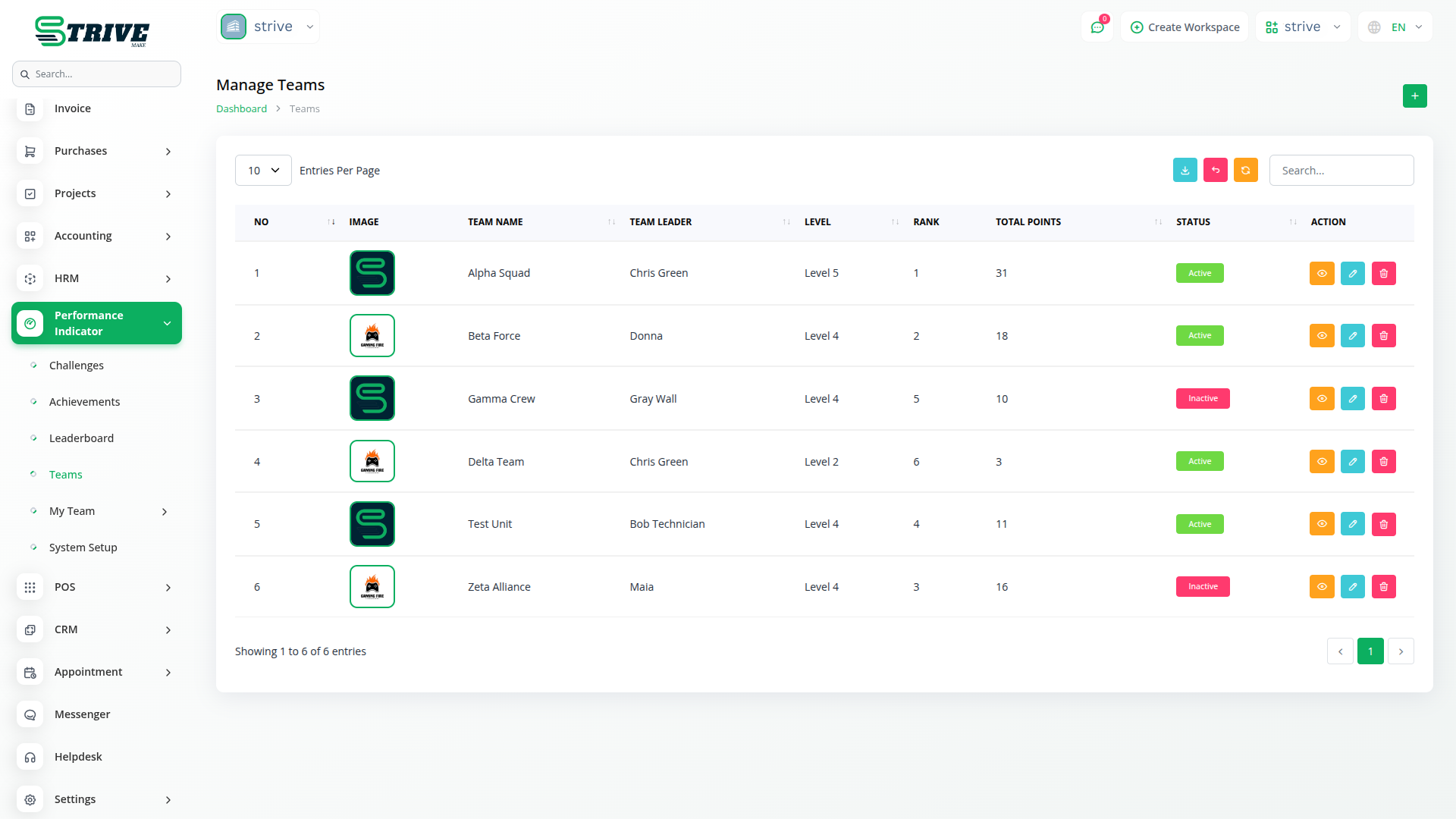
A full-featured team management system allows users to create teams, assign leaders and members, and customize team identity with logos and badges. Visibility and activation status controls ensure only active teams appear in challenges. Teams can participate in challenges, complete tasks, and earn XP and badges, making performance tracking transparent and gamified.
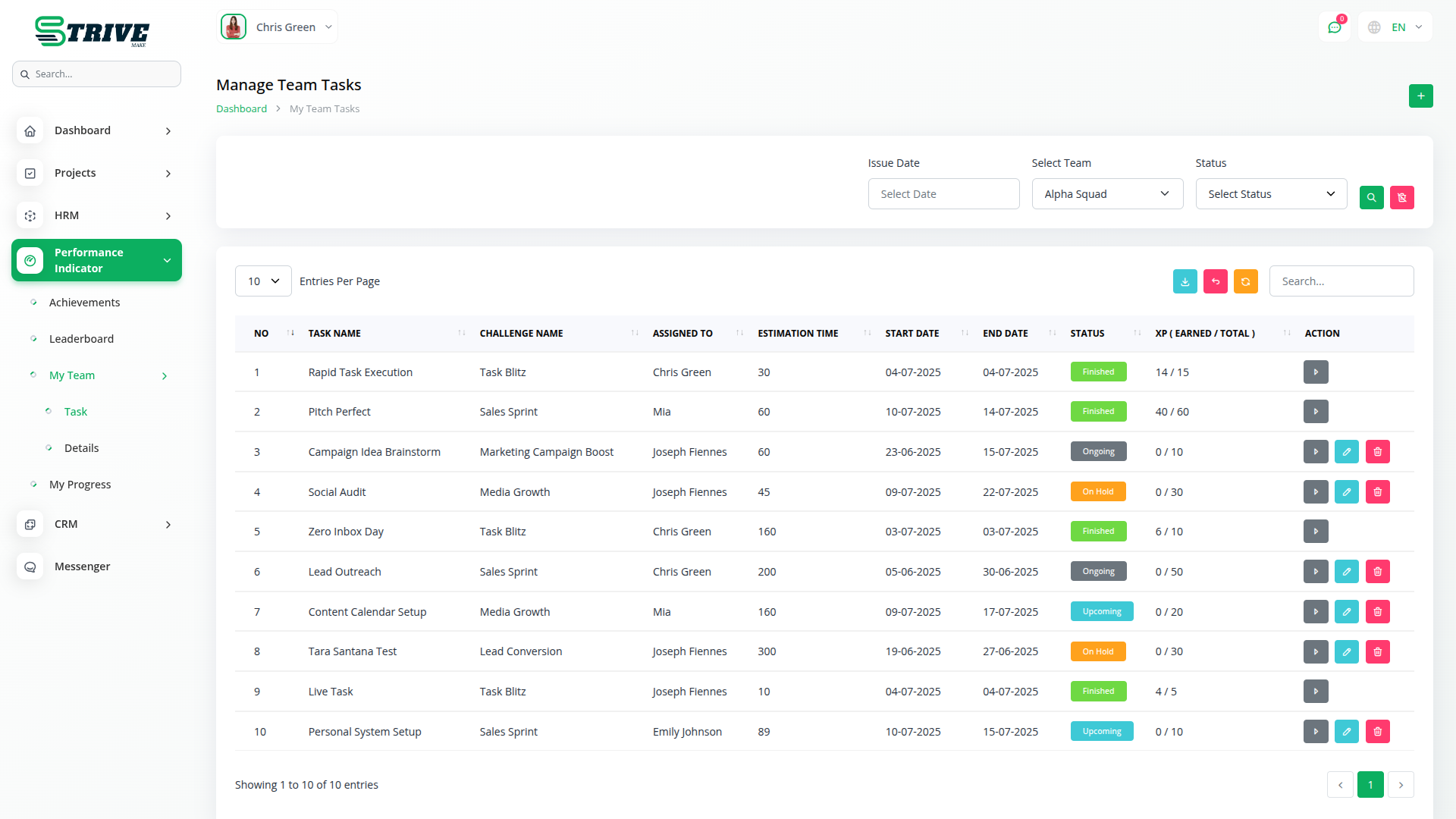
Task Assignment & Tracking
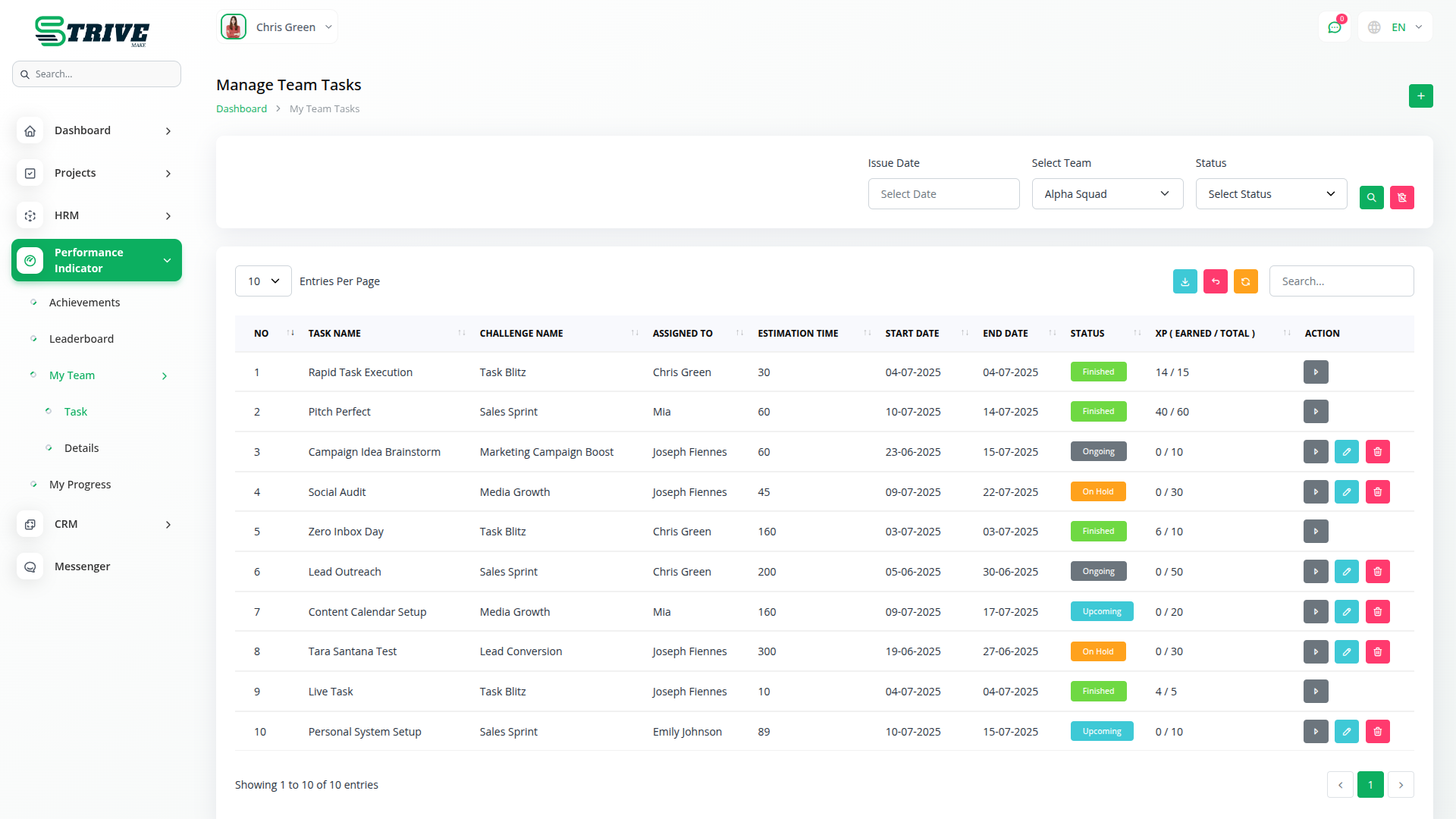
Team management starts with creating a team and assigning a leader. The team leader can then log in, assign tasks to members based on the assigned challenge, and manage task details like title, time, and deadlines. As tasks are completed, the leader distributes earned XP. The system also includes a Points to XP Conversion setting, where you can define how many XP each point is worth (e.g., 1 point = 10 XP), ensuring accurate and customizable performance tracking.
Why choose dedicated modules for your business?
With Strivemake, you can conveniently manage all your business functions from a single location.
Empower Your Workforce with Strivemake
Access over Premium Add-ons for Accounting, HR, Payments, Leads, Communication, Management, and more, all in one place!
- Pay-as-you-go
- Unlimited installation
- Secure cloud storage
- Instant activation
- Cancel anytime
- All updates included
- 24/7 priority support
- Instant activation
- Cancel anytime
- All updates included
- 24/7 priority support
About the Performance Indicator add-on
Performance Indicator lets you define and track key performance indicators for your team and business inside StriveMake. By setting measurable targets and monitoring results, you turn goals into numbers everyone can see. Because it runs in your workspace, the metrics draw on the same data your CRM, projects and accounting already hold, so the indicators reflect reality rather than manual estimates. With one login, managers track performance against targets and spot where to focus, keeping measurement connected to the work that drives the results.
What you can do with Performance Indicator
- Define key performance indicators for teams
- Set measurable targets and thresholds
- Track results against goals over time
- Draw metrics from live StriveMake data
Who Performance Indicator is for
Managers and teams that want to set KPIs and measure performance against clear targets.
Performance Indicator — frequently asked questions
What does the Performance Indicator add-on do?
It lets you set up key performance indicators in StriveMake and track how your team and business measure against them. By defining targets and monitoring results, you give everyone a clear, shared view of performance, with the figures grounded in the data already held across your workspace.
How much does the Performance Indicator add-on cost?
The Performance Indicator add-on is included free with your StriveMake plan — there is no extra charge to switch it on.
What kinds of indicators can I track?
You can define indicators that matter to your business, such as sales targets, output measures or service levels, and set thresholds to gauge progress. Tracking these consistently helps managers see where the team is on track and where attention is needed, all from one connected view.
Does Performance Indicator work with the rest of StriveMake?
It does. The metrics draw on the live data in your CRM, projects and accounting modules, so indicators reflect real activity rather than manual guesses. Sharing one login, performance measurement stays connected to the work and transactions that actually produce the results.
Related modules you might like
With Strivemake, you can conveniently manage all your business functions from a single location.


