Hubspot Support Ticket
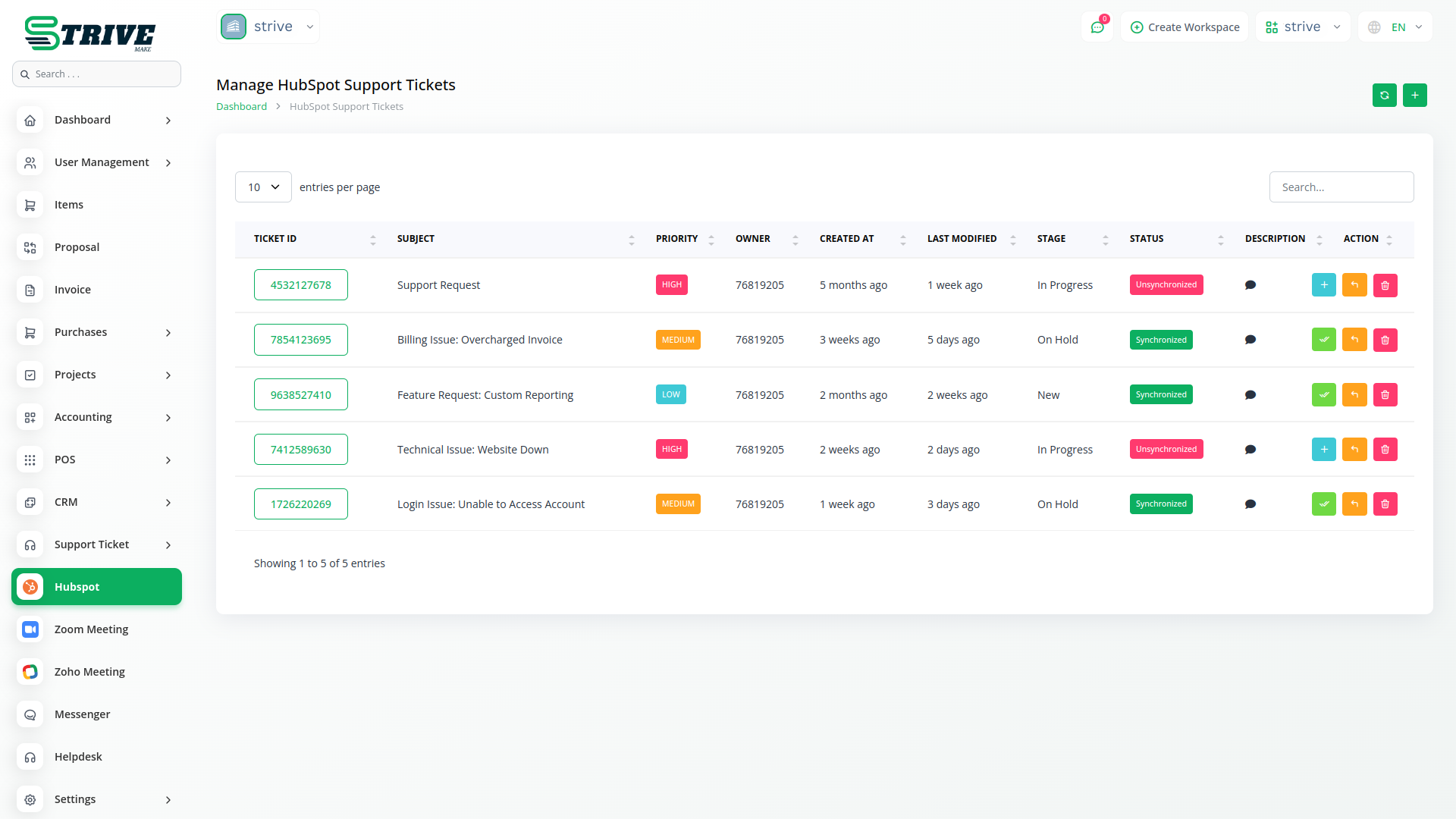
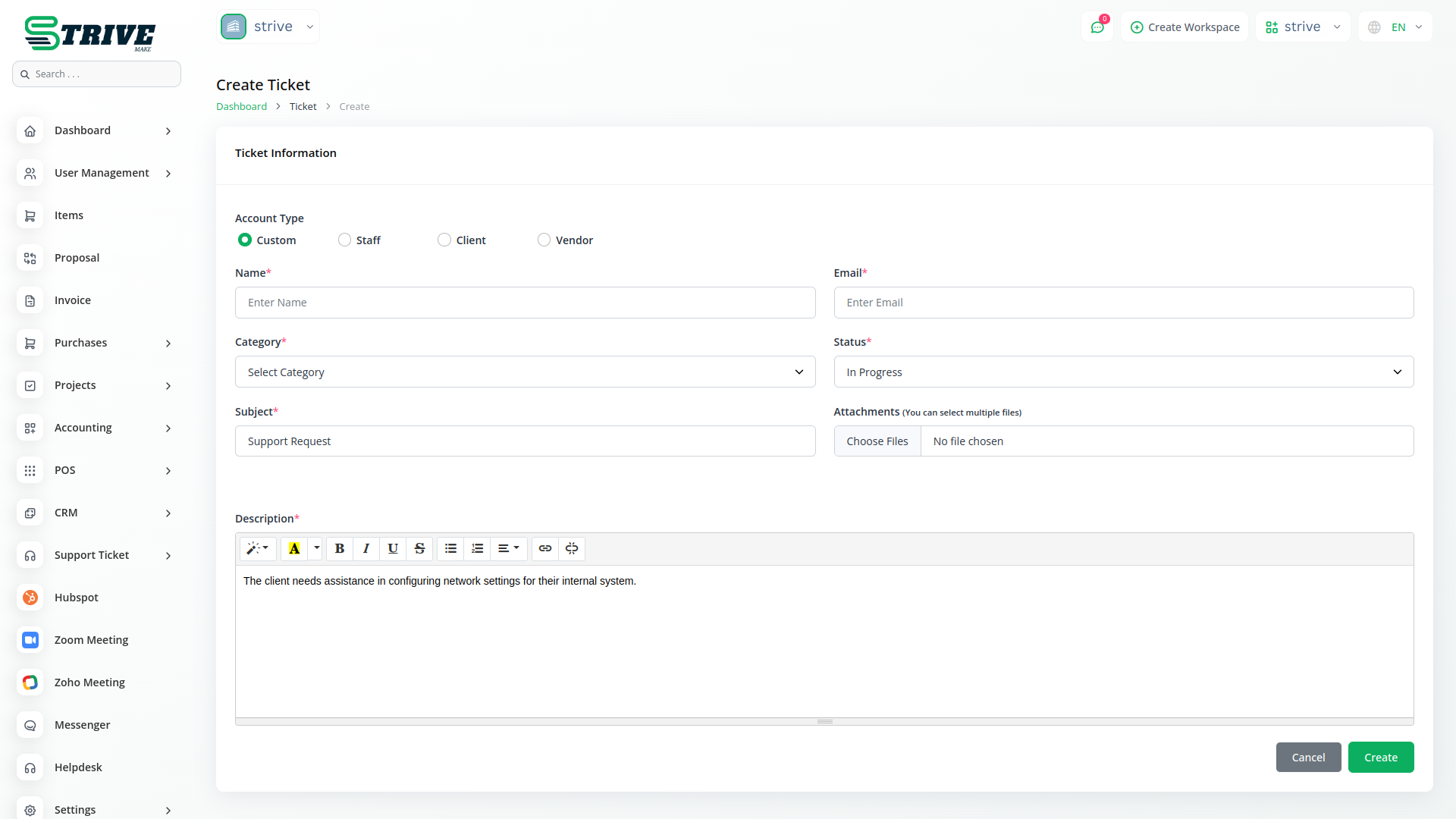
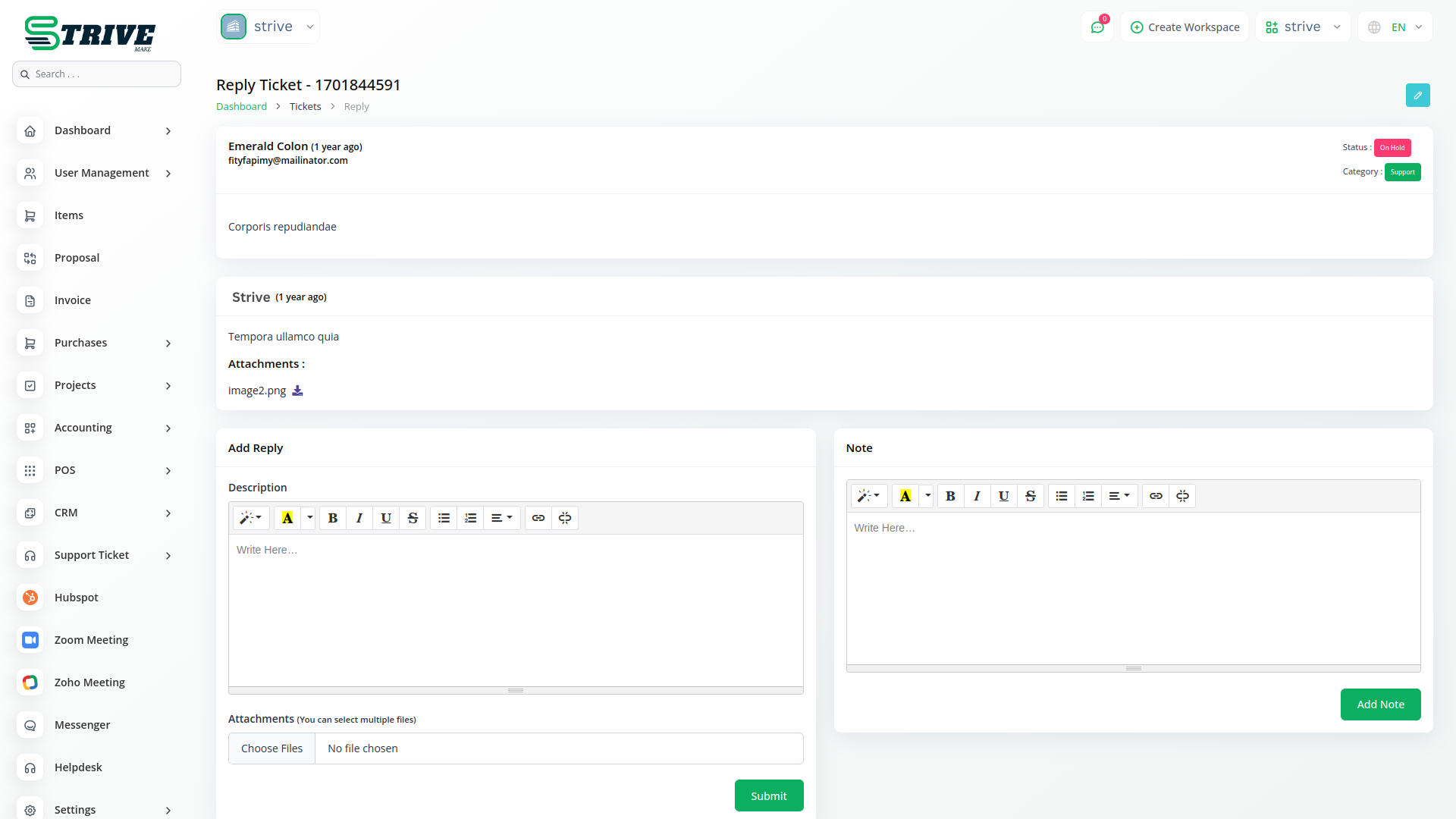
Managing support tickets across multiple platforms can be challenging, but this module eliminates the hassle by automatically syncing all customer support tickets with HubSpot. Any new ticket created in StriveMake is instantly reflected in HubSpot, allowing support teams to track, update, and resolve issues without switching between systems. This ensures a more efficient workflow and reduces the chances of missed or delayed responses.
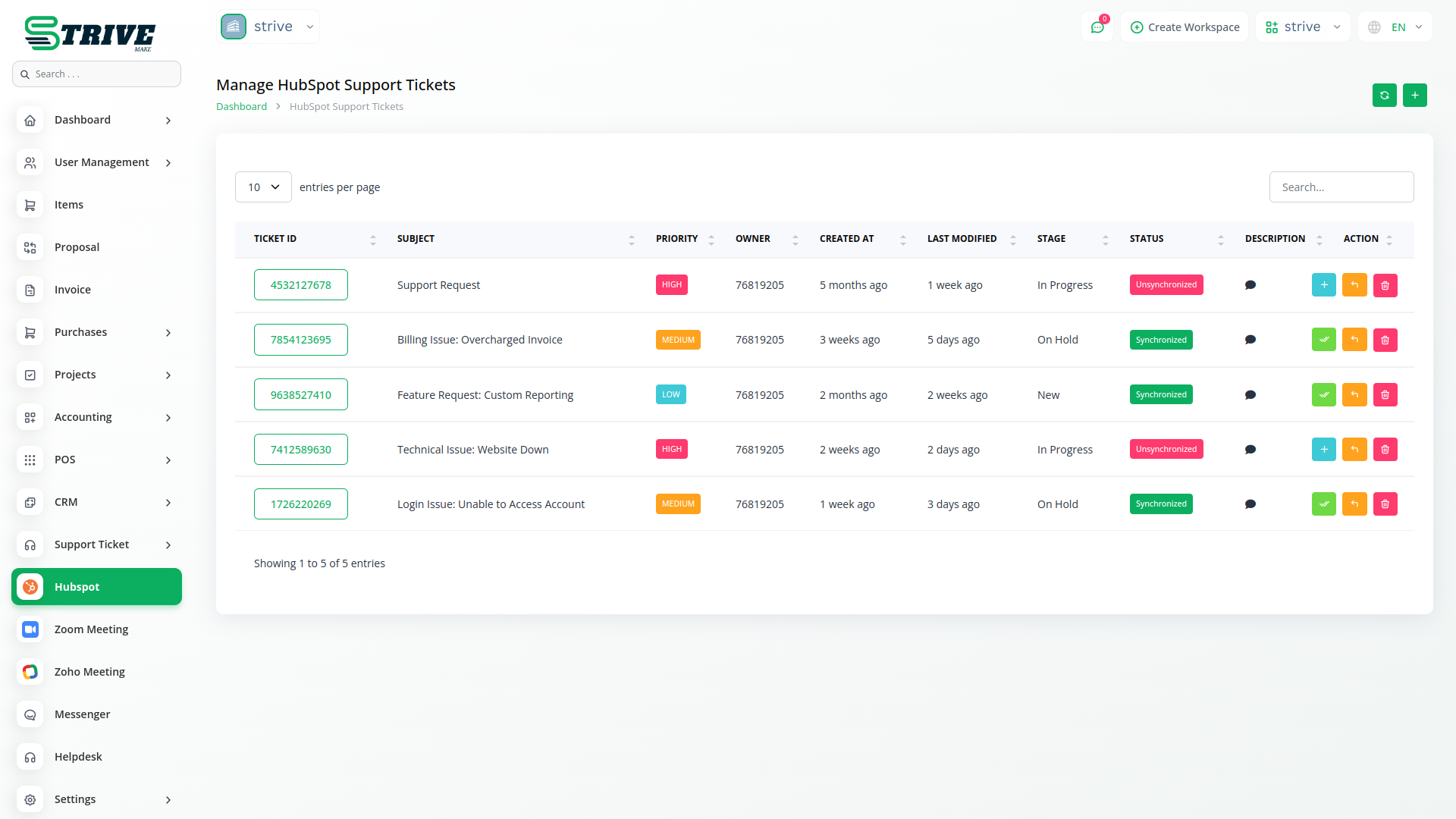
Effortless Ticket Synchronization
Managing support tickets across multiple platforms can be challenging, but this module eliminates the hassle by automatically syncing all customer support tickets with HubSpot. Any new ticket created in StriveMake is instantly reflected in HubSpot, allowing support teams to track, update, and resolve issues without switching between systems. This ensures a more efficient workflow and reduces the chances of missed or delayed responses.
Enhanced Customer Support Management
With all support tickets centralized in HubSpot, businesses gain better visibility into customer issues, response times, and resolution statuses. Support agents can access complete customer histories, ensuring personalized interactions and faster issue resolution. This integration also helps in analyzing common customer concerns, allowing businesses to improve their products and services based on real-time feedback.
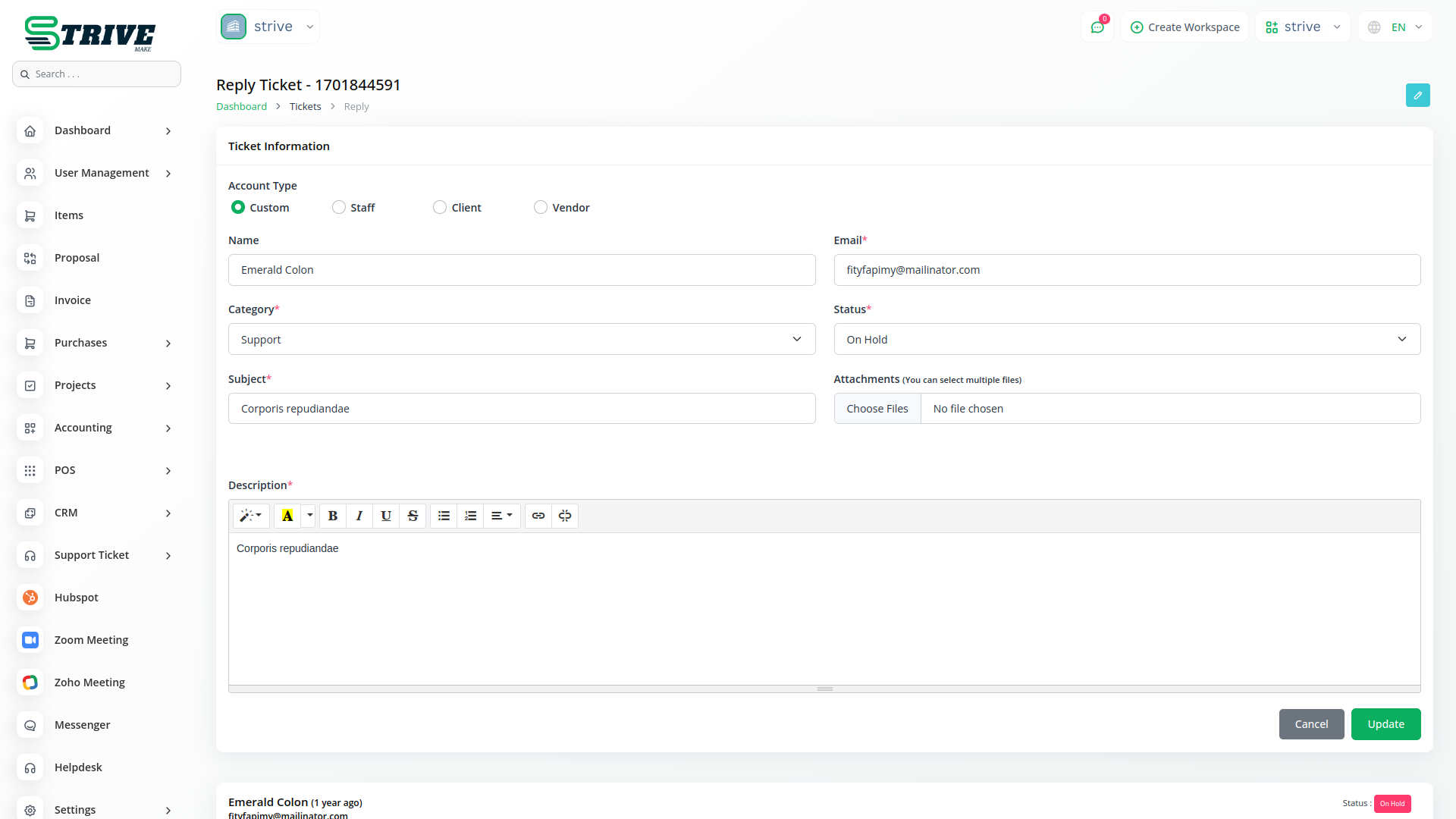
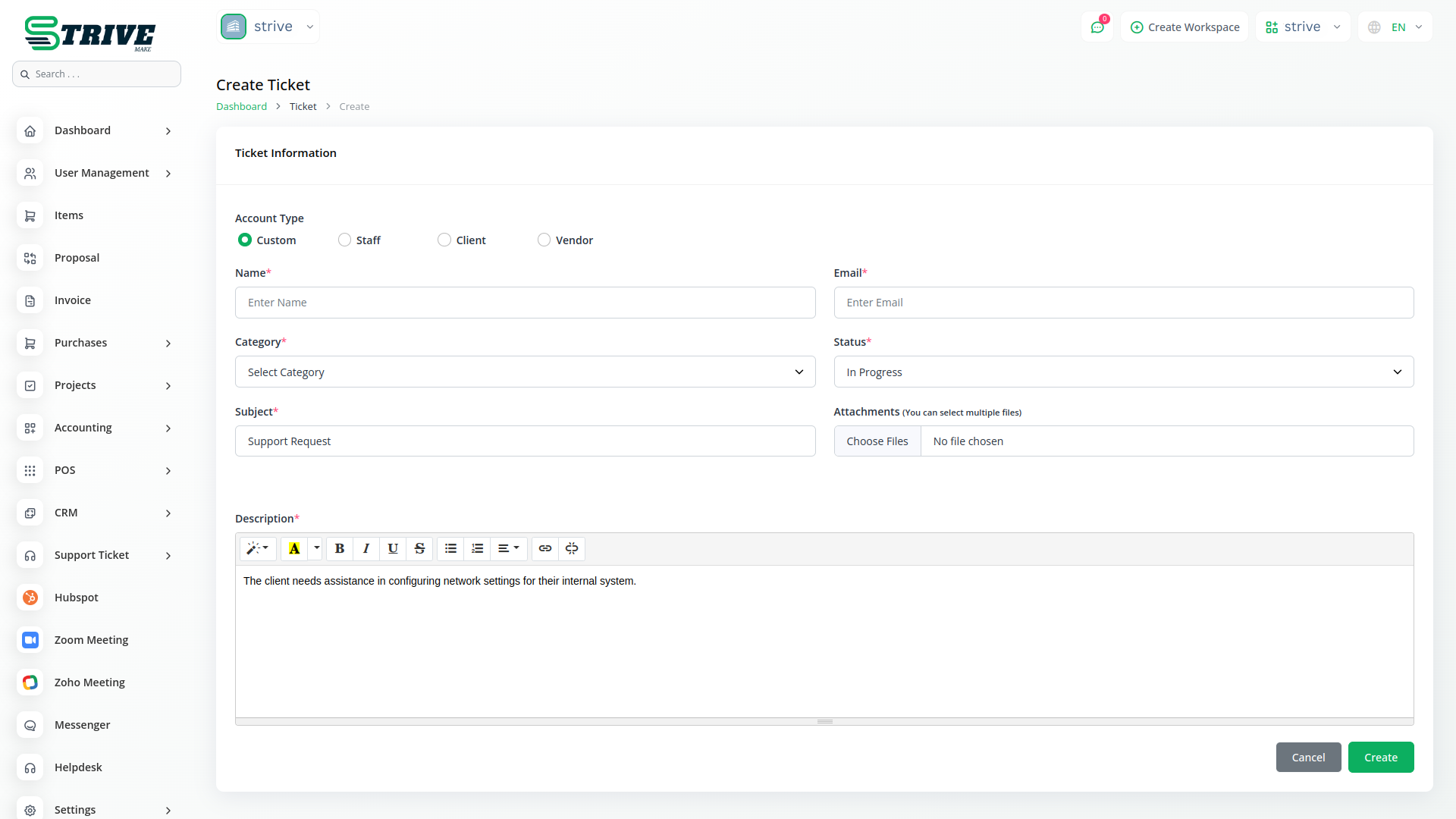
Automated Workflows and Notifications
The module enables businesses to set up automated workflows within HubSpot, ensuring tickets are assigned to the right support agents and categorized correctly. Automated notifications keep customers updated on the progress of their tickets, enhancing transparency and customer satisfaction. Additionally, support managers can track team performance and response times, ensuring service quality remains high.
Smooth Integration for Better Productivity
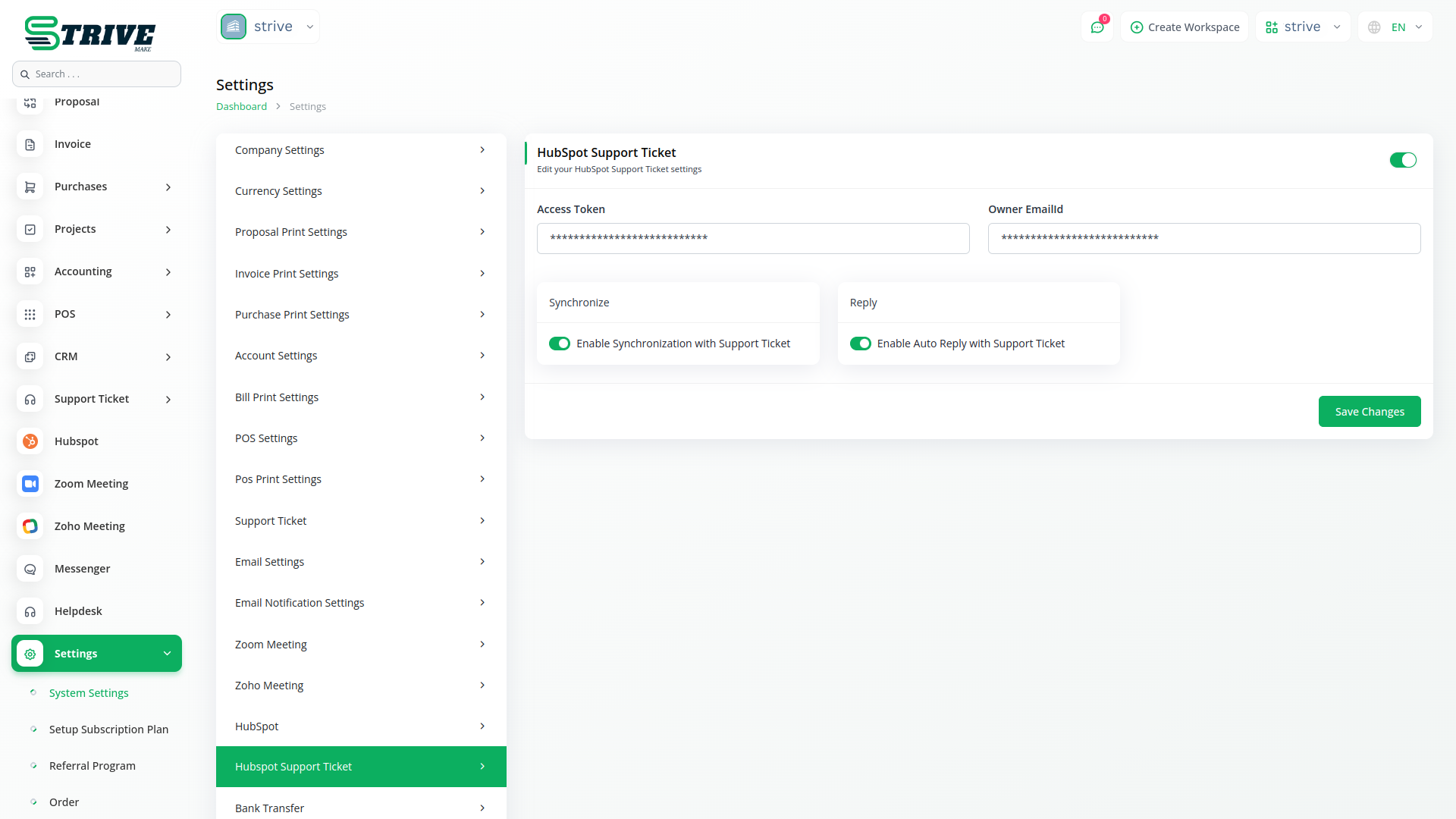
By integrating the HubSpot Support Ticket Module with StriveMake, businesses can streamline their support operations without disrupting their existing workflows. The module eliminates the need for manual data entry, reducing errors and saving valuable time. Whether you run a small business or a large enterprise, this integration ensures that customer support remains smooth, efficient, and responsive.
Why choose dedicated modules for your business?
With StriveMake, you can conveniently manage all your business functions from a single location.
Empower Your Workforce with StriveMake
Access over Premium Add-ons for Accounting, HR, Payments, Leads, Communication, Management, and more, all in one place!
- Pay-as-you-go
- Unlimited installation
- Secure cloud storage
- Instant activation
- Cancel anytime
- All updates included
- 24/7 priority support
- Instant activation
- Cancel anytime
- All updates included
- 24/7 priority support
About the Hubspot Support Ticket add-on
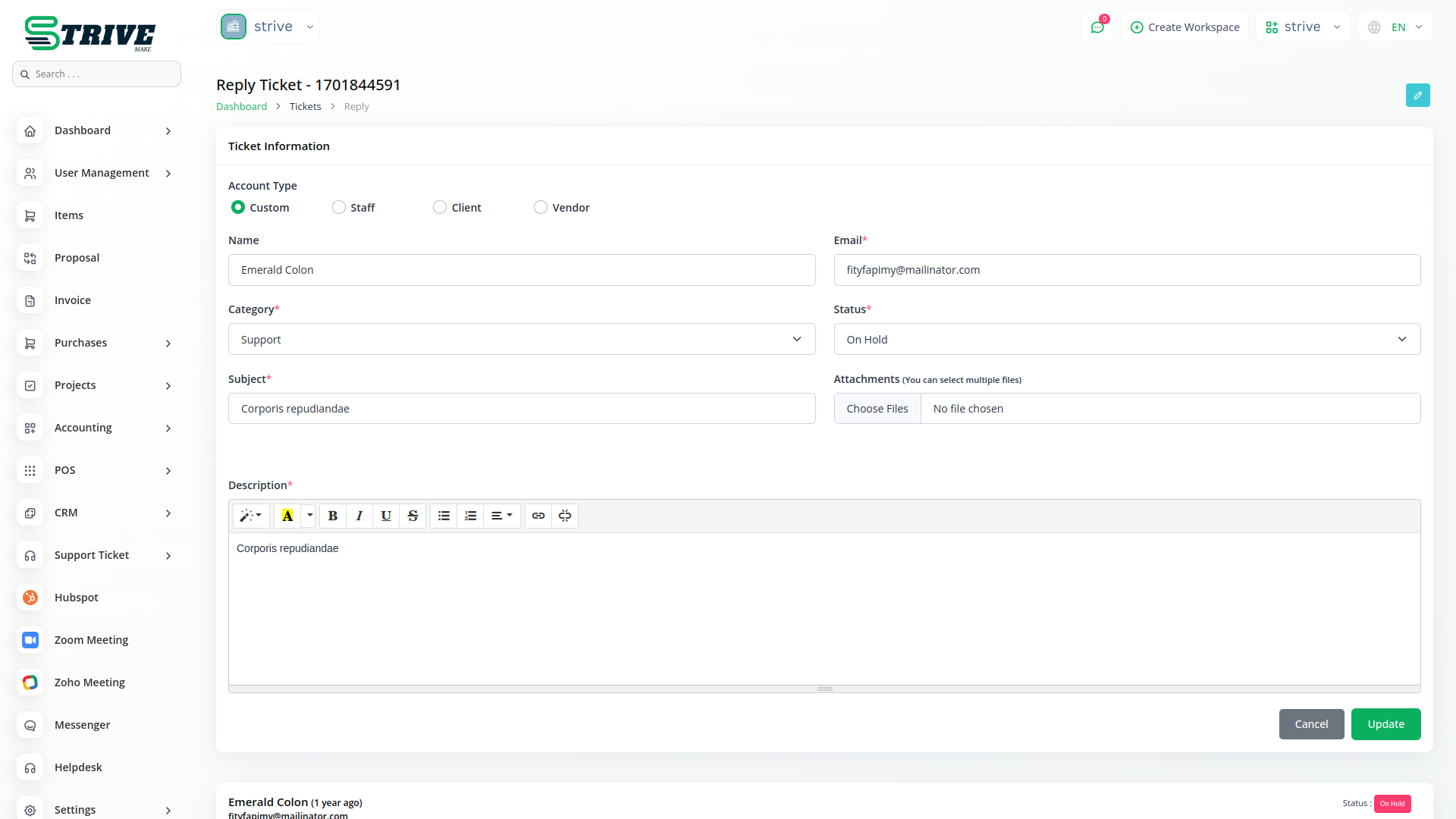
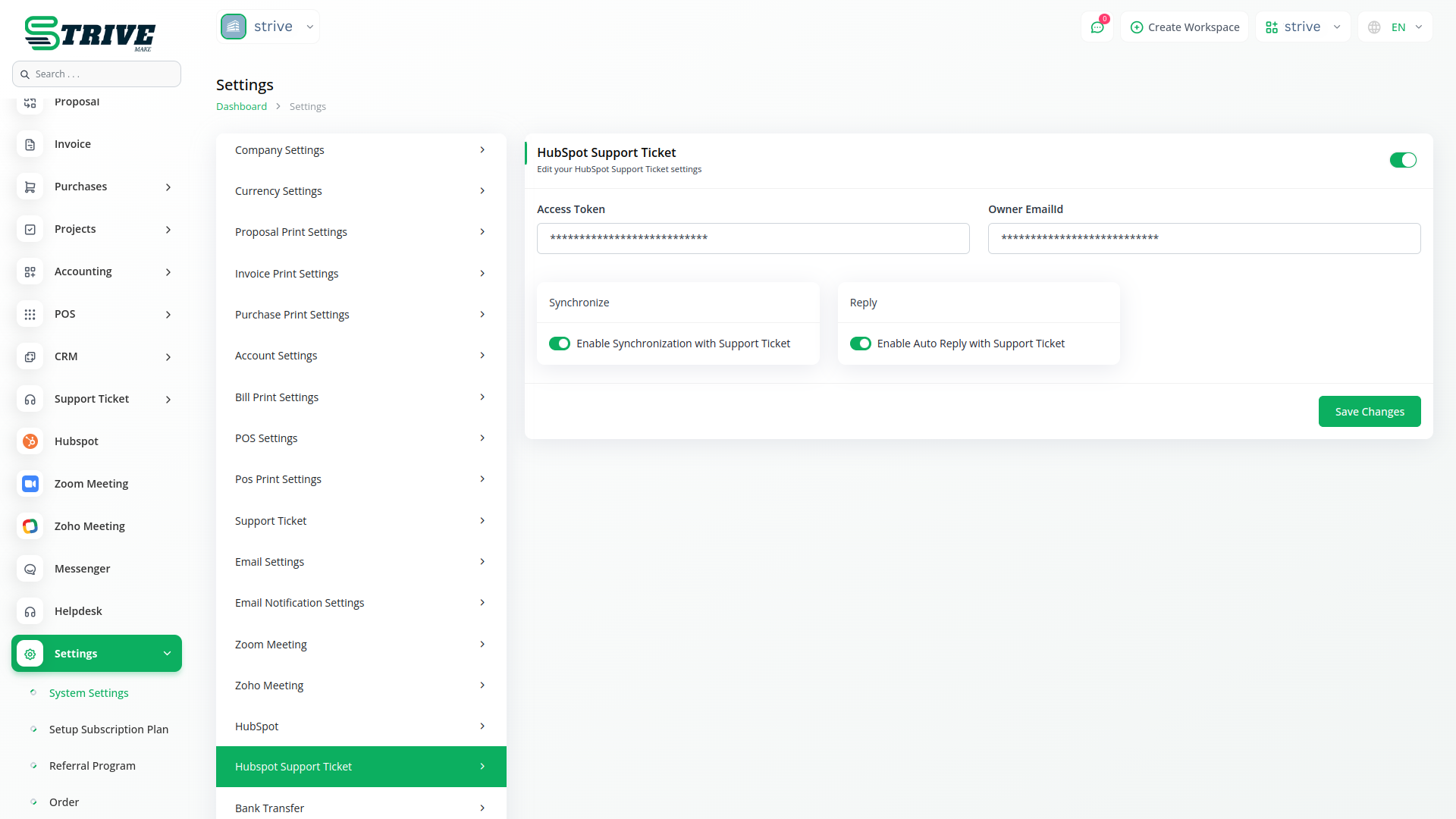
Hubspot Support Ticket connects StriveMake to HubSpot, syncing support tickets between the two so your team works from one consistent view. When tickets are raised or updated in HubSpot, that activity reflects in your workspace, keeping customer issues aligned with the records you already hold. With one login the connector works alongside CRM, accounting, and reports, so a support ticket links to the customer, their invoices, and their history. Your team handles service requests without copying ticket details by hand between HubSpot and StriveMake.
What you can do with Hubspot Support Ticket
- Sync support tickets between StriveMake and HubSpot
- Ticket status and updates kept aligned across tools
- Tickets linked to the related customer record
- Support activity visible within workspace reports
Who Hubspot Support Ticket is for
Support teams using HubSpot that want their tickets connected to customer data inside StriveMake.
Hubspot Support Ticket — frequently asked questions
What does the Hubspot Support Ticket add-on do?
It connects StriveMake to HubSpot and syncs support tickets between them. Tickets raised or updated in HubSpot reflect in your workspace, so your team can manage customer issues against the same records they use for sales and billing, without re-entering ticket details across two systems.
How much does the Hubspot Support Ticket add-on cost?
The Hubspot Support Ticket add-on is $15,00/month or $144,00/year on top of your StriveMake plan, and you can turn it off whenever you like.
Do I need a HubSpot account to use this?
Yes. This is a connector to HubSpot, so you keep your existing HubSpot account where the support tickets live. The add-on bridges that account with StriveMake, letting ticket data flow into the workspace and stay linked to the customers it concerns.
Does Hubspot Support Ticket work with the rest of StriveMake?
It does. Synced tickets connect to customers in your CRM, their invoices in accounting, and their history across the workspace under one login. That gives your support team full context on each issue and keeps service activity visible in your overall reporting.
Related modules you might like
With StriveMake, you can conveniently manage all your business functions from a single location.