Google Docs
To begin, you’ll need to upload your Google Docs JSON file under the system settings. This allows your platform to securely connect to your Google account. Once the JSON file is added and saved, you must authorize your Google account to grant access. This ensures that the integration is both secure and personalized to your Google workspace.
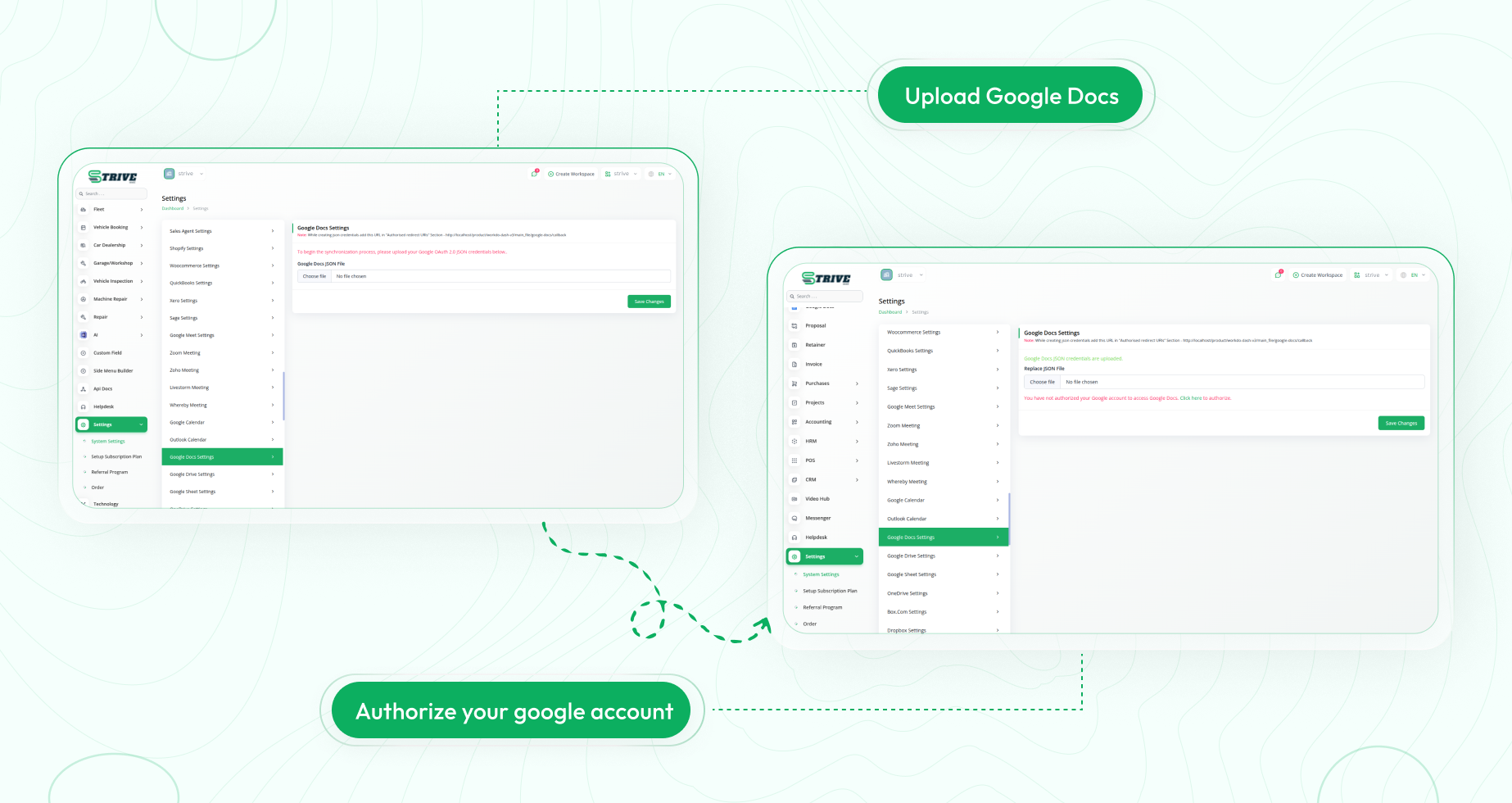
Google Docs Integration in StriveMake
Connect your Google account to seamlessly manage documents within the platform. Create, edit, and delete Google Docs without switching tabs or leaving your workspace. Enjoy real-time syncing, simplified workflows, and centralized access to all your documents.
Managing and Accessing Google Docs
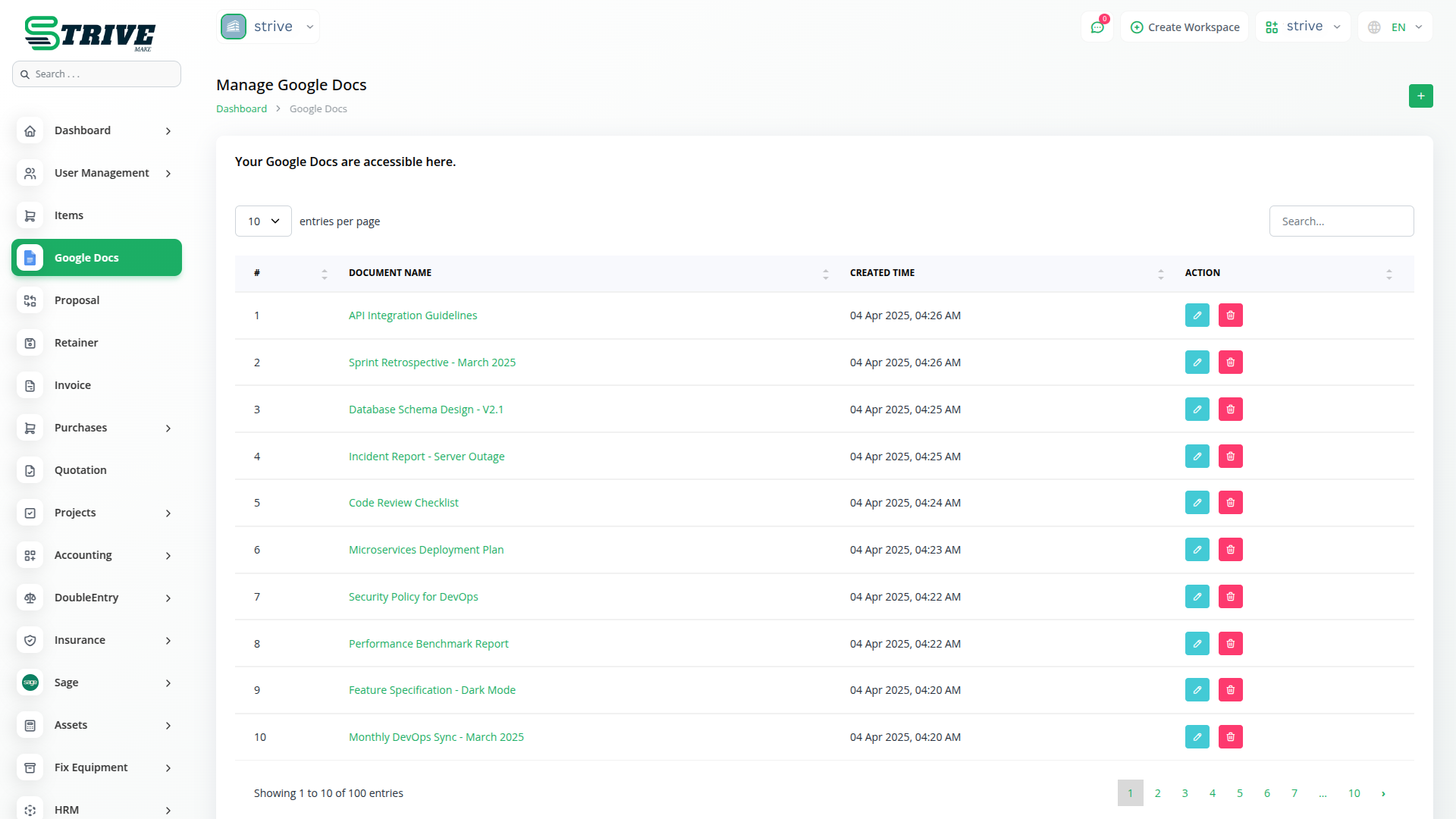
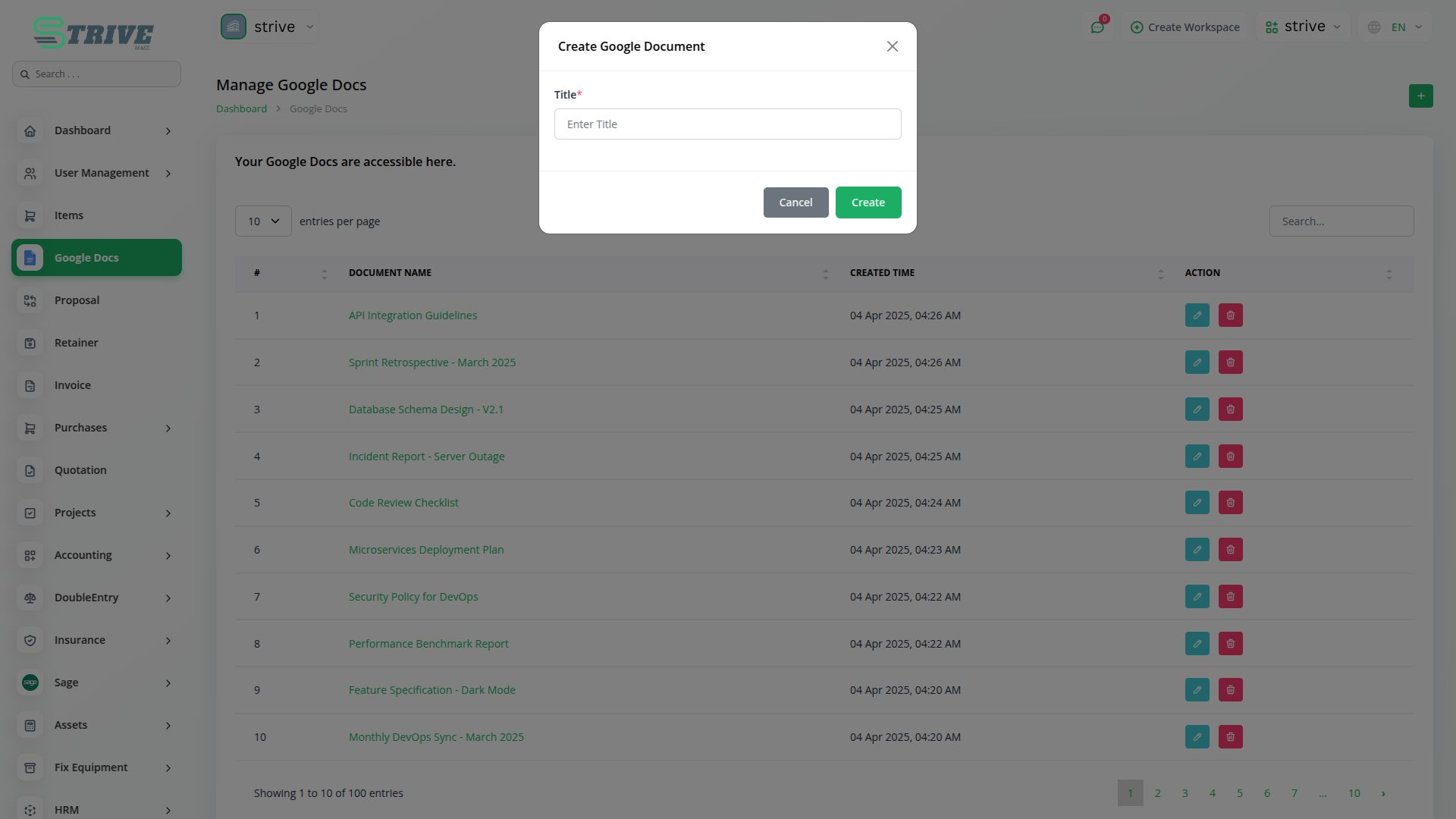
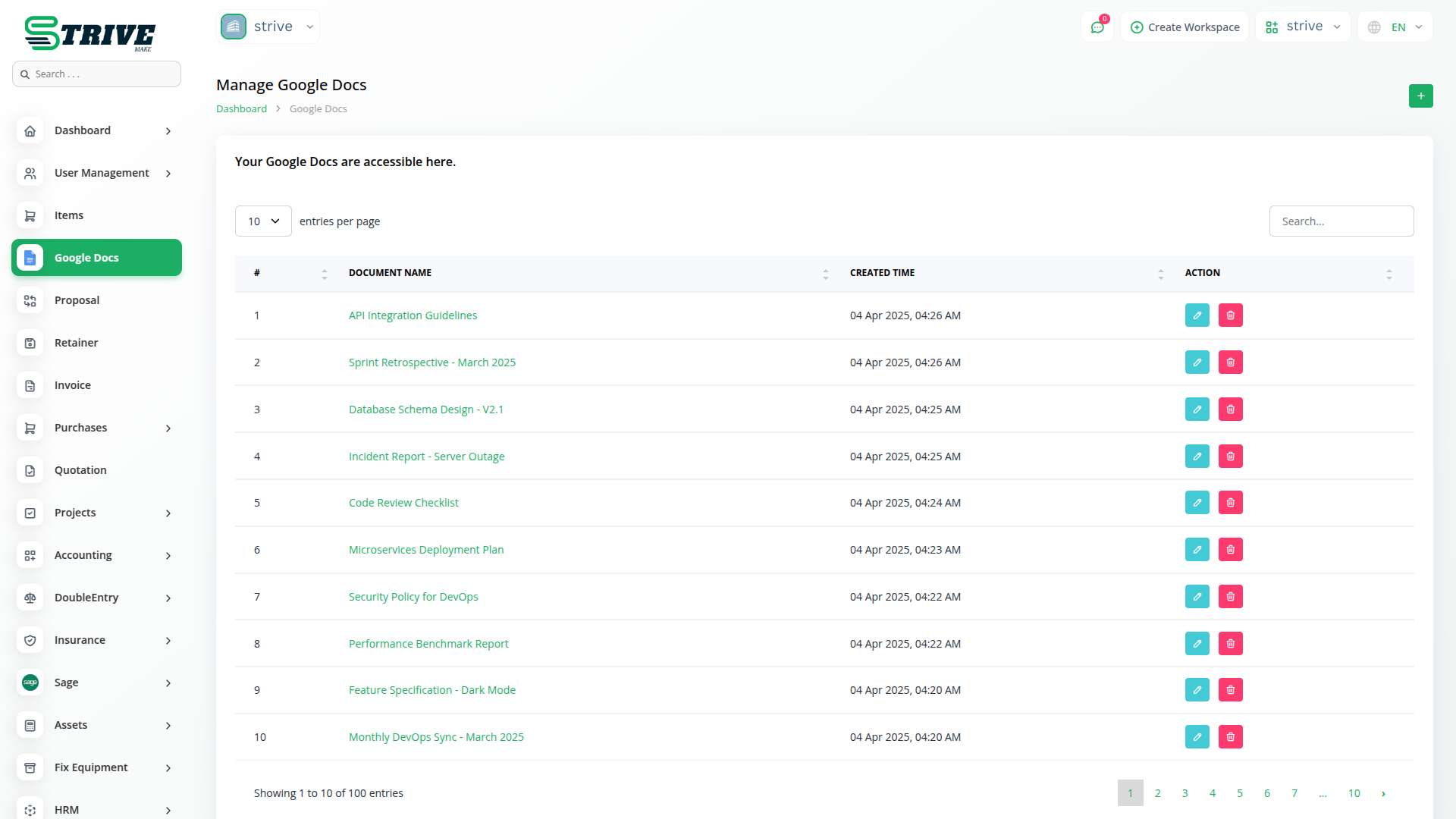
After authorization, a dedicated Google Docs section appears in the sidebar for easy navigation. You can create new documents instantly using the Create button. The interface lists all your Google Docs—both those you we created and documents shared with you—for seamless access. Everything is displayed in a clean, user-friendly layout.
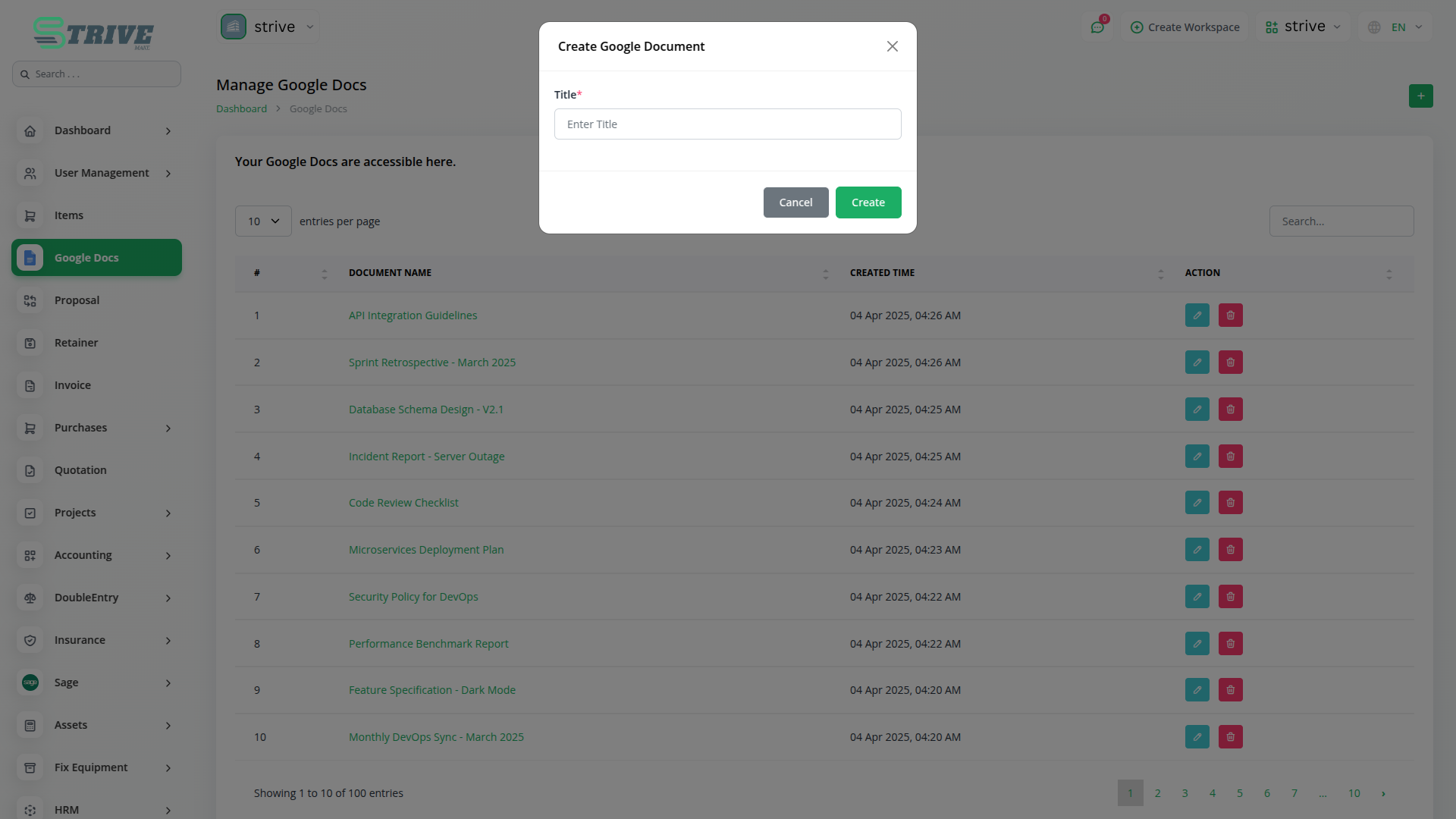
Edit, View, and Delete with Ease
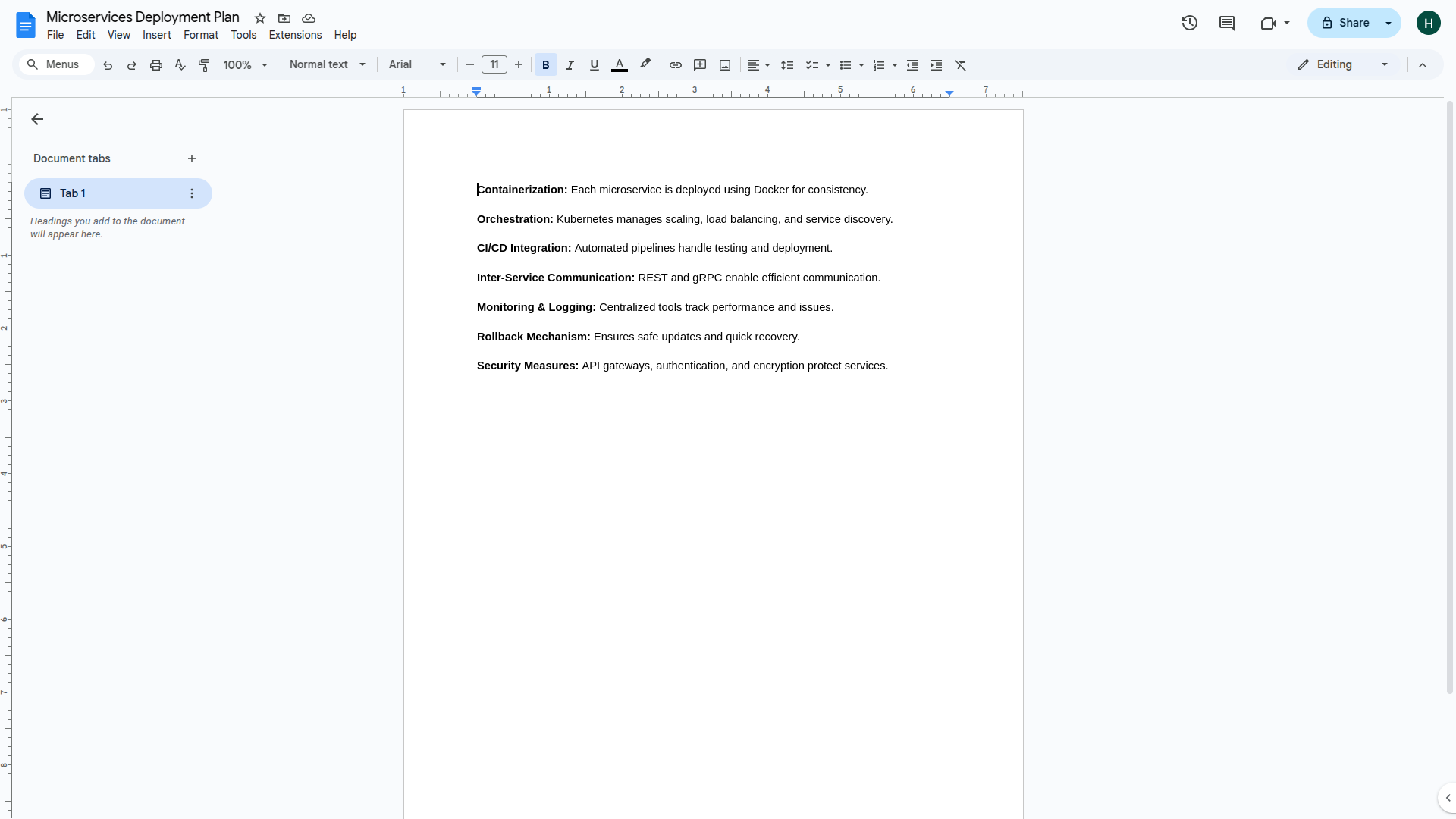
Each document title is clickable and opens directly in Google Docs, making it easy to view or edit in a new tab. The platform also provides Edit and Delete options beside each document, allowing quick changes or removal as needed. This streamlined setup enhances productivity and simplifies navigation across your Google Docs.
Why choose dedicated modules for your business?
With StriveMake, you can conveniently manage all your business functions from a single location.
Empower Your Workforce with StriveMake
Access over Premium Add-ons for Accounting, HR, Payments, Leads, Communication, Management, and more, all in one place!
- Pay-as-you-go
- Unlimited installation
- Secure cloud storage
- Instant activation
- Cancel anytime
- All updates included
- 24/7 priority support
- Instant activation
- Cancel anytime
- All updates included
- 24/7 priority support
About the Google Docs add-on
Google Docs is the collaborative word processor businesses use to draft, edit and share documents in real time. Bringing it into StriveMake means proposals, SOPs and meeting notes live next to the customer records, projects and accounting that give them context. One login connects your documents to CRM contacts, project tasks and HR files, so the team writes where the work already happens and nothing gets stranded in a disconnected drive.
What you can do with Google Docs
- Open and edit Google Docs without leaving your StriveMake workspace
- Link documents to related CRM contacts, projects and HR records
- Real-time co-authoring with comments and version history
- Centralized access so the whole team finds the right document fast
Who Google Docs is for
Teams that draft proposals, policies and shared documents and want them connected to their day-to-day business data.
Google Docs — frequently asked questions
What does the Google Docs add-on do?
It connects your Google Docs to StriveMake so you can create, open and edit documents alongside your CRM, projects and HR data. Instead of switching between tabs, you keep every proposal, policy and note linked to the records it relates to, with the same real-time editing and version history Google Docs is known for.
How much does the Google Docs add-on cost?
The Google Docs add-on is $2,00/month or $16,00/year on top of your StriveMake plan, and you can turn it off whenever you like.
Can I link a Google Doc to a specific customer or project?
Yes. The add-on lets you associate documents with the contacts, deals or projects they belong to. That way a signed proposal or a project brief stays attached to the right record, and anyone with access can find it without digging through a shared drive or searching email threads.
Does Google Docs work with the rest of StriveMake?
It does. Because the add-on runs inside your StriveMake workspace, documents sit beside CRM, HR, projects, accounting and reporting. The same login covers everything, so your written content and your operational data stay in one connected system rather than scattered across separate tools.
Related modules you might like
With StriveMake, you can conveniently manage all your business functions from a single location.


