Signature
The Signature Add-On is a helpful feature that makes it easier to manage digital signatures within the system. Once enabled, a signature button becomes available in specific areas, allowing users to sign documents directly. This Add-On supports signing actions between the company and external parties like vendors, staff members, or construction partners. It ensures both parties can complete their part of the process without having to manage documents outside the platform. The Add-On improves clarity, speeds up confirmations, and helps keep all signature-related activity in one place.
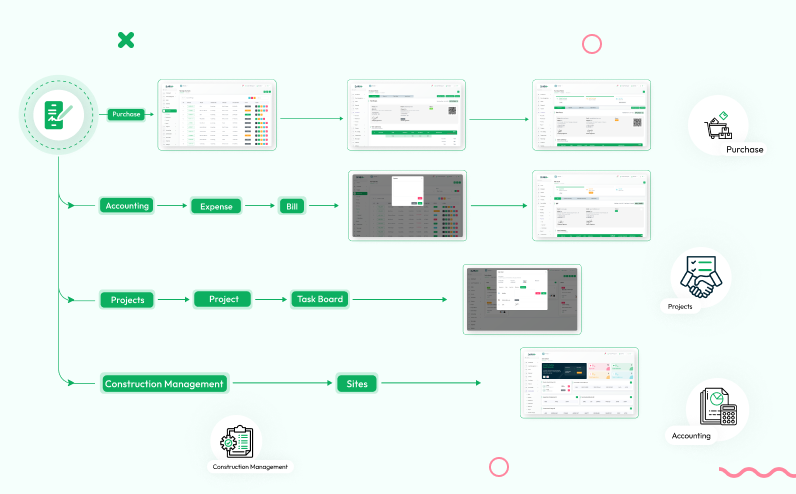
Unified Signature Add-On For Strivemake
This add-on enforces signature permissions based on user roles. While the company has default signing access, vendors, staff, and construction partners require explicit signature rights. Each role can only sign in specific modules, ensuring secure and authorized usage.
Signature Option for the Company in Purchases
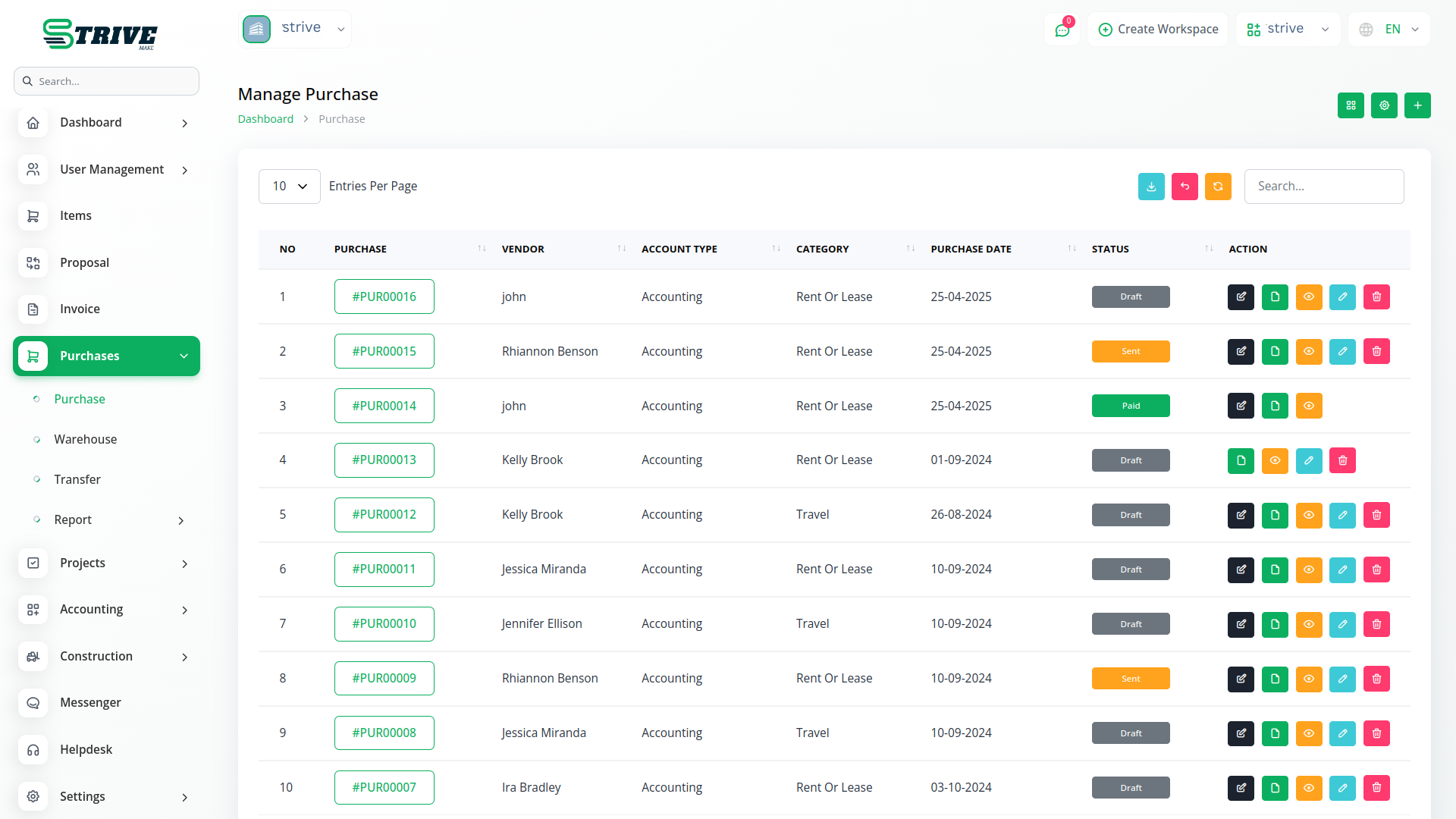
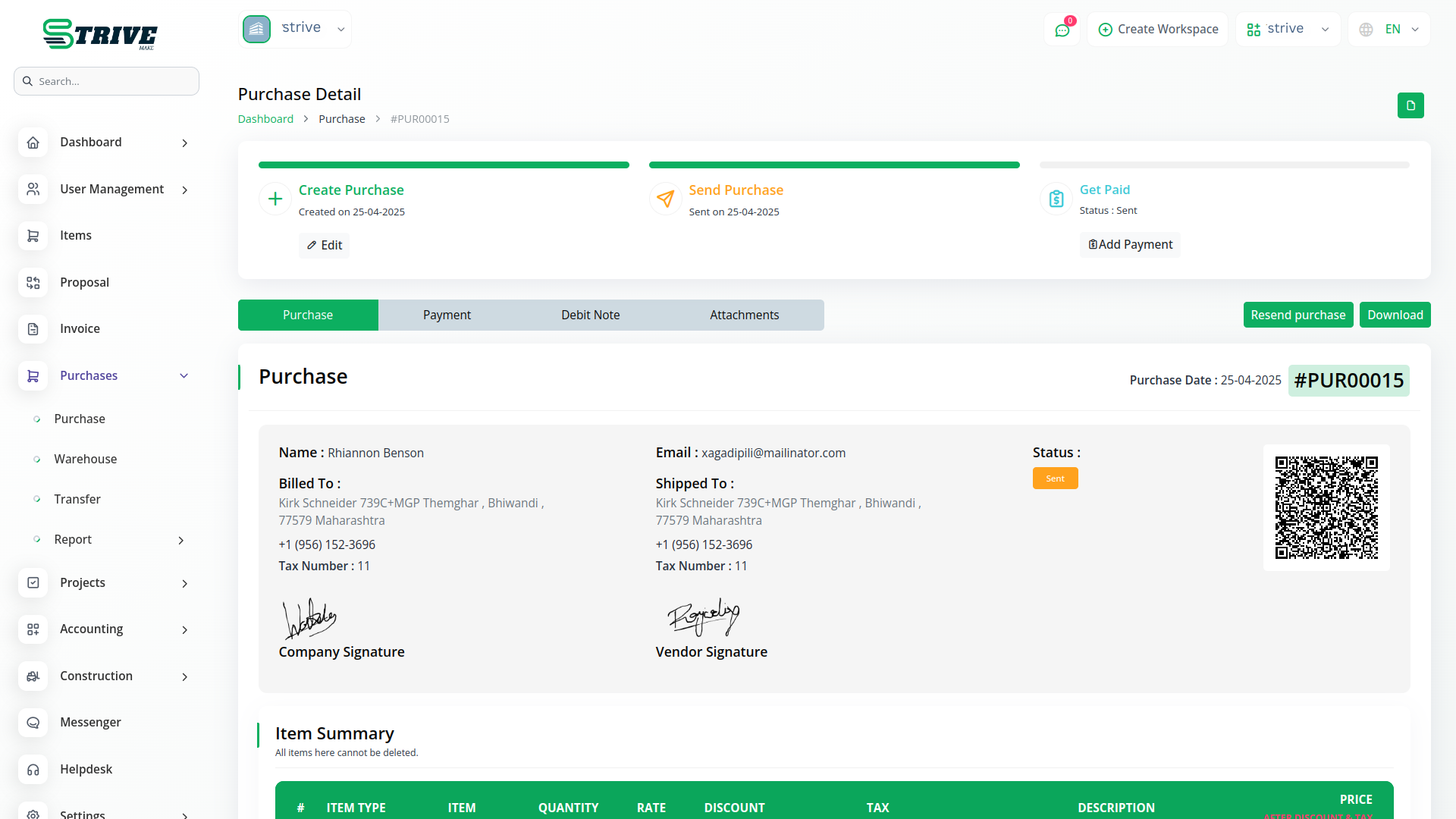
When working with purchases, the company can easily use the Signature Add-On after it is enabled. While creating a purchase, the signature button appears for the company by default. No additional permissions or settings are required for the company to access the feature. This allows the company to finalize purchases and make them official with just a few clicks. It also helps in keeping a signed copy of the purchase record directly inside the system, which can be useful for internal approval processes or external verification if needed.
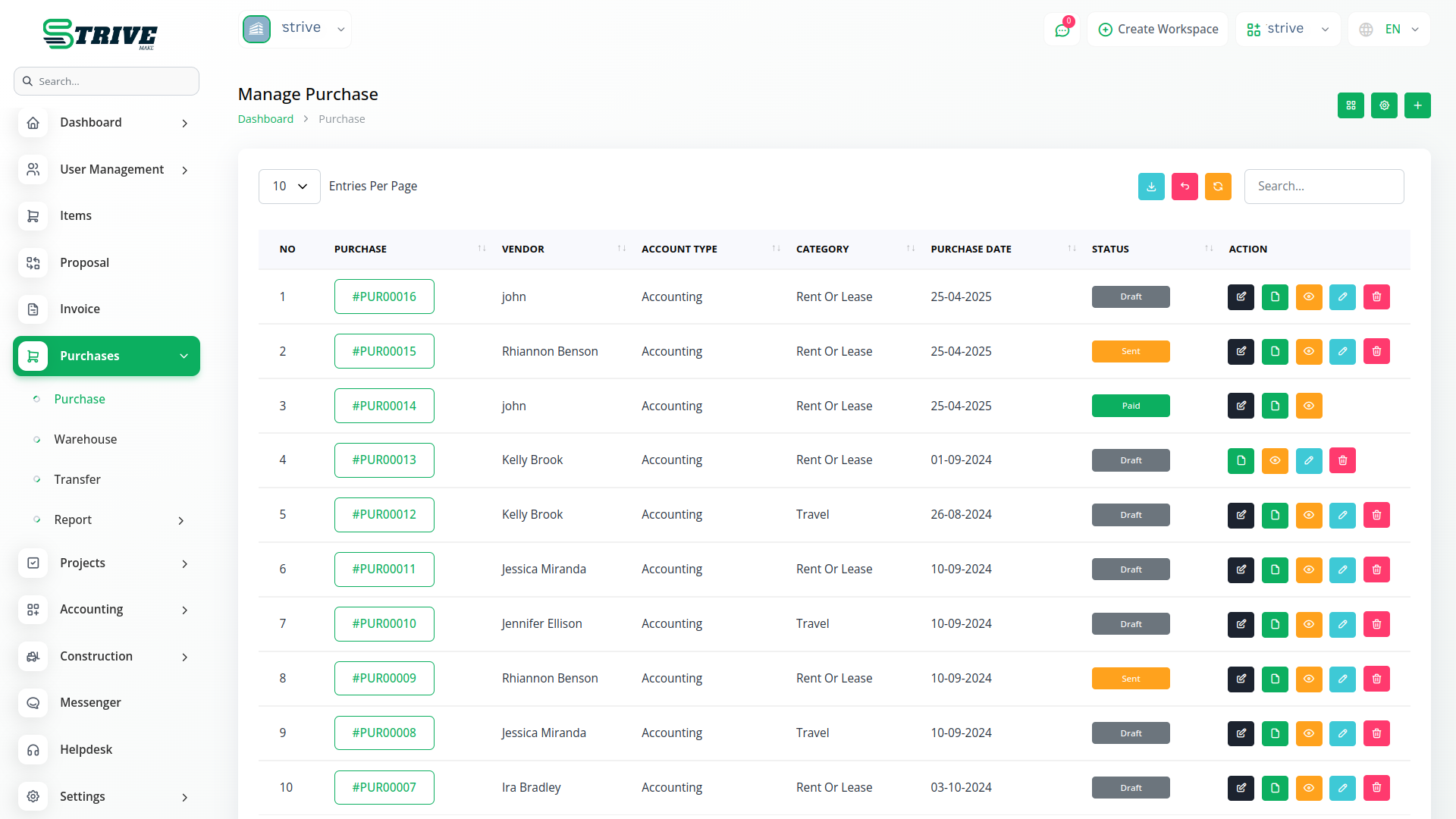
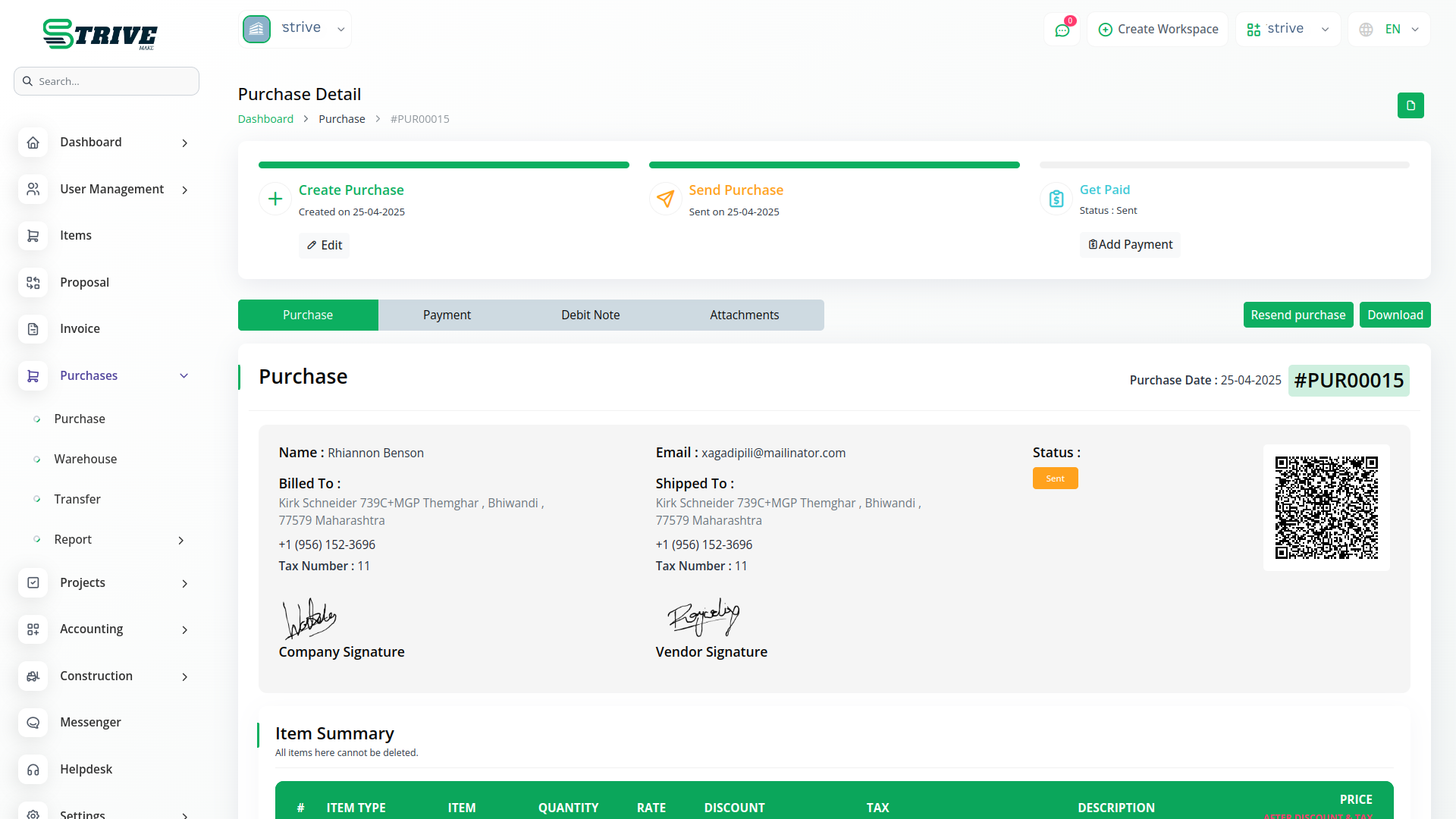
Vendor Signature in the Purchase Section
The Signature Add-On also allows vendors to add their signature to a purchase, but under specific conditions. First, the vendor must log in to the system. Second, the company must have assigned the signature permission to the vendor role. Only after both these conditions are met can the vendor access the signature option. If the vendor has not signed the purchase yet, the system will display a status showing “Not Signed.” This allows the company to easily track whether the vendor has completed their part or if action is still pending. It also helps ensure that both parties are aware of their responsibilities in the purchase process.
Company Signature for Bills
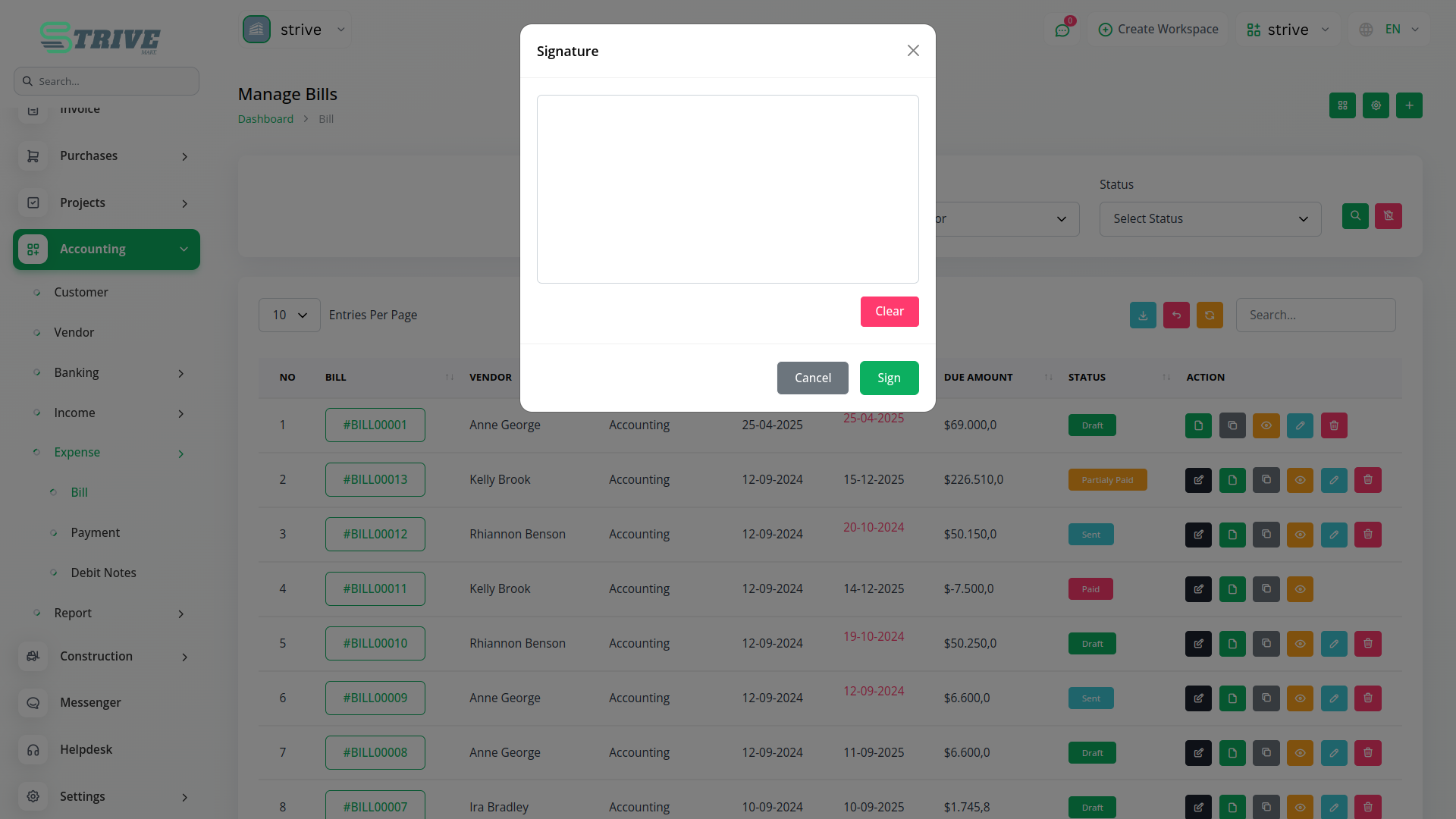
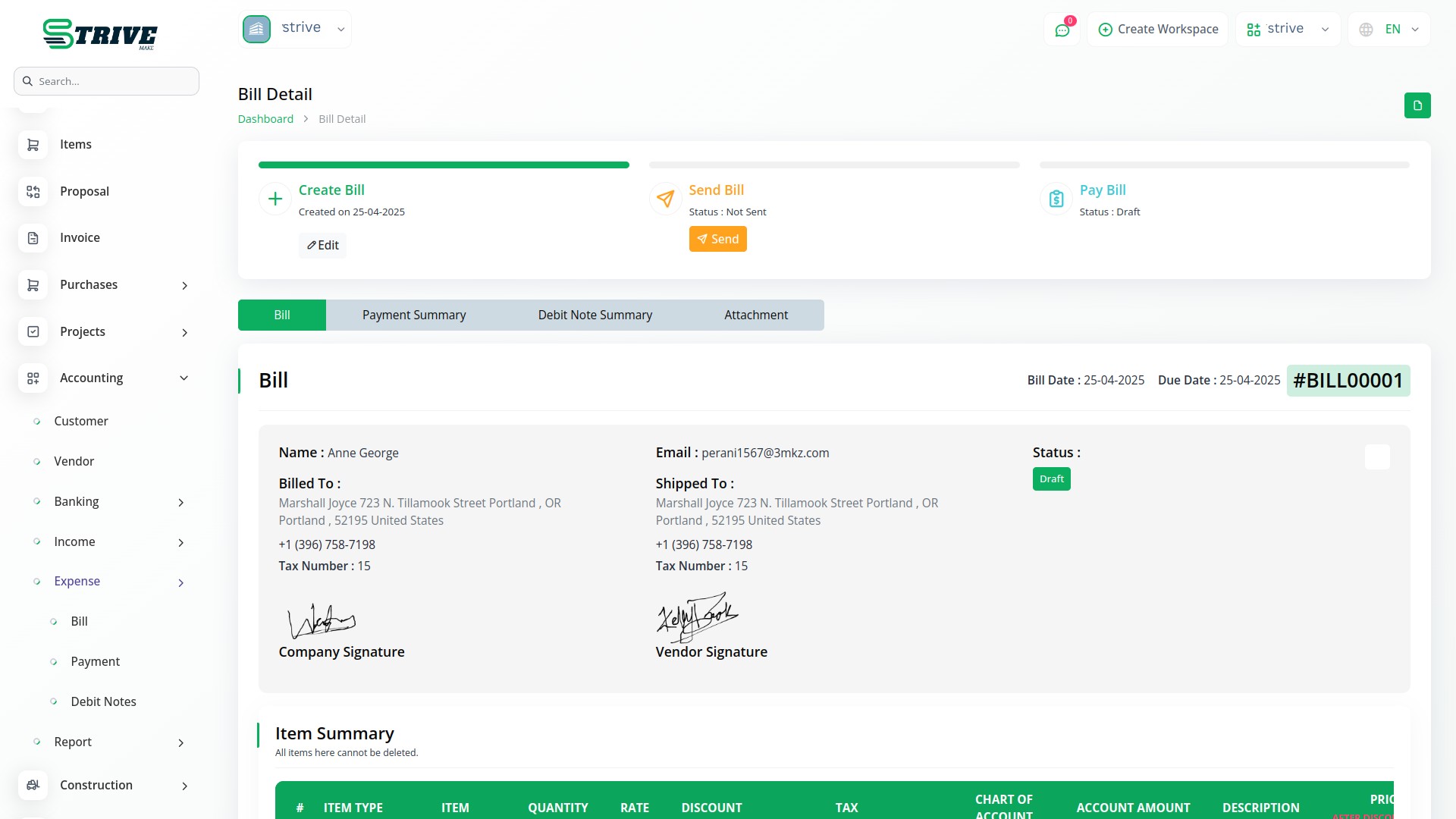
The company also has access to sign the bill in the same section. Unlike vendors, the company does not need any extra setup or permission to do this. As long as the Signature Add-On is enabled, the signature button will be available for the company to use. This allows the company to quickly finalize bills and maintain a record of approval. When both the vendor and the company have signed, it becomes clear that the bill has been mutually acknowledged, which is helpful for future reference or audits. The Add-On ensures this process is easy and traceable.
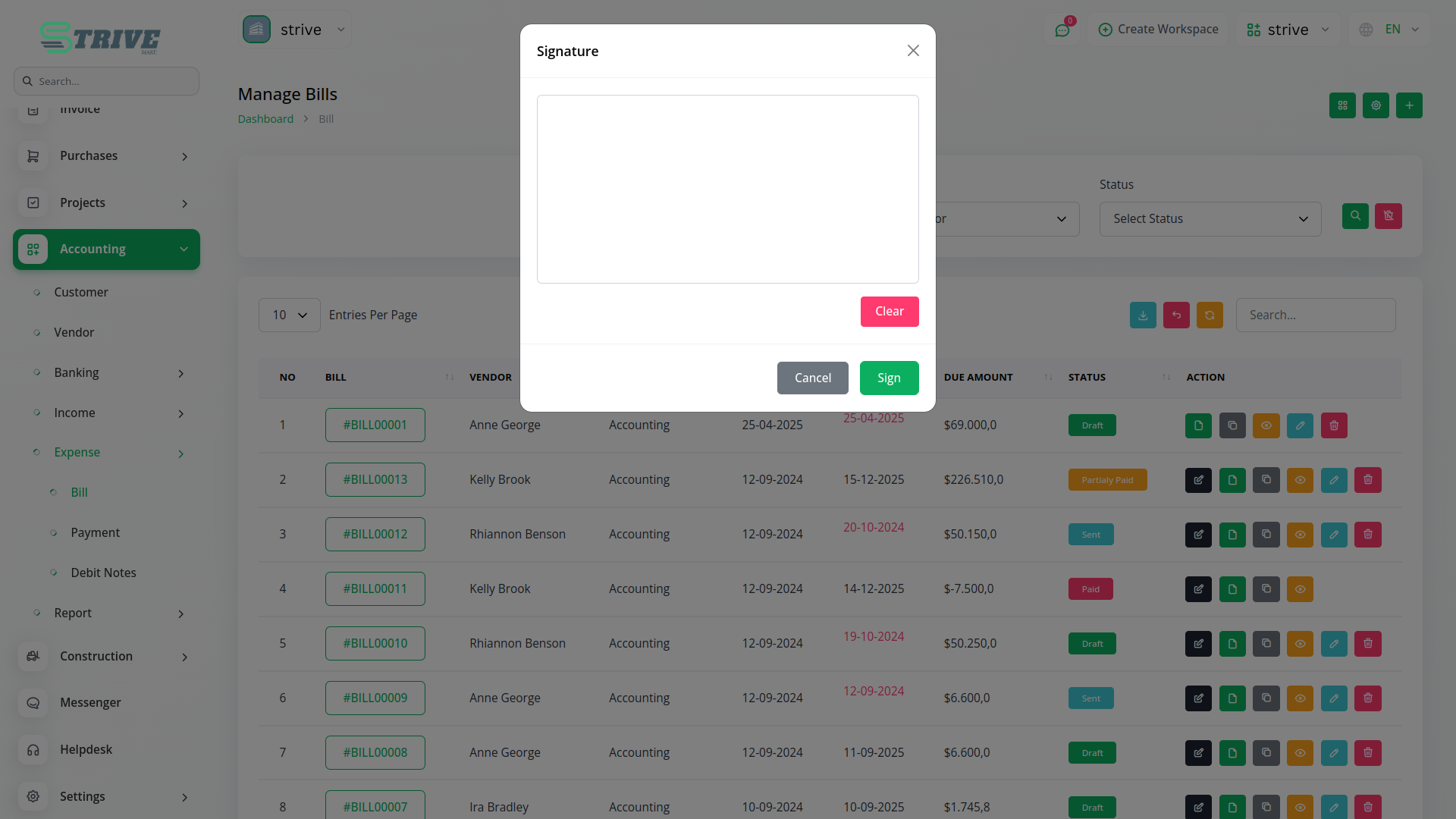
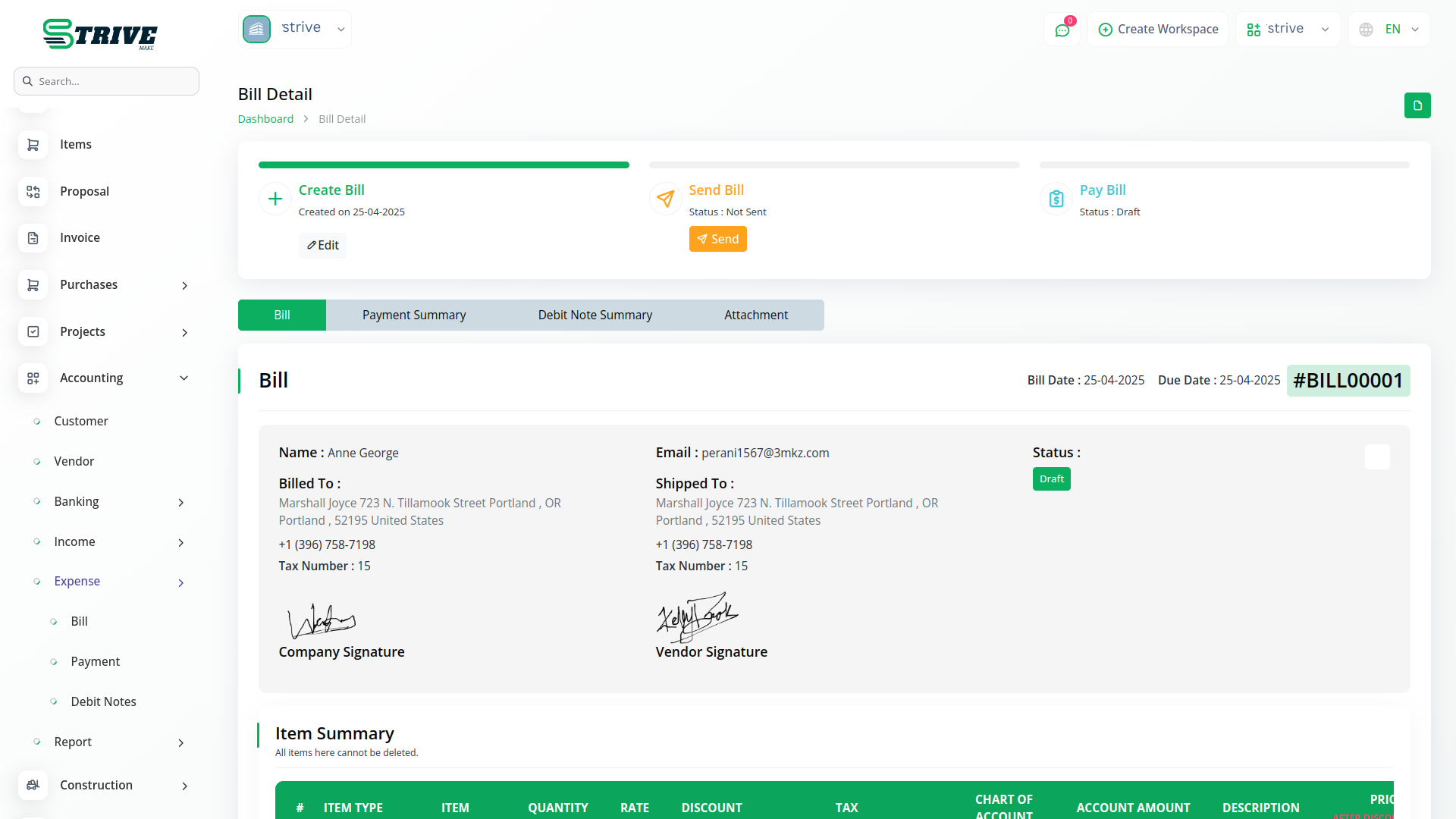
Vendor Signature for Bills in Accounting
In the Bill section, which is located under Accounting → Expense, vendors can also make use of the Signature Add-On. Just like in purchases, vendors must log in and must have been granted the signature permission by the company under the vendor role. If these conditions are met, they can sign the bill directly within the system. This signature helps confirm that the vendor agrees with the bill details, making the billing process more reliable. The company can see if the vendor has signed, which helps avoid confusion and delays in payment cycles.
Project Task Signatures by Staff and Company
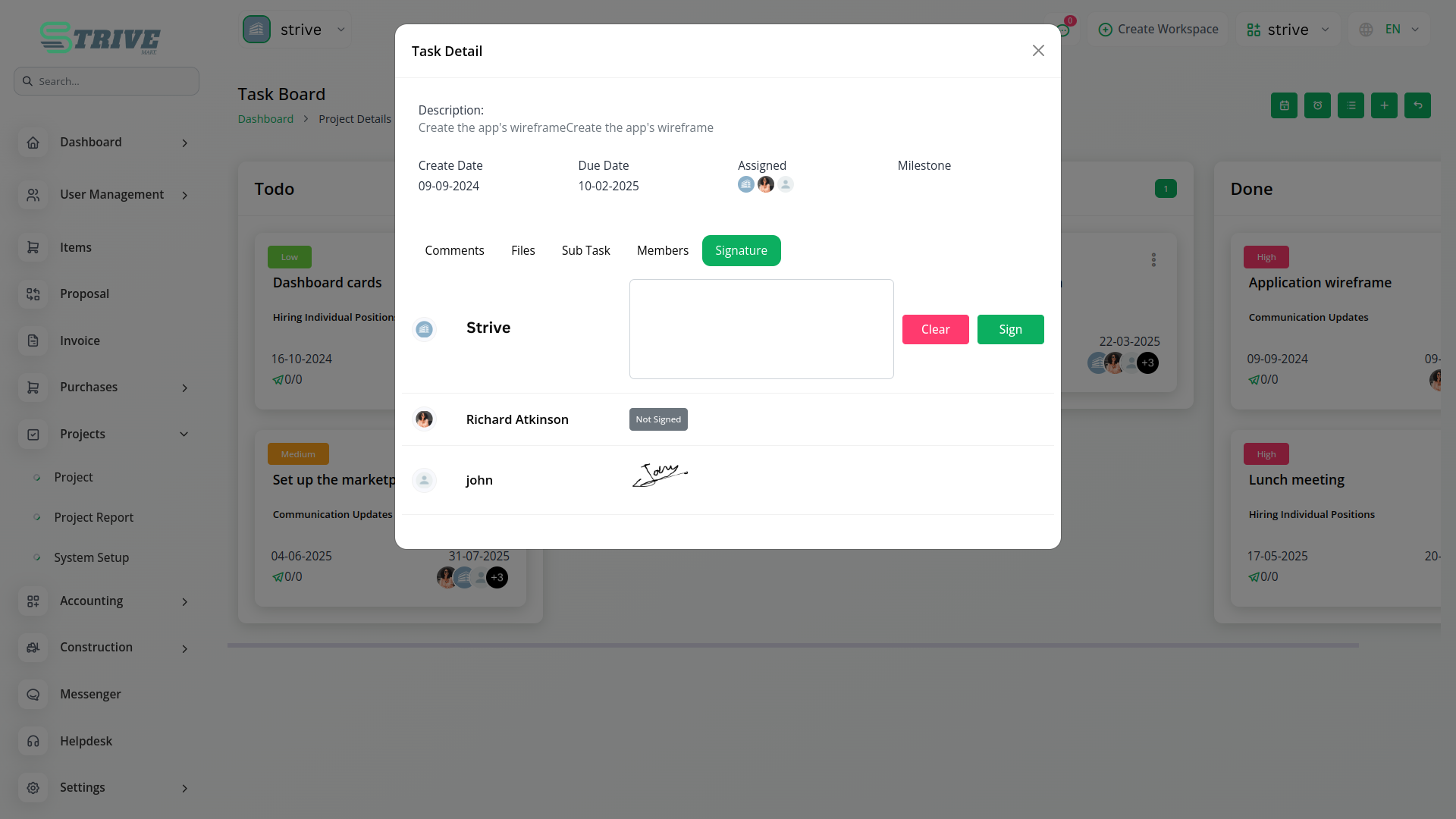
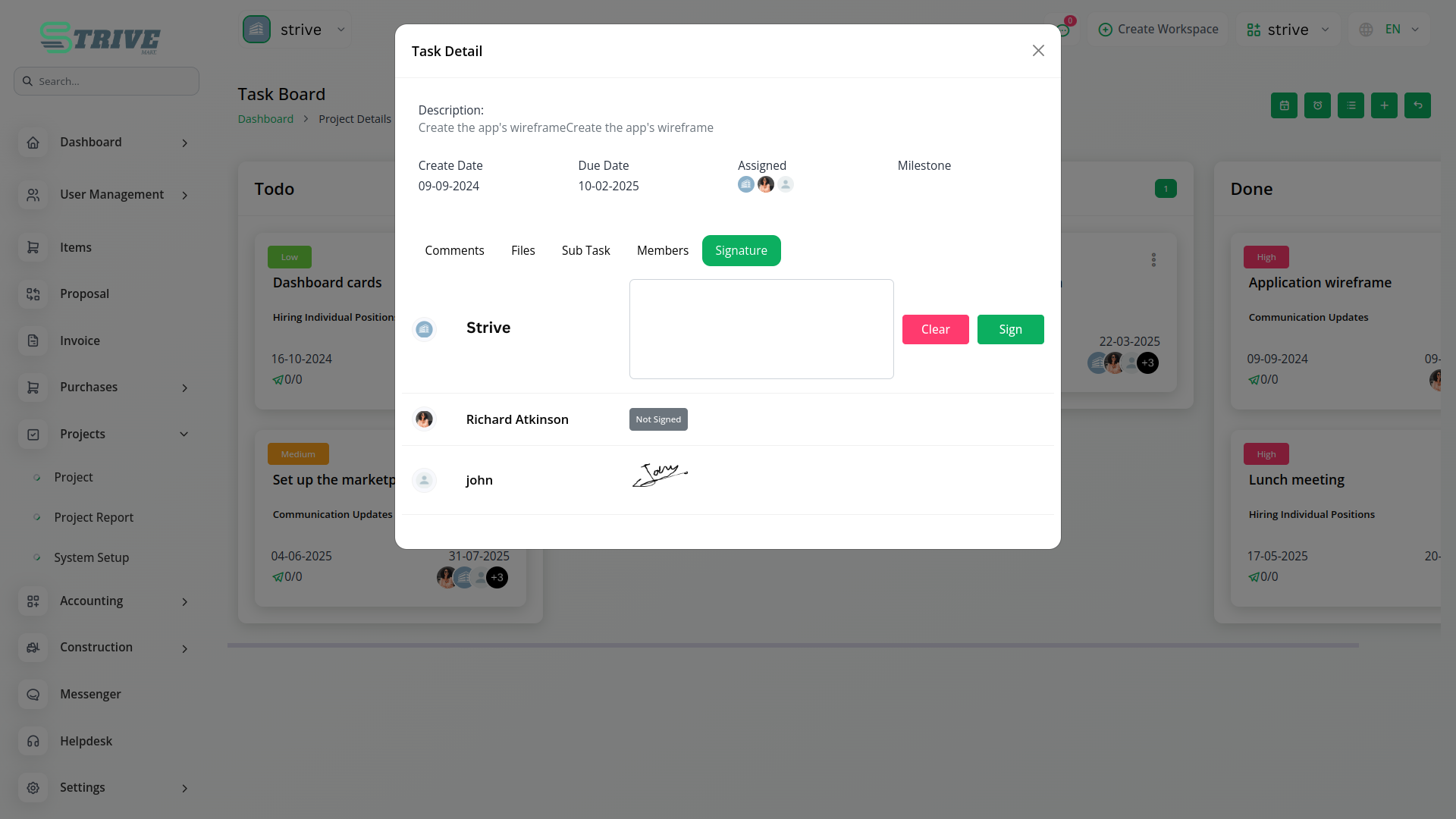
For tasks assigned under the Project section, the Signature Add-On includes a signature option specifically meant for the person or team the task is assigned to. The assigned staff member must log in and must have the signature permission assigned by the company under the staff role. Only then can they access the signature option and complete the signing process. On the other hand, the company has default access to sign project tasks and does not need any additional permissions. This setup allows both the assignee and the company to acknowledge progress or completion of tasks as needed, creating a clear record of accountability within the task management process.
Construction Site Signatures by Partners
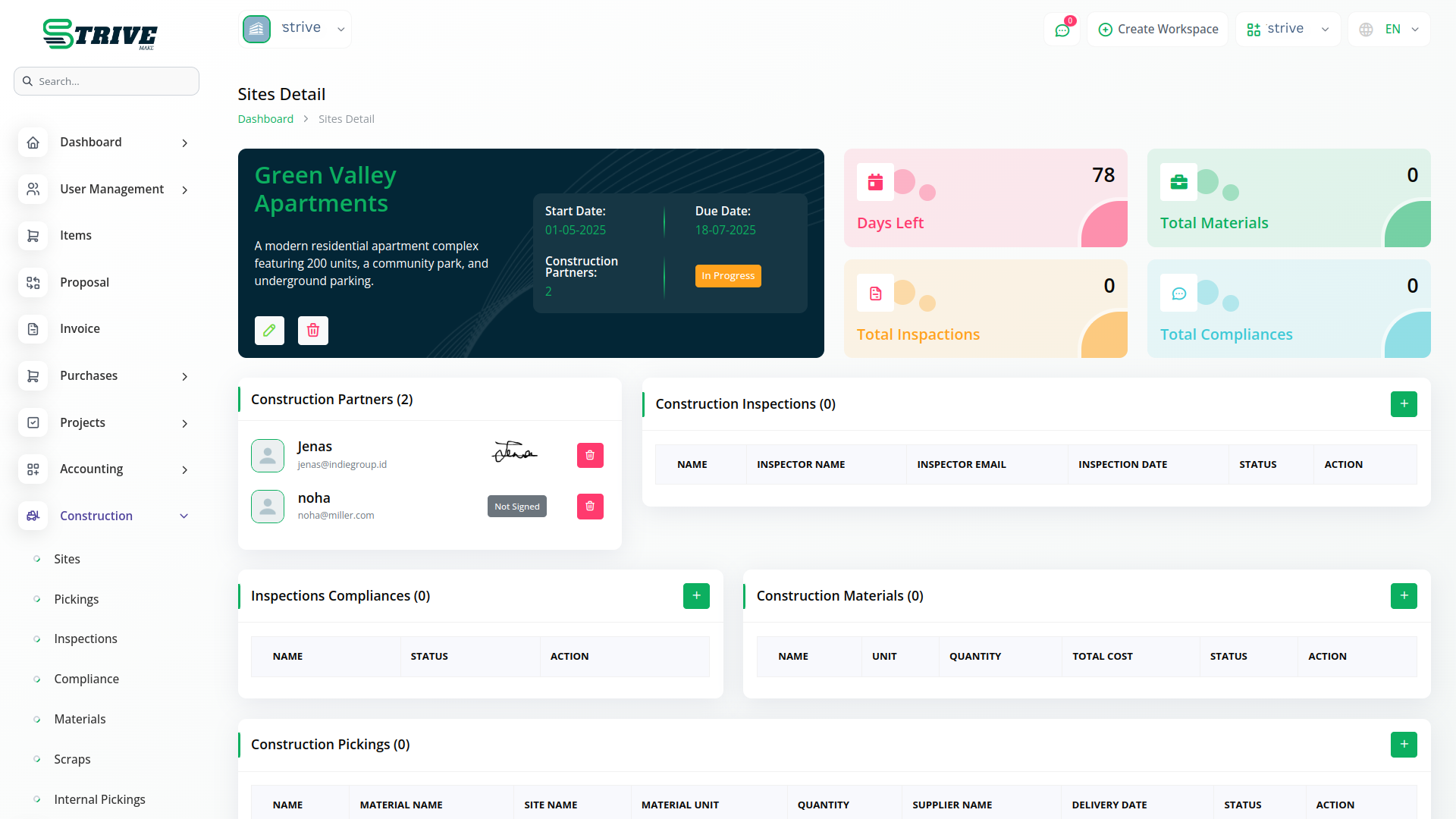
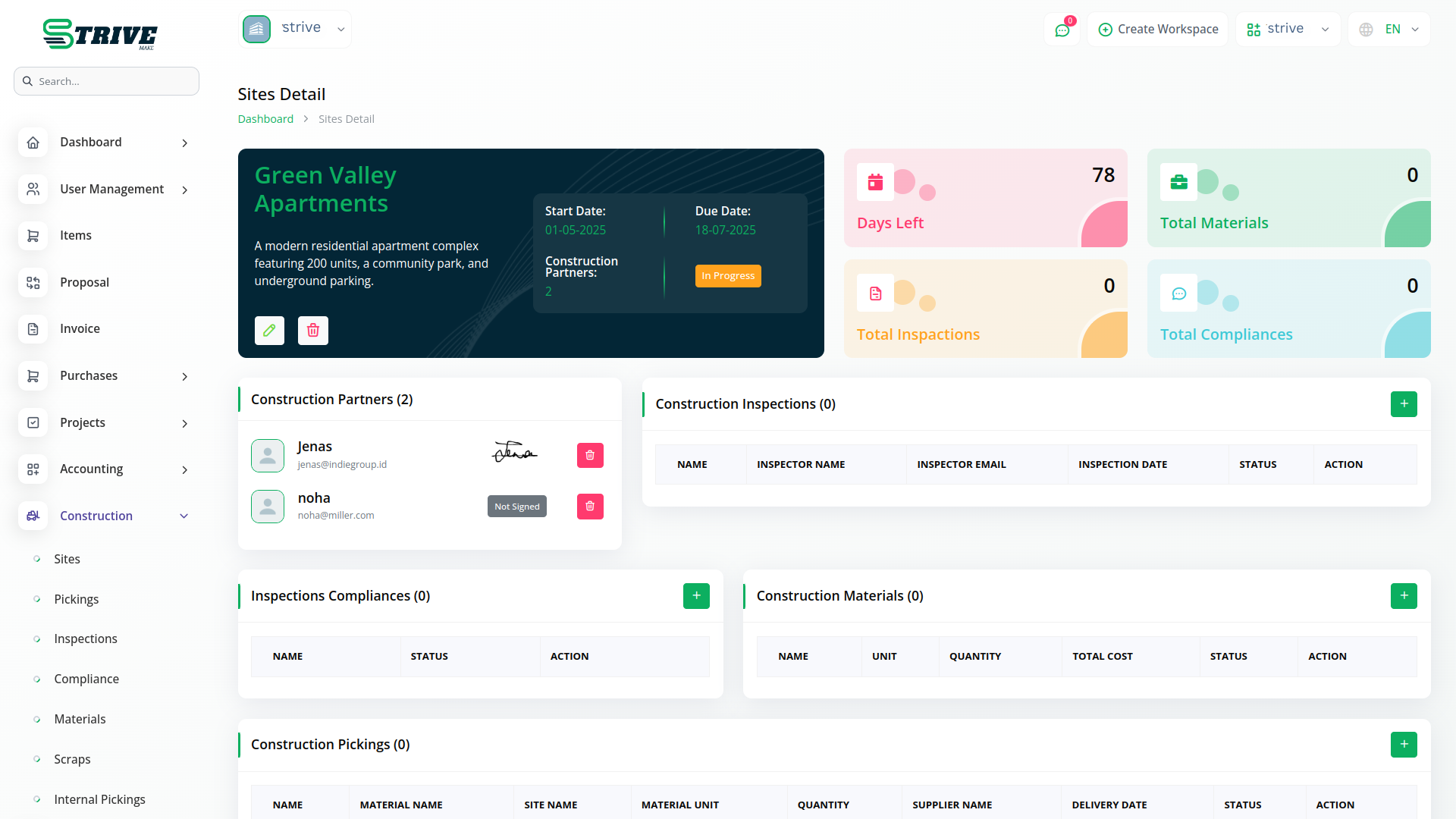
In the Construction Sites section, the Signature Add-On gives signing rights only to construction partners. These users must log in and must have been assigned signature permission by the company under the construction partner role. Once these conditions are met, they can sign site-related documents from their end. Unlike in other sections, the company does not have permission to sign here. They can only view the signatures that have been submitted by construction partners. This keeps the responsibility of signing limited to the appropriate field partners and gives the company visibility without interfering in the signing process.
Why choose dedicated modules for your business?
With Strivemake, you can conveniently manage all your business functions from a single location.
Empower Your Workforce with Strivemake
Access over Premium Add-ons for Accounting, HR, Payments, Leads, Communication, Management, and more, all in one place!
- Pay-as-you-go
- Unlimited installation
- Secure cloud storage
- Instant activation
- Cancel anytime
- All updates included
- 24/7 priority support
- Instant activation
- Cancel anytime
- All updates included
- 24/7 priority support
About the Signature add-on
The Signature add-on lets you capture and apply electronic signatures to documents inside StriveMake, so agreements, approvals and forms can be signed digitally. Rather than printing and scanning, you collect a signature directly against the record it belongs to. Running it in your workspace means a signed document connects to the client, contract or invoice it relates to, under one login. You speed up approvals, keep a clear record of who signed what and remove paper from the process without leaving the platform you already work in.
What you can do with Signature
- Capture electronic signatures on documents
- Apply signatures to contracts and approvals
- Link signed documents to client records
- Remove printing and scanning from your workflow
Who Signature is for
Teams that need documents and agreements signed digitally without printing and scanning.
Signature — frequently asked questions
What does the Signature add-on do?
It enables electronic signatures inside StriveMake, letting you capture and apply a signature to documents such as contracts and approvals. This replaces the print-sign-scan routine with a digital step, and each signed document stays connected to the client or record it concerns within your workspace.
How much does the Signature add-on cost?
The Signature add-on is included free with your StriveMake plan — there is no extra charge to switch it on.
Are the signed documents kept on record?
Yes. Once a document is signed, it remains tied to the relevant client, contract or invoice in StriveMake, so you keep a clear record of who signed and when. This makes approvals easy to find later and keeps your signed paperwork organised in one place.
Does Signature work with the rest of StriveMake?
It does. Signed documents link to the CRM clients, contracts and other records in your workspace, so an approval sits beside the deal or invoice it relates to. With one login, signing becomes part of your existing workflow rather than a separate tool.
Related modules you might like
With Strivemake, you can conveniently manage all your business functions from a single location.


