Reminder
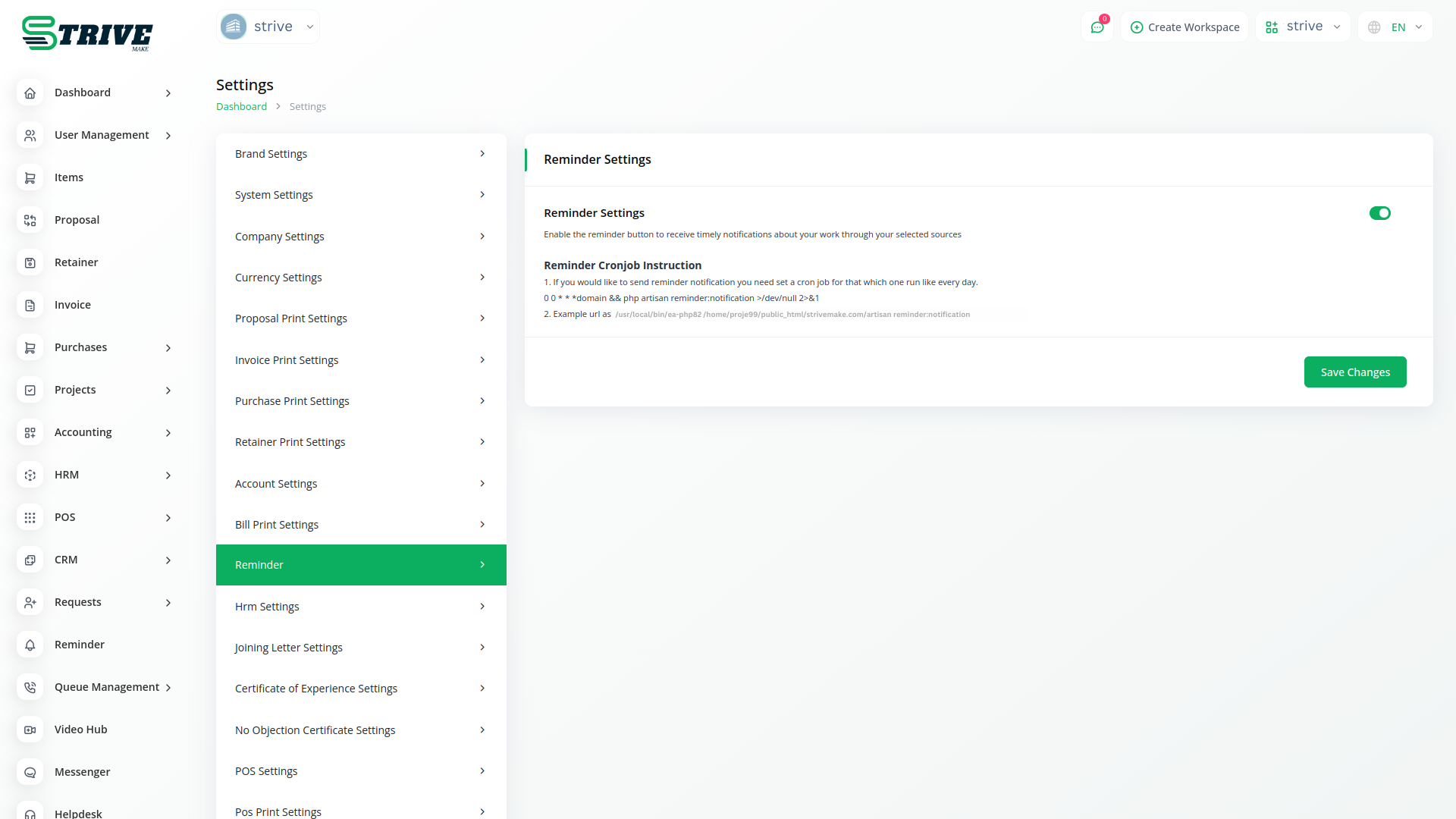
To start receiving reminders, simply enable the reminder button from the system settings. Once activated, you'll receive timely s for all your scheduled reminders across your selected sources. This feature ensures that you never miss an important event or deadline, helping you stay productive and on top of your tasks.
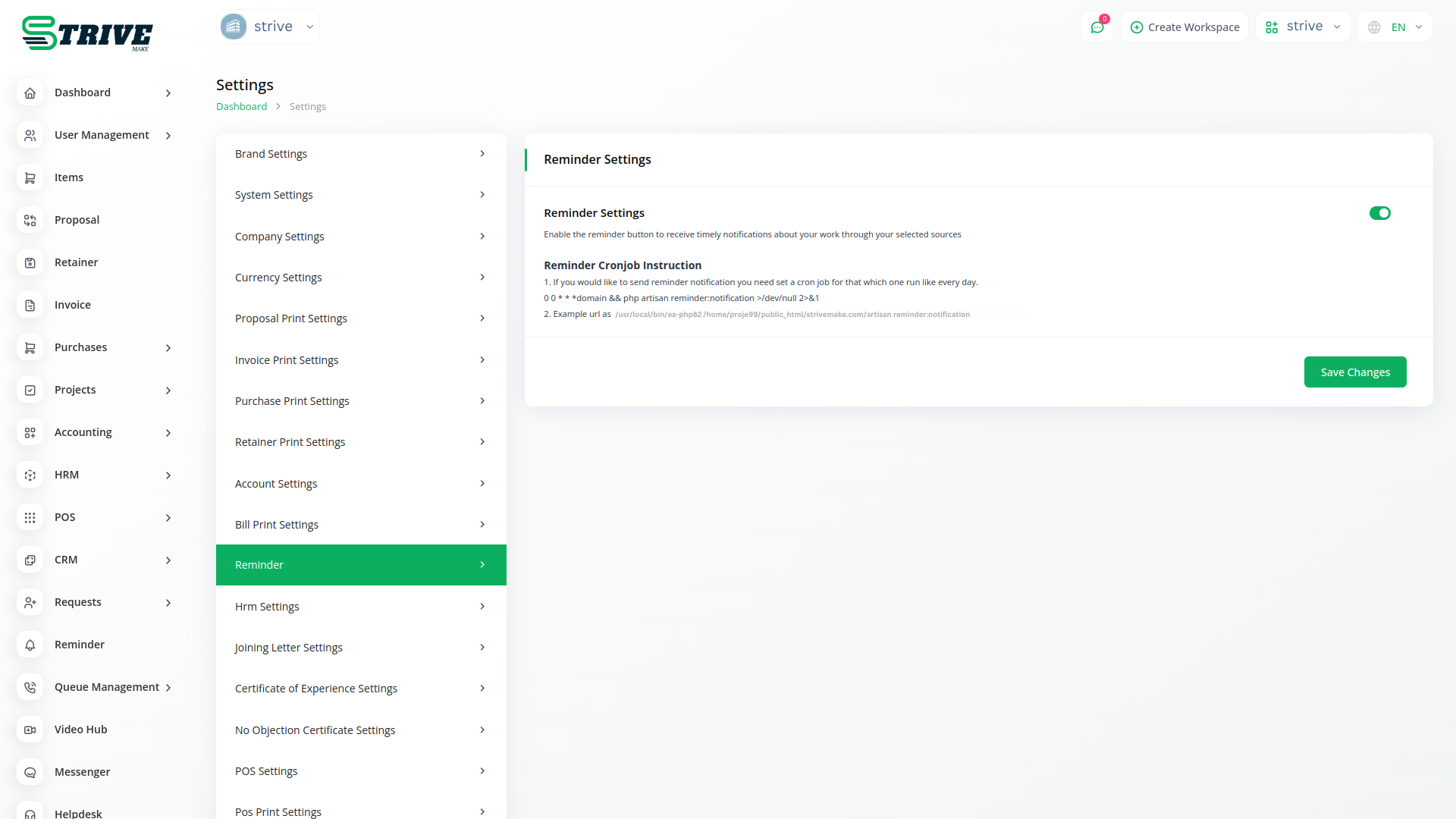
Welcome to the Reminder Module
The Reminder Module of StriveMake provides a simple yet powerful tool for managing your reminders. With this feature, you can create new reminders as needed and select from various sources through which you want to receive them.
Create Custom Reminders
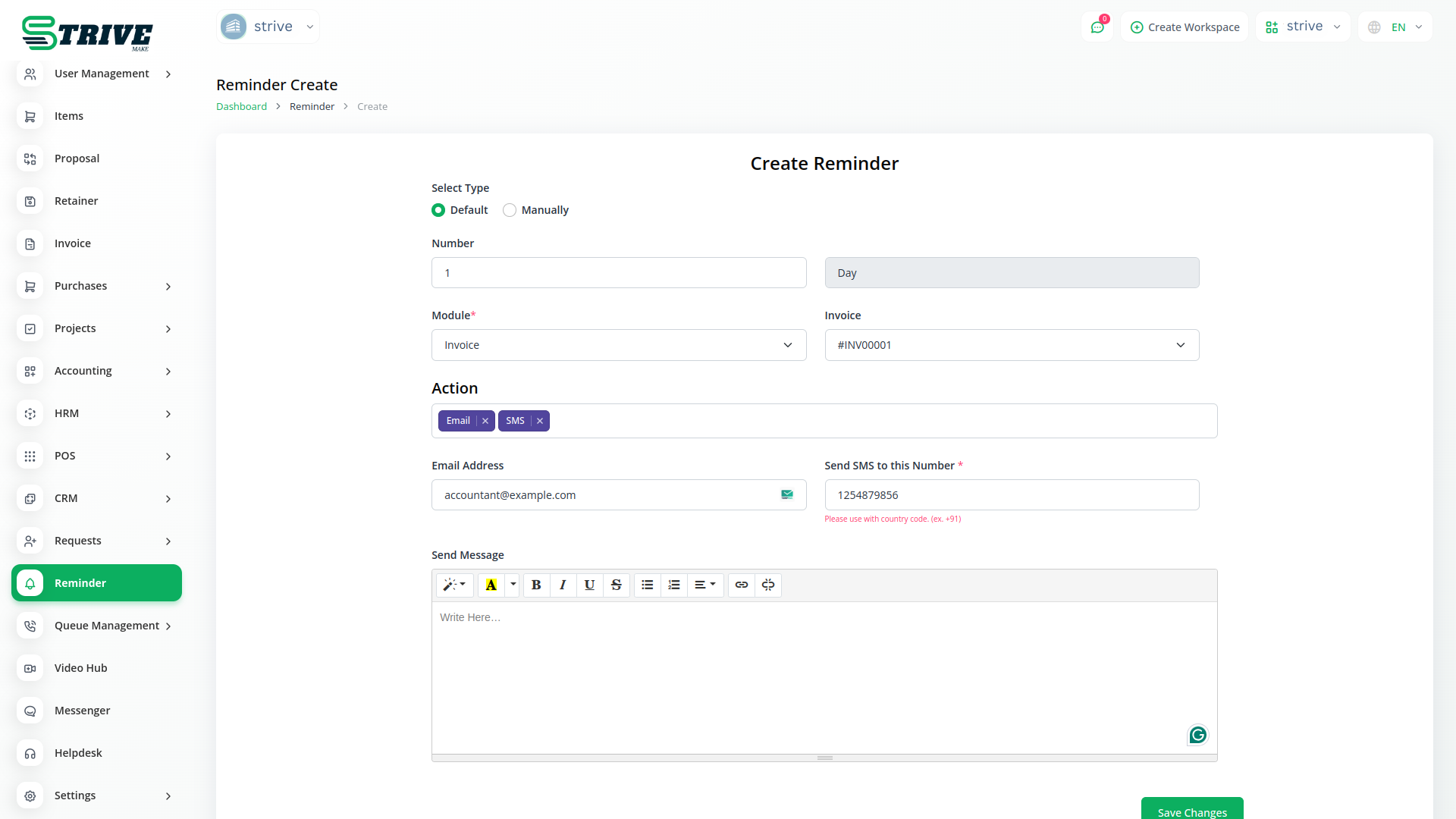
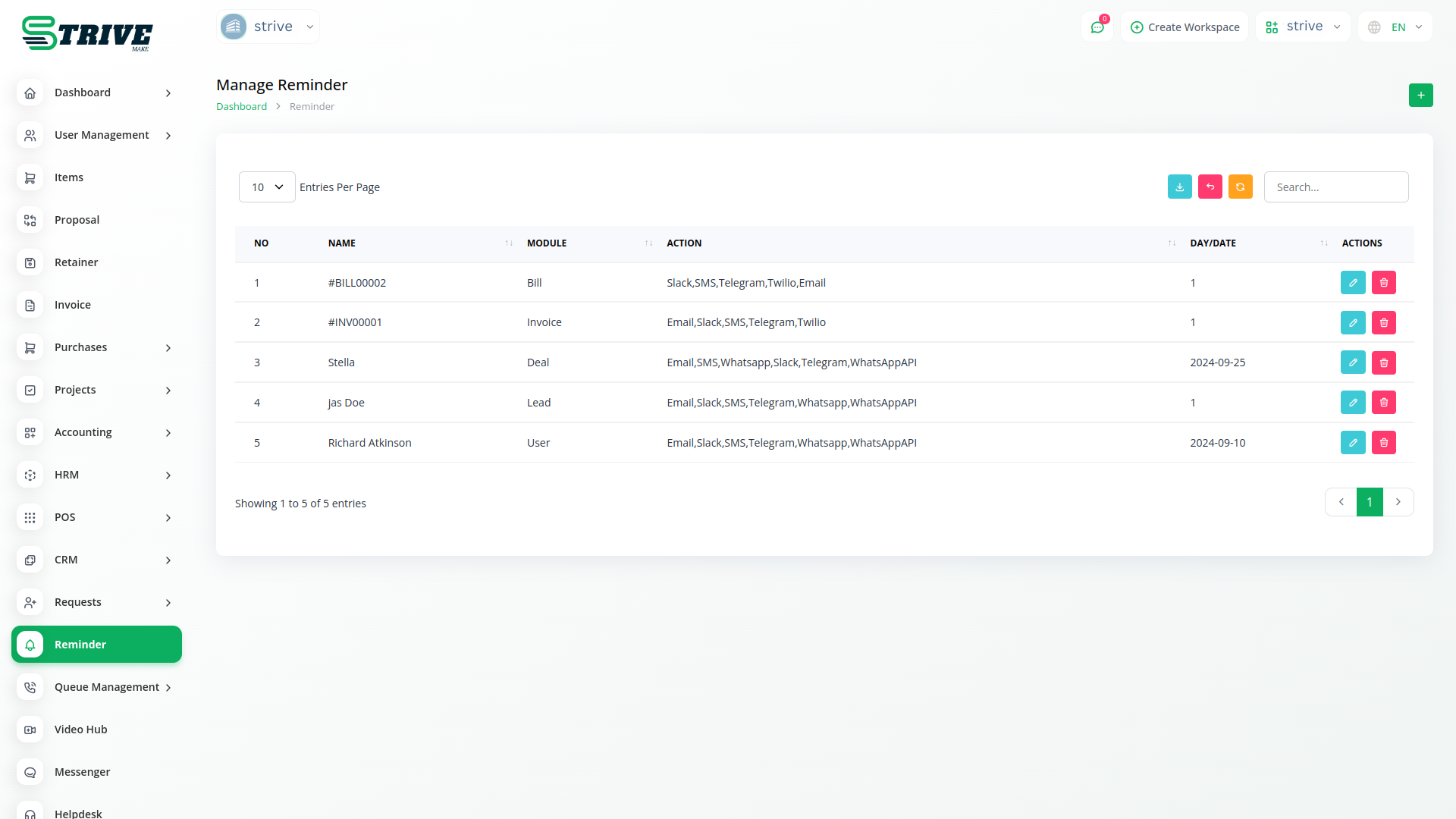
Creating new reminders is quick and easy. Simply input the details of your reminder, including the action, date, and any messages. Whether it's a lead, invoice, bill, deal, or user, our module allows you to set reminders for any event or activity effortlessly.
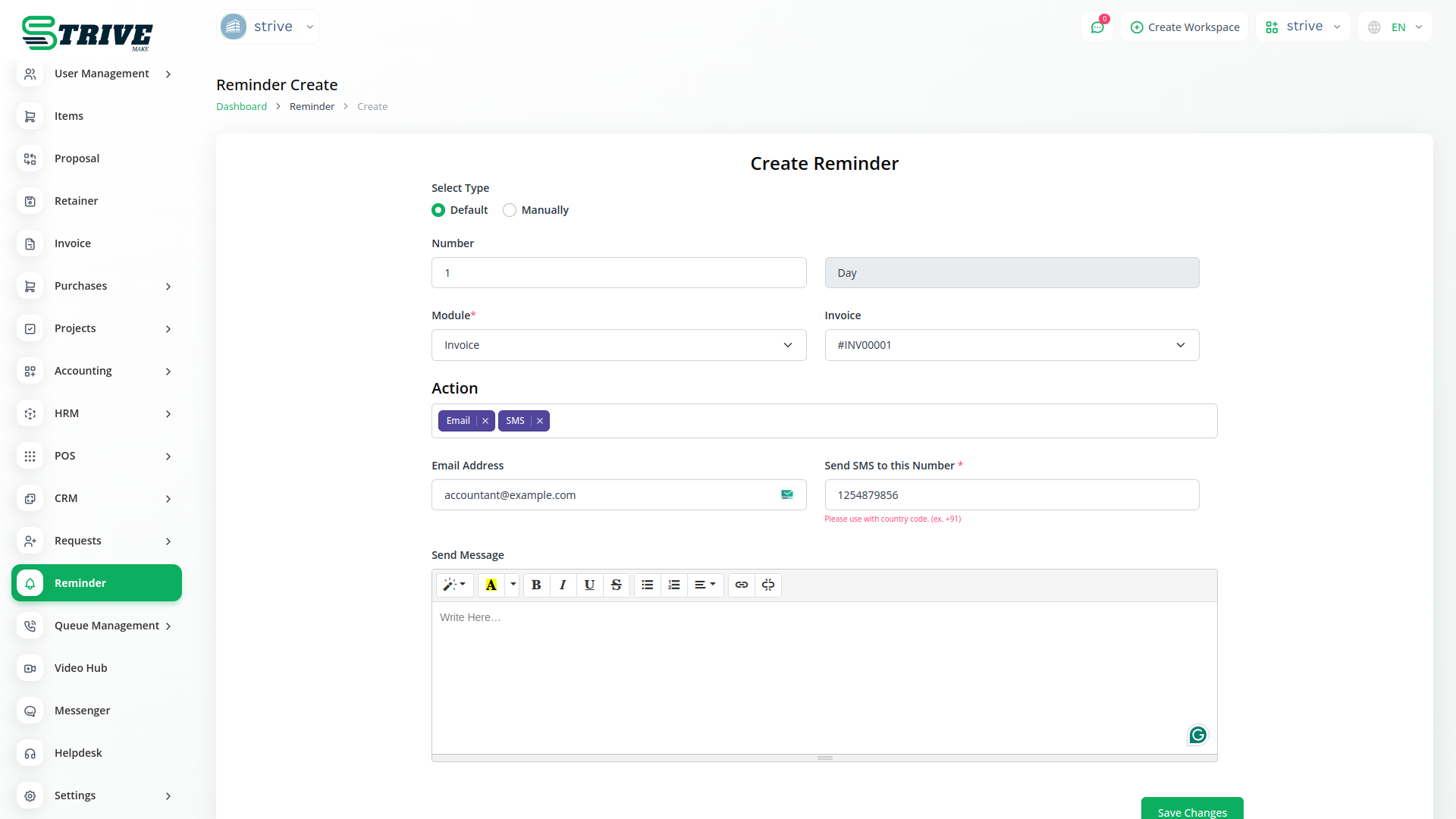
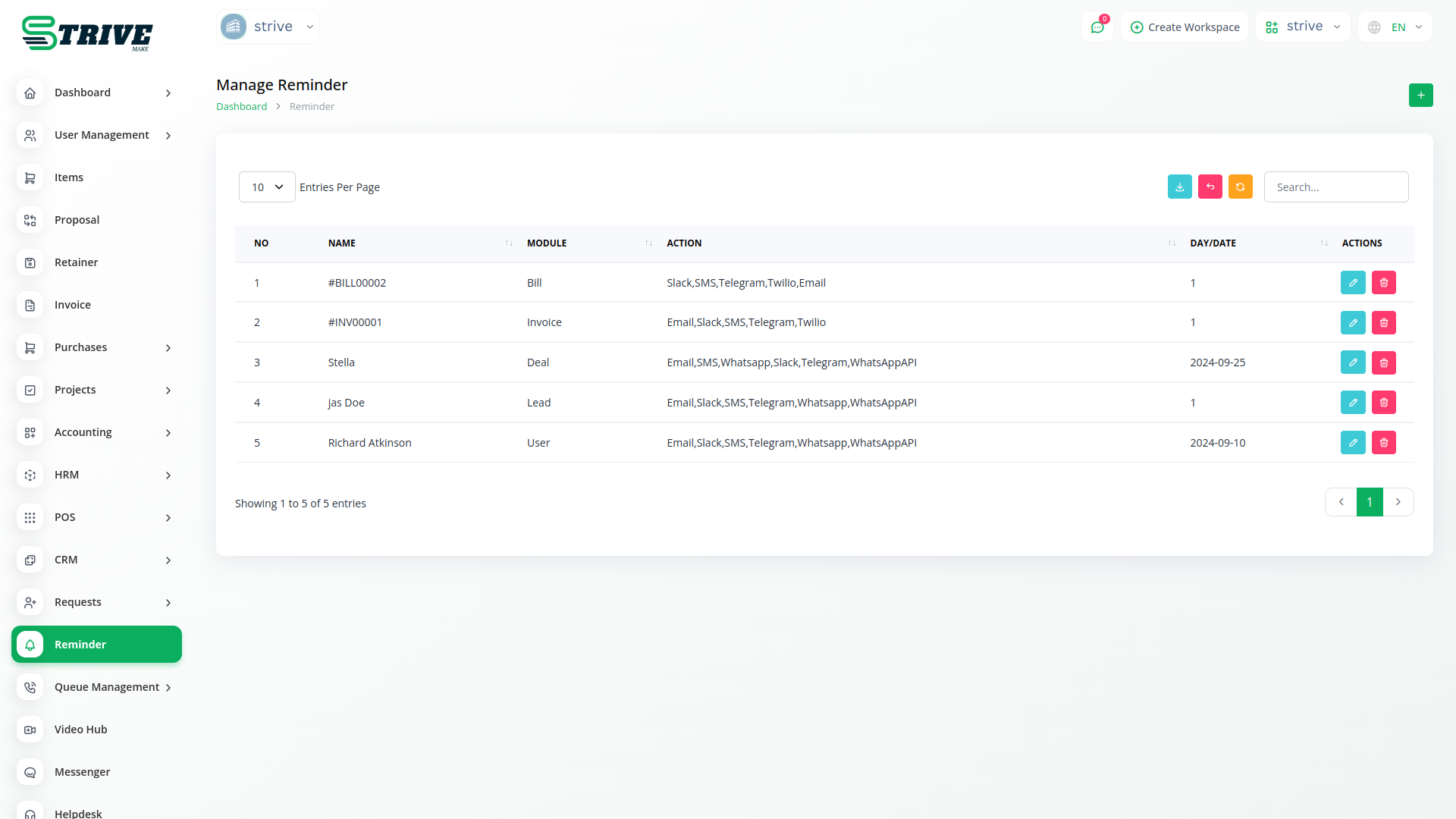
Select Reminder Sources
Choose the sources through which you want to receive reminders. Whether it's WhatsApp, Slack, Twilio, or any other application, our module lets you select the platforms that are most convenient for you. This customization ensures that you receive reminders in the places you check most frequently, keeping you informed and organized.
Why choose dedicated modules for your business?
With StriveMake, you can conveniently manage all your business functions from a single location.
Empower Your Workforce with StriveMake
Access over Premium Add-ons for Accounting, HR, Payments, Leads, Communication, Management, and more, all in one place!
- Pay-as-you-go
- Unlimited installation
- Secure cloud storage
- Instant activation
- Cancel anytime
- All updates included
- 24/7 priority support
- Instant activation
- Cancel anytime
- All updates included
- 24/7 priority support
About the Reminder add-on
Reminder keeps important tasks, follow-ups, and deadlines from slipping by sending timely prompts to the right people. Used inside StriveMake, reminders attach to the deals, projects, clients, and HR records already in your workspace, so a nudge always points back to real context. This means your team acts on the right thing at the right moment without leaving the platform, keeping CRM follow-ups, project deadlines, and operational tasks on track under one login alongside your reports.
What you can do with Reminder
- Set reminders for tasks, follow-ups, and deadlines
- Attach reminders to records across modules
- Notify the responsible team member on time
- Keep follow-ups tied to CRM, projects, and HR context
Who Reminder is for
Busy teams that need timely nudges so follow-ups and deadlines never fall through the cracks.
Reminder — frequently asked questions
What does the Reminder add-on do?
The Reminder add-on sends timely prompts for tasks, follow-ups, and deadlines inside StriveMake. You attach reminders to the records they relate to, so when a notification arrives the team member knows exactly what it concerns and can act, keeping important work from being forgotten.
How much does the Reminder add-on cost?
The Reminder add-on is $3,00/month or $29,00/year on top of your StriveMake plan, and you can turn it off whenever you like.
Can I link a reminder to a specific deal or project?
Yes. Reminders connect to the deals, projects, clients, and other records in your workspace, so each prompt carries its context. Instead of a vague to-do, your team gets a nudge tied to the exact customer or task it relates to, making follow-up quick and accurate.
Does Reminder work with the rest of StriveMake?
It does. Reminders draw on records from your CRM, projects, HR, and other modules under one login. Because every prompt is anchored to live workspace data, reminders keep your whole operation on schedule rather than living in a disconnected list.
Related modules you might like
With StriveMake, you can conveniently manage all your business functions from a single location.


