Requests
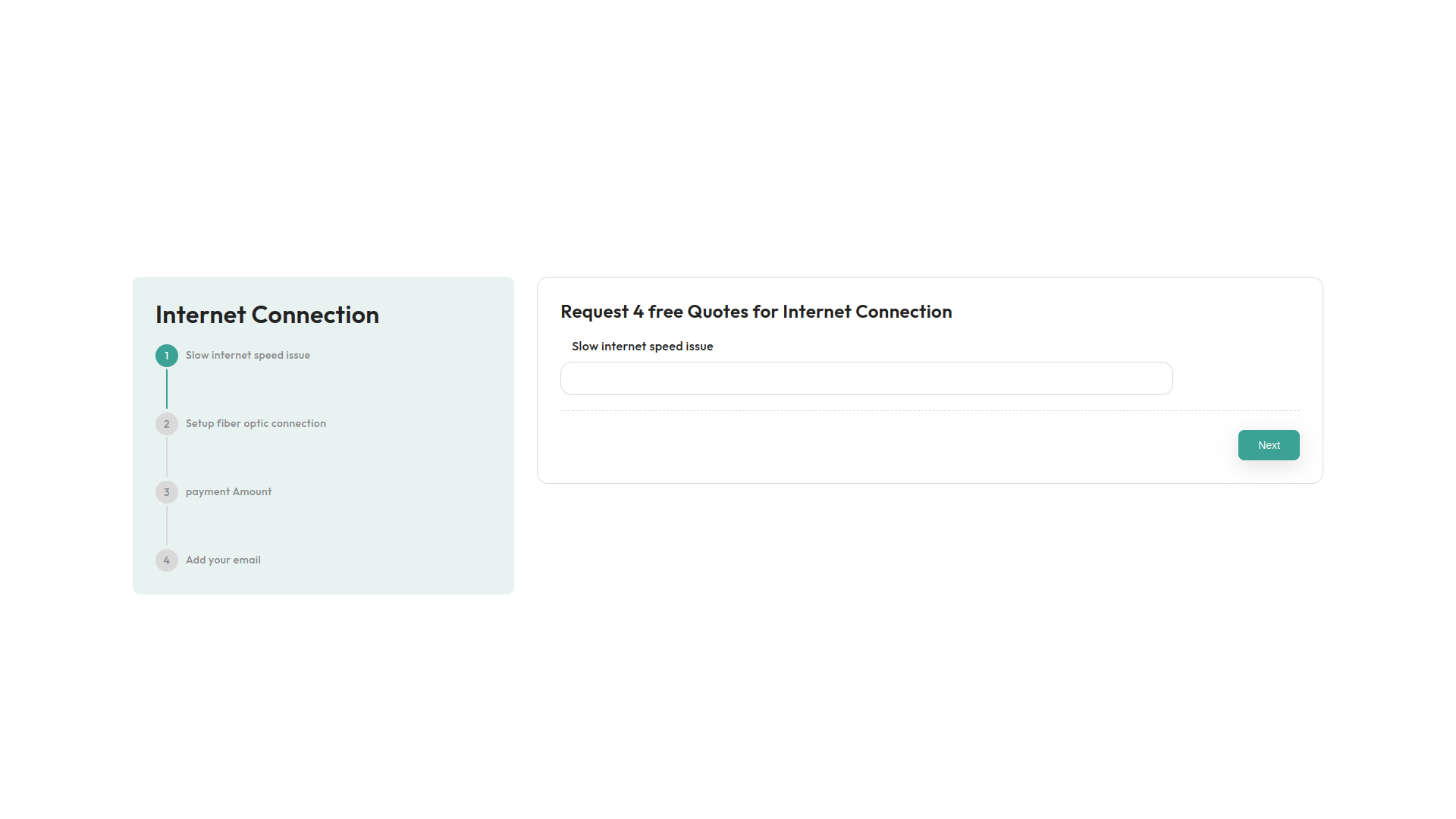
The Requests Module simplifies the process of making your forms accessible. Once you have designed your custom form using the user-friendly interface, just click Publish. The module will generate a shareable link or embed code, making it easy to integrate into your website or application. This ensures your form is instantly available to users, allowing you to gather important data, feedback, or inquiries effortlessly. The Requests Module streamlines the sharing and implementation of your forms, making it quick and straightforward.
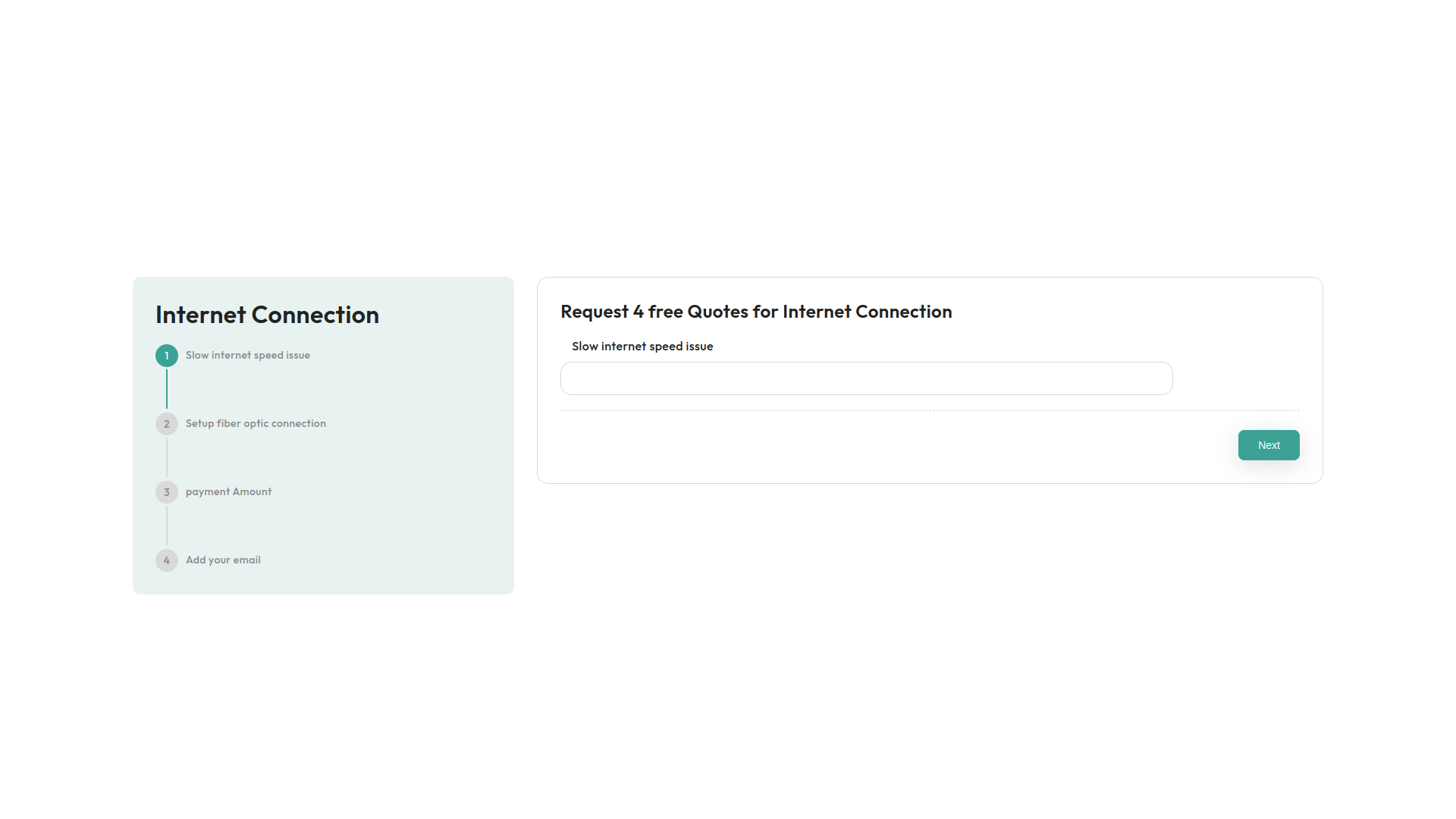
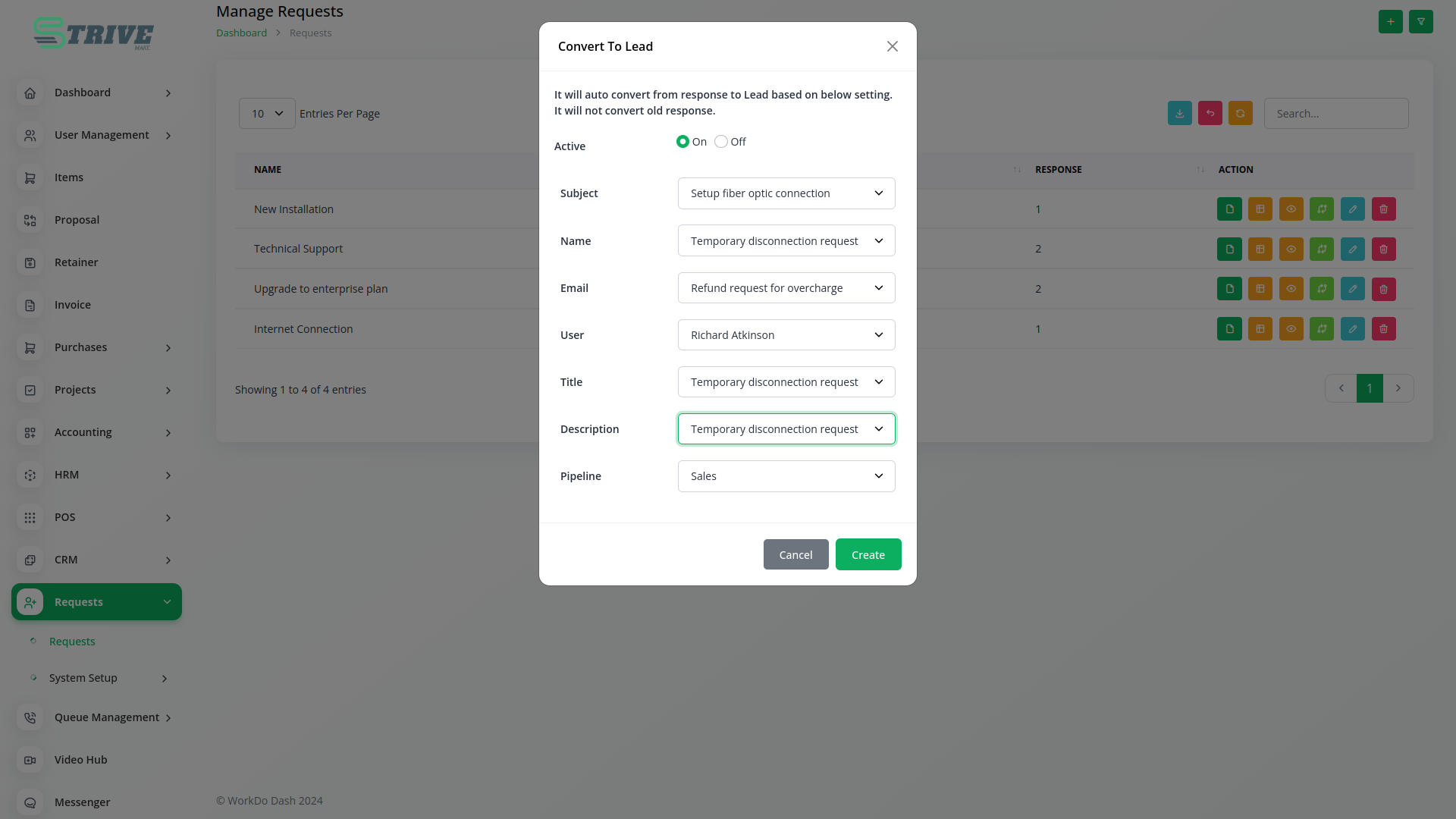
Add Request module, using this provides create lead option
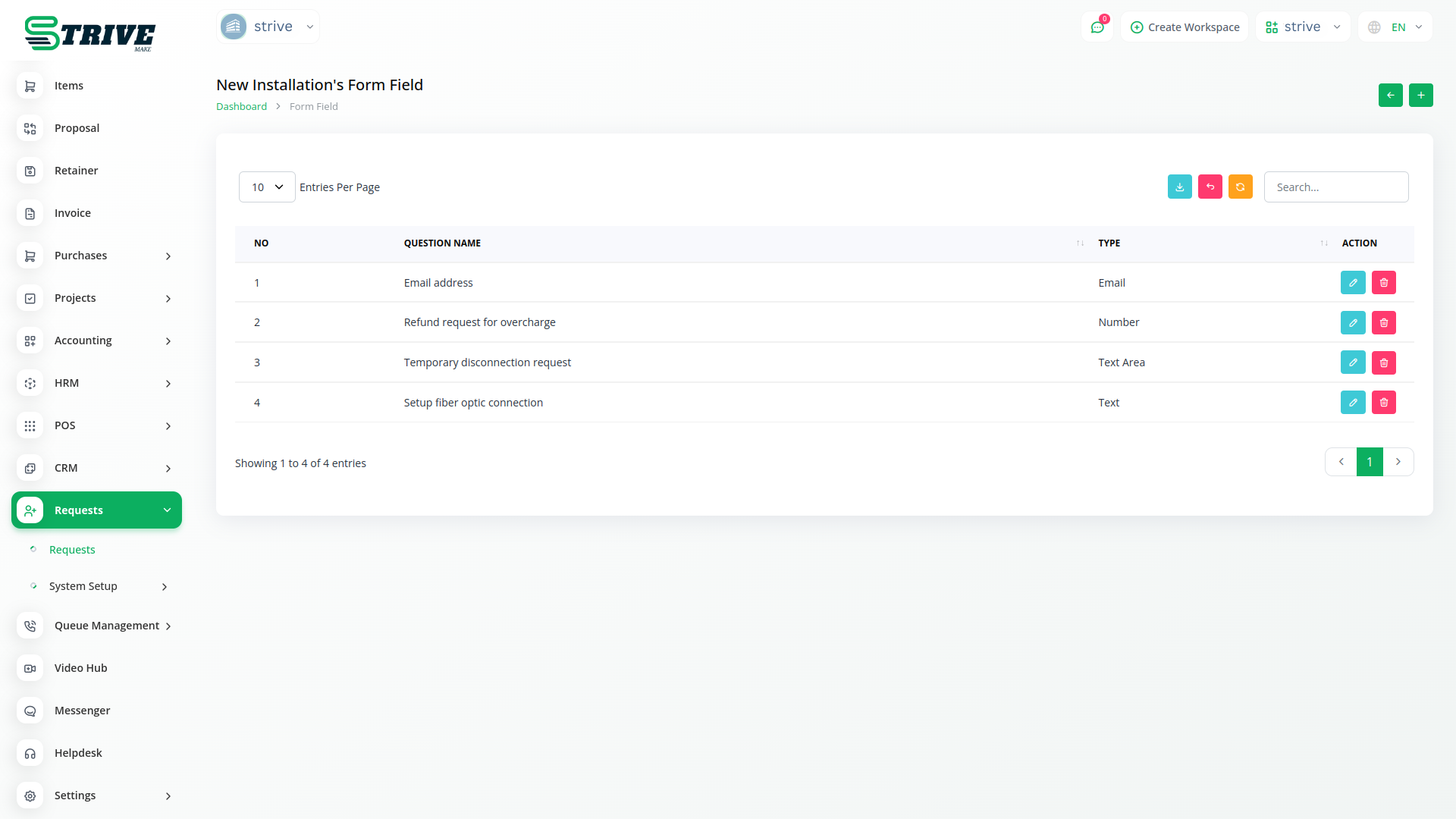
Customizable to align with branding and design preferences, Request generates leads from various websites. It allows for the creation and management of essential forms with diverse fields, including Text, Email, Numeric, and Description fields.
Designing Your Request Forms.
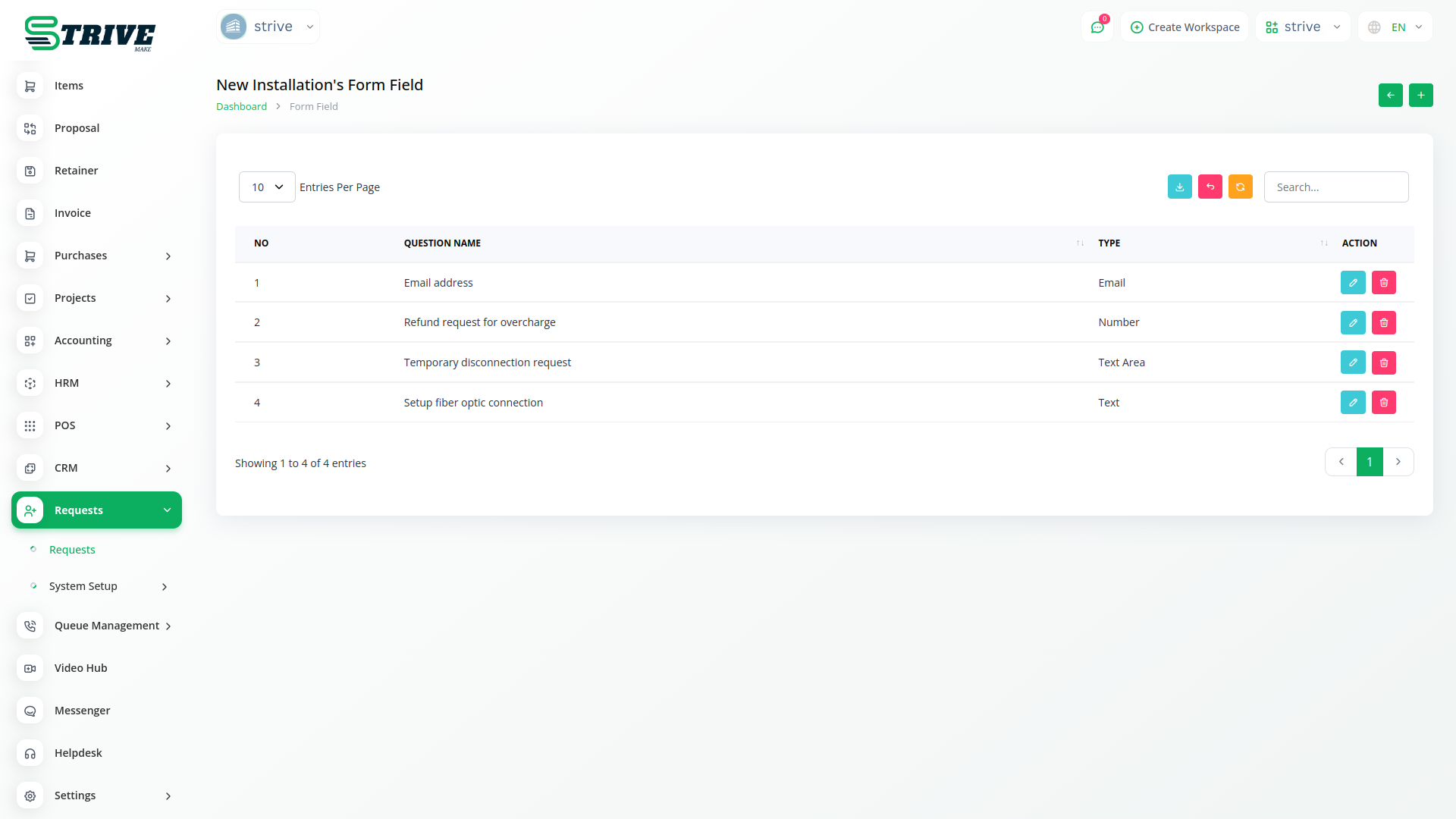
Creating fields in the Requests Module is intuitive and easy. Using the straightforward interface, you can choose from various field types, such as Text, Email, Number, Date, and more. You can then customize each field’s properties, including labels, placeholders, and validation rules, to match your specific needs. The Requests Module’s design ensures you can build customized forms with the exact fields required, all with minimal effort.
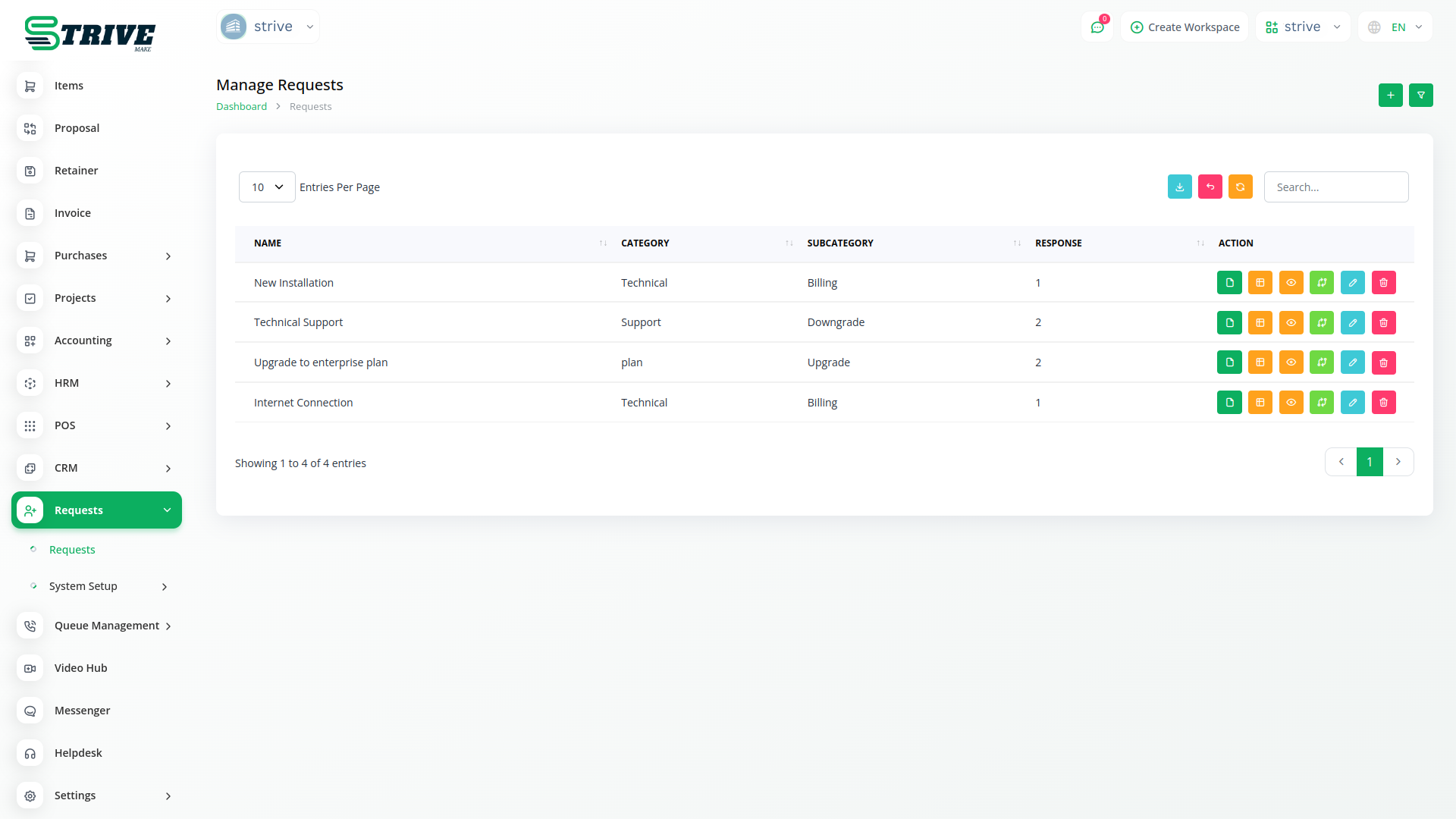
Efficient Request Management: Leveraging Powerful Actions
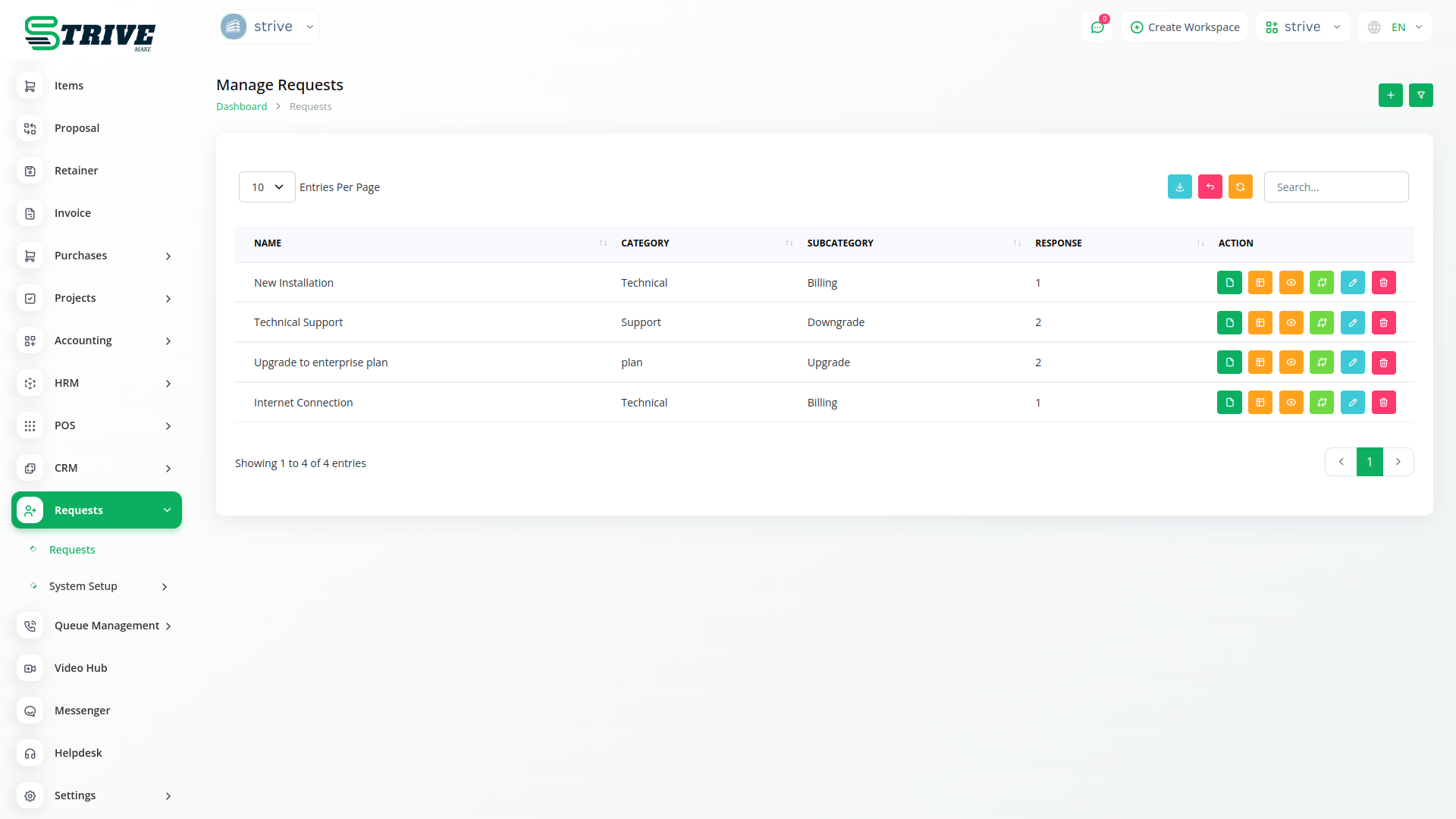
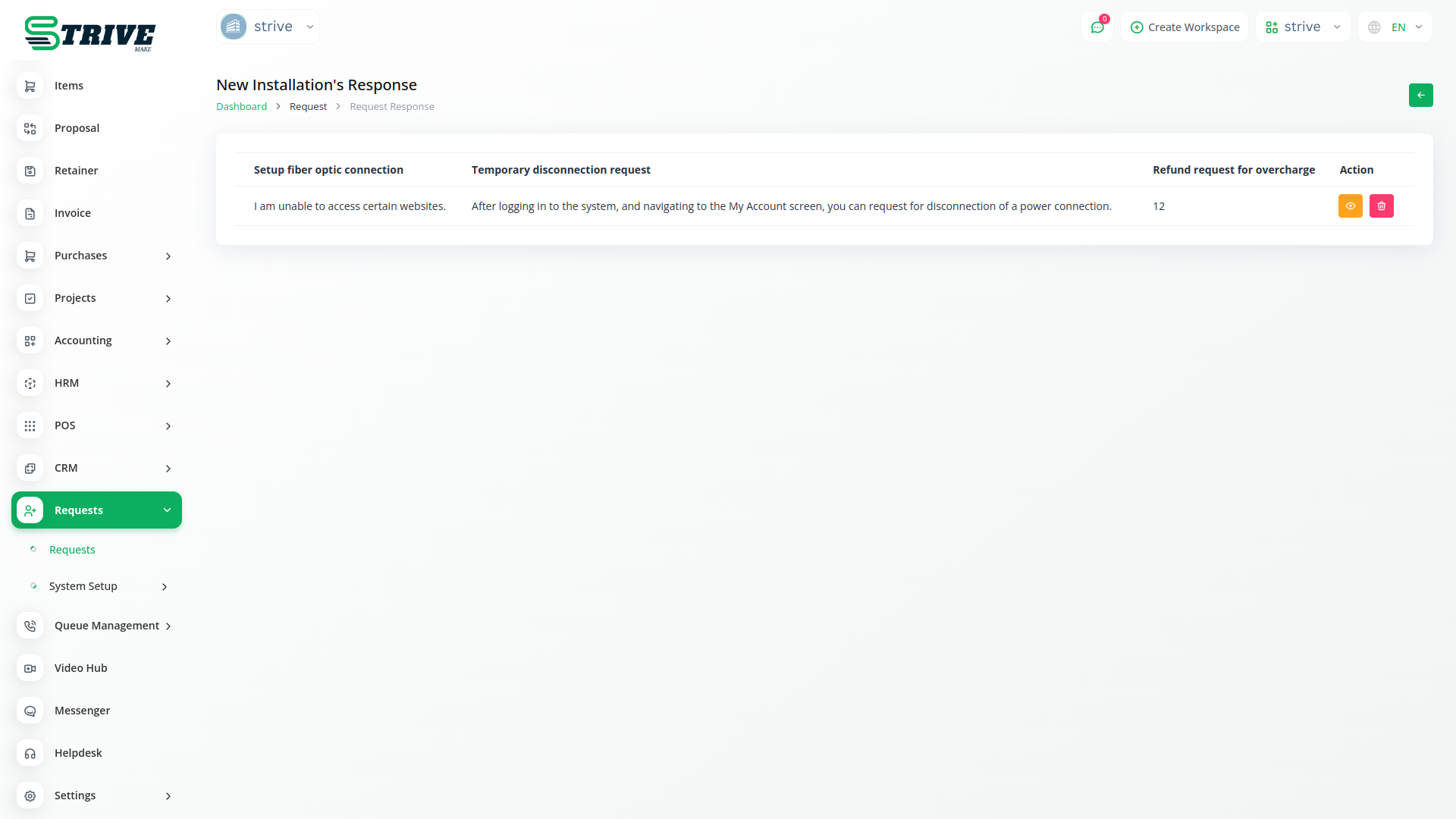
In the Actions section of the platform, you all find numerous features designed to enhance your workflow. You can quickly copy the request link, edit or view form fields, review responses, and convert requests into leads or CRM entries with ease. When you transform a request into a lead, all details are seamlessly moved to the lead column. Alternatively, converting it into a CRM entry allows for straightforward form completion directly from the front end. Additionally, you have the option to rename the form to suit your preferences, providing added flexibility.
Why choose dedicated modules for your business?
With StriveMake, you can conveniently manage all your business functions from a single location.
Empower Your Workforce with StriveMake
Access over Premium Add-ons for Accounting, HR, Payments, Leads, Communication, Management, and more, all in one place!
- Pay-as-you-go
- Unlimited installation
- Secure cloud storage
- Instant activation
- Cancel anytime
- All updates included
- 24/7 priority support
- Instant activation
- Cancel anytime
- All updates included
- 24/7 priority support
About the Requests add-on
Requests gives your organization a structured channel for staff and customers to submit asks, from time off and equipment to service and approvals, and routes them to the right people for review. Inside StriveMake those requests connect to the HR, project and customer data behind them, so an approver sees full context and decisions flow into the records they affect. One login keeps intake, review and resolution in the same workspace your teams already use.
What you can do with Requests
- Submit and categorize requests in a structured queue
- Route requests to the right approver or team
- Track status from submission to resolution
- Connect requests to HR, project and customer records
Who Requests is for
Teams that handle internal or customer requests and want a clear intake, approval and tracking process.
Requests — frequently asked questions
What does the Requests add-on do?
It provides a structured system for submitting and managing requests inside StriveMake, whether from staff or customers. Each request is categorized, routed to the right approver and tracked from submission to resolution, so asks do not get lost in email and everyone can see where a request stands at any time.
How much does the Requests add-on cost?
The Requests add-on is $5,00/month or $48,00/year on top of your StriveMake plan, and you can turn it off whenever you like.
How are requests approved and tracked?
Requests move through a clear queue where they are routed to the appropriate person or team for review, then tracked by status until they are resolved. Approvers see the context they need to decide, and the history of each request stays recorded so you can audit how and when it was handled.
Does Requests work with the rest of StriveMake?
Yes. Because Requests runs in your StriveMake workspace, submissions connect to HR, project and customer data through one login. A time-off request ties to the employee record and a service request ties to the customer, so approvals flow into the systems they affect instead of staying isolated.
Related modules you might like
With StriveMake, you can conveniently manage all your business functions from a single location.


