Google Form
Simplify your form workflows with powerful Google Form integration—secure login, real-time response tracking, and dynamic form creation in one place. Build reusable templates, customize fields, and sync with Google Form instantly.
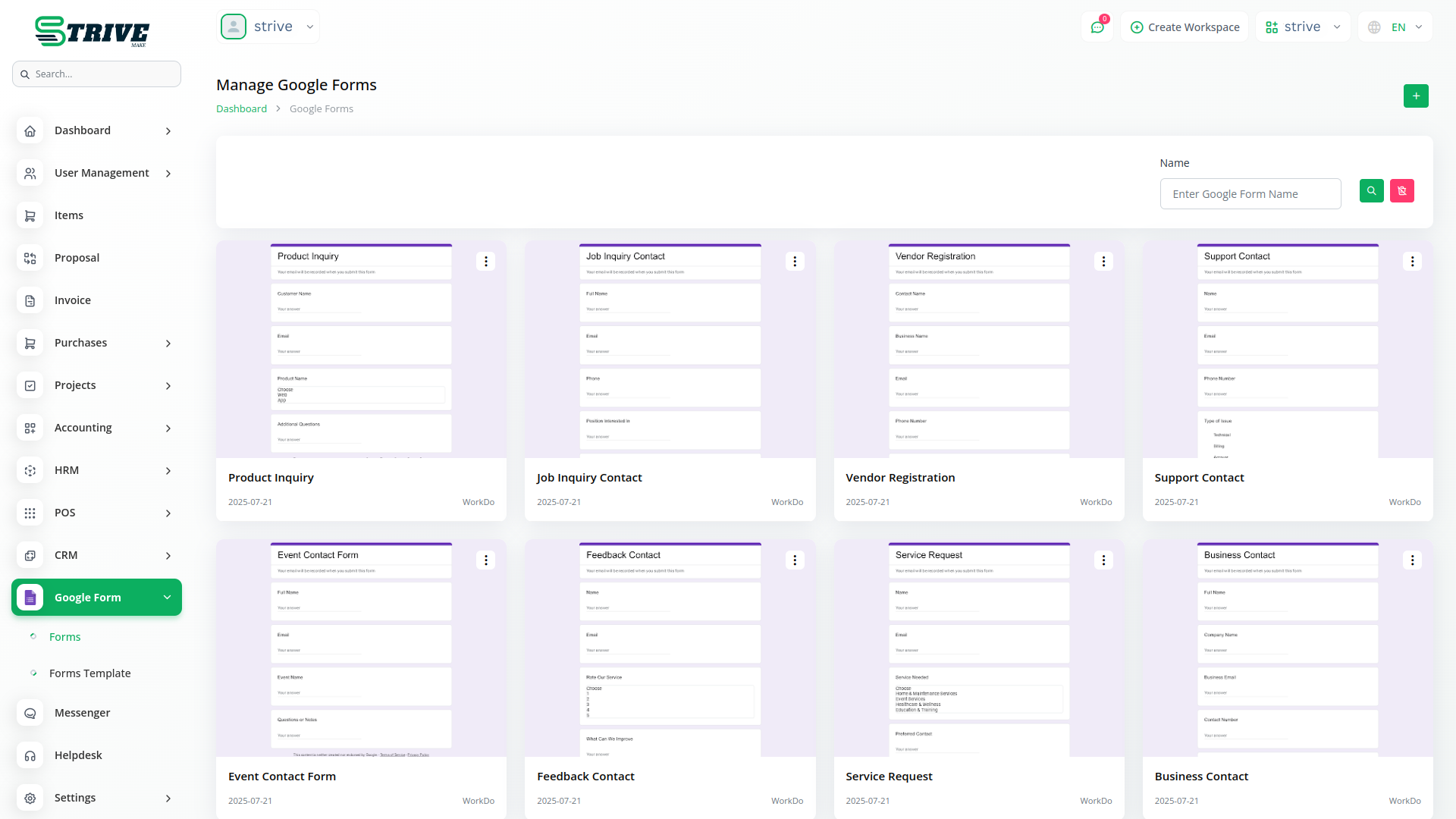
Google Form Integration in Strivemake
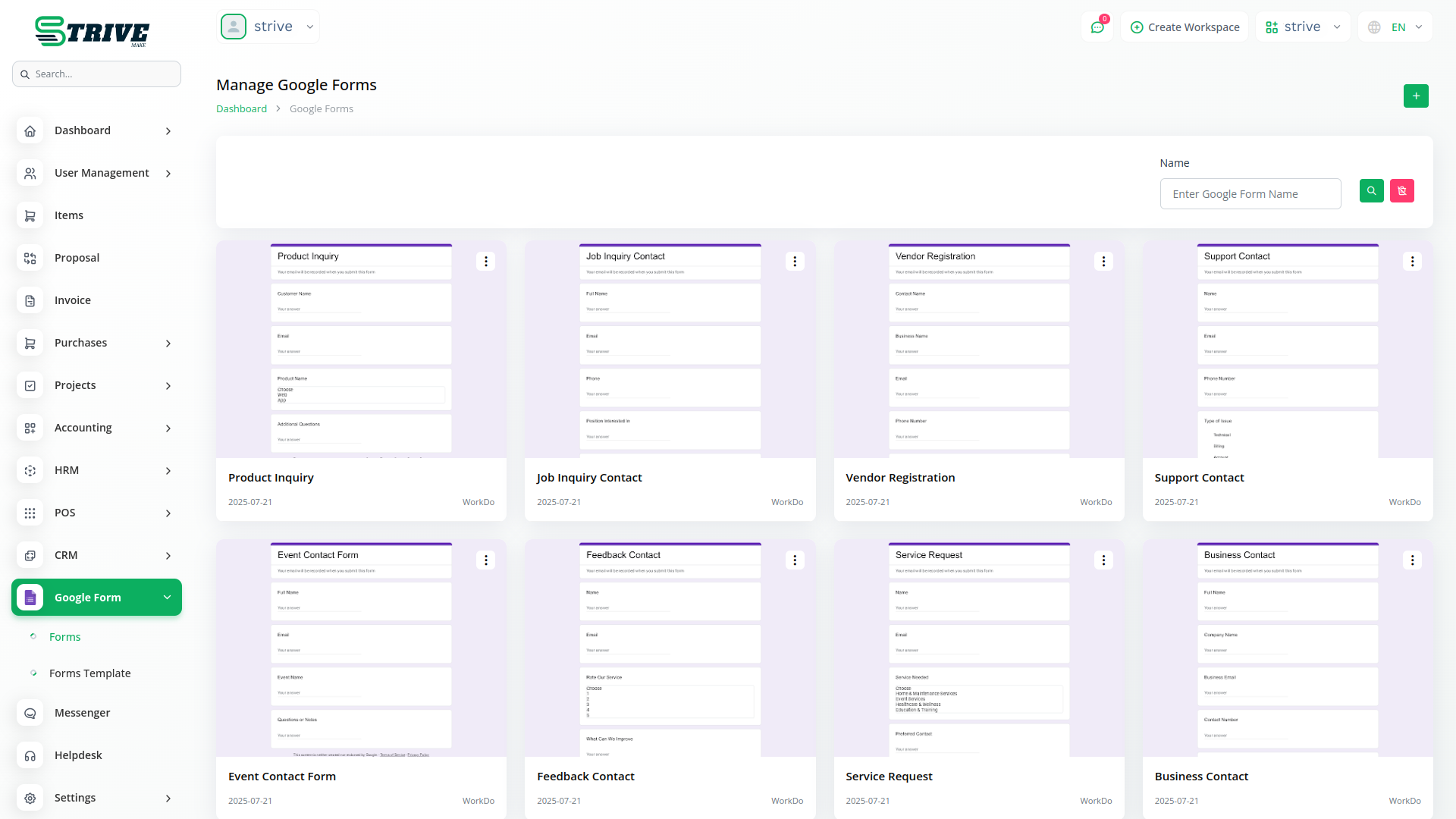
Connect your Google account to easily manage Google Forms directly within the platform. Create, edit, and delete forms without leaving your workspace. Enjoy real-time syncing, streamlined workflows, and centralized access to all your forms.
Secure Google Account Integration for Forms
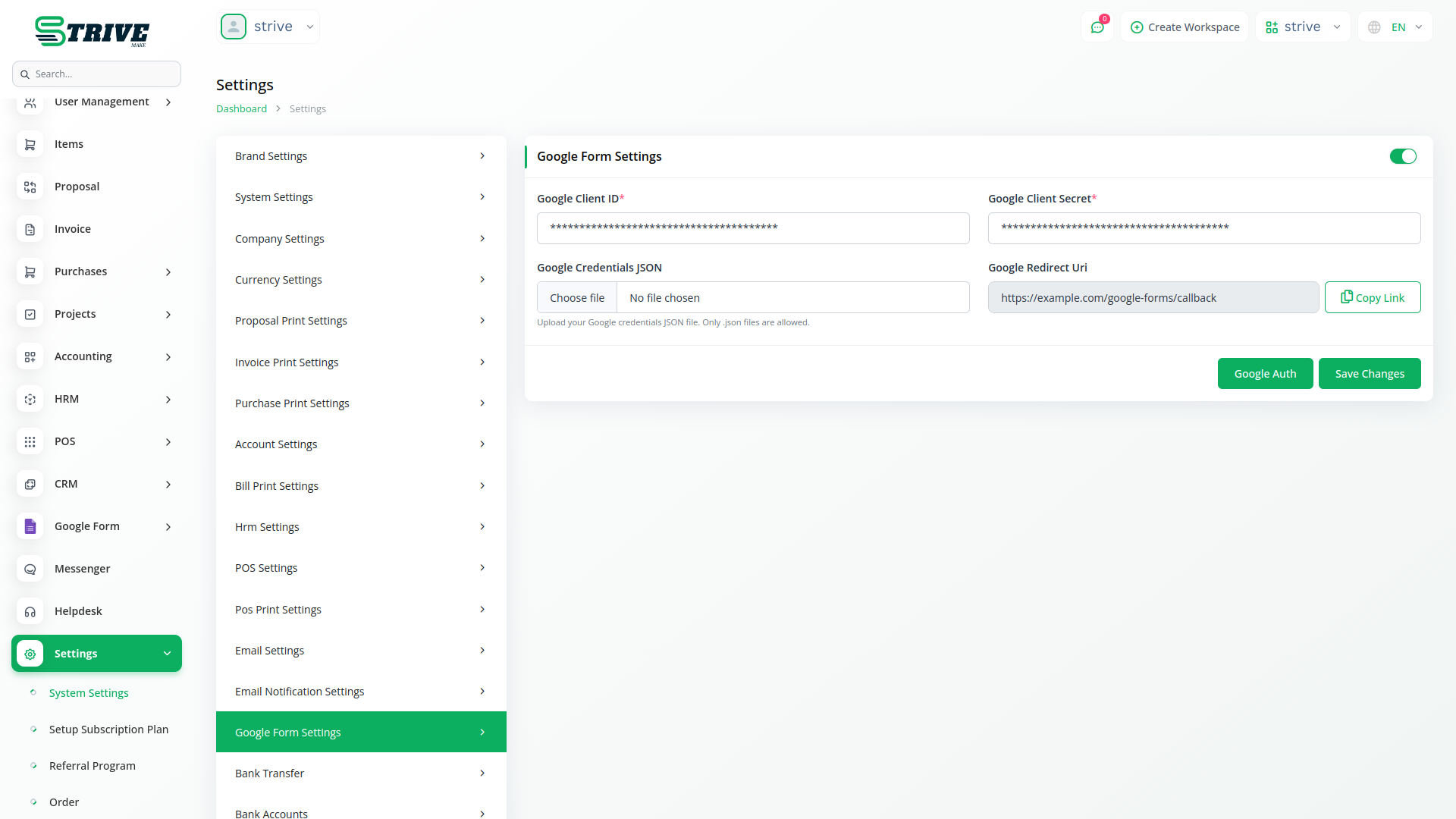
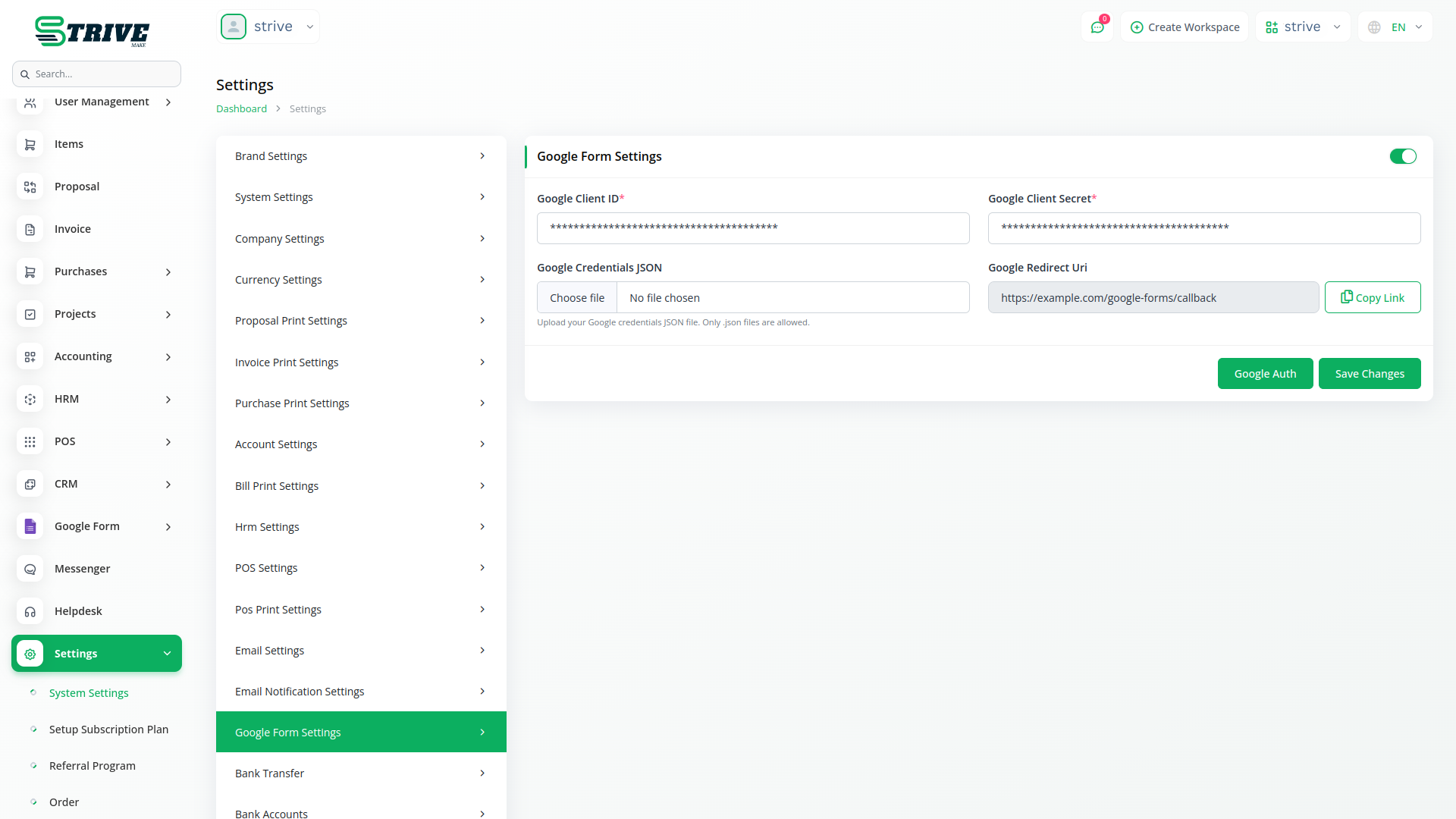
Seamlessly connect your Google account to access Google Forms through secure OAuth authentication. The system provides automated authorization workflows with proper callback URL configuration and credential management. Users can upload JSON files for quick credential setup, while the platform maintains secure token storage for continuous access. The integration supports both personal and business Google accounts with proper scope permissions. The system handles webhook URL configuration and maintains secure client credentials for uninterrupted service.
Advanced Google Form Builder with Full Customization Options
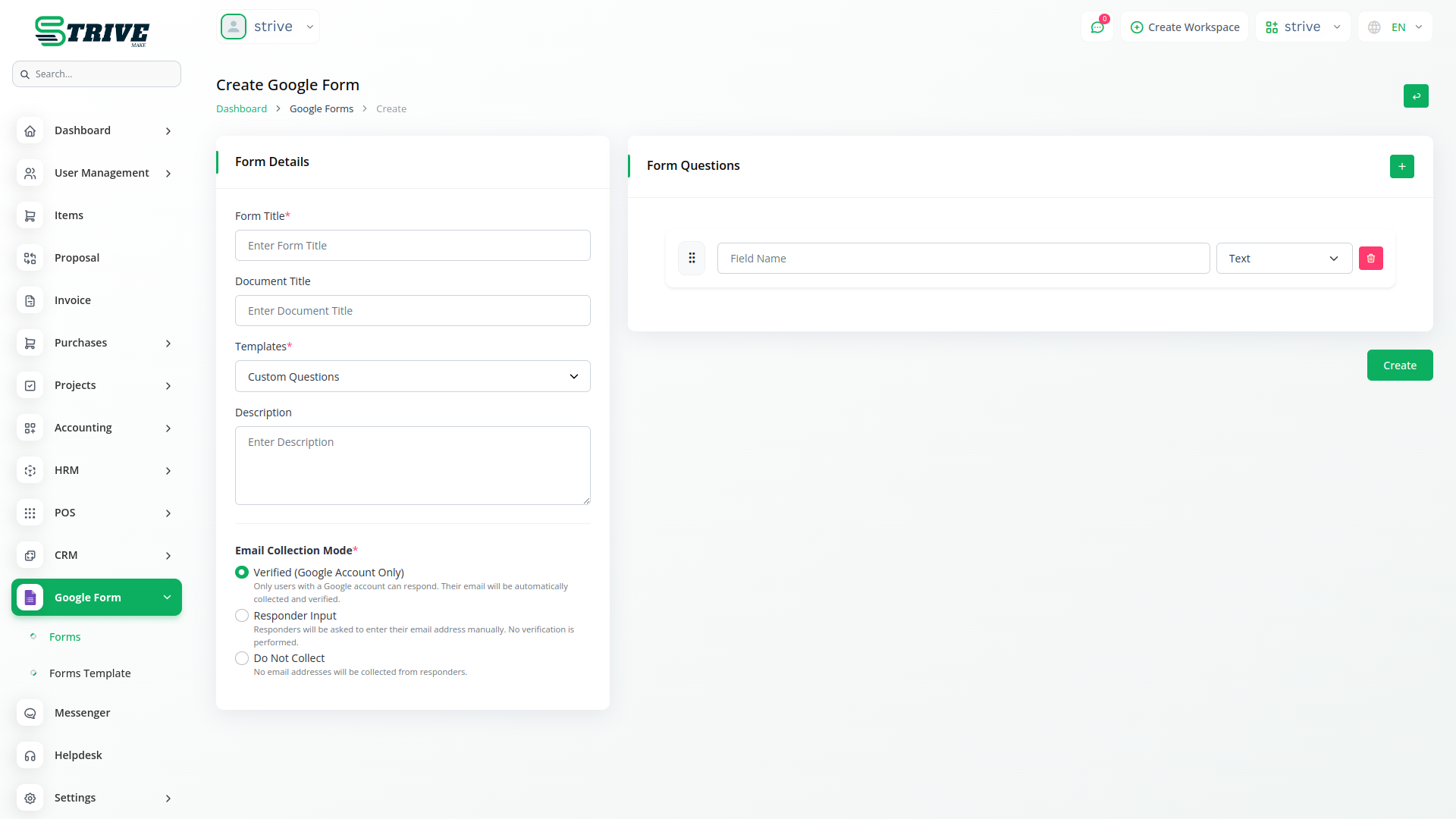
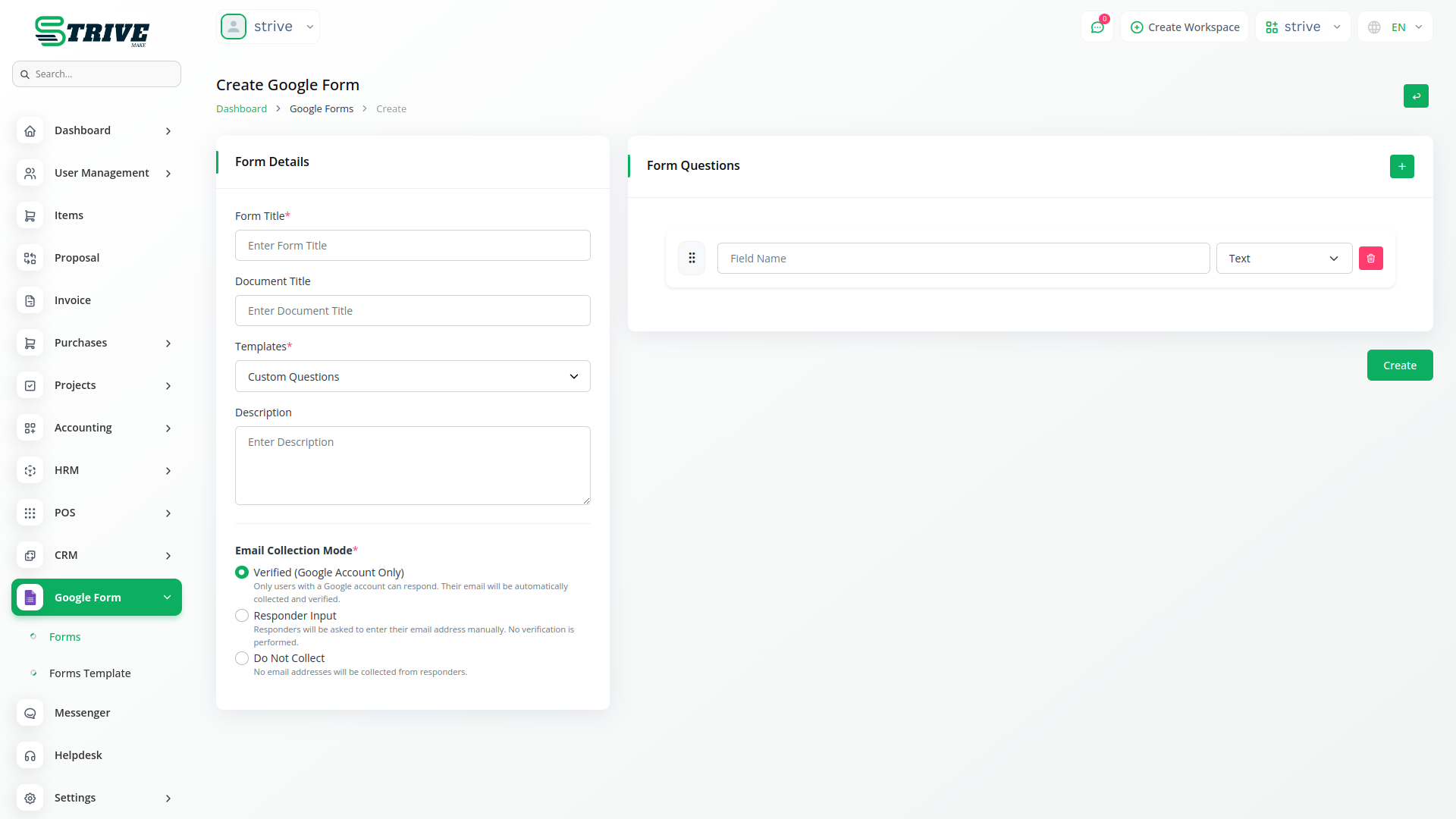
Create comprehensive Google Forms with advanced customization options, including form titles, document titles, and detailed descriptions. The system supports multiple email collection modes, including verified emails, responder input, and no collection options. Users can build forms with unlimited questions using various field types such as text, paragraph, multiple choice, checkboxes, and dropdown menus. All forms are automatically synchronized with your Google Forms account. The form builder includes template integration, allowing users to apply pre-built question sets and customize them according to specific requirements.
Flexible Template Management System for Reusable Form Layouts
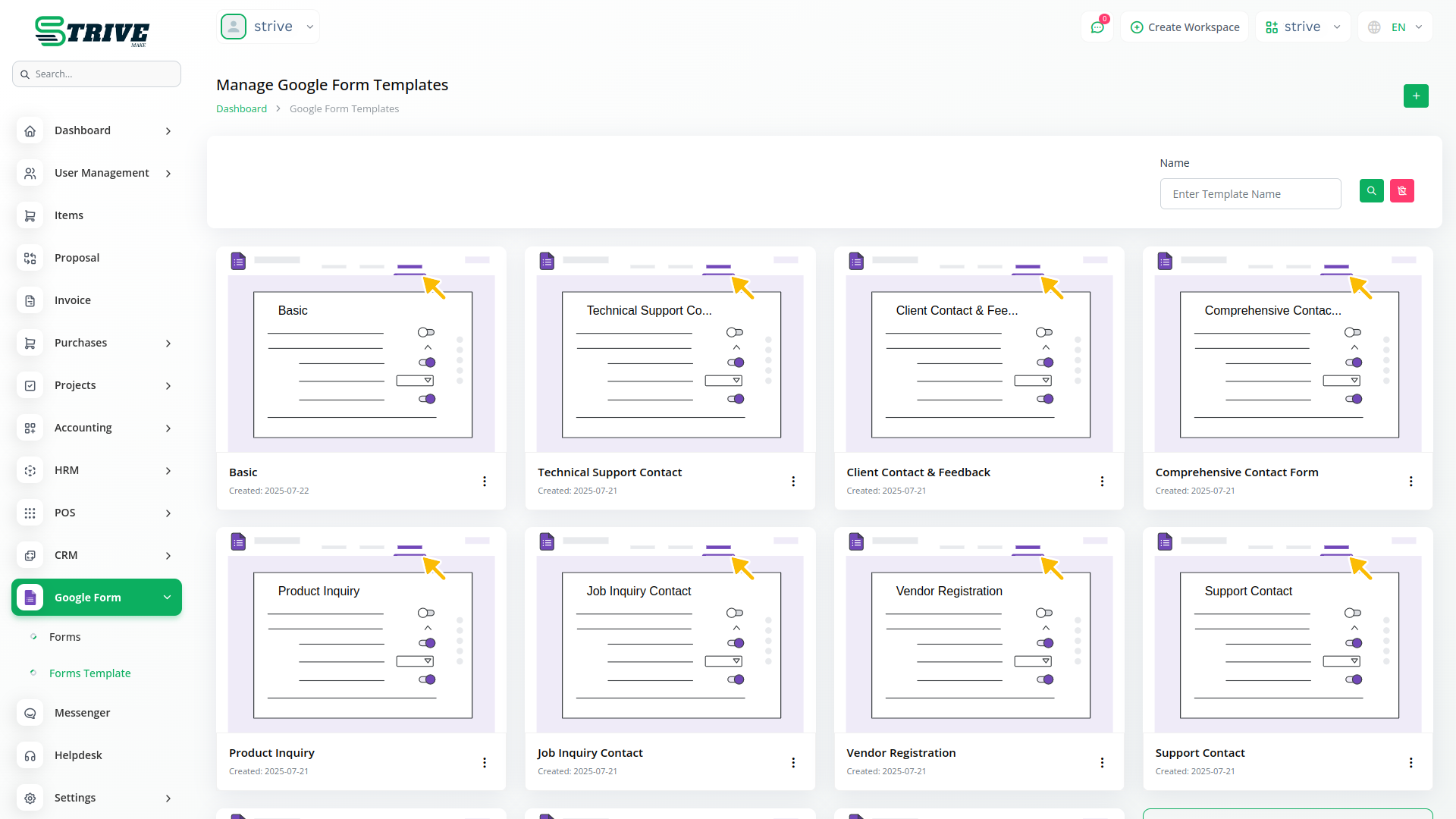
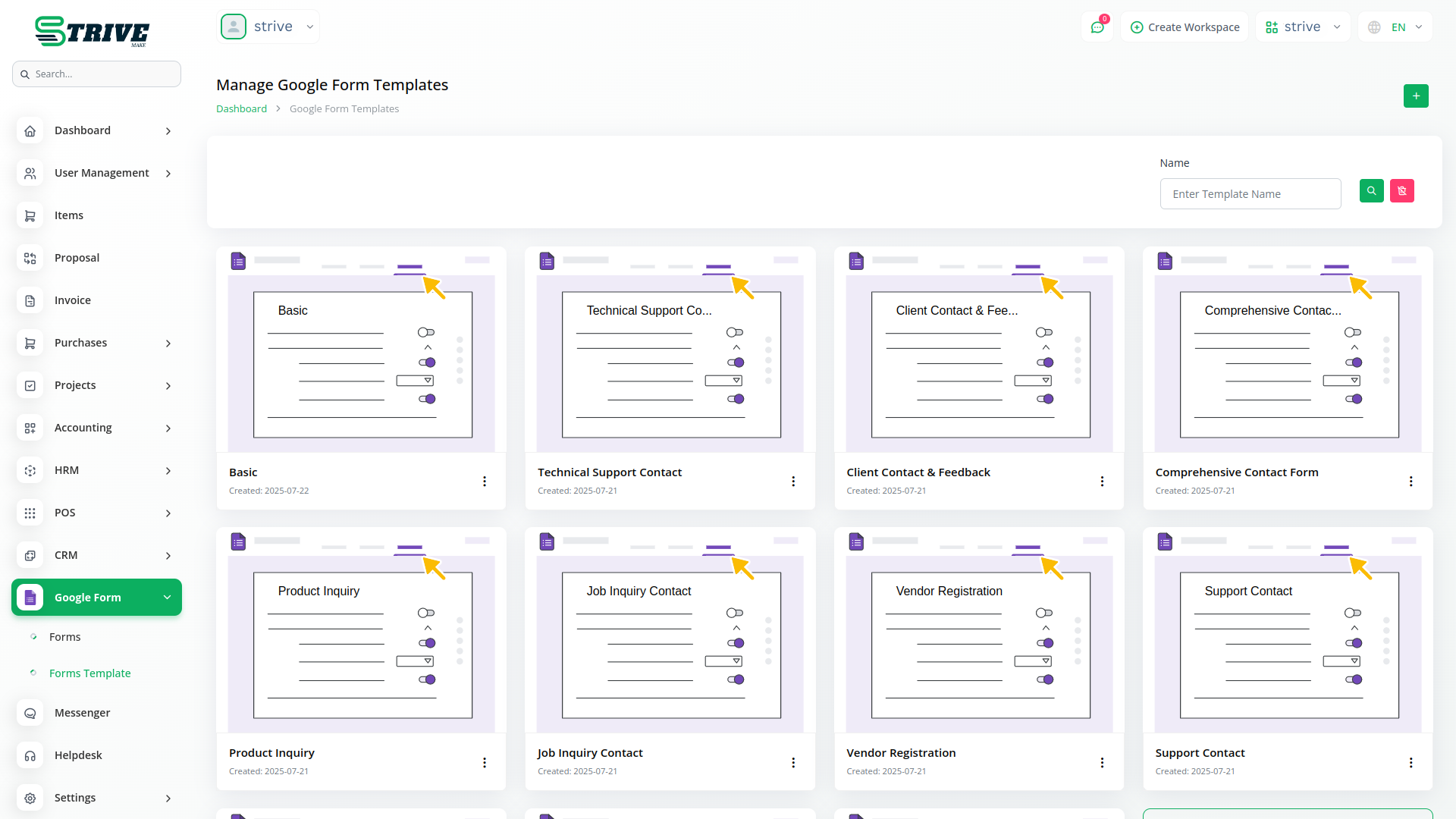
Streamline form creation with pre-built templates that can be customized and reused across multiple projects. The template system allows users to create, edit, and delete templates with structured question formats. Templates support all available question types and can be applied to new forms instantly. The system maintains template version control and provides easy access through the template library. Users can organize templates by creation date and manage template lifecycle through comprehensive CRUD operations.
Why choose dedicated modules for your business?
With Strivemake, you can conveniently manage all your business functions from a single location.
Add Google Form to your plan
Subscribe to Google Form as part of any StriveMake plan. Cancel anytime — no contracts, no hidden fees.
- Pay-as-you-go
- Unlimited installation
- Secure cloud storage
- Instant activation
- Cancel anytime
- All updates included
- 24/7 priority support
- Instant activation
- Cancel anytime
- All updates included
- 24/7 priority support
About the Google Form add-on
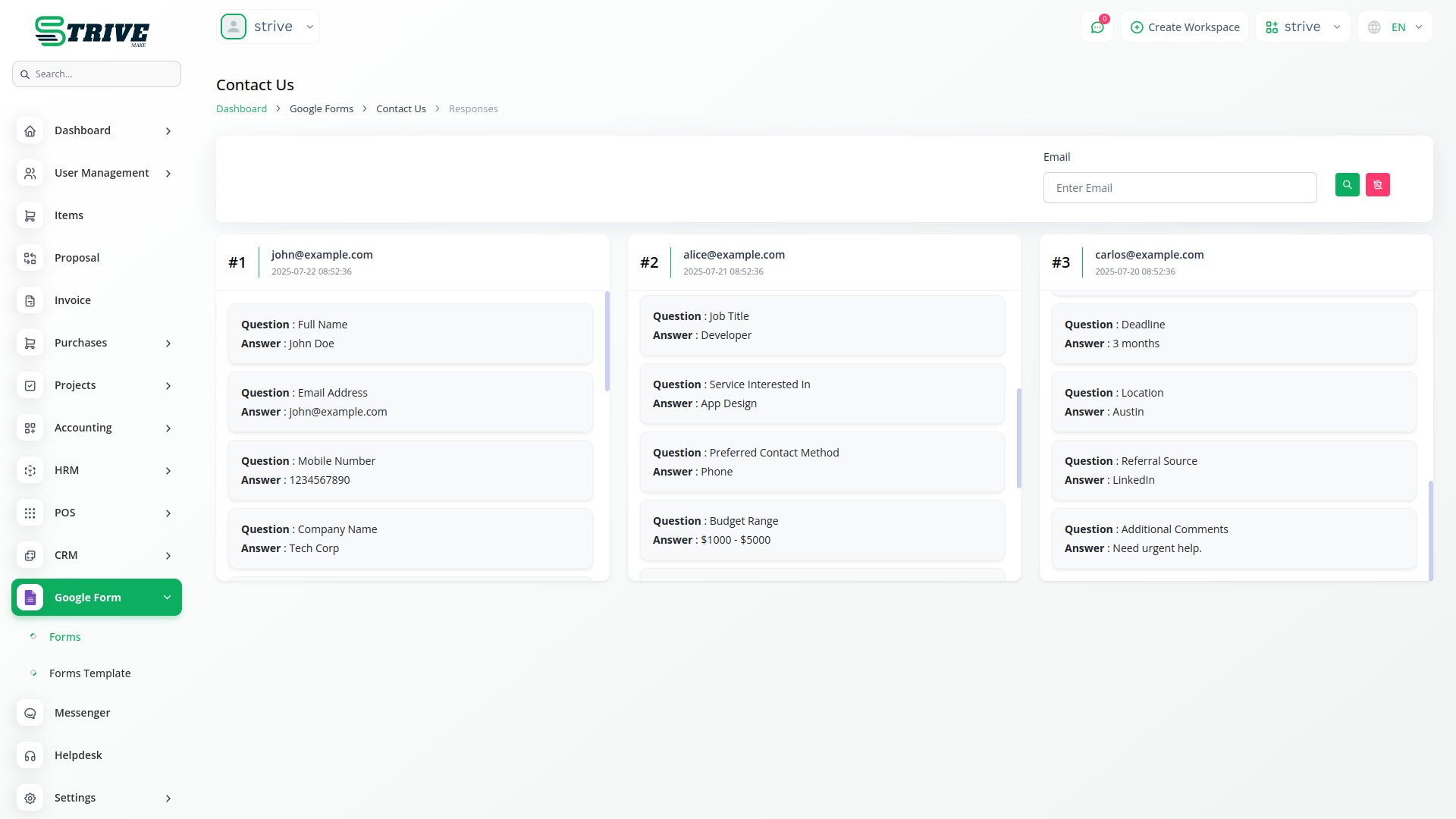
The Google Form add-on connects Google Forms to StriveMake, so responses collected through your forms flow into your workspace automatically. Survey answers, signups and feedback no longer sit isolated in a spreadsheet — they become records you can act on. Running it inside StriveMake means a form submission can feed your CRM or trigger follow-up, joining the data you gather to the customers and tasks it relates to. One login keeps collection and action together, turning form responses into real workflow.
What you can do with Google Form
- Connect Google Forms to your StriveMake workspace
- Import form responses automatically
- Turn submissions into actionable records
- Link captured data to CRM contacts and follow-up
Who Google Form is for
Teams that collect data through Google Forms and want responses to feed their business workflow.
Google Form — frequently asked questions
What does the Google Form add-on do?
It links Google Forms to StriveMake so the responses people submit flow into your workspace instead of staying locked in a spreadsheet. Survey answers, signups and feedback become records you can act on, connecting the data you collect to the customers and processes it concerns.
How much does the Google Form add-on cost?
The Google Form add-on is included free with your StriveMake plan — there is no extra charge to switch it on.
What happens to responses after they are submitted?
Responses can be imported into StriveMake where they become usable records, such as new leads or feedback tied to a contact. This means the information you gather feeds directly into your workflow and follow-up rather than requiring manual copying from a Google Sheet.
Does Google Form work with the rest of StriveMake?
It does. Because submissions land in the same workspace as your CRM and other modules, a form response can connect to a contact or trigger a task. One login keeps data collection and the action you take on it together, turning forms into part of your real workflow.
Related modules you might like
With Strivemake, you can conveniently manage all your business functions from a single location.


