Appointment
Our user-friendly appointment scheduling system simplifies appointment management, allowing efficient organization, tracking, and optimization for business or personal use. It features a dashboard, calendar button, color change, meeting types, appointment cancel form, appointment callback form, after complete appointment send feedback form, and copy link button for easy form submission. Users can create and update appointments ensuring seamless scheduling and efficient scheduling for their needs.
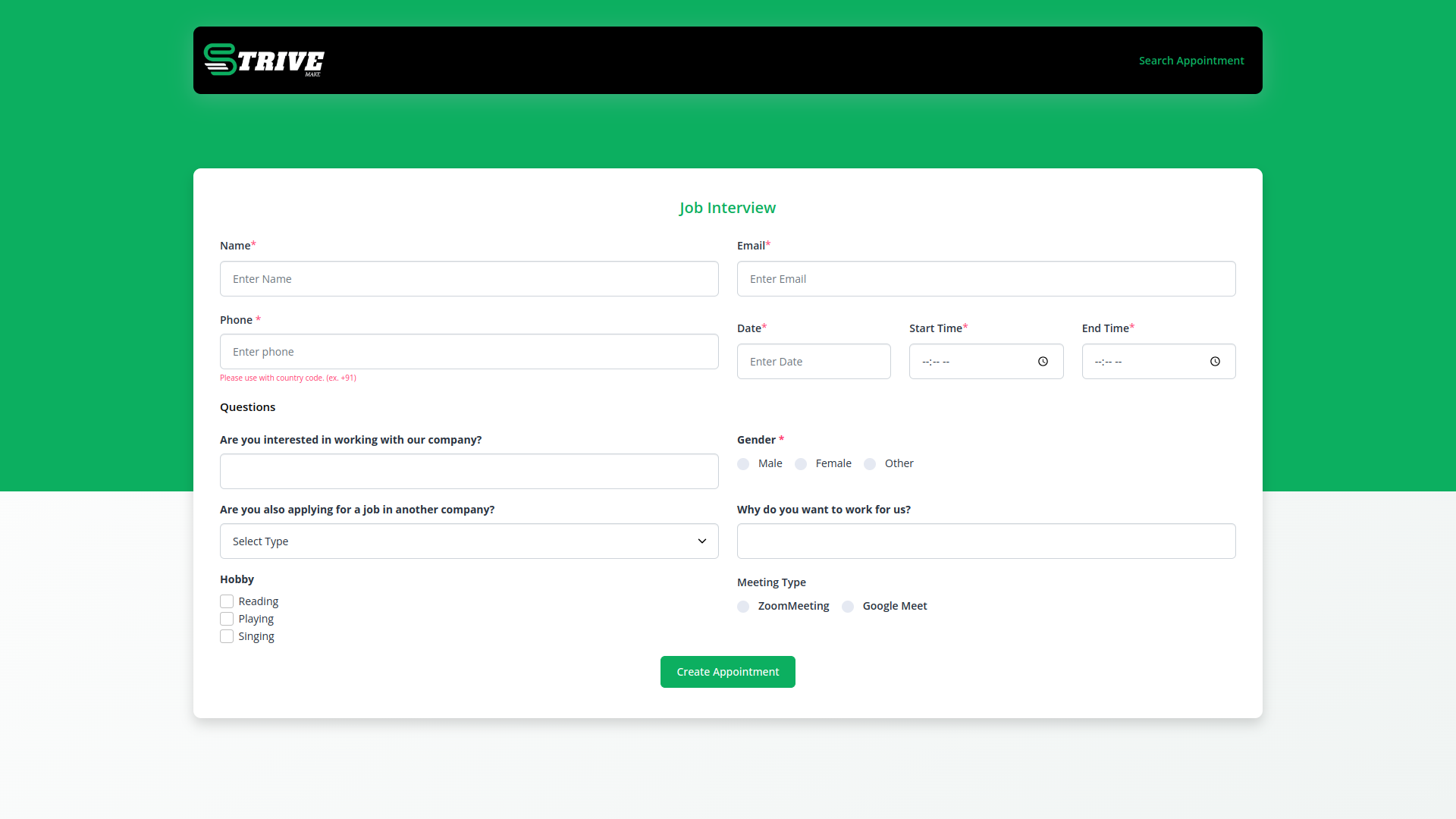
Get Additional Information for an appointment
Appointment is a feature that allows you to gather extra details from individuals scheduling appointments. This information can be crucial for ensuring a smooth and tailored interaction.
How does the appointment work?
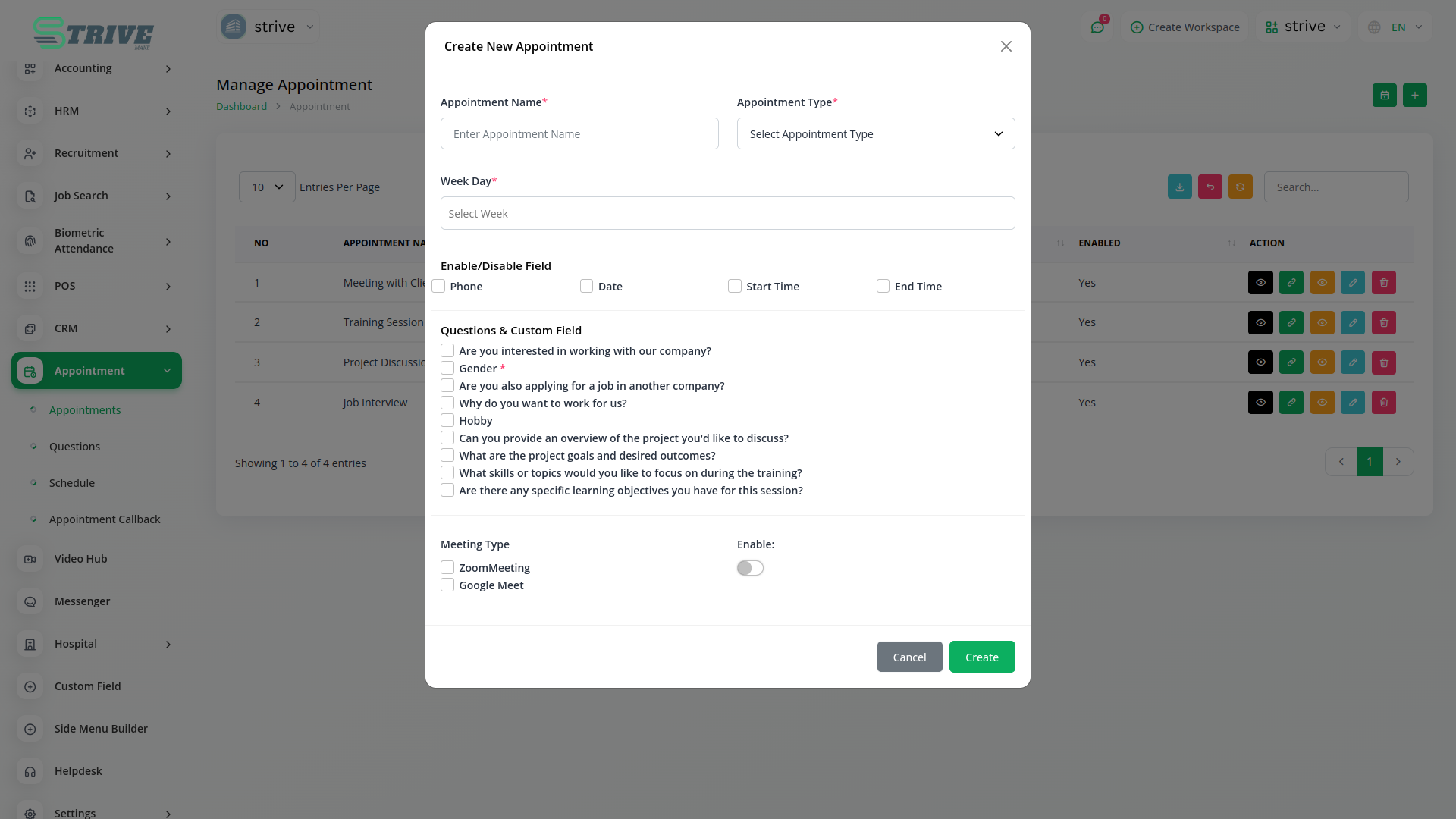
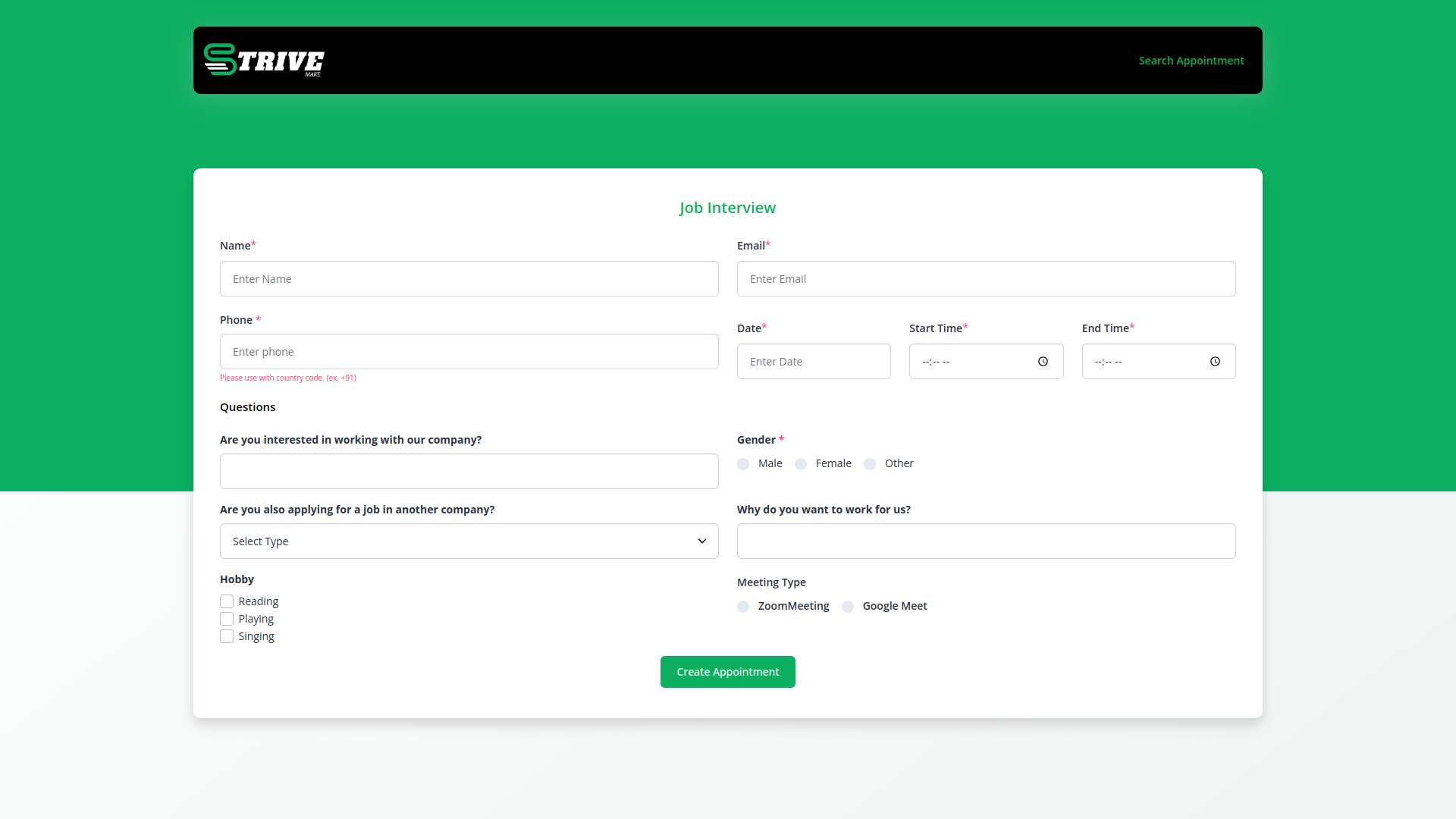
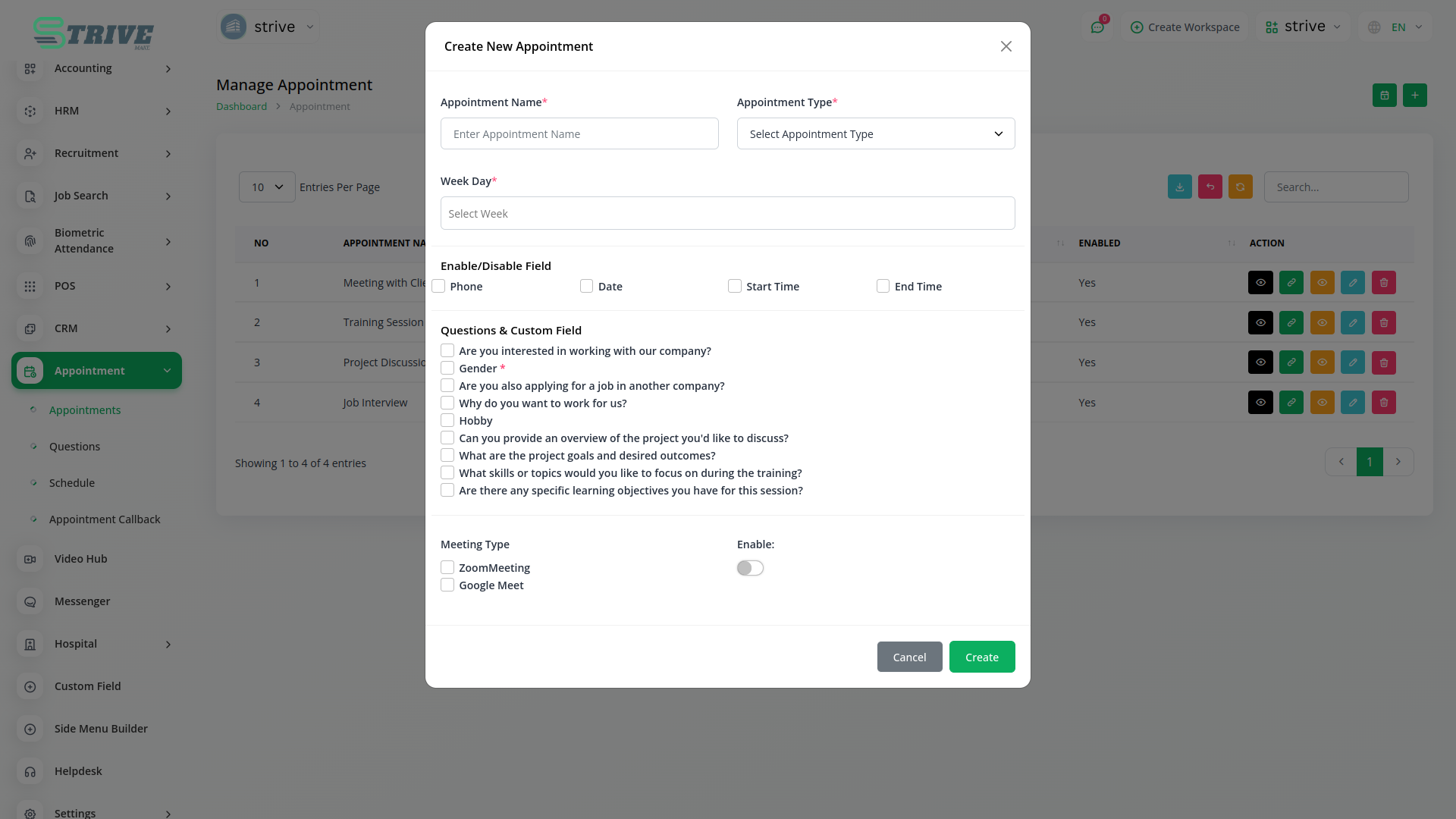
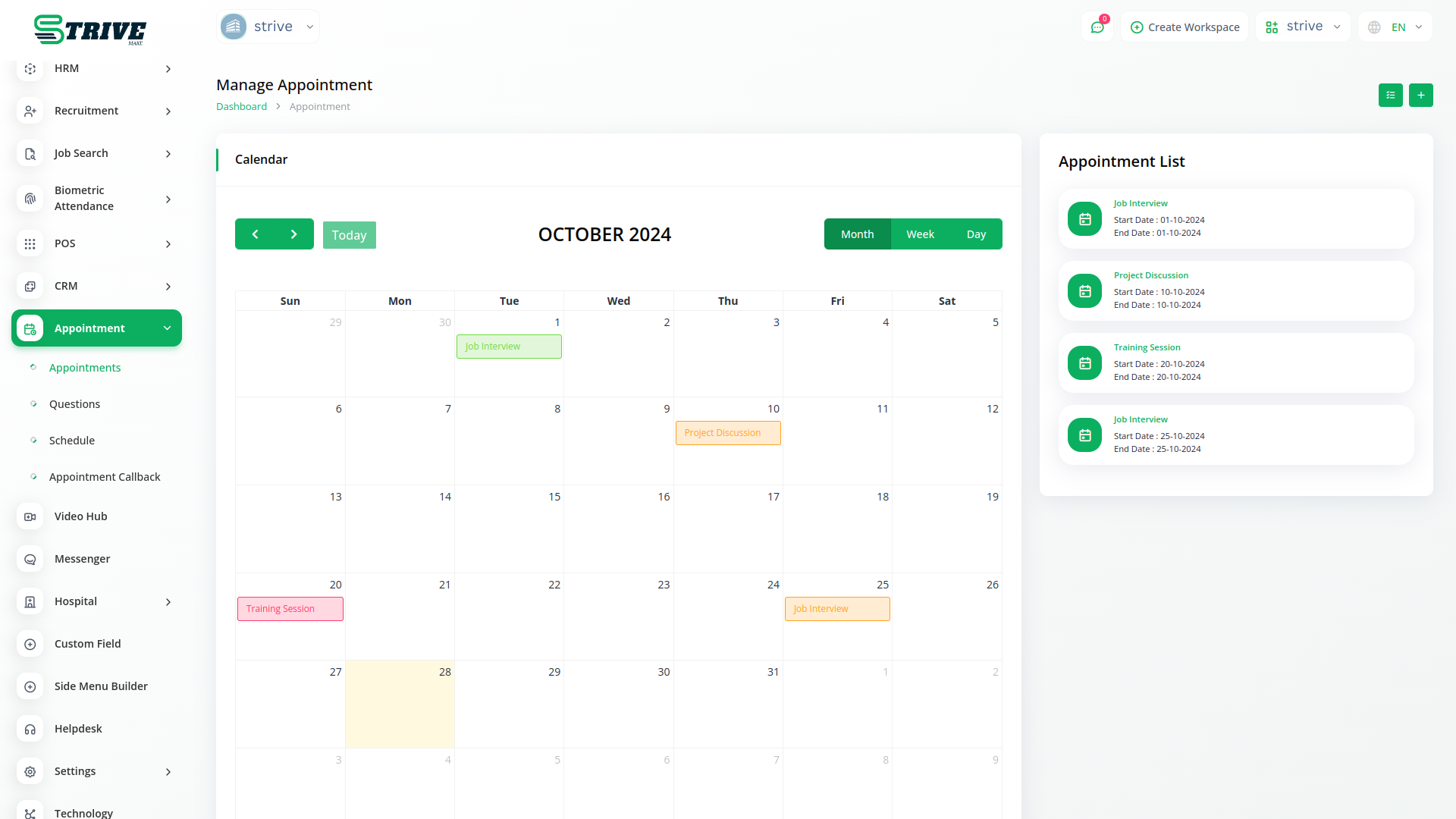
In the appointment section, you can create an appointment. It has a calendar button that displays all appointments and changes color according to the appointment status. It has a copy link button, in which any user can fill out the appointment form.
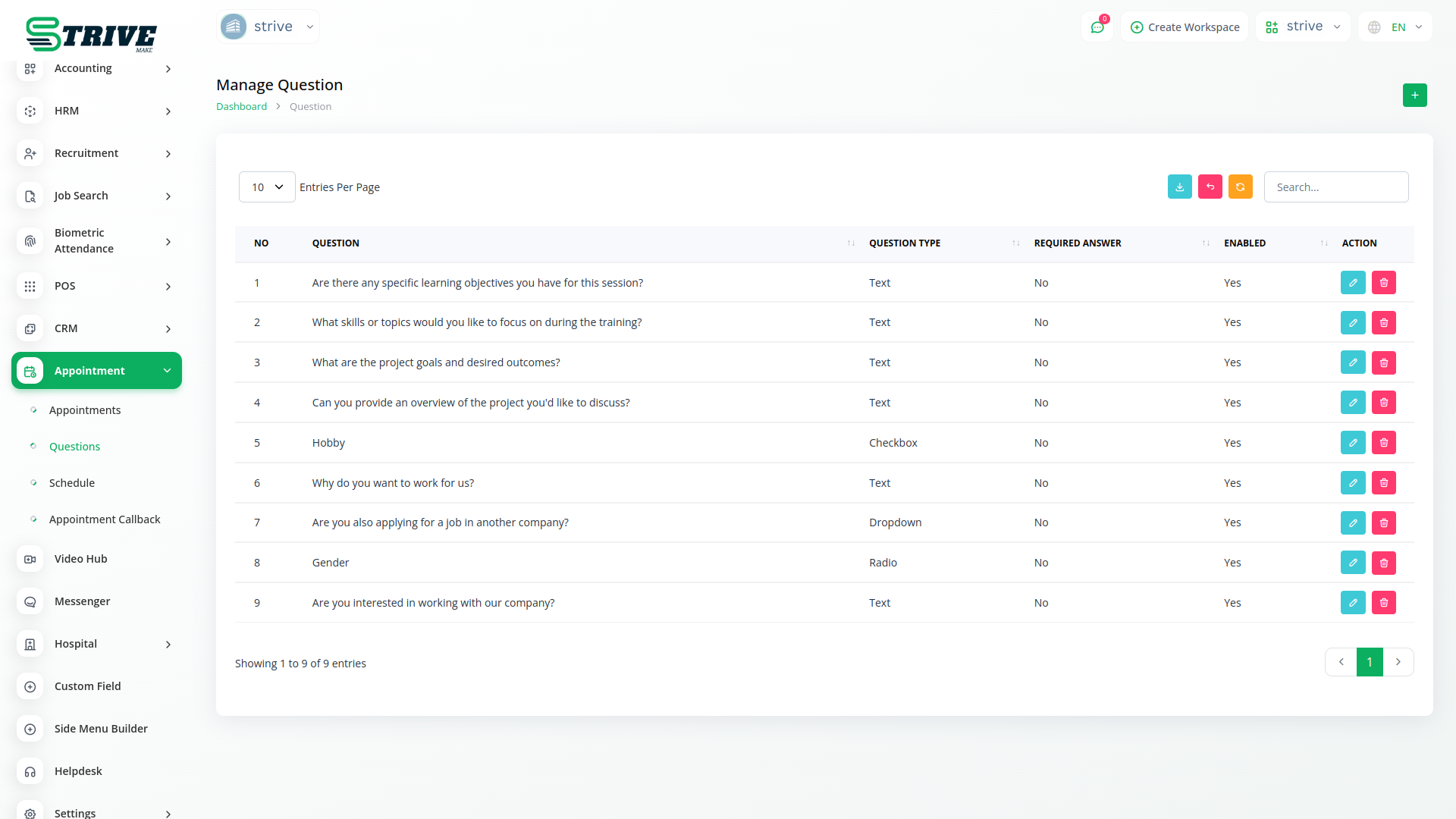
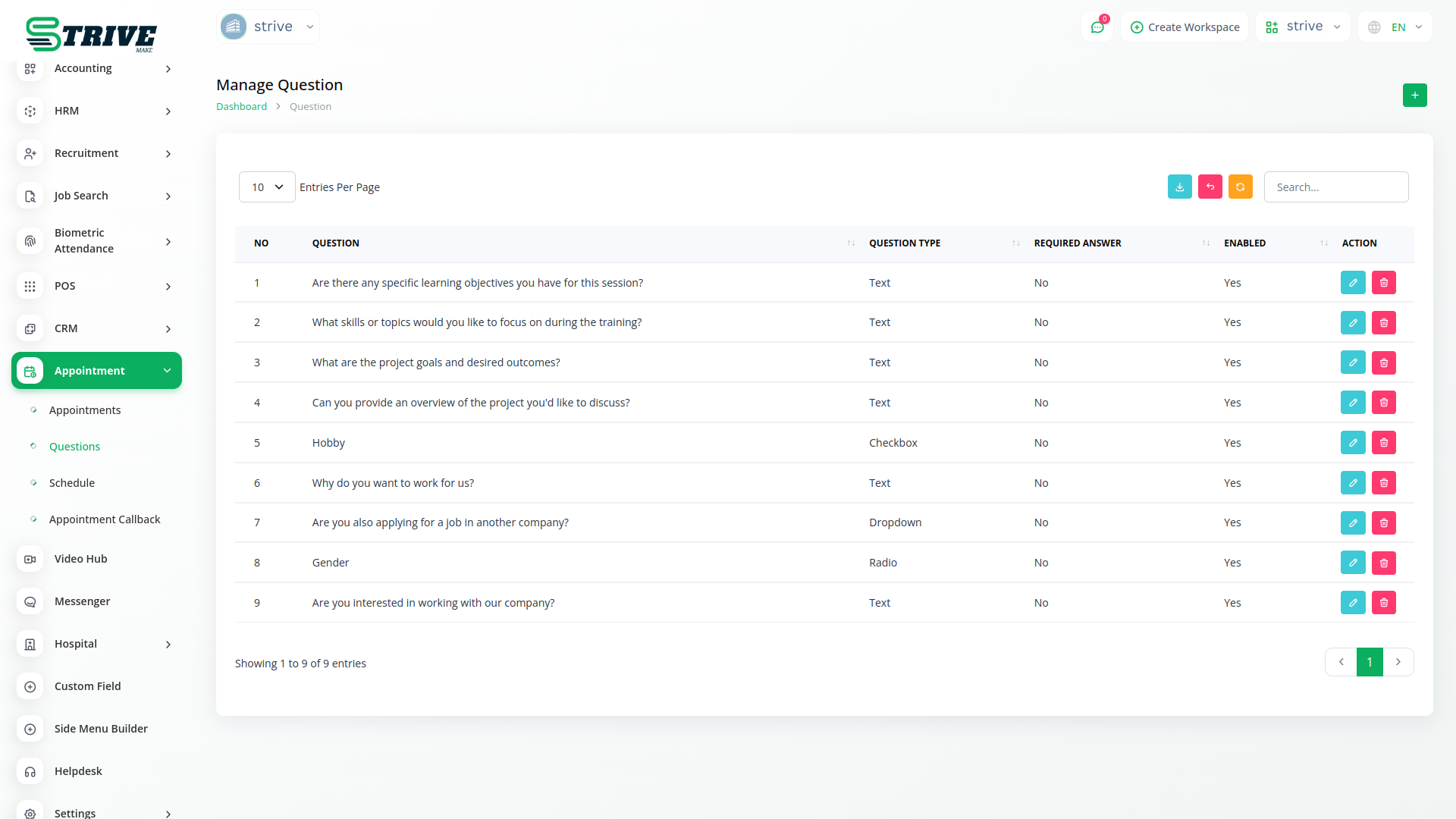
Manage Question
You just need to select a field and the appropriate type from the list. There are four field types available: Text, Radio, Dropdown and Checkbox You will be able to show the question without any extra effort. And you can decide whether to make that question mandatory or not. And you can also decide whether you want to keep that question in the appointment section or not.
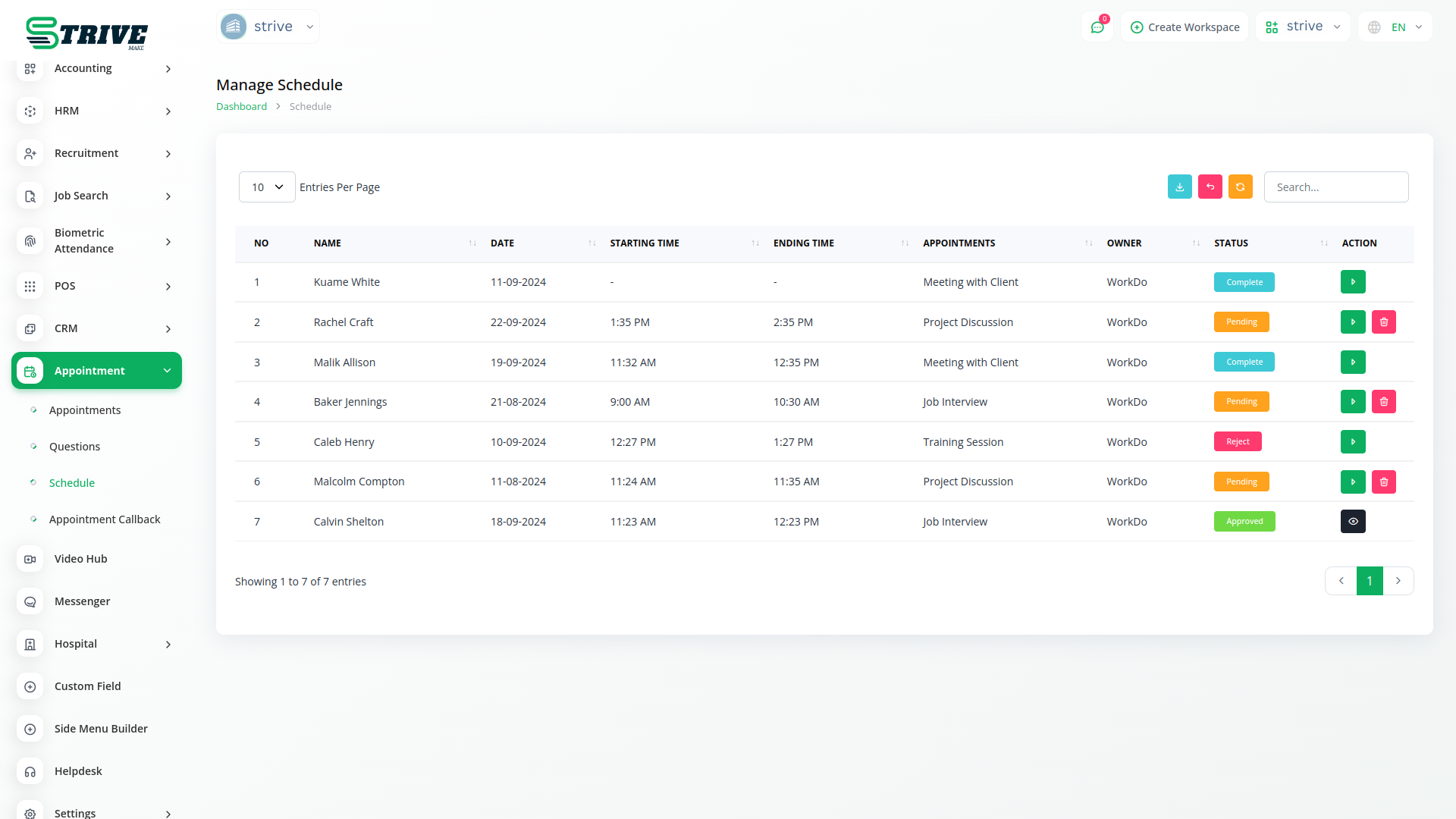
Manage Schedule
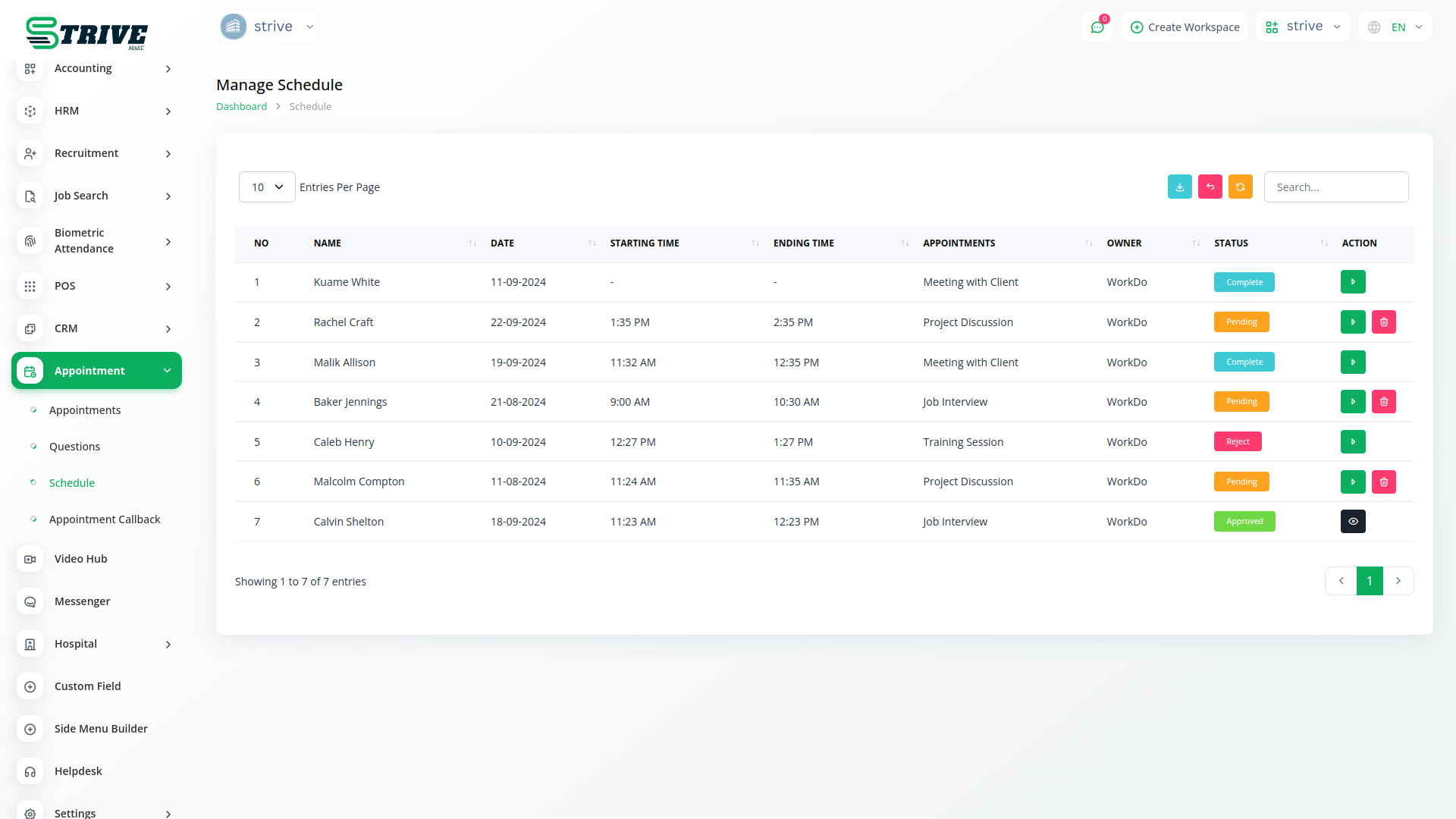
In the schedule section, the details of the filled appointment form are shown. In it, the schedule status action can be changed. It has the option to approve appointments, reject appointments, assign users, complete appointments, and send feedback forms after completion. Here, appointment approval or rejection will be communicated to the appointee through their email when they fill out the form, and a feedback form will also be sent.
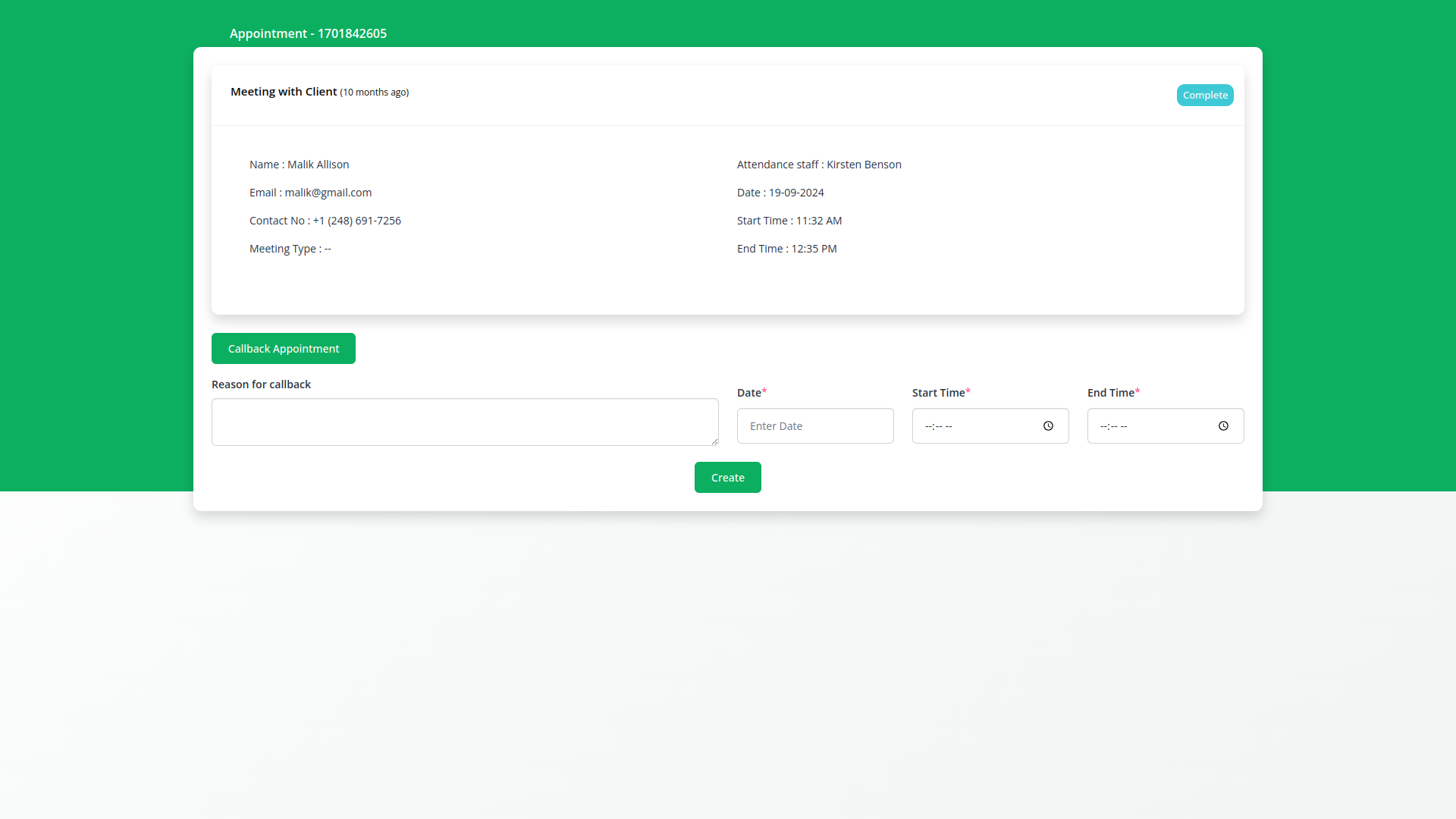
Manage Appointment Callback
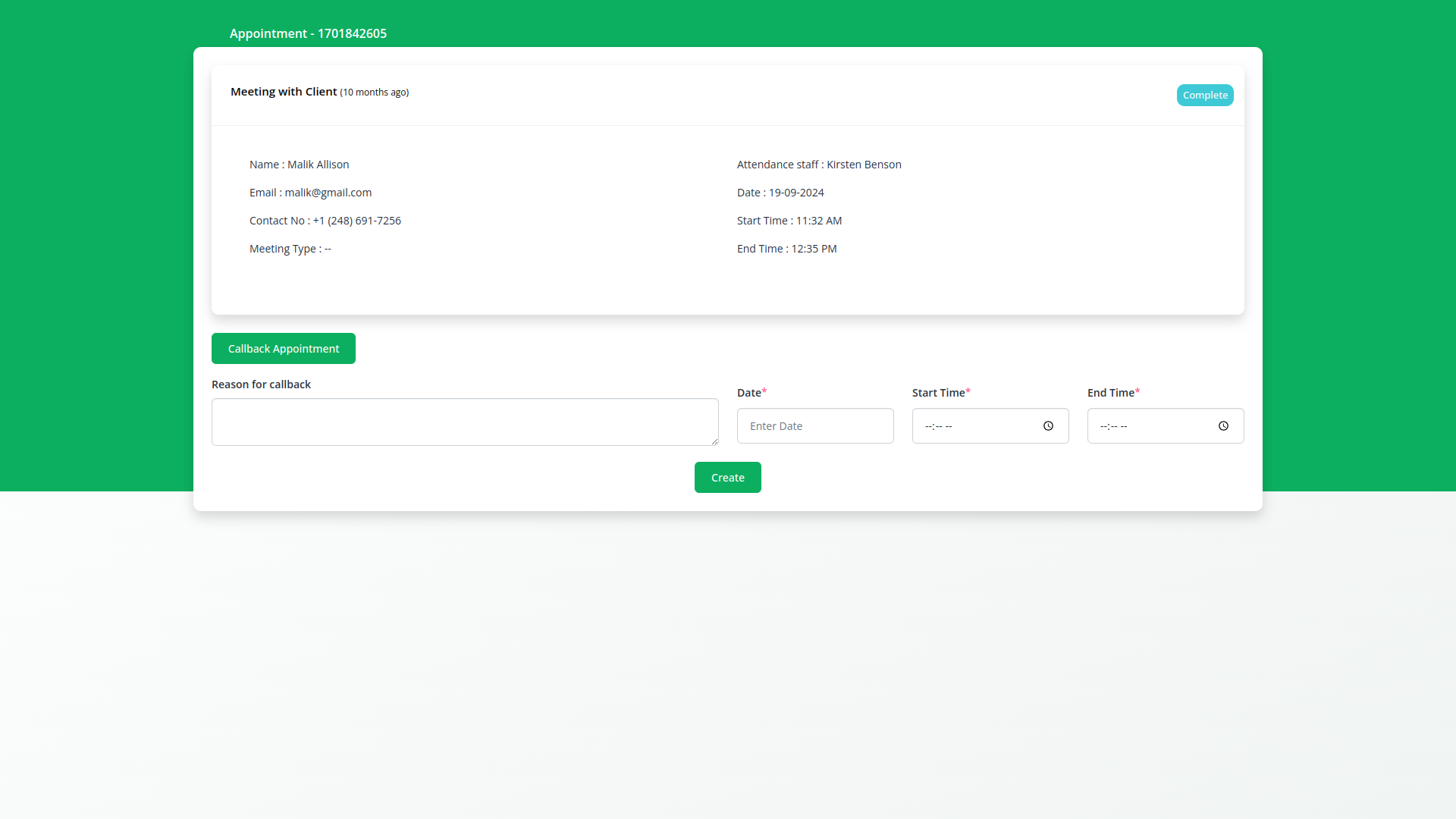
Instead of creating an appointment again, you can easily book an appointment through a callback only.
Why choose dedicated modules for your business?
With StriveMake, you can conveniently manage all your business functions from a single location.
Empower Your Workforce with StriveMake
Access over Premium Add-ons for Accounting, HR, Payments, Leads, Communication, Management, and more, all in one place!
- Pay-as-you-go
- Unlimited installation
- Secure cloud storage
- Instant activation
- Cancel anytime
- All updates included
- 24/7 priority support
- Instant activation
- Cancel anytime
- All updates included
- 24/7 priority support
About the Appointment add-on
Appointment lets you schedule and manage bookings with clients and staff inside StriveMake. You define services, durations and availability, then book or let customers request slots without the back-and-forth of email. Because appointments live in your workspace, they connect to the CRM contact being booked and the team member delivering the service. One login covers the calendar, the customer record and any follow-up, so scheduling becomes part of your wider customer workflow rather than a standalone diary you have to reconcile later.
What you can do with Appointment
- Service and staff scheduling with defined durations
- Availability management and slot booking
- Appointments linked to CRM contacts and team members
- Reminders and status tracking for each booking
Who Appointment is for
Service businesses and consultants that book client appointments and want them tied to customer records and staff.
Appointment — frequently asked questions
What does the Appointment add-on do?
Appointment is a scheduling tool for booking client and staff appointments. You set up services with durations and availability, then create or accept bookings. Each appointment connects to the customer and the staff member involved. Running inside StriveMake, it ties scheduling to your contacts and team without a separate calendar app.
How much does the Appointment add-on cost?
The Appointment add-on is $5,00/month or $48,00/year on top of your StriveMake plan, and you can turn it off whenever you like.
Can customers book their own appointments?
Appointment supports defining available slots so bookings can be made against your real availability, reducing double-bookings and email tag. Each confirmed appointment is recorded against the client and the assigned staff member, giving you a clear, organized schedule that everyone in the workspace can reference.
Does Appointment work with the rest of StriveMake?
Yes. Appointments link to the CRM contacts they are booked for and the staff who deliver them, so scheduling sits inside your broader customer and team workflow. One login covers booking, viewing the client record and following up, keeping appointments connected to the rest of your business.
Related modules you might like
With StriveMake, you can conveniently manage all your business functions from a single location.


